How to Reroll Custom Item Stats on Minecraft Servers: 2026 Tutorial
Filed under Minecraft Items, Ranks & Progression · How we create content
Key Takeaways
| Point | Details |
|---|---|
| Rerolling definition | A custom item stat reroll is a server mechanic to randomly improve an item's stats by spending currency. |
| Anvil mechanics | Place your item in the reforging GUI, choose reroll options, and pay the scaling cost based on rarity. |
| Best strategy | Set a budget, use stat locking, and reroll during discounted events to maximize efficiency. |
| God roll tips | Use luck consumables, track pity systems, and combine with rarity upgrades for best results. |
| Common mistake | Rerolling without a backup plan can drain resources—always lock important stats if available. |
| Gaia Legends | Our Reforging Anvil is accessible from spawn, costs start at 10 coins, and we run Blessed Reforge events. |
Table of Contents
- What Is a Custom Item Stat Reroll in Minecraft?
- How Does the Reforging Anvil Mechanic Work?
- What Are the Best Strategies for Efficient Rerolling?
- How Do You Maximize Your Chances of Getting God Rolls?
- Common Mistakes to Avoid When Rerolling
- How to Put This Into Practice on Gaia Legends
- Conclusion
- FAQ
- Recommended
So you've finally crafted that legendary sword after hours of grinding. Its base stats are solid, but deep down you know it could be better. You want higher damage, sharper criticals, or maybe a lifesteal passive. That's where learning how to reroll custom item stats on a Minecraft server becomes your most valuable skill. In this tutorial, we'll break down exactly how reforging works, what strategies push your odds in your favor, and how to avoid wasting precious resources. Whether you're on a survival RPG server or a kit PvP hub, these principles apply.
What Is a Custom Item Stat Reroll in Minecraft?
A custom item stat reroll is a server mechanic that lets you spend currency, materials, or experience to randomly generate new stat values on a weapon, armor piece, or tool, replacing the old ones.
This system is common on RPG-styled Minecraft servers using plugins like MMOItems, MythicMobs, or custom coded reforging modules. You'll often access it through a reforging anvil or a special NPC. The goal? To turn a decent item into a god-roll piece that gives you an edge in PvE or PvP.
Unlike vanilla Minecraft's anvil which only repairs or combines enchantments, custom rerolling changes the intrinsic stats of the item — things like damage bonus, attack speed, critical strike chance, or defense penetration. These stats are not vanilla enchantments; they're custom attributes defined by the server.
Pro Tip: Before you start rerolling, always check if your server allows you to lock a specific stat to prevent it from changing. Some plugins offer this for a premium cost, saving you currency in the long run.
The MMOItems plugin has over 10 million downloads on CurseForge (via CurseForge). If you want a steady supply of materials for your rerolls, consider learning how to dismantle custom items for crafting materials.
How Does the Reforging Anvil Mechanic Work?
The reforging anvil mechanic works by presenting a GUI where you place your custom item and select a reroll option; the system then randomizes the item's stats based on the item tier and server-defined ranges.
Typically, you'll craft or locate a reforging anvil block, right-click it, and a menu opens. You insert your item, choose which stat slots to reroll (sometimes all at once, sometimes one at a time), and pay the cost. The cost often scales with item rarity: common items might cost 50 coins, while legendary items cost 500 coins plus rare materials like netherite scraps or essence.
Some servers also implement a "reroll streak" system where consecutive rerolls increase the chance of better stats up to a cap. Others use a straight random roll for each attempt.
In vanilla Minecraft, an anvil has a 12% chance to take damage each time it is used (via Minecraft Wiki). To complement your rerolled stats, explore how to create custom enchantments on Minecraft servers.
What Are the Best Strategies for Efficient Rerolling?
The best strategies for efficient rerolling involve setting a budget, using stat locking if available, and timing your rolls when server resources are less contested.
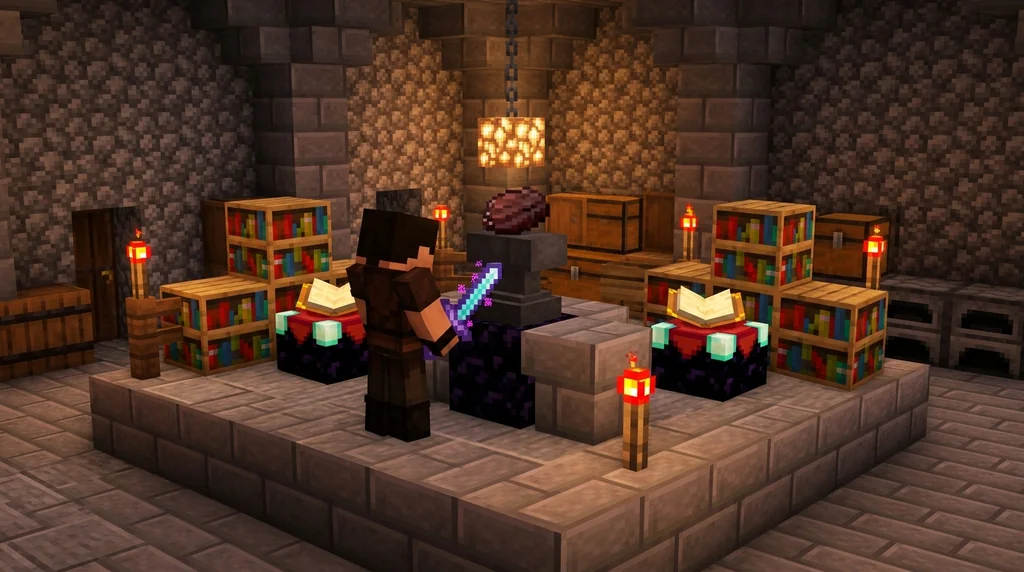
First, know your item's base stats and decide which stat is most important to reroll. For example, if your weapon already has high damage but low attack speed, focusing rerolls on attack speed yields more consistent improvement. Don't waste currency rerolling all stats at once unless the cost is the same.
Second, maximize your resource income. Combine rerolling with other progression loops. You can use loot filters to find valuable server items that you can sell for reroll currency.
Third, take advantage of events. Many servers offer discounted reforging during weekend events or holidays. Saving up for these can halve your costs.
| Rarity | Full Reroll Cost | Stat Lock Cost | Recommended Strategy |
|---|---|---|---|
| Common | 50 coins | Not available | Reroll freely, cheap |
| Rare | 150 coins | 75 coins | Lock best stat, reroll |
| Legendary | 500 coins | 300 coins | Always lock two stats if possible |
On many MMOItems-based servers, a Common reroll costs 50 coins, while Legendary rerolls cost 500 coins (via MMOItems Wiki).
How Do You Maximize Your Chances of Getting God Rolls?
Maximizing your chances of god rolls requires combining multiple strategies: waiting for luck boosts, using lucky charms or consumables, and understanding the server's roll distribution.
Some servers include luck potions or temporary buffs that increase reforge success probability. Always chug these before you start. Also, watch for server announcements about "reforge weekends" where rates are doubled.
Another key: track your rolls. Keep a notepad of how many rolls you've done and the results. Some servers use a "pity system" that increases the chance of a high roll after a certain number of attempts. If you suspect a pity system, it's worth pushing through that threshold.
The MythicMobs plugin has been downloaded over 5 million times on SpigotMC, making it one of the most widely used custom mob and item plugins on servers (via SpigotMC).
For item progression, don't forget to upgrade your Minecraft item rarity tier before rerolling to get better base rolls.
Common Mistakes to Avoid When Rerolling
Common mistakes include rerolling an item you can't afford to lose, ignoring cost escalation, and rerolling without checking if the item can be preserved through stat transfer.
One huge mistake: not backing up your money or materials. Rerolling can be addictive, and it's easy to blow your entire savings on a single item. Always set a hard limit before you start.
Another: rerolling a "prototype" item when you should be farming materials first. If the server allows dismantling, you might want to dismantle custom items for crafting materials to fund your rerolling addiction.
Warning: Some servers have a "random break chance" that can destroy the item on a failed reroll. Always read the server's documentation or ask staff before risking a precious weapon.
Also, avoid rerolling an item with valuable enchantments you want to keep. Use how to transfer enchantments between items to preserve them.
The Reforging Anvil plugin by Draylon has been downloaded over 2,000 times on SpigotMC, indicating widespread use among server administrators (via SpigotMC).
How to Put This Into Practice on Gaia Legends
We've designed the system to be beginner-friendly: common items cost only 10 coins to reroll, and we display the stat ranges so you know what's possible. More advanced features include stat locking (for a coin fee) and limited-time "Blessed Reforge" events where odds of high rolls double.
Gaia Legends is free to join, non-pay-to-win, and supports Java + Bedrock crossplay.
Join at gaialegends.pro and start your legend today.
Conclusion
Mastering how to reroll custom item stats on a Minecraft server opens up a new layer of progression. Here are your three biggest takeaways:
- Always set a budget and stick to it.
- Use stat locking when available to preserve your best stat.
- Take advantage of server events to double your efficiency.
Now put these strategies to work and watch your gear transform.
FAQ
Recommended
- What is a Minecraft Anarchy Server? A Beginner's Guide (2026) | Gaia Legends
- How to Rebuild After a Hardcore Minecraft Death (2026 Guide) | Gaia Legends
- How to Write a Minecraft Server Code of Conduct in 2026 | Gaia Legends
- How to Build a Boss Fight Arena in Minecraft 2026: Full Design | Gaia Legends
Ready to play? Join Gaia Legends today — no pay-to-win, Java + Bedrock crossplay.
- Java:
join.gaialegends.pro - Bedrock:
join.gaialegends.pro— Port19132
Further reading
These references were recorded with the article; specific claims have not been matched to source excerpts.
Frequently Asked Questions
How do I reroll custom item stats on a Minecraft server?
Place your custom item in the reforging anvil GUI, pay the cost in currency or materials, and the system randomly generates new stats. Strategies include stat locking and waiting for events. Each server may have slight variations, so check the server's wiki or ask a staff member.
Is rerolling the same as enchanting?
No. Enchanting adds vanilla enchantments from a table or anvil, while rerolling changes custom stats like damage bonus, attack speed, or crit chance. Custom stats are separate from enchantments and often visible on the item lore. Many servers combine both systems.
What materials do I need to reroll items?
Typically you need in-game currency (coins, tokens) and sometimes materials like netherite scraps, essence dust, or specific gems. The cost scales with item rarity. Some servers also require experience levels for each reroll attempt.
Can I reroll the same item multiple times?
Yes, you can reroll an item as many times as you want, as long as you can afford the cost. However, each reroll replaces the current stats, so you might end up with worse stats. Stat locking can protect one stat from changing.
Will rerolling destroy my item?
On most servers, rerolling does not destroy the item, but some plugins include a random break chance. Always read the server's rules. If you are unsure, test on a cheap item first or ask an admin.
What happens if I get worse stats?
Unfortunately, if you get worse stats, you'll need to reroll again to try for better ones. This is why it's smart to lock a high stat before rerolling, or to keep enough currency for multiple attempts. The random nature adds to the progression grind.
Related guides

How to Check Custom Item Leveling on a Minecraft Server
Check a Minecraft server's custom item rules before grinding. Identify the documented XP source, track progress, and verify upgrade costs and resets.

How to Unlock Minecraft Prestige Rewards and Perks on Servers in 2026
Discover how Minecraft prestige rewards and perks work in 2026. Learn to unlock ranks, cosmetics, and gameplay boosts step-by-step on SMPs and minigame...

How to Earn Rare Items from Gaia Legends Quests in 2026
Learn how to earn rare items from Minecraft quests on servers like Gaia Legends. Discover quest types, rare drops, and tips to maximize custom rewards and...
Custom Item Naming and Inventory Management in Minecraft Java Edition 1.4.2
Learn how to name custom items using NBT data in Minecraft Java Edition 1.4.2, plus the key inventory management upgrades introduced in snapshot 12w40a for map makers and players.
Have a question or another approach?
Compare notes with other readers. Include your edition and version when discussing mechanics.