How to Use Minecraft Loot Filters to Find Valuable Server Items in 2026
Filed under Minecraft Items, Ranks & Progression · How we create content
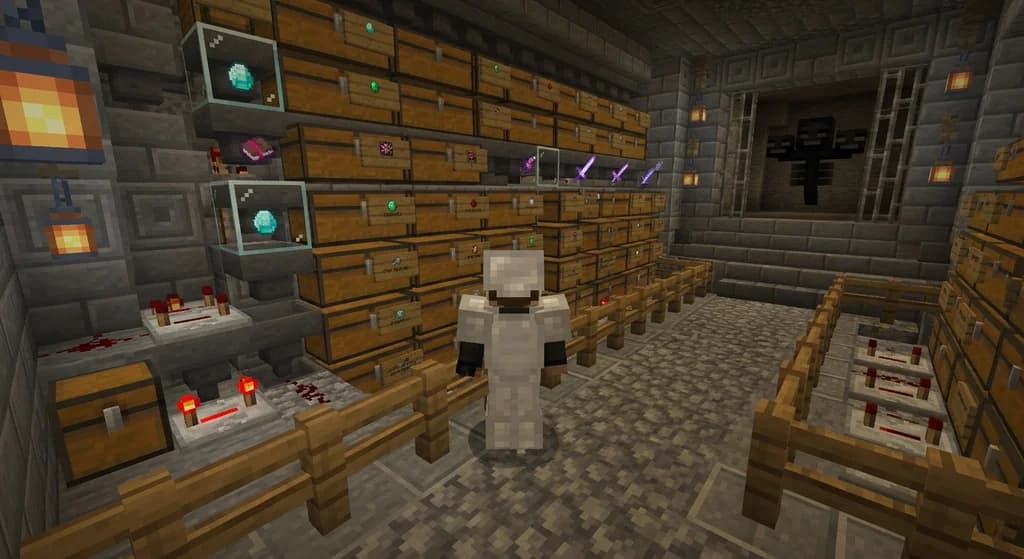
Key Takeaways
| Point | Details |
|---|---|
| Loot filters save time | Automatically collect only valuable drops, eliminating manual sorting after every fight. |
| Custom plugins unlock power | Server-side filters can read item lore, rarity, and attributes—far beyond vanilla sorting. |
| Rare drop insurance | With a proper filter, you’ll never miss a legendary item hidden among piles of common loot. |
| Server performance | Well-tuned filters reduce item entity lag, keeping gameplay smooth even in busy areas. |
| Gaia Legends integration | The server’s built-in filter highlights rare custom drops and auto-collects them. |
| Simple setup | Most servers offer GUI or chat-based filter configuration—no redstone expertise needed. |
Table of Contents
- What Are Minecraft Loot Filters?
- Why Use Loot Filters on Minecraft Servers?
- How to Set Up a Basic Loot Filter
- Best Practices for Server Loot Sorting
- Tips for Finding Rare Server Items Fast
- How Can Custom Item Filters Help You Find Rare Drops?
- Is a Server Loot Filter Worth It?
- How to Put This Into Practice on Gaia Legends
- Conclusion
- Frequently Asked Questions
- Recommended
Sitting on a full inventory while a legendary item despawns is every Minecraft player’s nightmare. In 2026, Minecraft servers pack more custom items, rare drops, and event loot than ever—but your backpack hasn’t grown. That’s where minecraft server loot filters come in. A loot filter is any tool, plugin, or in-game contraption that automatically sorts, selects, and grabs only the items you actually want. This guide teaches you how to set up effective item filters on multiplayer servers, from vanilla redstone sorters to advanced server-side plugins that read custom item lore. By the end, you’ll never lose a valuable drop to inventory chaos again.
What Are Minecraft Loot Filters?
Minecraft loot filters are systems—either vanilla redstone machines or server-side plugins—that automatically sort items by name, type, enchants, or custom tags, so you keep valuables and discard junk.
A loot filter is anything that makes decisions about items for you. In vanilla Minecraft, you can build a minecraft loot filter using hoppers, comparators, and named item frames to sort specific items into chests. On modded or plugin-based servers, filters become far more powerful. They can read custom NBT data, check item lore for rarity levels, and even filter by numeric attributes—something impossible in plain survival. For example, a server might let you type a command like /filter add rare to automatically pick up any item tagged as “Rare” or higher. This is the core of any serious server loot sorting minecraft strategy.
Note: Vanilla redstone sorters only check item IDs and names—they can’t distinguish between a normal diamond sword and a custom boss drop with +20 attack damage. For that, you need a custom item filter minecraft provided by the server.
Why Use Loot Filters on Minecraft Servers?
On crowded PvE and MMORPG servers, efficient loot filters save hours of manual sorting, reduce client lag, and make sure you never walk past a legendary item lying among common drops.
Multiplayer servers flood you with loot. A single boss fight can scatter 50+ items on the ground. Without a proper filter, you either pick up everything and waste minutes trashing junk, or you try to manually spot the good items and risk missing them. Moreover, many servers use custom enchant glint colors, custom names, and lore lines for rare items—these are invisible to vanilla hoppers.
Using a server-side loot filter gives you three big wins:
- Speed: Grab only what you need, instantly.
- Precision: Target items by rarity, lore, or even attribute values.
- Peace of mind: No more panicking when your inventory fills up mid-raid.
For example, Looting III can increase rare drop chances by up to 3x for certain mobs (via Minecraft Wiki), but even with boosted drops, you still have to sift through dozens of common items. A good filter makes that effortless.
How to Set Up a Basic Loot Filter
You can build a vanilla item filter with just a few hoppers, comparators, and chests, but for server-specific custom item filtering, you’ll need to learn your server’s filter commands or plugin interfaces.
Vanilla Redstone Item Sorter
The classic design places a hopper line over chests, each chest locked to one item type using an item frame and comparator circuit. When a matching item enters the hopper, it passes through; everything else continues down the line. This is great for basic sorting of stone, dirt, and ores.
- A hopper can transfer up to 2.5 items per second, while a water stream can push items at 8 items per second (via Minecraft Wiki). So combine water streams with hopper sorters for the fastest collection.
Server Plugin Filters
Most large servers run plugins like ItemJoin or custom MMORPG systems that offer built-in /filter or /lootfilter commands. For instance, you might type /filter add rarity:legendary to only pick up legendary-tier items. Some servers let you create complex filters via a GUI: just drag an item into a menu slot to add it to your whitelist.
Pro Tip: Always test new filters in a safe area first. A misconfigured filter can blacklist items you actually want, leaving your rare boss drop on the ground to despawn!
Warning: If your server uses a chat-based filter system, double-check syntax. A missing colon or bracket can render the filter inactive, and you might not notice until you’ve lost something valuable.
Best Practices for Server Loot Sorting
Effective server loot sorting combines smart filter rules with inventory management—never filter too aggressively, and always update your whitelist after every major content patch.
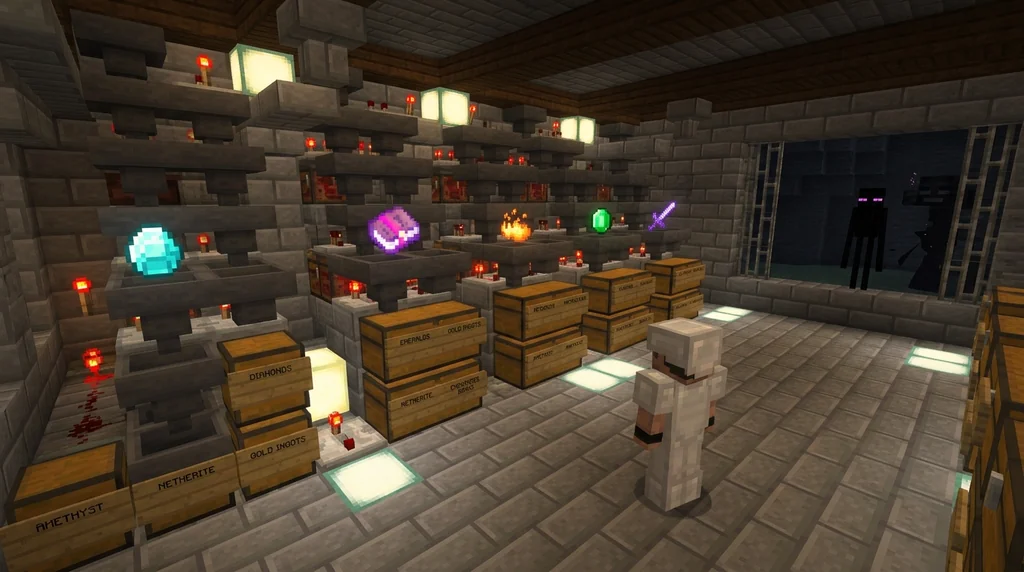
Here are some battle-tested practices:
- Start broad, then narrow: Filter for all items of a certain category (e.g., “weapons”) first, then refine.
- Use blacklists sparingly: Rather than filtering out dozens of junk items, whitelist only the drops you actually need from each area.
- Categorize by currency: On many economy servers, common drops can be sold or traded. Link your filter to your trading routine—for more, see How to Trade Unwanted Custom Items for Server Currency in Minecraft 2026.
- Keep an eye on performance: Too many complex filter rules running simultaneously can cause client lag. A hopper minecart can pick up items at a rate of 20 items per second, ideal for fast loot collection (via Minecraft Wiki), but on servers with custom items, constant NBT checks might slow you down. Balance is key.
Additionally, many servers allow you to repair custom items that get filtered in, so you can salvage even partially damaged rares.
Tips for Finding Rare Server Items Fast
Pairing your loot filter with specific hunting strategies and knowing server drop mechanics cuts the grind time by half.
Here’s how to optimize your rare item pipeline:
- Learn boss loot tables: Know exactly what each mob drops and the rarity tier. Some bosses only drop legendary items during specific events—your filter can flag these as “priority.”
- Use Looting and Luck enchantments: While looting boosts drops, on servers with custom items, the real power comes from filters that can detect hidden item passives. Imagine a sword that glows only when you’re below half health—a standard hopper can’t spot that, but a custom filter can.
- Pre-filter during dungeons: Many dungeon mods let you set up filters that instantly transfer loot to your ender chest or a personal vault, bypassing your inventory entirely.
- Check for daily quest rewards: On servers like Gaia Legends, daily quests often reward rare items directly. For a complete guide, see How to Earn Rare Items from Gaia Legends Quests in 2026.
Remember, the Dropper block can dispense items at a max rate of 1 item per redstone tick, or 2 items per second (via Minecraft Wiki). In large-scale farms, that’s a bottleneck. Pair it with a hopper minecart for smoother flow.
How Can Custom Item Filters Help You Find Rare Drops?
Custom item filters let you automatically grab items based on attributes like “+20% crit chance” or lore with “Soulbound,” ensuring you never overlook a hidden gem.
Server plugins that support custom item filtering open up extreme precision. You can filter by:
- Rarity tier: Instantly pick up any item marked Legendary or Mythic. Once you’ve upgraded your item’s rarity, filter for it to quickly collect duplicates—learn more in How to Upgrade Your Minecraft Item Rarity Tier on Servers in 2026.
- Attribute ranges: Filter swords with attack damage above 10.
- Lore keywords: Grab anything with “Soulbound,” “Unbreakable,” or “Set Bonus.”
Is a Server Loot Filter Worth It?
For any player serious about progression on a custom-content server, a working loot filter is as essential as a good weapon—it directly maximizes your loot-per-hour efficiency.
If you spend even 30 minutes per session managing inventory, a filter can give you back that time. Multiply that over a month, and you’ve gained hours of pure gameplay. Additionally, many servers reward players who trade rare items—by filtering effectively, you’ll accumulate valuable stock for the player economy, as explained in our trading guide.
Of course, setting up filters requires an upfront time investment. But once running, they’re low-maintenance. On servers that offer GUI-based filter menus, you can reconfigure in seconds before each dungeon run.
How to Put This Into Practice on Gaia Legends
Now that you understand the theory, applying it on Gaia Legends is straightforward. Our server features a customizable loot filter system built right into the player menu. When you log in, open /filter and use the intuitive interface to add items by rarity, item type, or even specific enchantments.
Here’s what you can do:
- Highlight rare drops: Any item above Rare quality glows with a particle effect, visible even in cluttered dungeons.
- Auto-pickup toggle: Enable to automatically collect items matching your filter, even if your inventory is full (they go to a temporary stash).
- Filter by quest rewards: Keep only the items you need for active quests—perfect for the quest system detailed in our other guides.
Gaia Legends is free to join, non-pay-to-win, and supports Java + Bedrock crossplay. Join at gaialegends.pro and start your legend today.
Conclusion
- A well-configured loot filter saves hours of manual sorting and prevents valuable items from despawning.
- On custom servers, server-side plugins give you filter powers far beyond vanilla redstone, letting you target items by rarity, lore, and attributes.
- Put it all together: Build a vanilla sorter for mass storage, then layer on a server-side filter for the rarest drops.
Now you’re ready to face any dungeon or boss arena without inventory anxiety. Try setting up your first filter today—you’ll wonder how you ever played without it.
Recommended
- How to Create a Minecraft Server Staff Application Form (2026) | Gaia Legends
- Top 7 Best Melee Weapons for Minecraft Boss Fights (2026) | Gaia Legends
- How to Tell if a Minecraft Server IP is Safe: 7 Warning Signs (2026) | Gaia Legends
- How to Unlock and Use Artifact Weapons in Minecraft MMORPGs (2026) | Gaia Legends
Ready to play? Join Gaia Legends today — no pay-to-win, Java + Bedrock crossplay.
- Java:
join.gaialegends.pro - Bedrock:
join.gaialegends.pro— Port19132
Further reading
These references were recorded with the article; specific claims have not been matched to source excerpts.
Frequently Asked Questions
What is a minecraft server loot filter and how does it work?
A minecraft server loot filter automatically sorts items based on rules like item type, rarity, or custom lore. It can be a vanilla redstone contraption or a plugin that reads NBT data. Filters help you grab only valuable drops, saving inventory space and time during gameplay.
Can I build a loot filter without mods or plugins?
Yes, vanilla Minecraft allows basic item sorting using hoppers, comparators, and item frames. These designs sort items by type but cannot read custom NBT tags, lore, or attributes. For advanced filtering on custom servers, you’ll need server-side plugins or mods.
How do I filter for specific custom items with lore?
Many servers provide commands like `/filter add lore:Soulbound` or GUI menus where you drag items to create a whitelist. Check your server’s documentation or ask an admin—each plugin handles filtering differently. Test your filter in a safe area before entering combat.
Do loot filters cause server lag?
Complex filters with many rules can contribute to lag, especially on high-population servers. Optimize by whitelisting only essential items and avoiding overly broad rules. Some servers set item merge radius to reduce entity counts, improving performance.
Can I use a loot filter to auto-sell junk items?
On economy servers, some plugins let you combine filtering with auto-selling. Items that don’t match your filter can be instantly converted to currency. This pairs well with trading guides—learn more in our [trading post](/posts/trade-custom-items-server-currency-minecraft-2026).
How often should I update my filter rules?
Update your filters whenever the server adds new content, events, or balance changes. After major patches, new items may appear, and drop rates often shift. Review your whitelist weekly and after every dungeon exploration to stay efficient.
Related guides

How to Transfer Enchantments Between Items on Minecraft Servers in 2026
Learn how to transfer enchantments between items on Minecraft servers in 2026. Master grinder setups, plugin tools, and the Enchantment Transposer...

How the Ender Dragon's Ascension and Respawn Works in Minecraft
Discover how the Ender Dragon's death ascension works, how to respawn it using End crystals, the full 30-second respawn sequence, and key differences between Java and Bedrock editions.

Mumbo Jumbo and Minecraft auctions: Hermitcraft shopping districts to movie
Discover how Mumbo Jumbo's Hermitcraft shopping district experience led to an auction cameo in A Minecraft Movie, plus his behind-the-scenes consulting work.

Understanding the Identify Control in Bedrock Edition
Learn what the Identify control is in Bedrock Edition, how it was renamed from Describe in Preview 26.10.25, and how Bedrock's item name display differs from Java Edition.
Have a question or another approach?
Compare notes with other readers. Include your edition and version when discussing mechanics.