How to Upgrade Your Minecraft Item Rarity Tier on Servers in 2026
Filed under Minecraft Items, Ranks & Progression · How we create content
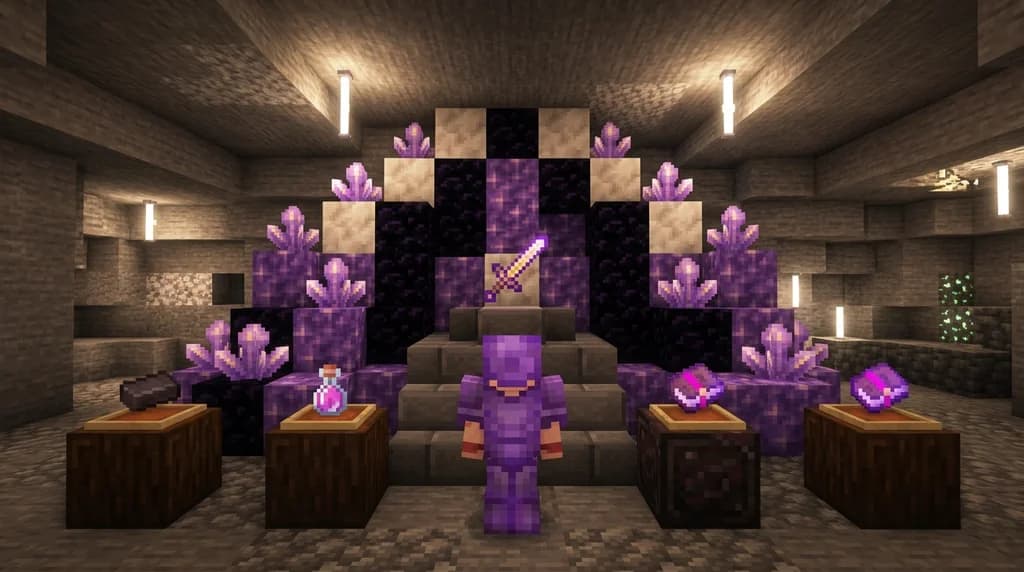
Key Takeaways
| Point | Details |
|---|---|
| Understand rarity tiers | Servers add custom tiers like Common, Uncommon, Rare, Epic, Legendary, Mythic with distinct colors and stat boosts. |
| Use server currency | Upgrade items by spending in-game money and rare materials at upgrade shrines or through commands. |
| Know the costs | Mythic tier upgrades often cost 500,000+ currency and require rare items like nether stars. |
| Avoid failure | Upgrade success rates can be as low as 60% for high tiers; use protection scrolls to prevent item loss. |
| Leverage quests | Completing quests earns rare items and currency needed for upgrades, accelerating your progression. |
| Gaia Legends | Join gaialegends.pro to experience a free, non-pay-to-win upgrade shrine with 6 tiers from Common to Mythic. |
Table of Contents
- What Is an Item Rarity Tier on a Minecraft Server?
- How Do Custom Rarity Colors Affect Your Gameplay?
- How to Upgrade Your Minecraft Item Rarity Tier on Servers
- Best Currency and Materials for Item Upgrades
- Why Do Servers Use Item Rarity Upgrades?
- Tips for Efficient Item Rarity Progression
- How to Put This Into Practice on Gaia Legends
- Frequently Asked Questions
- Recommended
You’ve just crafted a diamond sword, but on your favorite server it’s still just a plain white name. Meanwhile, the player next to you swings a blade that glows with a purple mythic aura and deals double damage. That’s the power of an upgrade minecraft item rarity tier system — a feature that transforms ordinary gear into legendary artifacts. In 2026, server plugins make it easier than ever to ascend your items from Common to Mythic, but only if you understand the mechanics. This guide breaks down every step: how rarity tiers work, what currencies and materials you need, and how to avoid the costly mistakes that break your best gear. By the end, you’ll know exactly how to climb the rarity ladder and wield items that turn heads.
What Is an Item Rarity Tier on a Minecraft Server?
An item rarity tier is a custom server mechanic that assigns a color-coded rank to items, each tier providing incremental stat boosts, visual effects, or prestige value.
Unlike vanilla Minecraft, where rarity is a simple cosmetic tag (common items are white, rare items are aqua, and epic items are light purple), custom servers use plugins to create a full progression ladder. Tiers typically start at Common (white) and climb through Uncommon, Rare, Epic, Legendary, and Mythic — each adding a new color and stronger bonuses. Some servers even add Divine or Ancient tiers above Mythic. The exact names and colors vary, but the goal is always the same: give players a reason to grind for better gear beyond basic enchantments.
Minecraft's built-in rarity system uses white for common, yellow for uncommon, aqua for rare, light purple for epic, and red for 'special' items (via Minecraft Wiki). Custom servers expand this dramatically, turning a simple name color into a full-blown progression path. When you upgrade an item, the server rewrites its lore, changes its display name color, and often adds custom attributes like +15% attack damage or a chance to apply a potion effect. This is a common feature on RPG, SMP, and economy servers, and learning how to navigate it is essential for any serious player.
How Do Custom Rarity Colors Affect Your Gameplay?
Custom rarity colors act as a visual shorthand for an item's power level, helping you quickly assess gear in trades, PvP, and inventory management.
On a busy server, color can mean the difference between a good deal and a scam. Most servers adopt a color scheme that progresses from gray or white (Common) to gold or red (Mythic). For example, a blue “Rare” sword might deal 8 base damage, while a purple “Epic” version of the same sword deals 12 and applies a bleed effect. The color immediately tells you and other players what to expect. This is especially important when trading items for server currency — you can use our guide on trading custom items for server currency to avoid undervaluing your hard-earned gear.
Beyond trading, rarity colors integrate with other server systems. Many servers tie prestige ranks to equipping items of a certain tier, and some even unlock hidden item passives only when you reach Epic or higher. You’ll also find that dungeon bosses and PvP arenas often require a minimum rarity tier just to participate. In short, the color isn't just for show — it’s a key that unlocks the server’s best content.
How to Upgrade Your Minecraft Item Rarity Tier on Servers
Upgrading an item’s rarity tier almost always involves visiting an upgrade shrine or NPC, paying a combination of server currency and rare materials, and accepting a chance of failure.
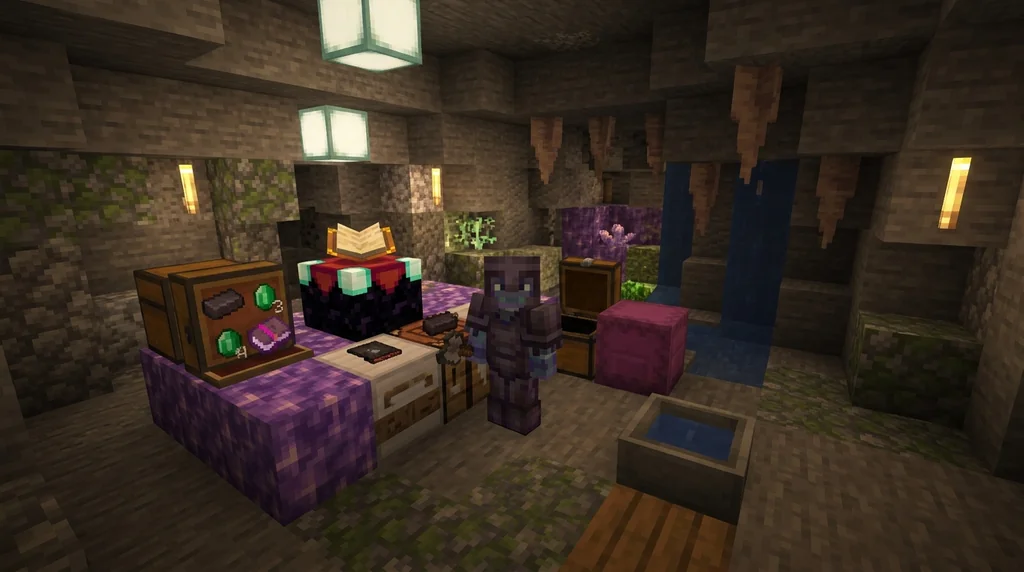
Start by identifying the upgrade hub on your server. This is usually a central building with an anvil, enchanting table, or custom NPC labeled “Upgrade Master.” Interact with it, and a GUI will open showing your inventory and the eligible items. Drag the item you want to upgrade into the slot, and the UI will display the cost for the next tier. Costs scale steeply. Many server plugins set the default success rate for upgrading an item's rarity tier from rare to epic at 60%, with failure resulting in item loss (via SpigotMC). That’s why you should always carry a protection scroll — a special consumable that prevents the item from breaking on failure.
Once you have the required currency and materials, hit the upgrade button. The server rolls a random number against the success rate. If you succeed, the item’s name color changes, its lore updates, and new stats are applied. If you fail without protection, the item is destroyed, so many players save up for bulk attempts. Smart players also watch for upgrade events where the server boosts success rates for a limited time. This is the moment to burn through your stockpiled materials — and you can learn how to earn those rare items faster in our quests and rare drops guide.
Pro Tip: Always check the upgrade UI for a “success rate” or “chance” number before committing. If, as is common, the server sets the epic tier rate at 60%, you’ll need nearly two attempts on average. Bring extra materials accordingly.
Best Currency and Materials for Item Upgrades
The most efficient upgrade paths use server currency that can be earned consistently, paired with rare materials that drop from repeatable activities.
Server currency is the backbone of any upgrade system. Many servers use Vault economy hooks, and it's common to see mythic tier upgrades cost 500,000 currency units (via SpigotMC). That’s a lot, so you need a currency engine. The best methods are selling farmable items, completing daily quests, or participating in server events. For a deep dive into converting unwanted gear into coins, read our trading custom items for server currency guide.
Materials are the second half of the equation. Typical upgrade costs include:
- Nether Stars: almost always required for Mythic tier.
- Dragon's Breath: often used for Epic and Legendary upgrades.
- Enchanted Books: high-level books like Protection V or Sharpness V are common currency.
- Custom server items: bosses might drop a “Rarity Shard” or “Upgrade Core.”
Combining the right currency farm with a material pipeline is what separates casuals from the leaderboard. On many servers, you can also use prestige rewards to get discount coupons or free upgrade attempts, so don’t sleep on the prestige system.
| Tier | Typical Cost (Currency) | Required Materials | Success Rate |
|---|---|---|---|
| Uncommon → Rare | 10,000 | 5 diamonds | 90% |
| Rare → Epic | 100,000 | 1 Nether Star | 60% |
| Epic → Legendary | 250,000 | 2 Nether Stars, Dragon's Breath | 45% |
| Legendary → Mythic | 500,000 | 3 Nether Stars, 10 Enchanted Books | 30% |
Note: These numbers are typical for RPG servers in 2026, but your server may vary. Always check the upgrade UI for exact costs.
Why Do Servers Use Item Rarity Upgrades?
Server owners implement rarity upgrade systems to create long-term goals, balance the economy, and give players a reason to keep logging in.
Without a rarity system, endgame players quickly run out of things to do. A diamond sword is a diamond sword — once you have it, why bother grinding more? Rarity tiers solve this by giving every item infinite potential. You might spend weeks upgrading a single sword from Common to Mythic, and that journey keeps you engaged. It also sinks currency out of the economy, preventing inflation. When 500,000 coins disappear into a single upgrade attempt, the server’s money supply stays healthy.
From a player’s perspective, rarity upgrades are also a status symbol. Wielding a full set of Mythic armor with custom particle effects is the Minecraft equivalent of a crown. It signals that you’ve mastered the server’s systems — and it often unlocks exclusive content like Mythic-only dungeons or prestige ranks. The system is simple on the surface but deep enough to keep you theorycrafting for months.
Tips for Efficient Item Rarity Progression
Efficient rarity progression is all about stacking buffs, protecting your best items, and timing your upgrade attempts.
- Stockpile protection scrolls: Never attempt a Rare → Epic or higher upgrade without a scroll. You can often craft them or earn them from quests. If you’re short on scrolls, you can also repair custom items after a failed attempt, but only if the item wasn’t destroyed.
- Use upgrade events: Many servers announce double-success-rate weekends. Save your best materials for these windows.
- Farm the right materials: Focus on bosses that drop Nether Stars and Dragon’s Breath. Set up a Wither skeleton farm if the server allows it.
- Plan your upgrade path: Don’t upgrade a Common pickaxe to Mythic using your best sword’s materials. Upgrade the gear you use most — usually your weapon and chestplate.
- Check lore before upgrading: Some items have hidden passives that only activate at Epic or higher. Improving your item’s rarity can unlock effects you didn’t know existed, as detailed in our hidden item passives guide.
Warning: Attempting an upgrade without a protection scroll when the success rate is below 70% is a quick way to lose your best gear. Always check the UI and bring a scroll.
How to Put This Into Practice on Gaia Legends
Gaia Legends brings every concept from this guide to life with its Item Upgrade Shrine, a dedicated structure where you can ascend your gear from Common to Mythic. The server uses a six-tier system matching the colors and progression you’ve just learned. You’ll spend Gaia Coins — the server currency — alongside rare drops like Nether Stars and custom materials earned from quests and boss fights. The upgrade success rates are clearly shown in the shrine’s GUI, and protection scrolls are craftable so you never have to risk your best sword.
What sets Gaia Legends apart is that the system is free to join and non-pay-to-win. Every material and every coin can be earned in-game, and the server supports both Java and Bedrock crossplay so you can bring your whole crew. Whether you’re racing to be the first Mythic knight on the server or just want a cooler-looking sword, the upgrade shrine is your path.
Join at gaialegends.pro and start your legend today.
Conclusion
- Rarity tiers are a custom server feature that turns gear into a long-term progression ladder, with each tier boosting stats and changing item colors.
- Upgrading requires server currency and rare materials, and success rates drop as you climb — always use protection scrolls.
- By timing upgrades during events, farming the right materials, and understanding the system, you can reach Mythic tier without losing your mind.
Now it’s time to put this knowledge to use. Log into your favorite server, find the upgrade shrine, and start the climb. That Mythic sword isn’t going to craft itself.
Frequently Asked Questions
What is upgrade minecraft item rarity tier?
Upgrading a Minecraft item rarity tier means using a server’s custom system to increase an item’s rank from Common to higher tiers like Uncommon, Rare, Epic, Legendary, or Mythic. Each upgrade changes the item’s name color, adds stat bonuses, and often requires server currency and rare materials. The process is managed by plugins and is a core progression mechanic on many RPG and SMP servers.
How do I know which rarity tier my item is?
Look at the item’s name color in your inventory. Most servers use a color code: white or gray for Common, green for Uncommon, blue for Rare, purple for Epic, gold for Legendary, and red or dark purple for Mythic. You can also hover over the item to see the tier name in the lore, usually on the first line.
Can I lose my item when upgrading rarity?
Yes, on most servers, failure to upgrade destroys the item unless you use a protection scroll. The success rate decreases as you climb tiers, so it’s common to lose items when going from Rare to Epic or higher. Always check the upgrade UI for the success rate and bring a scroll before attempting a risky upgrade.
What is the best currency to use for item upgrades?
The best currency is the server’s main economy coin, which can be earned through selling items, quests, and events. Always pair it with rare materials like Nether Stars and Dragon’s Breath. Some servers also have special upgrade tokens that drop from bosses, which you can use instead of or alongside regular currency.
How do I get protection scrolls on a server?
Protection scrolls are usually obtained through quest rewards, crafting with rare materials, or purchased from the server shop. On Gaia Legends, you can craft them using materials found in the upgrade shrine area. Always keep a few in your inventory before attempting high-tier upgrades.
Do rarity upgrades affect enchantments?
Rarity upgrades typically preserve existing enchantments, but they may add new attribute bonuses that stack with enchantments. For example, a Mythic sword might keep its Sharpness V enchantment and also gain +15% attack damage from the rarity tier. The enchantment itself is not removed during the upgrade process.
Recommended
- 7 Best Jungle Block Palettes for Minecraft Builds (2026) | Gaia Legends
- How to Use Minecraft RPG Maps for Solo Practice in 2026 | Gaia Legends
- How to Fight Minecraft Bosses with Crossbow Fireworks (2026) | Gaia Legends
- 7 Best Minecraft Mini-Game Servers to Join in 2026 (Fun & Active) | Gaia Legends
Ready to play? Join Gaia Legends today — no pay-to-win, Java + Bedrock crossplay.
- Java:
join.gaialegends.pro - Bedrock:
join.gaialegends.pro— Port19132
Further reading
These references were recorded with the article; specific claims have not been matched to source excerpts.
Frequently Asked Questions
What is upgrade minecraft item rarity tier?
Upgrading a Minecraft item rarity tier means using a server’s custom system to increase an item’s rank from Common to higher tiers like Uncommon, Rare, Epic, Legendary, or Mythic. Each upgrade changes the item’s name color, adds stat bonuses, and often requires server currency and rare materials. The process is managed by plugins and is a core progression mechanic on many RPG and SMP servers.
How do I know which rarity tier my item is?
Look at the item’s name color in your inventory. Most servers use a color code: white or gray for Common, green for Uncommon, blue for Rare, purple for Epic, gold for Legendary, and red or dark purple for Mythic. You can also hover over the item to see the tier name in the lore, usually on the first line.
Can I lose my item when upgrading rarity?
Yes, on most servers, failure to upgrade destroys the item unless you use a protection scroll. The success rate decreases as you climb tiers, so it’s common to lose items when going from Rare to Epic or higher. Always check the upgrade UI for the success rate and bring a scroll before attempting a risky upgrade.
What is the best currency to use for item upgrades?
The best currency is the server’s main economy coin, which can be earned through selling items, quests, and events. Always pair it with rare materials like Nether Stars and Dragon’s Breath. Some servers also have special upgrade tokens that drop from bosses, which you can use instead of or alongside regular currency.
How do I get protection scrolls on a server?
Protection scrolls are usually obtained through quest rewards, crafting with rare materials, or purchased from the server shop. On Gaia Legends, you can craft them using materials found in the upgrade shrine area. Always keep a few in your inventory before attempting high-tier upgrades.
Do rarity upgrades affect enchantments?
Rarity upgrades typically preserve existing enchantments, but they may add new attribute bonuses that stack with enchantments. For example, a Mythic sword might keep its Sharpness V enchantment and also gain +15% attack damage from the rarity tier. The enchantment itself is not removed during the upgrade process.
Related guides
How to Get Limited-Time Event Items on Minecraft Server (2026)
Learn how to get limited-time event items on Minecraft servers in 2026. Step-by-step guide to earning exclusive seasonal gear on SMPs like Gaia Legends.
How to Dismantle Custom Items for Crafting Materials on Minecraft Servers (2026)
Learn how to dismantle custom items on Minecraft servers to salvage rare crafting materials. Step-by-step guide, best plugins, and strategies for 2026.
How to Transfer Enchantments Between Items on Minecraft Servers in 2026
Learn how to transfer enchantments between items on Minecraft servers in 2026. Master grinder setups, plugin tools, and the Enchantment Transposer...
How to Earn Item Prestige Levels on Minecraft Servers in 2026
Master Minecraft item prestige levels in 2026. Learn best strategies, prestiging steps, and how to unlock powerful passives. Free server guide included.
Have a question or another approach?
Compare notes with other readers. Include your edition and version when discussing mechanics.