How to Trade Unwanted Custom Items for Server Currency in Minecraft 2026
Filed under Minecraft Items, Ranks & Progression · How we create content
Key Takeaways
| Point | Details |
|---|---|
| Identify tradable items first | Look for lore tags like 'Sellable', '/sell hand', or NPCs that accept custom gear. |
| Understand the plugin economy | ShopGUIPlus, ItemsAdder, and DeluxeSellWands define how custom items get priced on most 2026 servers. |
| Maximize token yields | Save items for server event days with boosted sell multipliers to double your returns. |
| Avoid common scams | Only use server-official exchange shops; never drop-trade custom items to unverified players. |
| Turn junk into progression | Unwanted dungeon loot can often be recycled directly into prestige tokens or rank upgrades. |
| Gaia Legends makes it easy | Our item exchange vendors accept duplicate quest rewards and seasonal drops for in-game currency. |
Table of Contents
- What Are Minecraft Server Item Exchange Systems?
- How Do Minecraft Item Shop Plugins Work in 2026?
- How Can You Safely Sell Custom Items on a Minecraft Server?
- Why Do Some Custom Items Sell for More Currency Than Others?
- Tips for Recycling Duplicate Dungeon Loot
- How to Put This Into Practice on Gaia Legends
- Frequently Asked Questions
- Recommended
You just finished a dungeon run and your inventory is stuffed with duplicate custom swords, event tokens you don't need, and that same enchanted helmet for the fourth time. Learning how to trade custom items for server currency in Minecraft 2026 turns that clutter into your biggest asset. Whether you're playing on a massive MMORPG-style server or a tight-knit SMP, modern economy plugins let you recycle nearly anything into spendable cash. This guide breaks down every method so you never leave valuable loot on the ground again.
What Are Minecraft Server Item Exchange Systems?
A server item exchange system is any in-game mechanic—command, NPC, or GUI shop—that converts custom items into server currency or tokens with defined exchange rates.
These systems solve a problem vanilla Minecraft never anticipated: custom plugin items with unique lore, attributes, and rarities have no natural sink. Without an exchange system, your bank of "Legendary Crate Shards" is just wasted inventory space. On a typical 2026 server, you'll encounter three main types: command-based sell shops using /sell hand or /sell all, NPC vendors placed in spawn hubs that buy specific tagged items, and GUI-based marketplaces like ChestShop or ShopGUIPlus interfaces. Each one reads the item's internal ID or lore flag to determine if it's sellable and at what price.
How Do Exchange Vendors Read Custom Items?
Plugin developers assign hidden flags or NBT tags to every custom item. When you click an NPC or run a /sell command, the server scans for tags like sellable:true, value:500, or exchange-token:nether_shard. ItemsAdder, one of the most popular custom item plugins, lets server owners set exact currency values per item in YAML configuration files. This means that two swords with identical damage stats can have wildly different sell prices if one is flagged as a "Rare Drop" and the other is a "Common Quest Reward."
- NBT Tags: Invisible metadata that stores sell value, category, and token type.
- Lore Parsing: Some economy plugins read the item's description lines to confirm tradability.
- Material Whitelists: Basic exchange booths might simply accept any diamond sword, custom or not.
How Do Minecraft Item Shop Plugins Work in 2026?
Minecraft item shop plugins like ShopGUIPlus and EconomyShopGUI create a virtual marketplace where server administrators define every item's buy and sell price, creating a stable in-game economy.
Setting up a functional minecraft item shop plugin is the backbone of any server where you can trade custom items for currency. These plugins link directly to an economy engine—usually Vault with EssentialsX—to debit and credit digital wallets. In 2026, the leading solutions have evolved beyond simple chest shops into dynamic, multi-page GUI interfaces that can handle thousands of custom items. They let server owners set per-item prices, configure global sell multipliers for event weekends, and even set permissions so that ranked players get better exchange rates. When you right-click a shop sign or NPC, the plugin checks a config file to present you with a price and a confirmation button.
Warning: Only use
/sellcommands or NPC shops officially posted in the spawn area or server guidebook. Third-party player shops can use edited holograms to fake sell prices and scam you out of rare custom items.
Top 3 Economy Plugins for Custom Item Trading
| Plugin | Key Feature | Best For |
|---|---|---|
| ShopGUIPlus | Multi-page GUI shops, custom sell prices per item | Large servers with complex custom catalogs |
| ItemsAdder | Built-in NBT value system, token exchange | Servers that create all gear from scratch |
| DeluxeSellWands | Bulk sell wands, auto-sell chests | Players who want to dump inventory fast |
Quick Steps to Use a GUI Item Shop
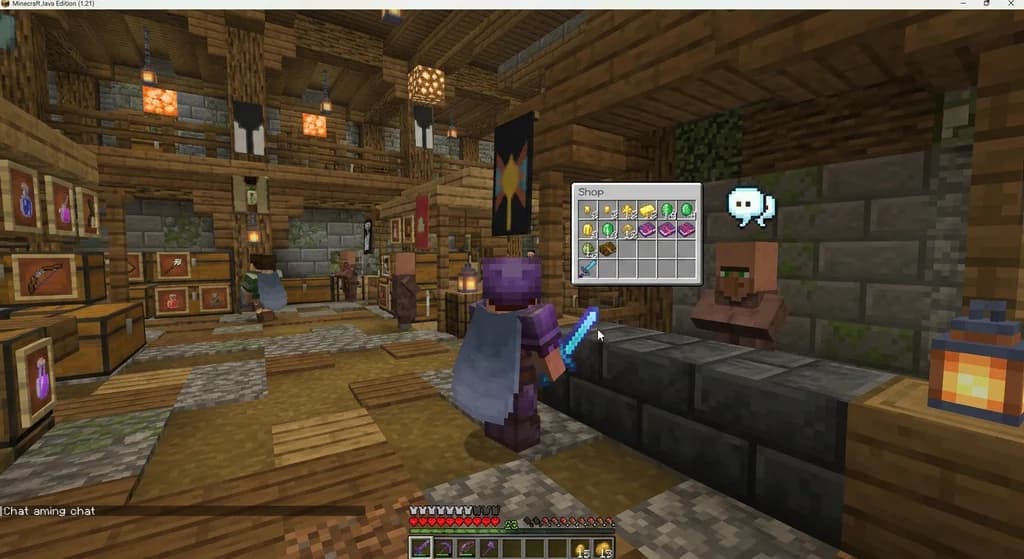
- Right-click the shopkeeper NPC or sign in the server spawn.
- Navigate to the "Sell" or "Exchange" tab in the opened interface.
- Click the custom items in your inventory that you want to dump.
- Confirm the total value displayed in the GUI before hitting accept.
- Watch the currency drop into your scoreboard balance.
How Can You Safely Sell Custom Items on a Minecraft Server?
Safely selling custom items means sticking strictly to server-official exchange commands, recognized NPCs, and plugin GUIs, while never dropping items for unverified player-to-player trades.
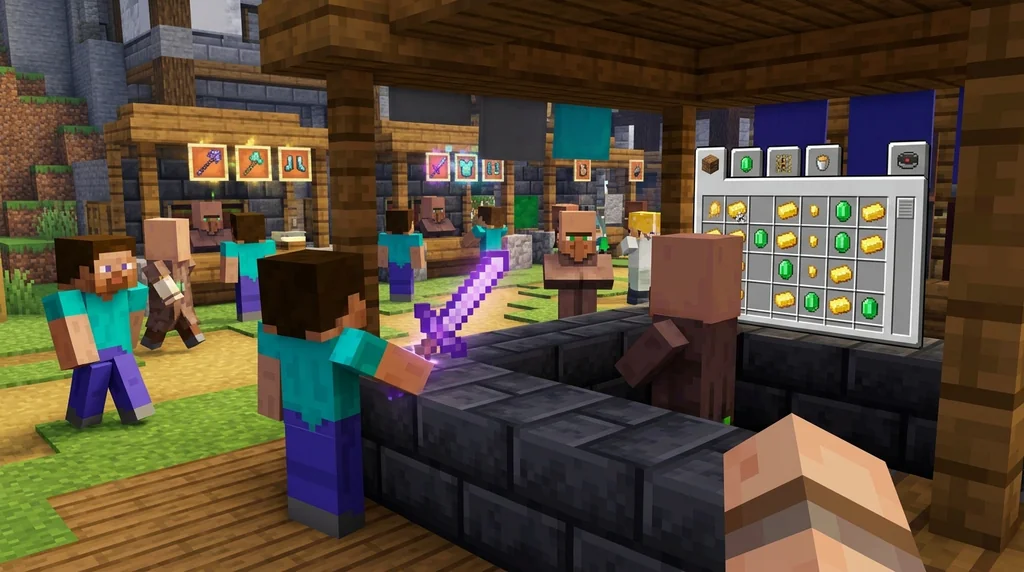
Most established servers plaster their official currency exchange spots with particle effects and holograms, making them impossible to miss. Yet every year, players lose rare gear to impromptu drop-trades in the wilderness. The golden rule: if you want to sell custom items minecraft server style without risk, type /shop or /sell hand before doing anything else. Commands logged through the server console create an indisputable record of the transaction. If a server doesn't have a /sell command, navigate to the main hub and look for an NPC labeled "Exchange," "Recycler," or "Token Trader"—these are always built with protection plugins that prevent interaction exploits.
- Check the lore. If the item description says "Tradeable" or shows a coin icon, it's meant for the exchange.
- Use the /sell command first. It's the safest, fastest, and most universal option across servers.
- Avoid player drop-trades. Even on whitelisted servers, this is the #1 way custom gear gets stolen.
- Watch for event multipliers. Many servers double sell prices on weekends, giving you more currency for the same loot.
Pro Tip: Hold your rare custom item and type
/iteminfoor/ia info—if the server runs ItemsAdder, this command reveals the exact NBT tag and sell value before you commit to the trade.
Why Do Some Custom Items Sell for More Currency Than Others?
Custom item sell values depend on rarity tiers, NBT tags, and the plugin configs that assign economic multipliers to boss drops, quest rewards, and seasonal collectibles, creating a price hierarchy where legendary items can be worth 50x more than common ones.
Understanding this hierarchy is the key to not accidentally recycling a 10,000-token artifact for pocket change. Server owners manually set sell multipliers in economy plugin configs. A common dungeon drop might earn you 50 coins, while a legendary event item with a rare minecraft item attributes modifier could net you 5,000 tokens in the same exchange booth. The price discrepancy usually boils down to three factors: rarity tier (common, rare, epic, legendary), source (world drop vs. boss chest vs. quest reward), and active server events. Double-token weekends can make holding onto your "junk" for a few days extremely profitable.
Rarity and Price Comparison
| Rarity Tier | Typical Exchange Value | Item Source Example |
|---|---|---|
| Common | 10–100 coins | Trash mob drop, basic quest reward |
| Rare | 100–1,000 coins | Mini-boss loot, crafted custom gear |
| Epic | 1,000–5,000 tokens | Dungeon boss drop, rare crate item |
| Legendary | 5,000–25,000 tokens | Server event winner item, raid boss trophy |
How to Check an Item's Tier Before Selling
Many servers color-code item names: gray for junk, green for uncommon, blue for rare, purple for epic, and gold for legendary. The lore text often explicitly says "Sell Value: 2,500 Coins." If you're unsure, ask in the server's Discord help channel before dumping it—someone will quickly tell you if you're holding a jackpot. This is especially important when dealing with items that are part of hidden crafting recipes, as trashing one could set you back weeks of progression in unlocking a full gear set.
When you're ready to turn your junk into progression, the same logic applies across MMORPG-style servers where item sets grant bonuses. Learning how to unlock hidden item passives on Minecraft servers in 2026 can help you decide whether a piece is sellable trash or actually the final component of a powerful set.
Tips for Recycling Duplicate Dungeon Loot
Effective loot recycling means sorting your gear immediately after a run, using auto-sell chests when available, and saving high-rarity items for boosted event days to maximize your returns.
Nothing tanks your earning potential faster than mindlessly clicking "Sell All" after every dungeon run. Smart recycling starts with a 30-second sort. Keep one of each item for personal use or display, set aside anything tagged as a crafting material, and only then dump the true duplicates into the exchange. If your server offers an auto-sell chest or a Sell Wand, bind it to a hotkey and use it the moment your inventory fills up mid-dungeon. This keeps your inventory slots open and prevents you from having to leave rare floor loot behind.
- Sort before you sell: Keep crafting materials and one display copy.
- Use auto-sell chests: Many servers place these at dungeon exits specifically for cleaners.
- Hold items for event days: A 2x token weekend turns 500 coins into 1,000.
- Check crafting recipes: That "junk" sword might be required for a legendary upgrade.
- Recycle prestige tokens: Some servers let you burn duplicate boss drops directly into rank-up progress.
Pro Tip: Bind your server's
/sell allcommand to a key or create a chat macro. Hitting it between dungeon rooms turns accidental trash into passive income without breaking your flow.
Much of that junk loot comes from questing, and quest rewards are a primary source of items that can either be used or recycled. If your inventory is mostly filled with quest trinkets, you'll want to explore how to earn rare items from Gaia Legends quests in 2026 to maximize both your usable gear and your token income from duplicate turn-ins. At the same time, don't recycle gear that just needs a quick fix—some custom items can be restored at an anvil. Read our guide on how to repair custom items on Minecraft servers in 2026 before you accidentally scrap a nearly-perfect sword that only needed a repair kit.
How to Put This Into Practice on Gaia Legends
Gaia Legends makes trading unwanted custom items for server currency straightforward with our dedicated item exchange vendors located right in the main spawn hub. Walk up to the "Token Recycler" NPC and drag your duplicate quest rewards, seasonal event drops, or worn-out custom gear into the trade window to receive in-game currency instantly. We use an ItemsAdder economy backend that assigns transparent sell values to every custom drop—what you see in the item's lore text is exactly what you get upon exchange.
During our weekend "Double Token" events, exchange rates multiply, making it the perfect time to offload items you've been stockpiling all week. Players saving up for exclusive cosmetics often hoard their unwanted boss loot specifically for these windows, effectively doubling their purchasing power. The system is designed so that no custom item is ever truly useless—everything from common mob scraps to legendary duplicate armor can be converted into spendable funds for the in-game shop.
Gaia Legends is free to join, non-pay-to-win, and supports Java + Bedrock crossplay. Join at gaialegends.pro and start your legend today.
Frequently Asked Questions
Recommended
- How to Start a Player-Run Newspaper in Your Minecraft Community (2026) | Gaia Legends
- How to Use the Trident for Boss Hunting in Minecraft 2026 | Gaia Legends
- How to Build a Minecraft MMORPG Gold Farm for 2026 Servers | Gaia Legends
- 7 Best Minecraft Bedrock Servers for Every Playstyle in 2026 | Gaia Legends
Ready to play? Join Gaia Legends today — no pay-to-win, Java + Bedrock crossplay.
- Java:
join.gaialegends.pro - Bedrock:
join.gaialegends.pro— Port19132
Further reading
These references were recorded with the article; specific claims have not been matched to source excerpts.
Frequently Asked Questions
How do I trade custom items for server currency in Minecraft?
Use your server's designated exchange command—usually `/sell hand` or `/sell all`—or find an NPC labeled 'Exchange' or 'Recycler' in the spawn hub. Click the NPC and drag sellable custom items into the trade window. The currency is deposited directly into your in-game balance if the item's lore includes a sell value.
Which plugins let me sell custom items on a modded server?
The most reliable plugins are ShopGUIPlus for multi-page GUI shops, ItemsAdder for custom item NBT-based pricing, and DeluxeSellWands for bulk inventory dumps. All three hook into economy plugins like Vault to handle transactions and support per-item sell multipliers set by server admins.
Can I trade custom items directly with other players for currency?
Yes, many servers support player-to-player trades through ChestShop, AUCTION HOUSE, or direct trade GUIs. However, use only server-registered trade menus—never drop items on the ground. Player scamming through fake exchange rates is the most common way to lose rare custom gear.
Why does the NPC refuse to buy my custom items?
The item likely lacks the required NBT sell tag or the server hasn't whitelisted its item ID. Common causes include items marked as 'Quest Item' that must be turned in to a specific NPC, cosmetic-only gear with no exchange value, or items from disabled event pools.
When is the best time to sell my unwanted gear?
Wait for server event weekends that announce token or coin multipliers—these often double or triple exchange values. Stockpile high-rarity items in an ender chest and offload them during boosted periods. Selling common junk can be done anytime using `/sell all` for immediate inventory space.
Is it better to repair custom gear or recycle it?
Check the repair cost versus the exchange value. If a repair costs 500 tokens and the item sells for 300, recycling is smarter. However, high-tier custom gear with rare enchants or set bonuses is almost always worth repairing because replacements are harder to farm than repair materials.
Related guides
Mumbo Jumbo and Minecraft auctions: Hermitcraft shopping districts to movie
Discover how Mumbo Jumbo's Hermitcraft shopping district experience led to an auction cameo in A Minecraft Movie, plus his behind-the-scenes consulting work.
Understanding the Identify Control in Bedrock Edition
Learn what the Identify control is in Bedrock Edition, how it was renamed from Describe in Preview 26.10.25, and how Bedrock's item name display differs from Java Edition.
How Gems Work in Minecraft Bedrock Capture the Flag
Learn how gems work in Minecraft Bedrock Capture the Flag, including how to earn them by playing, killing, and capturing flags. Spend 250 gems on the Flag...
How to Check Custom Item Leveling on a Minecraft Server
Check a Minecraft server's custom item rules before grinding. Identify the documented XP source, track progress, and verify upgrade costs and resets.
Have a question or another approach?
Compare notes with other readers. Include your edition and version when discussing mechanics.