How to Check Custom Item Leveling on a Minecraft Server
Filed under Minecraft Items, Ranks & Progression · How we create content
Version scope: Server-specific; consult the server documentation
Key Takeaways
- Documentation: find the rules for your specific server and item.
- Progress: compare the documented indicator before and after ordinary play.
- Costs: check repair, upgrade, and reset rules before spending resources.
- Uncertainty: ask the server staff when the available information is incomplete.
A custom sword or tool is not enough information to work out how progression works. Before spending a long session grinding with it, find the documentation for the server and the particular item. Treat the steps below as a checking process, not as a claim that every server implements the same mechanics.
Establish what the item actually tracks
Start with the item description, the server's help pages, and any progression menu identified by those pages. Look for an explicit statement that the item can gain levels. If you cannot find one, ask a staff member before assuming that ordinary use will upgrade it.
Record the item's name and the server or game mode where you obtained it. When documentation names a plugin, make sure you are reading the version and configuration the server actually uses. A guide for a different server is not enough to establish your item's behavior.
Useful questions to resolve are:
- Does the item itself have a level, or is the displayed progress attached to the player?
- Which actions are documented as contributing progress?
- Where can you see the current value?
- Are there restrictions or prerequisites listed for this item?
There is no command in this guide that is guaranteed to work everywhere. Use the command or menu that your own server documents; do not infer one from a command name mentioned in an unrelated article.
Compare progress before and after ordinary play
Once you have identified a documented action and progress indicator, note the current value. Use the item during an ordinary session that follows the server's rules, then check that same indicator again.
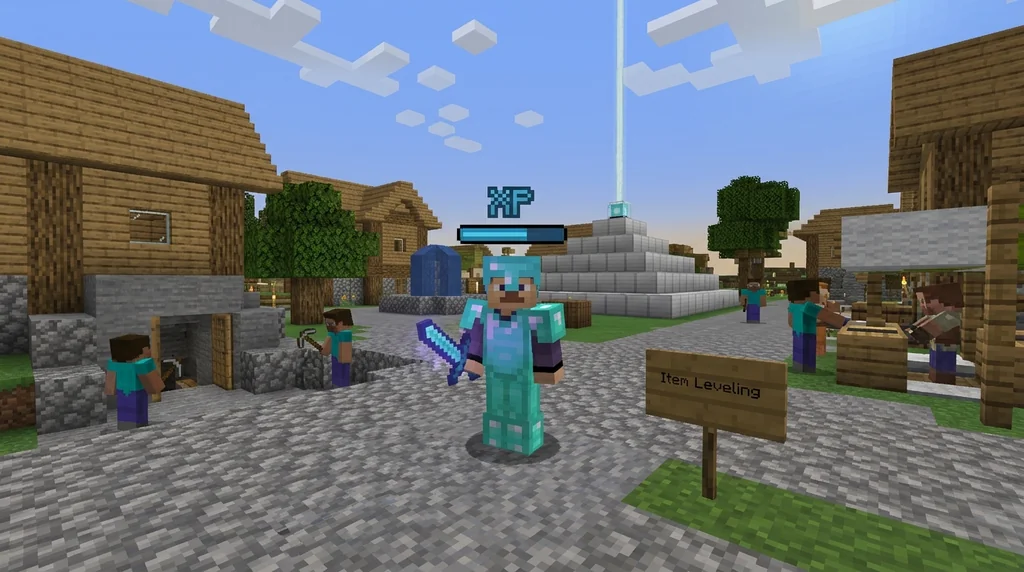
Keep your notes simple: item, activity, starting value, ending value, and any message displayed. This gives you something concrete to compare with the documentation or include in a support question.
If the value does not change, avoid immediately concluding that the item is broken. First confirm that you are looking at the correct indicator and have met the documented prerequisites. Ask the server staff about anything the instructions leave unclear. Do not invent an XP rate or expected completion time to fill the gap.
Separate vanilla experience from custom progression
The Minecraft Wiki's Bottle o' Enchanting reference describes what the vanilla item releases:
On impact, it destroys itself and drops experience orbs worth 3–11XP (average 7.0) and sends out blue particles.
That source describes the bottle's experience orbs. It does not establish that a particular server converts those orbs into custom-item progress. Before spending bottles, currency, or other resources on an item, look for an explicit rule connecting them to that item's upgrade system.
Use the same approach with rewards obtained through other activities. Our server vote rewards guide can help you plan questions about rewards, but only your server's documentation establishes whether a given reward affects this item.
Check the cost before upgrading or resetting
Before choosing an upgrade, repair, evolution, or reset option, read the description of the operation. Confirm its resource cost and what progress, attributes, or items it changes. If the effect is unclear, ask before confirming it.
Do not assume that reaching a displayed maximum unlocks prestige or permanent bonuses. Look for those features in the documentation for the item you actually have. Likewise, consult the server's rules before connecting item progression to a player skill tree. The skill-tree guide is a starting point for comparison, not proof of a relationship on your server.
Make the next step specific
Your next step should follow from what you have confirmed. If the documentation identifies an action and the progress indicator responds to it, continue playing with that information. If the evidence is incomplete, gather the item name, relevant help-page link, and your before-and-after notes for a support question.
A short documented check is more useful than a long grind based on an assumed command or an invented leveling time.
Sources
- On impact, it destroys itself and drops experience orbs worth 3–11XP (average 7.0) and sends out blue particles. — Bottle o' Enchanting
Related guides
How to Reroll Custom Item Stats on Minecraft Servers: 2026 Tutorial
Learn how to reroll custom item stats on Minecraft servers in 2026. Master reforging anvil mechanics, strategies for god rolls, and avoid common mistakes.
How to Unlock Minecraft Prestige Rewards and Perks on Servers in 2026
Discover how Minecraft prestige rewards and perks work in 2026. Learn to unlock ranks, cosmetics, and gameplay boosts step-by-step on SMPs and minigame...
How to Earn Rare Items from Gaia Legends Quests in 2026
Learn how to earn rare items from Minecraft quests on servers like Gaia Legends. Discover quest types, rare drops, and tips to maximize custom rewards and...
How to Use Custom Item Attributes on Minecraft Servers
Learn how Minecraft Java Edition's attribute system works for custom items on servers, including the 1.21 modifier ID overhaul, the /attribute command, and plugin considerations.
Have a question or another approach?
Compare notes with other readers. Include your edition and version when discussing mechanics.