How to Master Minecraft Item Attributes for Custom Items in 2026
Filed under Minecraft Items, Ranks & Progression · How we create content
Key Takeaways
| Point | Details |
|---|---|
| Item attributes explained | These are NBT tags that attach numeric modifiers to items, affecting player stats while held or worn. |
| Vanilla commands | Use /attribute or /data to view and modify attribute modifiers on any item in Minecraft 1.21+. |
| Custom modifiers | Combine the /give command with NBT data to spawn items with custom attack damage, armor, speed, and more. |
| Server progression | Many SMP servers like Gaia Legends use attribute modifiers on rare items to create tiered gear that feels rewarding to earn. |
| Best practices | Avoid overpowered numbers; balance custom attributes using UUIDs and slot restrictions for fair gameplay. |
Table of Contents
- What Are Minecraft Item Attributes?
- How Do You View and Edit Item Attributes in Vanilla?
- How Do You Create Custom Attribute Modifiers?
- Best Tools for Managing Custom Attributes
- Why Attribute Modifiers Are Essential for Server Progression
- How to Put This Into Practice on Gaia Legends
- Conclusion
- Recommended
If you’ve ever wished your iron sword could deal a bit more damage, or your boots could make you run faster in the Nether, you’re not alone. This minecraft item attributes guide teaches you exactly how hidden stat boosters work, how to create them with vanilla commands, and how servers like Gaia Legends use them to build exciting gear progression in 2026. By the end, you’ll be able to design weapons and armor that feel truly legendary.
What Are Minecraft Item Attributes?
Item attributes are numeric modifiers stored in an item’s NBT data that temporarily alter a player's stats—like attack damage, movement speed, or armor toughness—while that item is equipped. These modifiers are invisible by default, but they’re what make some gear feel overpowered and other gear feel underwhelming.
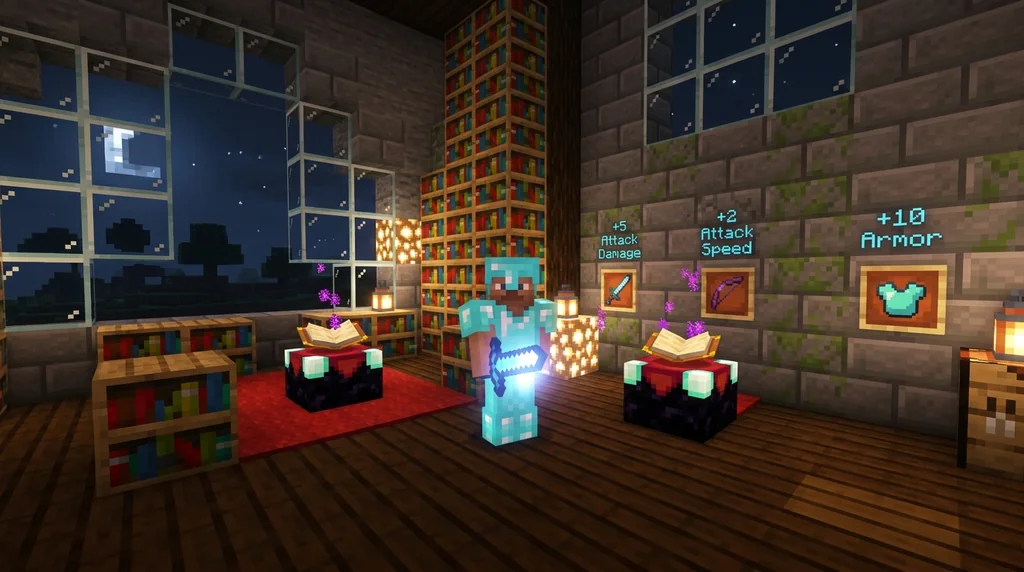
Minecraft item attributes are part of the AttributeModifiers NBT tag. Every equipped item can carry multiple modifiers, each targeting a specific attribute (e.g., generic.attack_damage, generic.movement_speed). The game reads these values and adds them to your base stats in real time. This system powers everything from a diamond sword’s natural +7 attack damage to custom server weapons that grant extra reach or health.
A Diamond Sword has a base attack damage of 7 points (3.5 hearts), and by adding a custom '+5 Attack Damage' modifier, you can reach 12 damage per hit (via Minecraft Wiki). Even armor pieces use this: each piece of netherite armor carries an attribute modifier that adds 1 Knockback Resistance, reducing knockback taken by 10% per piece (40% total if full set) (via Minecraft Wiki).
Understanding these mechanics lets you move beyond vanilla balance and craft gear that fits any challenge.
How Do You View and Edit Item Attributes in Vanilla?
Vanilla Minecraft provides commands like /data and /attribute to inspect and modify the AttributeModifiers tag on any item, letting you tweak damage values without mods. This is the best way to learn how modifiers are structured before moving to custom creations.
Viewing Attributes with /data
Hold an item in your main hand and run /data get entity @s SelectedItem. The output shows a JSON blob; look for the AttributeModifiers array. For example, a netherite sword will show a modifier with AttributeName:"generic.attack_damage" and Amount:1 (the base bonus beyond the sword’s inherent damage). You can also target the item directly in a container with /data get block <coords> Items[{Slot:0b}].tag.AttributeModifiers.
Editing with /attribute
To modify a player’s attribute directly while an item is equipped, use:
/attribute @p minecraft:generic.attack_damage modifier add <UUID> "custom_boost" 5 add
This temporarily adds +5 attack damage, regardless of the item held. For permanent item-based modifiers, you’ll want to bake them into an item’s NBT—which we cover next.
Pro Tip: Always give your modifier a unique UUID to avoid conflicts with other items. If two modifiers share the same UUID, only the last applied one takes effect (via Minecraft Wiki).
How Do You Create Custom Attribute Modifiers?
Creating custom attribute modifiers involves using the /give command with a raw NBT payload that defines the attribute, amount, operation, and slot restriction. This technique turns a plain stick into a “Speed Staff” or a leather tunic into “Raid Armor” without any mods.
Basic NBT Structure
A single modifier looks like this inside the AttributeModifiers tag:
{
  "AttributeName": "generic.movement_speed",
  "Name": "speed_boost",
  "Amount": 0.2,
  "Operation": 0,
  "UUID": [I; 1, 2, 3, 4],
  "Slot": "mainhand"
}
Operation0 adds the amount directly; 1 multiplies the base by (1 + Amount); 2 multiplies by (1 + Amount × base).Slotrestricts the modifier to a specific equipment slot: mainhand, offhand, head, chest, legs, feet.
Command Example
To give yourself a stone sword that boosts movement speed while held:
/give @p stone_sword{display:{Name:'{"text":"Swift Blade"}'},AttributeModifiers:[{AttributeName:"generic.movement_speed",Name:"swift",Amount:0.15,Operation:0,UUID:[I;1,2,3,4],Slot:"mainhand"}]} 1
The Amount of 0.15 adds 0.15 to your base movement speed (about a 15% boost).
If you pair custom modifiers with unique textures, you can build fully custom gear. For help making those items look the part, see our guide on how to get and use Minecraft custom model data items in 2026.
Best Tools for Managing Custom Attributes
Several external tools and server plugins simplify the process of crafting attribute-enhanced items, especially when you need to design many variants or integrate them into crafting recipes. These range from in‑game give code generators to full plugin suites.
Generator Websites
Sites like Minecraft Tools NBT Editor let you build an attribute modifier set through a visual interface and export the /give command. This saves time and prevents syntax errors—great for beginners. However, they work only for one item at a time.
Plugins (Spigot/Paper)
For server owners, plugins like ItemsAdder, ExecutableItems, or Oraxen allow you to define custom items with attributes, durability, and textures in YAML files. These then integrate with custom crafting recipes on Minecraft servers and drop tables. A full comparison:
| Tool | Best For | Complexity | Requires Mods? |
|---|---|---|---|
| NBT generator site | Quick one‑off items | Low | No |
| ItemsAdder | Full custom item ecosystem | Medium | No (server plugin) |
| ExecutableItems | Fine‑grained attribute control | High | No (server plugin) |
| Oraxen | Easy‑to‑use with built‑in textures | Medium | No (server plugin) |
Note: Plugin‑based systems often use their own attribute namespacing; always consult the plugin’s documentation for correct attribute IDs.
For upgrading gear with attributes through a smithing table, you can follow our guide on smithing table custom gear upgrades in 2026.
Why Attribute Modifiers Are Essential for Server Progression
On multiplayer servers, attribute modifiers transform the basic diamond‑into‑netherite grind into a deep tier system where rare drops and boss loot feel truly rewarding. Without custom attributes, all end‑game gear looks the same; with them, a “Crawler Staff” with extra attack speed becomes a coveted prize.
Tiered Loot Design
Servers often assign attribute tiers: common items might add +1 armor, rare ones +3 attack damage, and legendary pieces combine multiple positive modifiers. This creates meaningful choices—do you equip the sword with lifesteal or the one with knockback resistance? The progression keeps players exploring dungeons and obtaining legendary item sets on Minecraft servers long after they’ve maxed out vanilla gear.
Risk and Reward with Soulbound
Some servers give the best attribute‑loaded items a soulbound enchantment to prevent loss on death. This allows players to risk high‑reward areas without losing hours of progress. Combined with a rank progression system that unlocks new attribute tiers, the loop becomes addictive: rank up → unlock better gear → take on harder content → rank up again.
How to Put This Into Practice on Gaia Legends
Gaia Legends uses a fully integrated attribute system to make every weapon and armor piece feel unique. When you join, you’ll start by earning early‑game gear through quests—each piece already carries subtle attribute bonuses like +0.5 attack damage or +2% speed. As you climb the server ranks, you unlock access to rare boss drops and legendary item sets with powerful multi‑modifier builds.
For example, the “Voidforged Chestplate” (a legendary drop from the End dimension) gives +3 armor toughness, +5% knockback resistance, and a small lifesteal effect. Crafting such gear often involves custom smithing table upgrades that require unique materials—making every upgrade a deliberate choice.
Gaia Legends is free to join, non‑pay‑to‑win, and supports Java + Bedrock crossplay. Whether you’re a vanilla purist or a server veteran, the attribute system adds depth without breaking the game. Join at gaialegends.pro and start your legend today.
Conclusion
Minecraft item attributes turn ordinary tools into personalized gear that grows with your adventure. Remember these three takeaways:
- Item attributes are NBT tags that modify stats like damage, speed, and armor when an item is equipped.
- You can create custom modifiers with simple
/givecommands or server plugins, balancing them with UUIDs and slot restrictions. - Servers like Gaia Legends use these modifiers to build exciting tiers of loot, making progression feel rewarding long after you’ve beaten the Ender Dragon.
Now grab your command block or favorite plugin and start designing your first custom sword. The only limit is your creativity.
Recommended
- How to Prepare for Your First Minecraft MMORPG Raid: 2026 Guide | Gaia Legends
- How to Beat the Ender Dragon in Minecraft 2026: Ultimate Combat Guide | Gaia Legends
- How to Port Forward a Minecraft Server in 2026: Step-by-Step | Gaia Legends
- How to Flip Items on the Gaia Legends Auction House (2026) | Gaia Legends
Ready to play? Join Gaia Legends today — no pay-to-win, Java + Bedrock crossplay.
- Java:
join.gaialegends.pro - Bedrock:
join.gaialegends.pro— Port19132
Frequently Asked Questions
What does a minecraft item attributes guide cover?
A minecraft item attributes guide explains how to use NBT tags to modify player stats like damage, speed, and armor through held or worn items. It’s useful for players who want to create custom weapons, armor, or tools on servers or in singleplayer with commands—unlocking deeper gameplay customization without mods.
How do I add custom attributes to an iron sword?
Use the /give command with an AttributeModifiers NBT array. For example, `/give @p iron_sword{AttributeModifiers:[{AttributeName:"generic.attack_damage",Name:"sharp",Amount:3,Operation:0,UUID:[I;1,2,3,4],Slot:"mainhand"}]}` adds +3 attack damage to the sword. Adjust Amount, Operation, and Slot to fit your design.
Can I stack multiple attribute modifiers on one item?
Yes. An item can hold unlimited modifiers as long as each has a unique UUID for the same attribute. If you try to add two modifiers with the same UUID, only the last applied one takes effect. Plan your IDs carefully to avoid accidental overwrites.
What is the difference between Operation 0, 1, and 2 for attribute modifiers?
Operation 0 adds the amount directly to the base stat. Operation 1 multiplies the base by (1 + Amount). Operation 2 multiplies the base by (1 + Amount × base). Use Operation 0 for flat bonuses and Operation 1 for percentage increases.
Do custom attribute modifiers work on armor pieces?
Absolutely. Set the Slot to head, chest, legs, or feet, and the modifier will apply only when that slot is equipped. For example, a chestplate with a modifier for Slot:chest boosts armor toughness only while worn, not in your inventory.
How do servers like Gaia Legends use attribute modifiers for progression?
Gaia Legends attaches tiered attribute modifiers to rare drops and boss loot. Common gear might give +1 armor, while legendary items combine multiple boosts like damage, speed, and knockback resistance. Rank progression unlocks access to higher‑tier attribute gear, making every upgrade meaningful.
Related guides
How to Get Limited-Time Event Items on Minecraft Server (2026)
Learn how to get limited-time event items on Minecraft servers in 2026. Step-by-step guide to earning exclusive seasonal gear on SMPs like Gaia Legends.
How to Dismantle Custom Items for Crafting Materials on Minecraft Servers (2026)
Learn how to dismantle custom items on Minecraft servers to salvage rare crafting materials. Step-by-step guide, best plugins, and strategies for 2026.
How to Transfer Enchantments Between Items on Minecraft Servers in 2026
Learn how to transfer enchantments between items on Minecraft servers in 2026. Master grinder setups, plugin tools, and the Enchantment Transposer...
How to Upgrade Your Minecraft Item Rarity Tier on Servers in 2026
Learn how to upgrade your Minecraft item rarity tier on servers in 2026. Discover custom rarity colors, currency upgrade systems, and how Gaia Legends'...
Have a question or another approach?
Compare notes with other readers. Include your edition and version when discussing mechanics.