How to Get and Use Minecraft Custom Model Data Items in 2026
Filed under Minecraft Items, Ranks & Progression · How we create content
Key Takeaways
| Point | Details |
|---|---|
| Custom Model Data basics | CustomModelData is a vanilla integer tag that resource packs use to display custom item models without mods. |
| Creating custom models | Use a resource pack with an overrides array in the item model JSON to map data values to new 3D or 2D models. |
| Applying to items | Use /give with NBT data or server plugins to assign a CustomModelData value to any item, making it display the custom model. |
| Obtaining on servers | Earn custom model data cosmetics through crate keys, rank progression, battle pass tiers, and special events on multiplayer servers. |
| Gaia Legends rewards | On Gaia Legends, players unlock unique custom model data items as rank rewards and progression milestones, all free to earn. |
Table of Contents
- What Are Minecraft Custom Model Data Items?
- How Do You Create a Resource Pack with Custom Models?
- How to Apply Custom Model Data to Items in Game
- Where Can You Obtain Custom Model Data Items on Servers?
- Tips for Managing Custom Model Data Items
- How to Put This Into Practice on Gaia Legends
- Conclusion
- Frequently Asked Questions
- Recommended
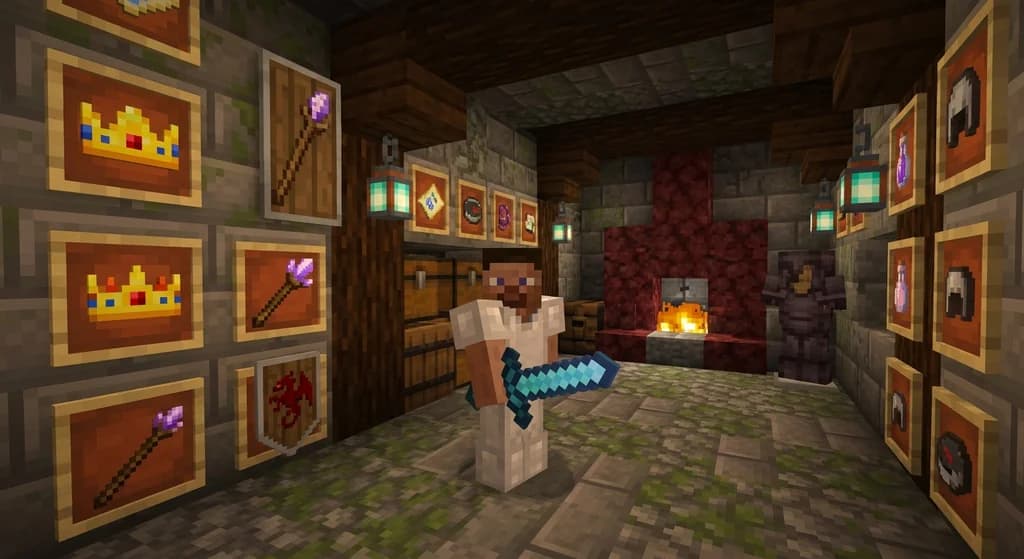
You've seen players wielding glowing swords, wearing crowns, or holding staffs that look nothing like vanilla Minecraft items. Those are custom model data items — a powerful feature that lets servers and resource packs change an item's appearance without mods. In 2026, custom model data items are at the heart of cosmetic progression on many multiplayer worlds. This guide will teach you exactly what custom model data is, how to create your own resource pack with custom models, and how to obtain and use these items on servers like Gaia Legends.
What Are Minecraft Custom Model Data Items?
Custom model data items are vanilla Minecraft items with a special integer tag that tells a resource pack which custom model to display, allowing you to change an item's appearance without mods.
Every item in Minecraft can carry a CustomModelData tag — a single integer that resource packs can detect and use to swap the item's model. When you hold or place an item with this tag, the game checks the active resource pack for an override matching that number and, if found, renders the custom model instead of the default. This works for any item, from swords and pickaxes to armor and even blocks in item form (via Minecraft Wiki).
Values can range from 0 to 2,147,483,647 (via Minecraft Wiki), giving you billions of possible unique looks. The tag itself doesn't change gameplay — it's purely cosmetic — but it opens the door to incredible visual variety without requiring mods like OptiFine or Fabric.
How Do You Create a Resource Pack with Custom Models?
Creating custom models requires a resource pack with modified item model JSON files that use the "overrides" predicate to map CustomModelData values to new 3D or 2D item models.
Start by creating a standard resource pack. Inside assets/minecraft/models/item/, you'll find the default model for each item — for example, diamond.json controls the diamond item's appearance. The default model references item/diamond as its parent (via Minecraft Wiki). To add custom variants, you add an overrides array to this file.
Each override entry includes a predicate with custom_model_data set to a specific integer, and a model path pointing to your custom model file. When the item's CustomModelData tag matches the predicate, the resource pack renders that custom model. You can stack hundreds of overrides in a single JSON file (via Minecraft Wiki).
Pro Tip: Keep your override list organized by grouping related cosmetics (e.g., all swords in one range, all hats in another) to avoid conflicts when updating.
Custom models themselves can be full 3D blockbench creations or simple 2D texture replacements. Place your model JSON files in assets/minecraft/models/item/ and reference them in the overrides. Always test in-game with the resource pack enabled and a command-given item to verify the mapping.
How to Apply Custom Model Data to Items in Game
You can apply custom model data to any item using commands like /give, /item, or server plugins, assigning a unique integer that matches your resource pack's override definitions.
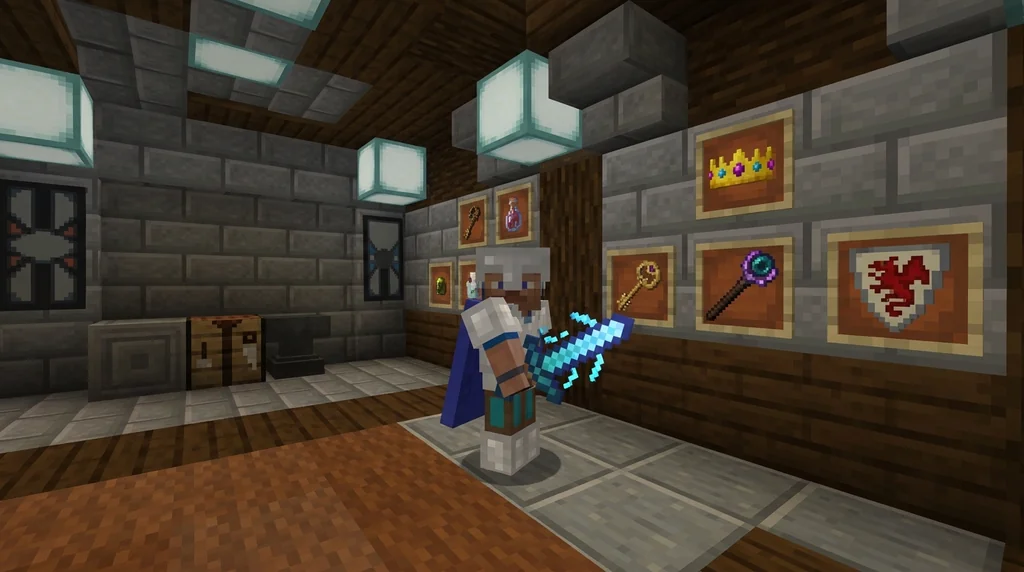
The simplest method is the /give command with NBT data. For example, to give yourself a diamond with CustomModelData 5:
/give @p diamond{CustomModelData:5} (via Minecraft Wiki).
You can also rename the item or add lore to make it feel special:
/give @p diamond{display:{Name:'{"text":"Mystic Blade"}',Lore:['{"text":"A legendary weapon"}']},CustomModelData:5}
On multiplayer servers, you rarely type commands yourself. Instead, plugins handle the assignment automatically when you earn or purchase items. You can also combine custom model data with smithing table upgrades for custom gear — check out our smithing table guide for details on tiered enhancements.
Warning: If you assign a CustomModelData value that isn't defined in any active resource pack, the item will fall back to its default model. Always ensure the server's resource pack is loaded and up to date.
Where Can You Obtain Custom Model Data Items on Servers?
On multiplayer servers, custom model data items are often obtained through crate keys, rank progression rewards, battle pass tiers, or special event drops, each with unique cosmetics.
Many servers distribute these items through crate keys — special consumables that open loot chests filled with cosmetic gear. Learn more in our crate keys guide. Rank progression is another common source: as you level up your server rank, you unlock exclusive custom model data items tied to each tier. Check out how to level up server rank progression fast to maximize your unlocks.
Some servers offer legendary item sets that combine multiple custom model data pieces into a cohesive theme — helmets, chestplates, weapons, and accessories all with matching visuals. Our legendary item sets guide covers the rarity tiers and drop strategies.
Tips for Managing Custom Model Data Items
Managing multiple custom model data items involves organizing your resource pack's override lists, using consistent numbering schemes, and backing up your pack to avoid conflicts.
- Numbering scheme: Reserve ranges for different categories — for example, 1–999 for swords, 1000–1999 for armor, 2000–2999 for accessories. This prevents accidental overlap.
- Backup regularly: A corrupted resource pack can break every custom item on a server. Keep versioned backups and test changes on a local world first.
- Soulbound protection: On servers with item loss on death, you'll want to keep your rare cosmetics safe. Applying a soulbound enchantment ensures you never lose them — see what is a soulbound item for the full mechanic.
- Client-side only: Remember that custom model data is purely visual. Other players see the default model unless they have the same resource pack installed. Servers typically force the pack, but always check server rules.
Note: Some servers use plugins like Oraxen or ItemsAdder that package custom models and automatically push the resource pack to players, eliminating manual setup (via SpigotMC). This is the smoothest experience for large communities.
How to Put This Into Practice on Gaia Legends
Gaia Legends integrates custom model data items directly into its rank progression system. As you earn XP and climb the rank ladder, you unlock exclusive cosmetic items — glowing swords, animated wings, custom helmets, and more — each with its own CustomModelData value. These rewards are completely free, earned through gameplay, not pay-to-win.
You can preview your unlocked cosmetics in the server's cosmetic menu and equip them instantly. The server's resource pack is automatically applied when you join, so every player sees your custom look. Gaia Legends supports Java and Bedrock crossplay, so you can show off your style no matter which platform you use.
Join at gaialegends.pro and start your legend today.
Conclusion
- CustomModelData is a vanilla integer tag that resource packs use to display custom item models, requiring no mods.
- Creating custom models involves adding overrides to item model JSON files, mapping data values to new 3D or 2D models.
- On servers, you can earn custom model data items through crate keys, rank progression, and events, turning cosmetics into progression goals.
Now it's your turn — grab a resource pack template, experiment with your first override, and see how custom model data can transform your Minecraft experience.
Recommended
- How to Host a Minecraft Server Donation Drive Ethically in 2026 | Gaia Legends
- How to Check Your Ping to Any Minecraft Server: 2026 Guide | Gaia Legends
- Best Minecraft RPG Modpacks in 2026: 7 Full-Scale Adventures | Gaia Legends
- 7 Best Minecraft Boss Mods to Install in 2026: Tougher Fights, Better Loot | Gaia Legends
Ready to play? Join Gaia Legends today — no pay-to-win, Java + Bedrock crossplay.
- Java:
join.gaialegends.pro - Bedrock:
join.gaialegends.pro— Port19132
Further reading
These references were recorded with the article; specific claims have not been matched to source excerpts.
Frequently Asked Questions
What is Minecraft custom model data and how does it work?
Custom model data is a vanilla integer tag you can attach to any item. When a resource pack with matching overrides is active, the game swaps the item's model to a custom one. It's purely visual — no gameplay changes — and works without mods. You assign the tag via commands or server plugins.
Can I create custom model data items without a resource pack?
No, you need a resource pack that defines the custom models. The item's CustomModelData tag only tells the game which model to use; the pack provides the actual model files. Without a matching resource pack, the item appears as a normal vanilla item.
How do I get custom model data items on a Minecraft server?
Servers distribute them through crate keys, rank rewards, battle pass tiers, or event drops. You usually don't use commands yourself — the server's plugins automatically assign the correct CustomModelData when you earn or purchase the item. Make sure the server's resource pack is enabled.
What's the difference between CustomModelData and OptiFine CIT?
CustomModelData is a vanilla feature built into Minecraft since 1.14, working on all clients without mods. OptiFine CIT (Custom Item Textures) requires OptiFine and uses different detection methods like item names or NBT. For server-wide cosmetics, CustomModelData is more reliable because it doesn't depend on client mods.
Can other players see my custom model data items?
Only if they have the same resource pack installed. Most servers force players to download the server resource pack on join, so everyone sees the custom models. If a player declines the pack, they'll see the default vanilla item instead.
How many custom model data overrides can I have per item?
There's no hard limit — you can define hundreds of overrides in a single item model JSON. However, very large arrays can slow resource pack loading, so it's best to organize them into ranges and avoid thousands of entries in one file.
Related guides
How to Use Custom Item Attributes on Minecraft Servers
Learn how Minecraft Java Edition's attribute system works for custom items on servers, including the 1.21 modifier ID overhaul, the /attribute command, and plugin considerations.
Understanding Voucher Systems for Custom Items on Minecraft Servers
Learn how Minecraft server voucher systems work for distributing custom items, ranks, and rewards. This quick reference covers plugin-based vouchers, redemption mechanics, and key design considerations.
Combining Enchanted Books in Minecraft
Learn how to combine enchanted books in Minecraft. Discover the rules for upgrading and merging enchantments, the history of the feature in Java Edition, and key limitations.
Custom Item Naming and Inventory Management in Minecraft Java Edition 1.4.2
Learn how to name custom items using NBT data in Minecraft Java Edition 1.4.2, plus the key inventory management upgrades introduced in snapshot 12w40a for map makers and players.
Have a question or another approach?
Compare notes with other readers. Include your edition and version when discussing mechanics.