How to Repair Custom Items on Minecraft Servers in 2026
Filed under Minecraft Items, Ranks & Progression · How we create content
Key Takeaways
| Point | Details |
|---|---|
| Anvil limitations | Custom items on servers can hit 'Too Expensive!' faster than vanilla items due to prior work penalties. |
| Server commands | Use /repair or plugin menus to instantly fix gear without experience costs. |
| Mending on custom items | Ensure your custom gear supports the Mending enchantment through server-side configuration. |
| Durability loss factors | PvP, environmental damage, and custom item attributes can accelerate wear. |
| Gaia Legends solution | Free /repair command and custom anvil recipes keep your legendaries battle-ready. |
Table of Contents
- Why Is Repairing Custom Items on Minecraft Servers Different from Singleplayer?
- What Are Custom Item Repairs in Minecraft Server Plugins?
- How Does the Minecraft Anvil Repair Custom Items on Servers in 2026?
- How to Use Server Commands to Repair Custom Gear
- Best Plugins for Managing Custom Item Durability in 2026
- Why Do Custom Items Lose Durability So Fast on Servers?
- Tips for Avoiding Durability Loss on Custom Items
- How to Put This Into Practice on Gaia Legends
- Recommended
You just pulled a legendary greatsword from a dungeon crate. It glows with particle trails, packs a custom attack speed, and slices through mobs like butter. Then you check the durability bar — it’s already in the red. Now you’re staring at an interface wondering how to repair custom items minecraft server without breaking the bank or losing that rare gear forever.
Repairing custom items on multiplayer servers is a minefield of plugin rules, anvil quirks, and durability economics. This guide breaks down every reliable method, from vanilla anvil tricks to plugin-powered repair commands, and shows how Gaia Legends turns repair from a headache into a seamless feature.
Why Is Repairing Custom Items on Minecraft Servers Different from Singleplayer?
Repairing custom items on servers differs from singleplayer because server plugins often override vanilla anvil behavior, introduce alternative repair methods, and tie durability to player progression or economy.
In singleplayer, you slap a tool on an anvil with its base material and some experience levels — done. Servers twist that formula. Plugins like ItemsAdder, ExecutableItems, or custom datapacks can disable vanilla repairs entirely, demand special repair tokens, or gate repairs behind ranks. Custom items often carry unique NBT attributes that make the vanilla anvil see them as “unrepairable” unless the server explicitly allows a recipe.
Warning: Never assume a custom item can be repaired on any anvil. If the server hasn’t registered a repair recipe, attempting an anvil repair may consume levels and leave the item unchanged — or worse, destroy it.
If you’re deep into crafting your own gear, mastering Minecraft item attributes for custom items in 2026 helps you understand why certain modifiers can break vanilla anvil logic.
What Are Custom Item Repairs in Minecraft Server Plugins?
Custom item repairs are plugin-driven processes that allow players to fix specially-crafted gear using commands, custom anvil recipes, repair tokens, or in-game currency instead of vanilla experience costs.
Custom repairs solve a key problem: the vanilla anvil’s “prior work penalty” can render a rare item unrepairable after a handful of uses. Each anvil operation doubles the prior work penalty, causing costs to soar until the anvil refuses the job with “Too Expensive!” (via Minecraft Wiki). Server plugins bypass this cap by tracking a separate repair counter or allowing complete cost resets.
Many custom items, built with plugins like ItemsAdder, can have durability values up to 32,767 points — the NBT short integer limit — far exceeding standard diamond or netherite durability (via ItemsAdder SpigotMC). Repair mechanics must scale accordingly, which is why dedicated repair solutions exist.
Pro Tip: Check if your server offers a
/repaircostresetor similar command to clear an item’s anvil history — this can single-handedly make an “unfixable” tool usable again.
How Does the Minecraft Anvil Repair Custom Items on Servers in 2026?
The vanilla anvil can still repair custom server items if the plugin registers a recipe, but many servers disable anvil repairs for rarity items, instead using custom plugins to control cost and prevent exploit loops.
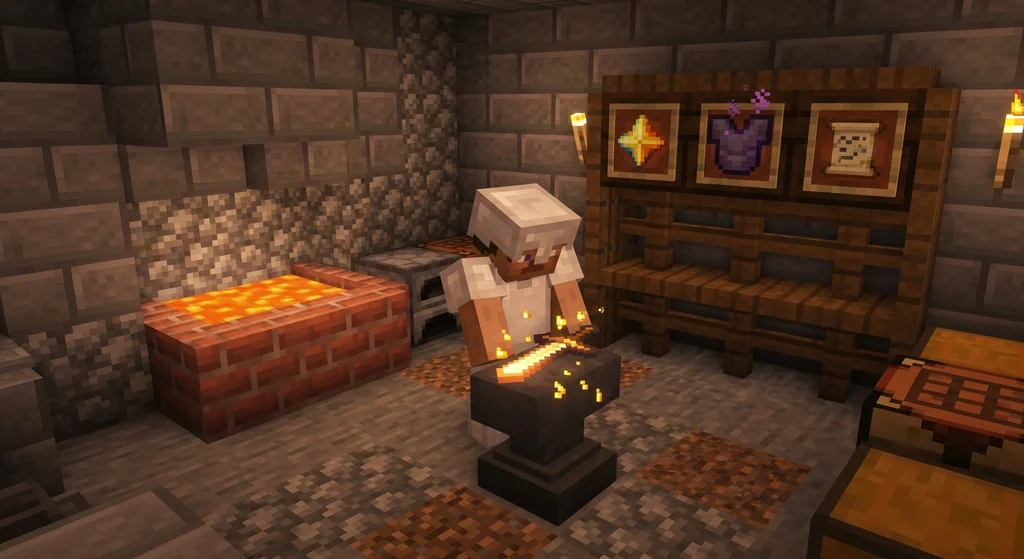
When anvil repairs are enabled, the vanilla math applies. Combining two identical items yields the sum of their durabilities plus a 12% bonus of the item’s maximum durability (via Minecraft Wiki). However, the prior work penalty keeps climbing, and after about 6 operations the cost becomes too high. Starting in Minecraft 1.20.5, the repairable item component lets datapacks define which item repairs a tool in the anvil, bringing plugin-level custom repairs to vanilla servers without mods (via Minecraft Wiki).
Some servers exploit this component to make custom anvil recipes that accept unique materials. For example, a “Crystal Sword” might require Crystal Shards instead of diamonds. You can see similar logic in action when you craft custom items on Minecraft servers in 2026.
Below is a quick comparison of repair methods you’ll encounter on servers:
| Method | Cost | Speed | Custom Gear Compatible |
|---|---|---|---|
| Vanilla Anvil | XP levels + materials | Medium (needs anvil, levels) | Only if recipe exists |
/repair Command | Free or cooldown | Instant | 100% (plugin controlled) |
| Plugin Repair Shop | Currency/items | Instant from NPC/GUI | 100% |
| Mending Enchant | XP orbs | Passive (during use) | Must be set repairable |
Note: Even if Mending is allowed, custom items must have the “repairable” tag set in the plugin config for the enchantment to actually work.
How to Use Server Commands to Repair Custom Gear
Server commands like /repair or /fix offer instant, cost-free restoration of all held items, often limited by cooldowns or permission ranks to balance gameplay.
The most common command is /repair. Typing /repair while holding the broken item restores its durability to full. Some servers add /repair all to fix everything in your hotbar, or tiered commands like /repair hand and /repair armor.
Many servers tie these commands to donor ranks or prestige systems. A free-to-play player might have a 24-hour cooldown, while a VIP gets it hourly. Understanding how Minecraft prestige rewards and perks on servers in 2026 work can show you exactly when repair commands unlock.
- Rank-gated repair: Basic players: 1 repair per day; Elite rank: unlimited repairs.
- Token-based repair: Spend server currency (like "/repair cost 1000").
- Event repair stations: Temporary world NPCs that repair any item for free during server events.
Best Plugins for Managing Custom Item Durability in 2026
Top repair plugins such as AdvancedRepair, EcoItems, and ItemsAdder give server admins fine-grained control over durability mechanics, repair costs, and material requirements.
- AdvancedRepair — Lets admins create multiple repair NPCs with custom costs, cooldowns, and permissions. Popular on Spigot and Paper servers.
- EcoItems — Ties custom item durability to economy: players pay in-game coins per durability point, configurable per item tier.
- ItemsAdder — The same plugin that creates custom items often includes its own repair system via consumable repair items dropped from mobs or crates.
- RepairCost — A lightweight plugin that resets anvil work penalty and lets players combine damaged items without breaking the economy.
If you’re already opening custom gear from server crate keys, knowing which repair plugin the server uses helps you plan whether to hoard repair tokens or rely on commands.
Why Do Custom Items Lose Durability So Fast on Servers?
Server-side events like PvP, minigames, and custom environmental damage multipliers often accelerate durability loss, and poorly configured attributes can cause items to break in a fraction of the expected time.
Vanilla durability loss is predictable: a netherite sword gets 2,031 uses. But servers frequently double or triple PvP durability drain to make battles shorter, and minigames can apply “durability burn” effects that strip 6-10 durability per hit. Custom items with negative attribute modifiers (like -50% armor toughness) may also silently degrade faster due to code that multiplies damage received, which in turn accelerates durability loss.
Moving items can also be risky. When you transfer Minecraft items between servers, metadata hiccups can reset durability or corrupt the repair counter, leaving you with a seemingly full item that breaks after a single swing.
Common culprits of fast durability loss:
- PvP arenas with 2× durability drain.
- Environment hazard zones (lava rain, storm damage).
- Custom tool abilities (AOE attacks that drain durability per hit).
- Mending configured to repair only one item type at a time, causing other gear to degrade untouched.
Tips for Avoiding Durability Loss on Custom Items
Prevent unnecessary wear by using Mending-configured gear, storing items in ender chests during risky activities, and exploiting server-specific repair stations to keep durability high.
The Mending enchantment repairs 2 durability points per experience orb collected, always targeting the item with the lowest durability first (via Minecraft Wiki). If your custom gear supports Mending, simply holding it while killing mobs or smelting items at a farm can passively keep it near full durability. But make sure no other damaged items are in your armor slots, or the orbs may skip your weapon.
- Store rare gear in an ender chest when running through hazard zones; the chest’s inventory is never exposed to durability events.
- Use an XP farm (endermen or guardian farms) to charge Mending without combat risk.
- Watch server announcements — many admins run “repair weekends” where all custom repair costs are halved.
- Combine multiple damaged copies of the same custom item before they break; the 12% bonus from vanilla anvil (if allowed) can extend usable life significantly.
Pro Tip: Keep a “sacrificial” copy of your most-used custom weapon. If you accidentally let durability hit zero, you can combine the broken shell with the fresh copy and recover half the durability without a plugin dependency.
How to Put This Into Practice on Gaia Legends
On Gaia Legends, repairing your legendary custom items is straightforward and forgiving — exactly how a friendly SMP should be. Whether you pulled a flaming bow from a quest crate or earned a razor-edged custom sword through prestige ranks, our server gives you multiple free and premium ways to keep your gear battle-ready.
/repaircommand — Free for all players, no cooldown. Simply hold the custom item and type/repairto restore it to full durability instantly. No ranks required.- Custom anvil recipes — We’ve enabled special recipes through our items plugin that let you repair legendary items with materials you collect from quests and fishing. No experience cost, no prior work penalty.
- Repair stations at spawn — Walk up to an anvil NPC in the main hub, drop your item in the GUI, and it gets fixed for a handful of Gaia Tokens (freely earned from voting and quests).
Gaia Legends is free to join, non-pay-to-win, and supports Java + Bedrock crossplay. Join at gaialegends.pro and start your legend today.
Recommended
- How to Choose the Best Mod Loader for Vanilla+ Minecraft in 2026 | Gaia Legends
- 7 Common Fixes for Minecraft Multiplayer Not Working (2026) | Gaia Legends
- 7 Best Block Palettes for the Minecraft Movie Build Challenge (2026) | Gaia Legends
- What is a Minecraft Factions Server? Beginner’s Guide (2026) | Gaia Legends
Ready to play? Join Gaia Legends today — no pay-to-win, Java + Bedrock crossplay.
- Java:
join.gaialegends.pro - Bedrock:
join.gaialegends.pro— Port19132
Further reading
These references were recorded with the article; specific claims have not been matched to source excerpts.
Frequently Asked Questions
How do I repair custom items on a Minecraft server in 2026?
Use the server’s repair command (usually `/repair` or `/fix`) while holding the item. If commands aren’t available, check for plugin NPCs or shops that accept repair tokens or in-game currency. Some servers enable custom anvil recipes, so placing the item with a specific material (like a repair crystal) may also work.
Why does my custom item show 'Too Expensive!' on the anvil even with a repair recipe?
The vanilla anvil applies a prior work penalty that doubles with each operation; after about 6 uses the cost exceeds 39 levels and the anvil refuses further repairs. Custom items are not exempt from this rule unless a plugin resets the penalty or bypasses the anvil entirely.
Can I use Mending to repair custom gear on a server?
Only if the custom item has the ‘repairable’ tag enabled in the server’s plugin configuration. If so, Mending works as normal — repairing 2 durability per XP orb collected. Check with your server admin or try holding the item near an XP farm; if durability doesn’t rise, Mending is likely blocked.
What plugins let server owners create custom repair systems?
Popular options include AdvancedRepair (NPC-based repairs with permissions), EcoItems (economy-driven repair costs), ItemsAdder (built-in consumable repair items), and RepairCost (lightweight anvil fix). Each gives admins control over costs, cooldowns, and item compatibility.
Do repair costs increase over time on custom items?
In vanilla, yes — the prior work penalty rises exponentially. On plugin-based servers, it depends. Some plugins reset the penalty after each `/repair` use; others charge a flat fee and never track a penalty. Always check the server’s wiki or help channel to confirm.
How can I avoid losing durability on my rare items during PvP?
Equip Mending-compatible gear and fight near an XP source. Use an ender chest to store backups. Some servers let you apply ‘unbreaking-like’ custom attributes that slow durability loss. If your server has a repair command, use it immediately after combat to restore durability before it bottoms out.
Related guides
Mumbo Jumbo and Minecraft auctions: Hermitcraft shopping districts to movie
Discover how Mumbo Jumbo's Hermitcraft shopping district experience led to an auction cameo in A Minecraft Movie, plus his behind-the-scenes consulting work.
Understanding the Identify Control in Bedrock Edition
Learn what the Identify control is in Bedrock Edition, how it was renamed from Describe in Preview 26.10.25, and how Bedrock's item name display differs from Java Edition.
How Gems Work in Minecraft Bedrock Capture the Flag
Learn how gems work in Minecraft Bedrock Capture the Flag, including how to earn them by playing, killing, and capturing flags. Spend 250 gems on the Flag...
How to Check Custom Item Leveling on a Minecraft Server
Check a Minecraft server's custom item rules before grinding. Identify the documented XP source, track progress, and verify upgrade costs and resets.
Have a question or another approach?
Compare notes with other readers. Include your edition and version when discussing mechanics.