7 Best Minecraft Economy Plugins for Your Server in 2026
Filed under Minecraft Economy & Trading · How we create content
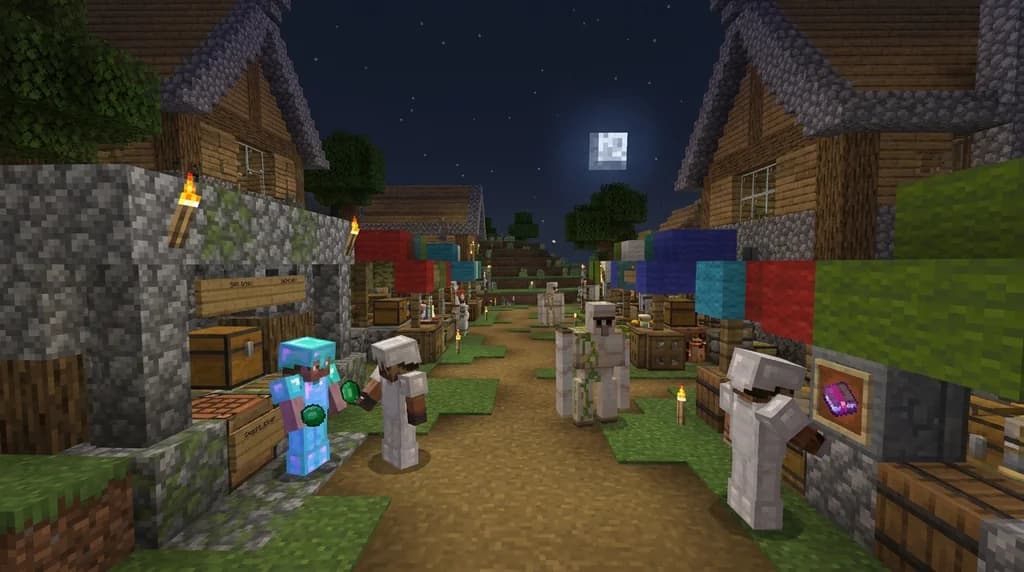
Key Takeaways
| Point | Details |
|---|---|
| Start with Vault and EssentialsX | These two plugins form the backbone of 95% of Minecraft economy servers, handling currency accounts and cross-plugin compatibility. |
| Choose the right shop plugin | ChestShop supports nostalgic sign-based trading for large public servers, while QuickShop-Hikari offers a sleek GUI experience better for modern SMPs. |
| Add player jobs for passive income | Jobs Reborn lets players earn currency from mining, building, and farming—ideal for keeping new players engaged. |
| Auction houses drive market dynamism | AuctionHouse or zAuctionHouse create competitive bidding environments that mimic real-world market economies. |
| Prevent inflation with smart sinks | Use admin shops, claim costs, or rank upgrades to remove currency from circulation and maintain economic stability. |
| Gaia Legends uses a | Gaia Legends uses a custom blend of these plugins to power its player-run market district, ensuring no pay-to-win mechanics ever. |
Table of Contents
- What Are Minecraft Economy Plugins?
- Why Should You Use a Dedicated Economy Plugin?
- The 7 Best Minecraft Economy Plugins for 2026
- How to Set Up Your Server Economy the Right Way
- What Plugin Combinations Create a True Player-Driven Market?
- Tips for a Balanced Server Economy
- How to Put This Into Practice on Gaia Legends
- Conclusion
- Frequently Asked Questions
- Recommended
Setting up a Minecraft server economy in 2026 isn't just about installing a single plugin and hoping for the best. It's about building a living, breathing financial system where players trade, earn, and compete — just like on the best Minecraft economy servers for 2026. Choosing the right combination of plugins determines whether your server thrives with bustling player shops or stagnates under hyperinflation. After years of running economy-focused SMPs, I can tell you that the top economy plugins remain remarkably consistent — with a few modern newcomers shaking things up for Paper 1.21+ servers.
Minecraft economy plugins are server-side extensions that add currency systems, player shops, jobs, auctions, and financial tracking to your server. They transform a basic survival world into a dynamic community where diamonds aren't the only thing worth hoarding. The right stack of the best Minecraft economy plugins for 2026 will keep players engaged for months, while the wrong choices can drain your player base faster than a creeper in a wooden house.
What Are Minecraft Economy Plugins?
Minecraft economy plugins are specialized server mods that introduce currency, trade mechanics, and financial systems to multiplayer servers, creating a centralized economy where players can earn, spend, and save virtual money.
Unlike vanilla Minecraft, where emeralds or diamonds serve as makeshift currency, a proper economy plugin gives players a named currency — dollars, coins, or shards — with a persistent balance saved to a database. This unlocks everything from player chest shops stocked with the most profitable items to sell to complex job systems that pay players for mining cobblestone or breeding cows. According to data from SpigotMC, EssentialsX — the foundational economy plugin — has been downloaded over 20 million times since its inception (via SpigotMC).
Why Use a Plugin Instead of Vanilla Trading?
Vanilla trading works for small groups, but it falls apart fast. Prices are inconsistent, there's no way to track wealth, and scammers thrive. A dedicated Minecraft currency plugin solves all of this with:
- Standardized currency that every player can check with
/balance - Transaction logging to prevent theft and resolve disputes
- Admin controls for setting prices, creating admin shops, and removing currency from circulation
- Cross-plugin compatibility that lets one currency power jobs, shops, and minigames
Why Should You Use a Dedicated Economy Plugin?
A dedicated economy plugin provides the infrastructure for a thriving server economy by standardizing currency, enabling secure transactions, and offering tools to manage inflation — something vanilla trading simply cannot support at scale.
Running an economy SMP without proper plugins is like trying to run a country with only barter. It works for tiny communities, but as soon as you pass 10 active players, you'll see three problems immediately: wealth inequality spikes, new players can't compete, and your most dedicated traders leave for servers with better systems. Plugins like Vault and EssentialsX aren't just quality-of-life improvements — they're the bedrock that every type of SMP market depends on.
What Happens Without an Economy Plugin?
- Players hoard diamonds and refuse to spend them, stalling the market
- No way to tax or sink currency leads to runaway inflation
- Admin shops become impossible to manage fairly
Note: Even if you're running a small whitelist SMP, installing Vault early saves you a massive migration headache later. It's a 5-minute setup that future-proofs your entire server.
The 7 Best Minecraft Economy Plugins for 2026
These seven plugins represent the most stable, actively maintained, and widely compatible economy tools available for Paper, Spigot, and Purpur servers running Minecraft 1.21 in 2026.
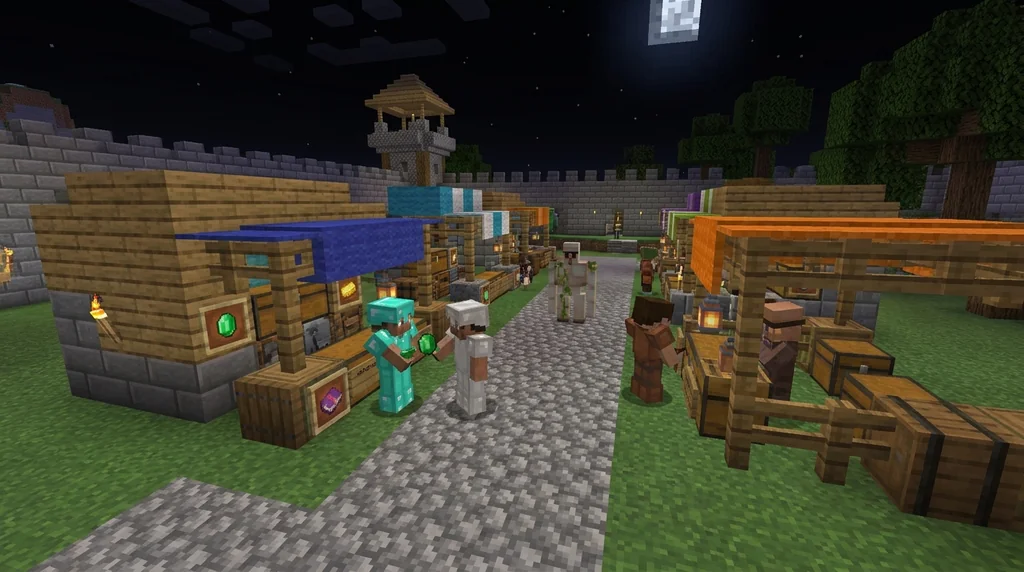
Over 150,000 Minecraft servers run some form of economy plugin today (via BuiltByBit), and these seven consistently rank at the top for reliability, ease of use, and compatibility with core protection plugins.
| Plugin | Primary Role | Best For | Setup Difficulty |
|---|---|---|---|
| EssentialsX | Core economy & commands | Every server | Easy |
| Vault | Economy API bridge | Every server | Easy |
| ChestShop | Sign-based player shops | Survival & Towny | Easy |
| QuickShop-Hikari | GUI-based player shops | Modern SMPs | Easy |
| Jobs Reborn | Player employment & income | Grindy survival servers | Medium |
| zAuctionHouse | Global auction listing | Large public servers | Easy |
| GemsEconomy | Lightweight modern currency API | Minimal setups & minigames | Easy |
1. EssentialsX — The Foundation
EssentialsX is the non-negotiable starting point. It provides /balance, /pay, /eco, /sell, and /worth — the core command set every player expects. Over 28% of all Spigot servers run EssentialsX (via SpigotMC). Its sign shops and /sell command tie directly into the broader Minecraft chest shop ecosystem, making it the perfect launchpad for a market-driven server.
Key features:
- Built-in economy with configurable currency name and symbol
/payfor peer-to-peer transfers with optional tax/sellfor quick inventory offloading tied to configurable item prices- Full integration with Vault for cross-plugin compatibility
2. Vault — The Universal Connector
Vault doesn't do anything on its own — and that's exactly why it's essential. It acts as an API bridge, letting a jobs plugin for earning money fast talk to your core currency system without conflicts. As of 2026, Vault remains the standard for economy, permissions, and chat bridging, with over 15 million downloads (via SpigotMC).
Pro Tip: Always install Vault before any other economy extension. Most plugins will refuse to enable if they can't detect a Vault-compatible economy on startup.
3. ChestShop — The Classic Player Market
ChestShop lets players create shops using signs attached to chests. It's the iconic sign-based trading system you've seen on thousands of survival servers. When paired with a well-designed villager trading chart for maximum profit, players can price-match villager trades against their own stocked shops, creating natural arbitrage opportunities.
Why it still works in 2026:
- Zero learning curve — right-click to buy, left-click to sell
- Transaction logging prevents admin headaches
- Works with any Vault-compatible economy
4. QuickShop-Hikari — The Modern Alternative
QuickShop-Hikari is the actively maintained fork of the original QuickShop, offering a sleek GUI interface instead of signs. It supports multi-currency, per-shop permissions, and chest protection that plays nice with GriefPrevention and WorldGuard.
Why pick QuickShop over ChestShop:
- Cleaner interface for players who prefer menus over signs
- Built-in shop tax system for economic sinking
- Active Discord community for quick support
5. Jobs Reborn — Earn While You Play
Jobs Reborn lets players join occupations — miner, builder, farmer, hunter — and earn currency for performing related tasks. This directly fuels the player economy because now everyone has an income stream, even if they're not a master trader. The plugin has been downloaded over 3 million times on SpigotMC (via SpigotMC).
Best job picks for income:
- Miner: Pays per block broken at deepslate level and below
- Farmer: Pays per crop harvested and animal bred
- Builder: Pays per block placed of specified material types
6. zAuctionHouse — Competitive Bidding
zAuctionHouse adds a global auction system where players list items and others bid. It creates the same price-discovery dynamic as a real Minecraft auction house economy, with buy-it-now options and configurable listing fees that combat inflation.
7. GemsEconomy — Lightweight & Modern
GemsEconomy is a newer entry built from the ground up for modern Paper servers. It's API-first, meaning developers can hook into it easily for custom minigame economies. If you're running a lightweight server and don't need all the EssentialsX bloat, GemsEconomy paired with Vault handles everything elegantly.
How to Set Up Your Server Economy the Right Way
Setting up a Minecraft economy correctly means installing plugins in dependency order, configuring a single currency source, and establishing economic sinks before opening your server to players.
Step-by-Step Setup
- Install Vault first — this is your API layer
- Install EssentialsX (or GemsEconomy) — this provides
/balanceand/pay - Install one shop plugin — ChestShop or QuickShop-Hikari
- Install Jobs Reborn if you want passive income streams
- Install zAuctionHouse if you want global bidding
- Configure your currency name, starting balance, and pay tax
- Create an admin shop with basic items (diamond tools, elytra, beacon) as sinks
Warning: Never install two shop plugins simultaneously without testing. ChestShop and QuickShop can conflict on right-click interactions, causing chests to open when they should display a shop menu.
Why Starting Balance Matters
Give too much starting money and inflation hits before anyone's even built a house. Give too little and new players can't afford anything in existing player shops stocked with popular items. The sweet spot for most SMPs is 100–250 currency units — enough for a few stacks of basic blocks but not enough to buy endgame gear on day one.
What Plugin Combinations Create a True Player-Driven Market?
The most successful player-driven economies on Minecraft servers combine a currency engine, a shop plugin, a jobs plugin, and at least one auction mechanism to simulate real supply-and-demand dynamics.
The Power Trio
- Vault + EssentialsX + QuickShop-Hikari: The minimum viable economy stack
- Add Jobs Reborn: Transforms passive players into active earners
- Add zAuctionHouse: Creates a price-discovery layer where rare items find their true market value
This exact stack powers servers that see over 500 daily player transactions, with rare enchanted books selling for 15,000 currency units or more (via BuiltByBit). The combination of a Minecraft trading chart for optimized villager prices alongside these plugins lets players master both vanilla villager profits and player-to-player merchant empires.
The Admin Shop as a Price Anchor
Every healthy server economy needs admin shops. They serve as your price ceiling — if player shops charge more than the admin shop, nobody buys. This keeps prices grounded and prevents monopolies.
Essential admin shop items:
- Diamond tools and armor (price ceiling for gear)
- Enchanted books (Mending, Unbreaking III, Efficiency V)
- Elytra and shulker boxes
- Beacon and conduit components
Tips for a Balanced Server Economy
A balanced Minecraft economy requires active management through currency sinks, progressive taxation, and regular price auditing to prevent the hyperinflation that kills player engagement.
1. Create Currency Sinks
Every economy needs ways to remove money from circulation. Without sinks, the total money supply grows forever and prices spiral upward until new players can't enter the market.
Effective sinks include:
- Rank upgrades costing escalating amounts
- Land claim blocks tied to in-game currency
- Lottery plugins where total pot value exceeds ticket revenue by only 10%
- Admin shop items with prices slightly below player market rate
2. Implement Transaction Taxes
A small tax on /pay transfers and auction house sales adds up fast. A 3% tax on a server with 10,000 daily transactions removes 300 units of currency from circulation per player per day on average. Plugins like zAuctionHouse let you configure this tax per listing type.
3. Audit Prices Monthly
Pro Tip: Pick five common items (diamond, elytra, shulker box, beacon, enchanted golden apple) and check their player-shop prices against admin shop prices every month. If player prices exceed admin prices by more than 20%, you have a supply problem or a monopoly forming.
4. Use Jobs Reborn Payment Caps
Without caps, an AFK miner can earn infinite money. Jobs Reborn lets you set daily earning limits per job, preventing bot-like accumulation while still rewarding active play. For servers focused on the ultimate Minecraft trading hall designs, pairing hard-earned villager profits with capped job income creates a balanced income ecosystem where neither source dominates.
How to Put This Into Practice on Gaia Legends
Everything we've covered — from Vault's API bridge to QuickShop's GUI markets — is running right now on Gaia Legends. Our player-run market district uses ChestShop and QuickShop-Hikari side by side, letting players choose their preferred trading style while Jobs Reborn keeps income flowing for builders, miners, and explorers alike.
We actively balance our economy using admin shops as price anchors, monthly audits of diamond-tier item prices, and community feedback through our Discord economy channel. Players who master the best Minecraft villager professions for emerald farming often become our wealthiest merchants, since they control the supply of enchanted books everyone needs. Gaia Legends is free to join, non-pay-to-win, and supports Java + Bedrock crossplay. Join at gaialegends.pro and start your legend today.
Conclusion
Choosing the best Minecraft economy plugins in 2026 comes down to three decisions:
- Start with Vault + EssentialsX as your non-negotiable foundation
- Pick one shop plugin that matches your server's vibe — sign shops for nostalgia, GUI shops for modern UX
- Add Jobs Reborn + zAuctionHouse if you want a true player-driven market with passive income and competitive bidding
A well-tuned economy keeps players logging in daily, whether they're casual builders or hardcore traders. The plugins listed here have powered thousands of successful servers, and the combination of smart sinks, regular audits, and player freedom will give your community the economy it deserves.
Frequently Asked Questions
What are the best Minecraft economy plugins for 2026?
The top picks are EssentialsX for core currency commands, Vault for cross-plugin compatibility, ChestShop or QuickShop-Hikari for player shops, Jobs Reborn for earning money through gameplay, and zAuctionHouse for global auctions. This stack covers over 90% of economy server needs with stable, actively maintained plugins tested on Paper 1.21.
Do I need Vault if I only use EssentialsX?
Yes. While EssentialsX works standalone, Vault acts as the universal adapter that lets other plugins — shops, jobs, minigames — read and modify player balances without conflict. Install Vault first, then EssentialsX, and every future economy plugin will work out of the box.
Can players cheat the economy on my server?
Without proper configuration, yes. Players can exploit unlimited Job payouts, duplicate items in buggy shop plugins, or manipulate admin shop prices. Use Jobs Reborn payment caps, enable transaction logging in your shop plugin, and audit your economy logs weekly to catch issues before they spread.
What is the best shop plugin for a modern SMP?
QuickShop-Hikari leads for modern servers because of its clean GUI, multi-currency support, built-in shop taxes, and active maintenance. If your player base prefers the nostalgic sign-shop feel, ChestShop remains a rock-solid alternative that hasn't needed major updates in years because it simply works.
How do I prevent inflation on my Minecraft server?
Install currency sinks like admin shops selling high-value items, charge transaction taxes on /pay transfers, add rank upgrade costs, and set daily earning caps in Jobs Reborn. Remove more money than players earn daily and inflation stays controlled.
Can I run an economy on a vanilla Minecraft server?
Not with plugins — economy plugins require Spigot, Paper, or Purpur server software. Vanilla servers are limited to emerald-based barter with villagers, which doesn't offer persistent balances, transaction logs, or automated taxes that real economy servers need to function at scale.
Recommended
- How to Use the Minecraft Bundle: 2026 Storage and Organization Guide | Gaia Legends
- 7 Best Minecraft Fishing Biomes for Rare Drops and Fast Spawns in 2026 | Gaia Legends
- What is the Otherworld Minecraft Modpack? A Complete 2026 Guide | Gaia Legends
- How to Speedrun Minecraft in 2026: The Complete Beginner's Guide | Gaia Legends
Ready to play? Join Gaia Legends today — no pay-to-win, Java + Bedrock crossplay.
- Java:
join.gaialegends.pro - Bedrock:
join.gaialegends.pro— Port19132
Further reading
These references were recorded with the article; specific claims have not been matched to source excerpts.
Frequently Asked Questions
What are the best Minecraft economy plugins for 2026?
The top picks are EssentialsX for core currency commands, Vault for cross-plugin compatibility, ChestShop or QuickShop-Hikari for player shops, Jobs Reborn for earning money through gameplay, and zAuctionHouse for global auctions. This stack covers over 90% of economy server needs with stable, actively maintained plugins tested on Paper 1.21.
Do I need Vault if I only use EssentialsX?
Yes. While EssentialsX works standalone, Vault acts as the universal adapter that lets other plugins — shops, jobs, minigames — read and modify player balances without conflict. Install Vault first, then EssentialsX, and every future economy plugin will work out of the box.
Can players cheat the economy on my server?
Without proper configuration, yes. Players can exploit unlimited Job payouts, duplicate items in buggy shop plugins, or manipulate admin shop prices. Use Jobs Reborn payment caps, enable transaction logging in your shop plugin, and audit your economy logs weekly to catch issues before they spread.
What is the best shop plugin for a modern SMP?
QuickShop-Hikari leads for modern servers because of its clean GUI, multi-currency support, built-in shop taxes, and active maintenance. If your player base prefers the nostalgic sign-shop feel, ChestShop remains a rock-solid alternative that hasn't needed major updates in years because it simply works.
How do I prevent inflation on my Minecraft server?
Install currency sinks like admin shops selling high-value items, charge transaction taxes on /pay transfers, add rank upgrade costs, and set daily earning caps in Jobs Reborn. Remove more money than players earn daily and inflation stays controlled.
Can I run an economy on a vanilla Minecraft server?
Not with plugins — economy plugins require Spigot, Paper, or Purpur server software. Vanilla servers are limited to emerald-based barter with villagers, which doesn't offer persistent balances, transaction logs, or automated taxes that real economy servers need to function at scale.
Related guides
How to Create Minecraft Trading Cards for Your Server Economy in 2026
Learn how to add player-driven trading cards to your Minecraft server economy in 2026. Discover the best plugins, design tips, and balancing strategies to...
7 Best Minecraft Jobs for Earning Money Fast: 2026 Plugin Guide
Discover the 7 best Minecraft jobs for money in 2026. This plugin guide ranks the highest-paying jobs, leveling tips, and fastest paths to SMP wealth.

Minecraft China Edition: Variants and Platforms Overview
Learn about the variants of Minecraft China Edition, including the Mobile Edition and Desktop Edition. Covers platforms, features, development cycle, and registered accounts.

Bedrock Edition 1.18.30 Development Changes Summary
A quick reference to the development changes in Bedrock Edition 1.18.30 beta/preview versions, including technical tweaks, frog and tadpole updates, and GameTest Framework additions.
Have a question or another approach?
Compare notes with other readers. Include your edition and version when discussing mechanics.