Mods vs Resource Packs: Understanding Minecraft Customization
Filed under Vanilla-Enhanced Modpacks & QoL · How we create content
Version scope: Java Edition and Bedrock Edition
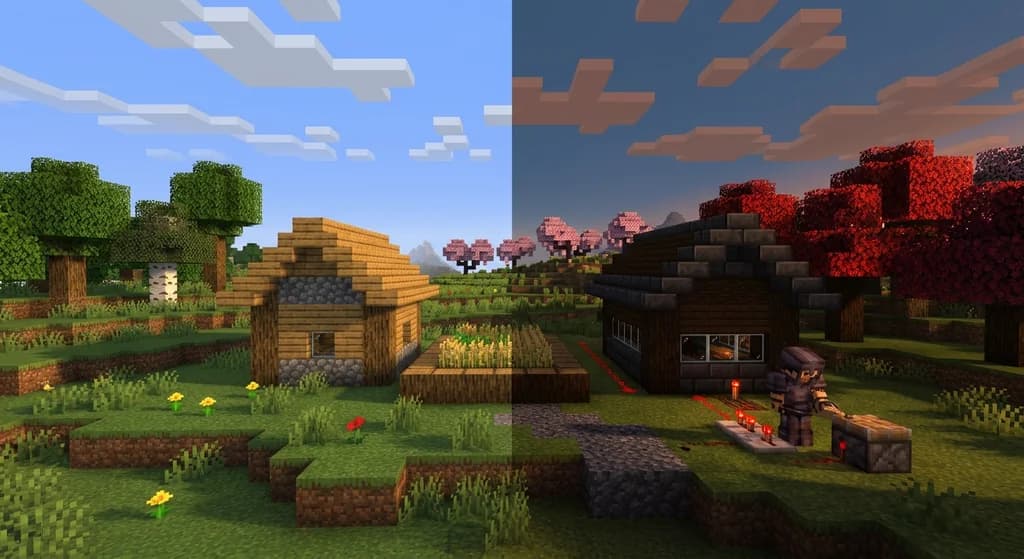
Key Takeaways
| Point | Details |
|---|---|
| Mods are unofficial code | Mods are unofficial code that modifies game behavior and mechanics, requiring third-party loaders. |
| Resource packs customize textures, | Resource packs customize textures, sounds, and languages without altering game code. |
| The Minecraft community strictly | The Minecraft community strictly distinguishes mods from official features like resource packs. |
| Mods and resource packs | Mods and resource packs are fully compatible and can be used together for a complete customization experience. |
| Resource packs can be | Resource packs can be managed server-side via server.properties settings. |
When you start looking into changing Minecraft, you'll quickly hear about two main paths: mods and resource packs. They are often confused, but they serve very different purposes. Understanding the distinction is the first step to mastering Minecraft customization.
What Defines a Minecraft Mod?
A mod, short for modification, is fundamentally a piece of unofficial code injected into the game for the purpose of modifying its behavior.
Mod A mod (short for modification) is a piece of unofficial code that is injected into the game for the purpose of modifying its behavior.
Within the Minecraft community, the term is conventionally used in a strict sense to refer to unofficial, community-made code alterations that require third-party mod loaders.
Mod Within the Minecraft community, the term is conventionally used in a strict sense to refer to unofficial, community-made code alterations that require third-party mod loaders.
This code can change almost anything. Mods can tweak core mechanics, fix bugs, add new blocks and dimensions, overhaul the user interface, or completely revamp the game's physics and progression. If you want to change how the game works, you are looking for a mod.
How Resource Packs Customize Your Game
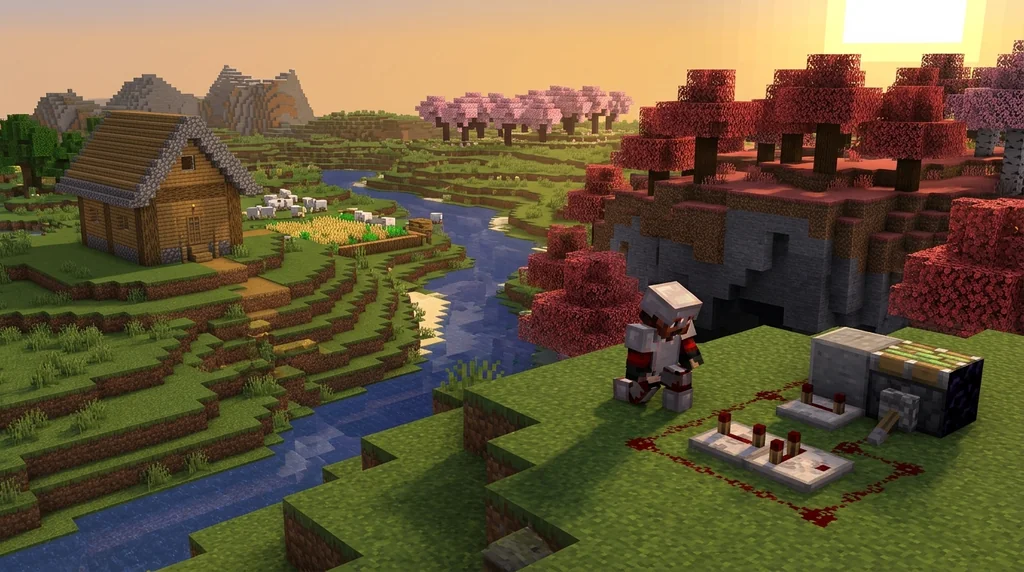
Resource packs are an officially supported system designed for a different purpose. They do not involve code.
Resource pack The resource pack system provides a way for players to customize textures, models, music, sounds, languages, texts such as the End Poem, splashes, credits, and fonts without any code modification.
Instead of changing how the game works, resource packs change what it looks and sounds like. They can replace the textures on every block, change the models of mobs and items, swap out the music and sound effects, and even alter the game's language files. A resource pack is simply a directory or a .zip archive, and managing them is done directly through the game's options menu. On multiplayer servers, a resource pack can be set by the server admin using the resource-pack directive in the server.properties file.
Key Differences Between Mods and Resource Packs
The most important distinction is the line between code and assets.
Mod Under this definition, "mods" are distinct from officially supported game customization features, such as data packs, resource packs, and add-ons.
Under this community definition, "mods" are distinct from officially supported game customization features, such as data packs, resource packs, and add-ons. Mods make the game run differently; resource packs make it look different.
Because they operate on completely separate layers, they are entirely compatible. You can have a heavily modded server that adds dozens of new mobs and mechanics, and still use a resource pack to give it all a cohesive visual theme.
Choosing the Right Tool for Your Build
If your goal is to change the game's behavior — add new crafting recipes, alter the combat system, introduce new biomes, or improve performance on lower-end hardware — you want a mod. If your goal is purely aesthetic — a medieval texture overhaul, a darker atmosphere, or custom UI elements — a resource pack is the safer, simpler, and more compatible choice.
For players looking to build a unique experience, understanding this distinction is powerful. You can use a base modpack to establish your gameplay foundation and then layer a resource pack on top to create a completely new visual identity. This is the heart of vanilla-enhanced gameplay: respecting the core loop while making it entirely your own.
Sources
- A mod (short for modification) is a piece of unofficial code that is injected into the game for the purpose of modifying its behavior. — Mod
- Within the Minecraft community, the term is conventionally used in a strict sense to refer to unofficial, community-made code alterations that require third-party mod loaders. — Mod
- The resource pack system provides a way for players to customize textures, models, music, sounds, languages, texts such as the End Poem, splashes, credits, and fonts without any code modification. — Resource pack
- Under this definition, "mods" are distinct from officially supported game customization features, such as data packs, resource packs, and add-ons. — Mod
Frequently Asked Questions
Can I use a resource pack with mods installed?
Absolutely. Resource packs change assets (textures, sounds, models), while mods change game code and behavior. They work on completely separate layers of the game, making them fully compatible. You can apply a high-contrast resource pack to a heavily modded survival server without any issues.
Do I need a mod loader to install a resource pack?
No. Resource packs are an officially supported feature in both Java Edition and Bedrock Edition. You simply place the .zip file into your resourcepacks folder or drag it onto the selection screen in the game's options menu.
Can I force players on my server to use a specific resource pack?
Yes. Server administrators can set the resource-pack option in server.properties to a direct download URL. By setting require-resource-pack=true, players who decline the pack will be disconnected from the server.
Related guides
Understanding Minecraft Mods and Modpacks
A quick reference explaining what Minecraft mods and modpacks are, how they differ from official customization tools, and how to get started with mod loaders like Fabric.
Minecraft Commands: Usage and Syntax Reference
Learn how to use Minecraft commands across Java and Bedrock editions. This quick reference covers syntax, execution methods, permission levels, and command blocks.
Aged Light Modpack: Quick Reference
Discover the Aged Light Modpack for Minecraft Fabric 1.20.1. This quick reference covers its vanilla-enhanced features, community influence, and how it fits into the modpack ecosystem.
AppleSkin Mod Overview for Minecraft 1.21
Discover the AppleSkin mod for Minecraft Java Edition 1.21+. This quick reference covers hunger and saturation display, features, compatibility with modpacks like lelMc and Shozamaks Optimized, and installation tips.
Have a question or another approach?
Compare notes with other readers. Include your edition and version when discussing mechanics.