Minecraft Commands: Usage and Syntax Reference
Filed under Minecraft Server Guides & Reviews · How we create content
Version scope: Java Edition and Bedrock Edition
Key Takeaways
| Point | Details |
|---|---|
| Commands are entered via | Commands are entered via the chat window (press T or /) and require a forward slash prefix in chat. |
| Most commands require cheats | Most commands require cheats enabled (singleplayer) or operator status (multiplayer). |
| Command blocks execute commands when powered by redstone; three types exist | impulse, chain, and repeating. |
| In Bedrock Edition, you | In Bedrock Edition, you can bind up to 10 command macros to hotkeys using Alt + Key. |
| Server console commands do | Server console commands do not use a forward slash prefix; running commands this way is called 'ghosting'. |
If you've ever wanted to teleport across your world, summon a horde of chickens, or change the time of day instantly, you need commands. In Minecraft, commands (also called console commands or slash commands) are a core mechanic that let you execute specific actions by typing text or triggering them through blocks.
Commands (also known as console commands or slash commands) are a game mechanic that execute specific actions when entered as text or triggered by blocks or certain entities.
This quick reference covers how to enter commands, the basic syntax rules, permission restrictions, and the different ways commands can be executed—including command blocks, server consoles, and Bedrock's command macros.
How to Enter Commands in Chat
The most direct way to run a command is through the chat window. Press the T key (or the / key) to open chat, then type your command. Pressing / directly also inserts the forward slash that commands require as a prefix—a handy shortcut.
Using the / key also enters the forward-slash that commands require as a prefix, so it is a useful shortcut.
Once you've entered a command, you can use the Up Arrow and Down Arrow keys to cycle through previously executed commands, making it easy to repeat or tweak them. While typing, if your cursor is in a position that expects an argument (like an entity ID or player name), a list of applicable values appears above the text box. Pressing Tab cycles through possible completions and can auto-enter them.
Syntax Basics: Reading Command Notation
When you look up a command on the wiki or in-game, you'll see syntax patterns that use angle brackets < > for required arguments and square brackets [ ] for optional ones. In Java Edition, plain text without any decorators means you type it exactly as shown. Bedrock Edition follows a similar pattern, though some commands have slightly different syntax.
For example, the /give command looks like this:
/give <target> <item> [<count>]
Here, <target> and <item> are required, while [<count>] is optional.
Permission Levels and Restrictions
Not every player can use every command. Most commands require the executor to have a high enough permission level. In singleplayer, this means you need to enable cheats when creating the world (or open to LAN with cheats on). On multiplayer servers, only operators can use most commands.
That means most commands are only available in the singleplayer world if cheats are enabled, and are only available in multiplayer servers if the player is an operator.
Some commands have additional restrictions on who can use them or in what context. For example, /stop can only be run from the server console, not by a player in chat. Always check the specific command's documentation for any special requirements.
Execution Methods Beyond Chat
Commands aren't limited to chat. They can be executed in several other ways:
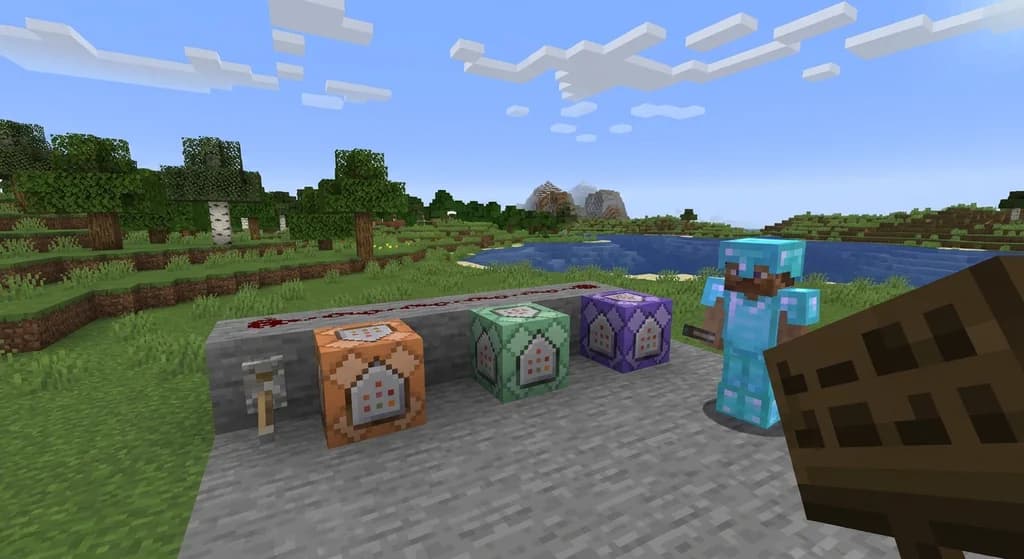
- Command blocks and minecarts with command blocks – These blocks execute commands when powered by redstone.
- Server console – On a dedicated server, commands can be entered directly in the console window, without a forward slash prefix. Running commands this way is sometimes called "ghosting."
- Functions – In data packs (Java Edition) or behavior packs (Bedrock Edition), you can write sequences of commands in a text file and run them as a function.
- Bedrock command macros – Bedrock Edition lets you bind up to 10 commands to hotkeys using Alt + Key. You can customize these keybinds in the settings menu.
For up to 10 macros, a command can be entered in a text input, which can be quickly executed in-game by pressing ⌥ Alt + Key.
Command Blocks: Automation and Redstone Integration
A command block is an indestructible block that can execute commands automatically. It's primarily used in multiplayer servers, Creative worlds, and custom maps because it cannot be obtained or broken in Survival mode without using commands.
Because it cannot be obtained, destroyed or used in Survival mode without commands, it is primarily used in multiplayer servers, Creative worlds, and custom maps.
There are three types of command blocks:
- Impulse command block – Executes its command once when activated by redstone.
- Chain command block – Executes its command every time it is triggered, typically after an impulse or repeating block.
- Repeating command block – Executes its command every game tick as long as it remains powered.
To use a command block, you must be in Creative mode with the proper permissions. In Java Edition, the game rule command_blocks_work must be set to true. Additionally, to modify command blocks, enable-command-block in server.properties must be set to true (default false). In Bedrock Edition, "Command Blocks Enabled" must be turned on in world options.
In Java Edition to enter command or modify the command block, enable-command-block in the server.properties file must be set to true (default is false).
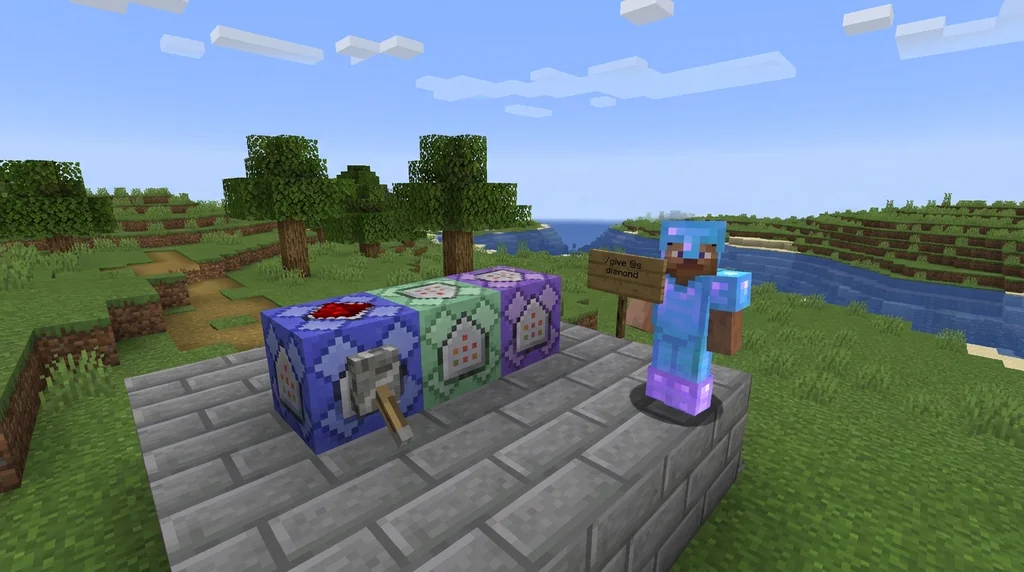
Command blocks always run with permission level 2 in Java Edition and level 1 in Bedrock Edition. This allows you to give specific commands to players who wouldn't normally have permission—for example, letting anyone run /give @s diamond without giving them full operator rights.
Bedrock Edition: Server Console Commands
Bedrock Dedicated Server (BDS) operators have a special command called /changesetting that lets you modify server settings while the server is running. This command can only be executed from the BDS console, not by a player in-game.
Can be executed only on BDS console.
You can change the difficulty or toggle cheats on the fly. Note that these changes do not update the server.properties file, so they won't persist after a server restart unless you also edit that file.
Quick Reference: Common Command Patterns
| Command | Purpose | Example |
|---|---|---|
/gamemode <mode> [target] | Change game mode | /gamemode creative @s |
/tp [target] <x y z> | Teleport entity | /tp @p 100 64 200 |
/give <target> <item> [count] | Give items | /give @a diamond 1 |
/time set <value> | Set world time | /time set day |
/weather <type> | Change weather | /weather clear |
/effect <target> <effect> [seconds] [amplifier] | Apply potion effect | /effect @s speed 30 2 |
Final Thoughts on Command Usage
Mastering commands opens up endless possibilities in Minecraft, from building automated systems with command blocks to quickly managing a multiplayer server. Remember the key rules: enable cheats in singleplayer, become an operator on servers, and always check the exact syntax for the edition you're playing. With practice, you'll be teleporting, summoning, and modifying your world with ease.
If you're interested in how commands integrate with data packs, check out our guide on How Data Packs Work in Minecraft: Setup and Installation. For server-specific command use, see How to Set Up a Minecraft Server Using the Official Server.jar.
Sources
- Commands (also known as console commands or slash commands) are a game mechanic that execute specific actions when entered as text or triggered by blocks or certain entities. — Commands
- Using the / key also enters the forward-slash that commands require as a prefix, so it is a useful shortcut. — Commands
- That means most commands are only available in the singleplayer world if cheats are enabled, and are only available in multiplayer servers if the player is an operator. — Commands
- For up to 10 macros, a command can be entered in a text input, which can be quickly executed in-game by pressing ⌥ Alt + Key. — Commands
- Because it cannot be obtained, destroyed or used in Survival mode without commands, it is primarily used in multiplayer servers, Creative worlds, and custom maps. — Command Block
- In Java Edition to enter command or modify the command block, enable-command-block in the server.properties file must be set to true (default is false). — Command Block
- Can be executed only on BDS console. — Commands/changesetting
Frequently Asked Questions
Why can't I use commands in my singleplayer world?
You need to enable cheats when creating the world. If you already created the world without cheats, you can open it to LAN (press Escape, then 'Open to LAN') and set 'Allow Cheats' to ON.
Can I use commands on a server without being an operator?
No, most commands require operator status. The server admin must add you to the ops list using `/op <your username>`.
What's the difference between /tp and /teleport?
`/tp` is an alias for `/teleport` in modern versions. Both work the same way, but `/teleport` offers more syntax options (like facing a specific entity or position).
How do I make a command block work?
Place a command block in Creative mode, right-click to open its GUI, enter your command, and then power it with redstone (e.g., place a lever next to it and flip it on).
Do command blocks work in Survival mode?
No, command blocks cannot be obtained, placed, or broken in Survival mode. They are exclusively for Creative mode, multiplayer servers, and custom maps.
Related guides
What Is a Minecraft Mod? Community vs Official Definitions
Compare the strict community definition of Minecraft mods with the broader official usage from Mojang. Understand the distinction between mods, data packs, resource packs, and add-ons across Java and Bedrock editions.
How to Set Up a Minecraft Server Using the Official Server.jar
Learn how to download and set up the official Minecraft server.jar for Java Edition. This quick reference covers EULA acceptance, first-run setup, and CLI vs GUI management.
Java Realms Content Creator Program Categories Overview
Compare the five Java Realms map categories and choose where your creation fits before submitting it for review.
How to Create and Manage a Minecraft Realms Server
Learn how to create and manage a Minecraft Realms server. Compare Realms Core vs Realms Plus pricing, requirements, and setup steps for Java and Bedrock...
Have a question or another approach?
Compare notes with other readers. Include your edition and version when discussing mechanics.