Inventory Organization Mods for Minecraft: Quick Reference
Filed under Vanilla-Enhanced Modpacks & QoL · How we create content
Version scope: Java Edition, various versions (b1.7.3 to modern Fabric)
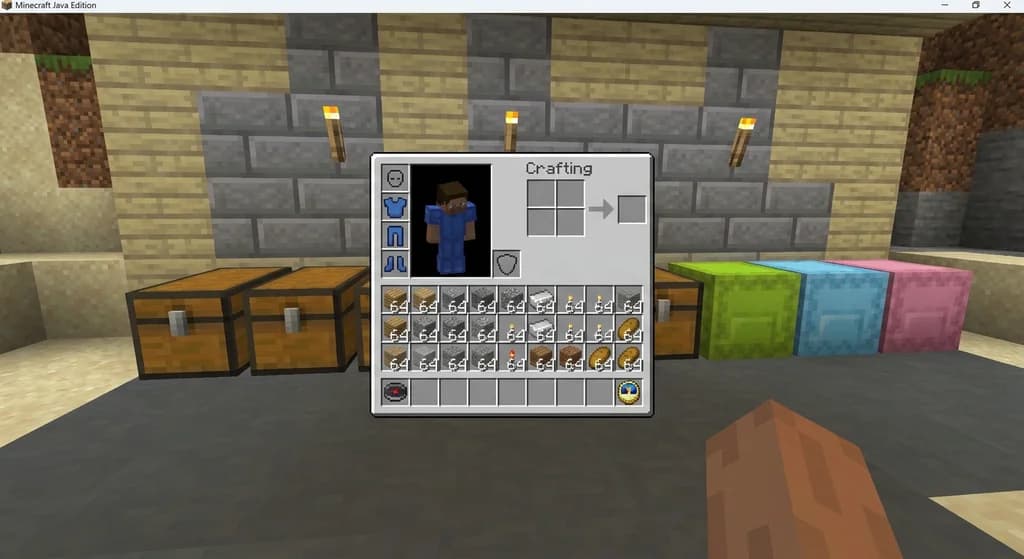
Key Takeaways
| Point | Details |
|---|---|
| InventoryTweaks adds modern left-click | InventoryTweaks adds modern left-click and right-click drag mechanics to older Minecraft versions. |
| Playerautoma can record and | Playerautoma can record and replay player actions for automation, plus re-stack blocks like classic Inventory Tweaks. |
| OFF Client bundles inventory | OFF Client bundles inventory sorting with a full suite of QoL features including minimap, zoom, and freecam. |
| Most inventory organization mods | Most inventory organization mods are client-side and require no server-side installation. |
Why Inventory Organization Matters in Modded Minecraft
Vanilla Minecraft's inventory system hasn't changed much over the years — chests fill up, hotbars get messy, and sorting by hand eats into your mining time. Inventory organization mods solve this by adding drag-and-drop mechanics, auto-sorting, and even macro-like automation. Whether you're running a kitchen-sink modpack or just want a tidier single-player world, these mods save clicks and sanity.
Top Inventory Organization Mods at a Glance
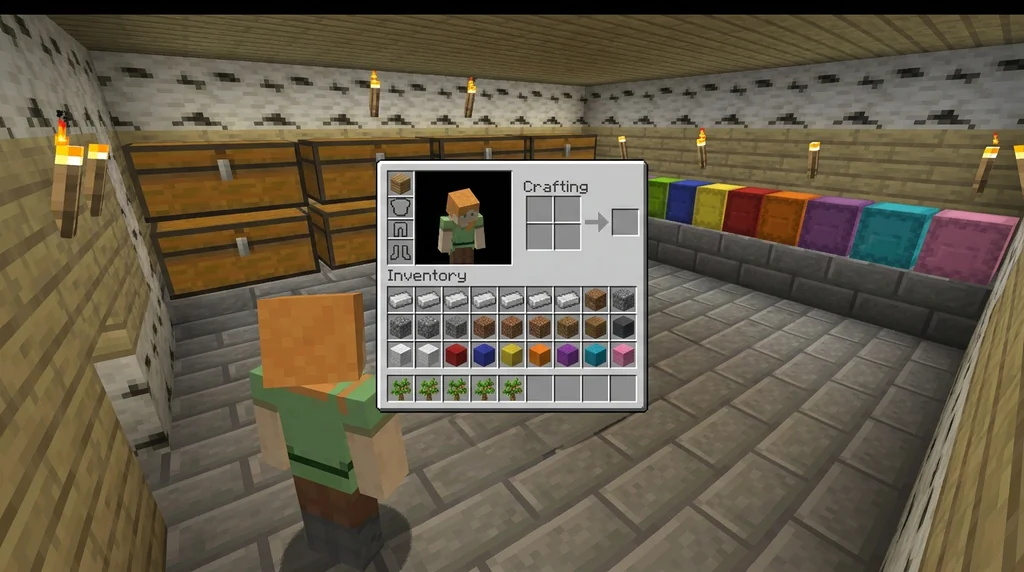
Here are three notable mods that tackle inventory organization in different ways.
InventoryTweaks StationAPI (Beta 1.7.3)
According to the InventoryTweaks StationAPI listing:
Inventory tweaks mod for b1.7.3 babric adding the modern Left-Click + Drag and Right-Click + Drag mechanics to the game along with some other optional mouse tweaks. Inventory tweaks mod for b1.7.3 babric adding the modern Left-Click + Drag and Right-Click + Drag mechanics to the game along with some other optional mouse tweaks.
This mod is specifically for the old Beta 1.7.3 version via the Babric mod loader, but its drag-and-drop concept influenced many modern inventory mods.
Playerautoma
Playerautoma goes beyond sorting — it can record and replay your actions to automate repetitive tasks. It also includes a re-stacking feature similar to Inventory Tweaks. The mod's project listing states:
Record and replay player actions to automate tasks. Record and replay player actions to automate tasks.
Also, re-stacks blocks when used up like Inventory tweaks. Also, re-stacks blocks when used up like Inventory tweaks.
Keep in mind that while it works on servers, it can be regarded as cheating by some server owners. Always check server rules before using automation mods.
OFF Client (Fabric)
OFF Client is an all-in-one Fabric mod that bundles many quality-of-life features, including inventory sorting. According to its listing:
MiniMap, Shoulder Surfing, Better F3, Zoom, Freecam, Mouse Tweaks & inventory sorting. MiniMap, Shoulder Surfing, Better F3, Zoom, Freecam, Mouse Tweaks & inventory sorting.
Fullbright, Auto Totem, armor/HP HUDs, waypoints, chat heads & animations, entity hiding, day counter, stopwatch & reload splash hiding in one Fabric mod. Fullbright, Auto Totem, armor/HP HUDs, waypoints, chat heads & animations, entity hiding, day counter, stopwatch & reload splash hiding in one Fabric mod.
If you want inventory sorting plus a whole suite of cosmetic and utility features, OFF Client is a great choice for modern Fabric setups.
How to Choose the Right Inventory Mod
Decide what you need:
- Simple drag-and-drop sorting: Look for mods like Inventory Tweaks (if on older versions) or modern equivalents like Mouse Tweaks.
- Automation and macro-like re-stacking: Playerautoma fits, but be mindful of server policies.
- All-in-one QoL pack: OFF Client gives you inventory sorting wrapped with minimap, zoom, and more.
Most inventory mods are client-side, meaning they work on vanilla servers without any server-side installation — a perfect fit for client-side modpacks. If you're new to modding, check out our guide on what mods and modpacks are to understand the basics.
Sources
- Inventory tweaks mod for b1.7.3 babric adding the modern Left-Click + Drag and Right-Click + Drag mechanics to the game along with some other optional mouse tweaks. — InventoryTweaks StationAPI
- Record and replay player actions to automate tasks. — Playerautoma
- Also, re-stacks blocks when used up like Inventory tweaks. — Playerautoma
- MiniMap, Shoulder Surfing, Better F3, Zoom, Freecam, Mouse Tweaks & inventory sorting. — OFF Client
- Fullbright, Auto Totem, armor/HP HUDs, waypoints, chat heads & animations, entity hiding, day counter, stopwatch & reload splash hiding in one Fabric mod. — OFF Client
Frequently Asked Questions
Are inventory sorting mods allowed on vanilla servers?
Most client-side inventory sorting mods only change the user interface and do not modify gameplay mechanics, so they are typically allowed on vanilla servers. However, automation mods like Playerautoma that record and replay actions can be considered cheating. Always check the server's rules before installing such mods. The Playerautoma listing notes that it 'works on servers but can be regarded as cheating by some.'
Related guides
Client-Side Modpacks for Vanilla Minecraft Servers: A Quick Reference
Discover the best client-side modpacks that work on vanilla Minecraft servers. Enhance visuals, boost performance, and add QoL features without changing...
Using a Base Modpack to Create Your Own Minecraft Modpack
Learn how to use a base modpack as a foundation for your own custom Minecraft modpack. Cut setup time, avoid conflicts, and build the perfect pack for your playstyle.

AppleSkin Mod Overview for Minecraft 1.21
Discover the AppleSkin mod for Minecraft Java Edition 1.21+. This quick reference covers hunger and saturation display, features, compatibility with modpacks like lelMc and Shozamaks Optimized, and installation tips.
7 Best Minecraft QoL Mods That Improve Your Vanilla World in 2026
Discover the 7 best Minecraft QoL mods in 2026 that improve inventory, navigation, and performance without breaking vanilla feel. Client-side picks for...
Have a question or another approach?
Compare notes with other readers. Include your edition and version when discussing mechanics.