7 Best Minecraft QoL Mods That Improve Your Vanilla World in 2026
Filed under Vanilla-Enhanced Modpacks & QoL · How we create content
Key Takeaways
| Point | Details |
|---|---|
| Client-side only | Every mod on this list is client-side, meaning you can use it on any server — including vanilla ones — without server-side installation. |
| Inventory Profiles Next is the standout pick | It auto-sorts your inventory, locks item slots, and refills hotbar stacks automatically, saving dozens of clicks per session. |
| Jade replaces the old Waila mod | It shows a detailed tooltip for any block or entity you look at, including mod-added content, right out of the box. |
| Sodium is the performance backbone | It rewrites Minecraft's rendering engine and can dramatically boost FPS on both low-end and high-end machines. |
| JEI is the recipe bible | Just Enough Items lets you look up crafting recipes and item uses for every item in the game without leaving your world. |
| Stack them safely | All 7 mods are designed to coexist — install the full set and you get a seamless vanilla-plus experience with zero conflicts. |
Table of Contents
- What Are Minecraft QoL Mods?
- Best 7 Minecraft QoL Mods for 2026
- How Do These Mods Compare?
- Tips for Installing Client-Side Mods Safely
- How to Put This Into Practice on Gaia Legends
- Conclusion
- Frequently Asked Questions
- Recommended
Most players don't realize how much friction vanilla Minecraft quietly adds to every session. You're mid-build, your inventory is chaos, and you've already died twice looking for your sword. The best Minecraft QoL mods fix exactly that — no gameplay overhaul, no new dimensions, just a smoother experience from the moment you log in.
This list covers the 7 essential client-side mods for Minecraft in 2026. They all work on Fabric (and most on NeoForge), they're free, and you can run them on any server — vanilla or modded.
What Are Minecraft QoL Mods?
A Minecraft QoL mod is... a client-side modification that reduces friction, improves information display, or automates repetitive tasks without adding new gameplay systems or changing vanilla balance. The goal is to make the game feel like it should have always worked this way.
QoL mods are different from content mods. They don't add new biomes, mobs, or crafting trees. They fix the UI, surface hidden information, and cut down on the tedious clicking that slows you down. That's why they're the first thing experienced players install before anything else.
Note: "Client-side" means the mod only needs to be installed on your computer — not on the server. This makes every mod on this list safe to use on any multiplayer server.
Best 7 Minecraft QoL Mods for 2026
Here are the seven mods that every vanilla-plus player should have installed right now.
1. Inventory Profiles Next
Inventory Profiles Next (IPN) is the single most time-saving mod on this list. It adds a one-click sort button to every inventory screen, automatically refills your hotbar when a stack runs out, and lets you lock specific slots so they never get moved during a sort.
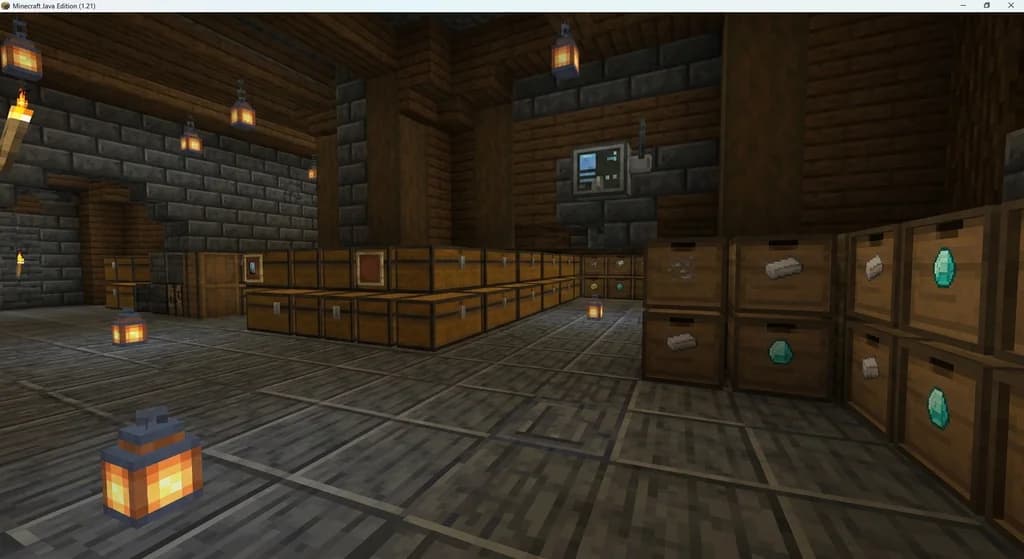
If you craft a lot or manage complex storage systems, IPN alone is worth the install. Pair it with the storage mods covered in Top 7 Minecraft Chest and Storage Mods for Vanilla+ Play 2026 and your base organization becomes genuinely effortless.
Pro Tip: Use IPN's "lock slot" feature on your hotbar sword and torch slots. They'll never accidentally get sorted away mid-combat.
2. Just Enough Items (JEI)
JEI adds a persistent item panel on the right side of any inventory screen. Click any item to see its crafting recipe. Right-click to see what it's used to craft. That's it — and it's indispensable.
According to Modrinth, JEI has been downloaded over 100 million times across all versions, making it one of the most-installed Minecraft mods ever. No other recipe viewer comes close to that install base.
3. Jade
Jade is the spiritual successor to the classic WAILA ("What Am I Looking At") mod. It displays a small tooltip at the top of your screen showing the name, mod source, and detailed info for any block or entity you're looking at.
Jade is especially useful in modded environments where you encounter unfamiliar blocks constantly. It's actively maintained for the latest Minecraft versions and available on both Modrinth and CurseForge.
4. Xaero's Minimap
Xaero's Minimap adds a clean, configurable minimap to your HUD. It shows waypoints, player positions, mob locations, and death markers — the last of which alone is worth the install if you've ever lost a full inventory to a creeper in an unmarked cave.
Pair it with Xaero's World Map (by the same author) for a full-screen map you can open anytime. Both mods are free and available on Modrinth.
5. AppleSkin
AppleSkin is tiny but solves a real problem: vanilla Minecraft hides your exact hunger and saturation values from you. AppleSkin surfaces that hidden data directly on your HUD, showing you exactly how much hunger and saturation each food item will restore before you eat it.
6. Mouse Tweaks
Mouse Tweaks enhances inventory management with scroll-wheel actions and improved drag-click behavior. You can scroll-wheel items between your inventory and chests, drag-fill stacks across slots, and right-click drag to distribute items evenly — all things vanilla Minecraft forces you to do one painful click at a time.
It's one of those mods you don't appreciate until you play without it again.
7. Sodium
Sodium is the performance cornerstone of any modern Fabric mod setup. It completely rewrites Minecraft's chunk rendering pipeline for dramatically better frame rates. According to the Sodium page on Modrinth, Sodium can improve frame rates by 2–5× or more compared to vanilla on the same hardware.
If you're building a full client-side mod setup, Sodium is the foundation everything else sits on. For a deeper look at performance optimization, see 7 Essential Minecraft Performance Mods for Low-End PCs (2026).
Warning: Don't install Sodium alongside OptiFine — they are fundamentally incompatible and will crash your game. Use Iris Shaders instead if you want shader support on Fabric.
How Do These Mods Compare?
| Mod | Category | Mod Loader | Available On |
|---|---|---|---|
| Inventory Profiles Next | Inventory | Fabric / NeoForge | Modrinth, CurseForge |
| Just Enough Items | Recipe Viewer | Fabric / NeoForge / Forge | Modrinth, CurseForge |
| Jade | HUD / Info | Fabric / NeoForge / Forge | Modrinth, CurseForge |
| Xaero's Minimap | Navigation | Fabric / NeoForge / Forge | Modrinth, CurseForge |
| AppleSkin | HUD / Food | Fabric / NeoForge / Forge | Modrinth, CurseForge |
| Mouse Tweaks | Inventory | Fabric / NeoForge / Forge | Modrinth, CurseForge |
| Sodium | Performance | Fabric | Modrinth |
All seven mods are free. All seven are client-side. Install the full set and they coexist without conflicts.
Tips for Installing Client-Side Mods Safely
Getting your mod setup right from the start saves hours of troubleshooting later. Here's how to do it cleanly.
Use a Mod Loader — Don't Skip This Step
Every mod on this list requires either Fabric or NeoForge. Fabric is the recommended choice for this specific set since all seven support it. Install the Fabric Loader from fabricmc.net, then add the Fabric API mod — most mods require it as a dependency.
If you want to go deeper on building a full modpack around these mods, How to Build Your Own Vanilla Plus Minecraft Modpack in 2026 walks through the entire process from loader selection to final testing.
Download From Trusted Sources Only
Only download mods from Modrinth or CurseForge. Both platforms scan uploads for malware. Random file-sharing sites and Discord servers do not.
Warning: Fake mod sites that mimic Modrinth or CurseForge URLs are increasingly common. Always verify the URL before downloading — the real Modrinth is
modrinth.comand CurseForge iscurseforge.com.
Check Version Compatibility
Each mod page lists supported Minecraft versions. Confirm your game version matches before installing. Running a 1.20 mod on a 1.21 instance is the most common cause of crashes for new mod users.
For a curated selection of pre-built packs that already bundle compatible versions of these mods, check out Best Minecraft Modpacks for a Vanilla-Plus Experience in 2026.
How to Put This Into Practice on Gaia Legends
These QoL mods aren't just for singleplayer — they shine just as brightly on a multiplayer SMP. Since every mod on this list is client-side, you can run the full set while playing on Gaia Legends without any server-side setup required.
On Gaia Legends, Xaero's Minimap lets you track your teammates' positions and set shared waypoints for your faction's base, trading posts, and resource farms. Inventory Profiles Next keeps your gear sorted during fast-paced PvE events. And Sodium ensures you're hitting smooth frame rates even in our most populated server areas.
Gaia Legends features custom economy systems, faction play, and regular community events — all of which benefit from the kind of frictionless inventory and navigation these mods provide. The server supports both Java and Bedrock crossplay, so your friends can join regardless of platform.
Gaia Legends is free to join, non-pay-to-win, and supports Java + Bedrock crossplay. Join at gaialegends.pro and start your legend today.
Conclusion
Seven mods. Zero gameplay changes. A dramatically better Minecraft experience.
Here are the three things worth remembering:
- Inventory Profiles Next + Mouse Tweaks together eliminate almost all inventory friction — install both, not just one.
- Sodium is non-negotiable — better FPS makes every other mod feel better, and it's the most impactful single install you can make.
- All seven are client-side — you can use them on any server, starting today, without asking anyone's permission.
Pick one mod from this list, install it right now, and see how it feels. Then add the rest. You won't go back to vanilla Minecraft once you do.
Ready to play? Join Gaia Legends today — no pay-to-win, Java + Bedrock crossplay.
- Java:
join.gaialegends.pro - Bedrock:
join.gaialegends.pro— Port19132
Further reading
These references were recorded with the article; specific claims have not been matched to source excerpts.
Frequently Asked Questions
What are the best Minecraft QoL mods to install in 2026?
The best Minecraft QoL mods in 2026 are Inventory Profiles Next (inventory sorting), Just Enough Items (recipe lookup), Jade (block tooltips), Xaero's Minimap (navigation), AppleSkin (food HUD), Mouse Tweaks (inventory drag controls), and Sodium (performance). All are free, client-side, and available on Modrinth or CurseForge for Fabric and NeoForge.
Are client-side mods safe to use on multiplayer servers?
Yes — client-side mods only run on your computer and don't modify server behavior. Every mod on this list is client-side, meaning you can install them and play on any vanilla or modded server without the server operator needing to do anything. Always download from Modrinth or CurseForge to ensure safety.
Do Minecraft QoL mods work on the latest version of Minecraft?
All seven mods listed here are actively maintained and updated for the latest Minecraft versions. Check each mod's page on Modrinth or CurseForge to confirm compatibility with your specific version before installing. Mod updates typically follow major Minecraft releases within a few weeks.
Can I use Sodium and OptiFine together?
No — Sodium and OptiFine are fundamentally incompatible and will crash your game if installed together. If you want shader support alongside Sodium, use the Iris Shaders mod instead. Iris is designed to work alongside Sodium and supports most popular shader packs including Complementary and BSL.
What mod loader do I need for these QoL mods?
All seven mods support Fabric, which is the recommended loader for this set. Install Fabric Loader from fabricmc.net, then add the Fabric API mod as a dependency. Most mods on this list also support NeoForge and Forge, but Fabric gives you the broadest compatibility for the full set of seven.
Does Inventory Profiles Next work with modded storage systems?
Yes — Inventory Profiles Next works with most modded inventory screens, including those added by storage mods like Sophisticated Storage and Iron Chests. The sort button and slot-locking features appear on any inventory screen that follows standard Minecraft UI conventions. A small number of heavily custom UIs may not show the sort button.
Related guides

How to Use the Modrinth Launcher for Easy Mod Management in 2026
Master the Modrinth launcher in 2026 with this step-by-step guide. Install mods, manage profiles, and keep everything updated with ease.
Top 7 Minecraft Chest and Storage Mods for Vanilla+ Play 2026
Discover the 7 best Minecraft chest and storage mods for vanilla+ play in 2026. Compare Sophisticated Storage, Iron Chests, backpack mods, and more for 1.21.

AppleSkin Mod Overview for Minecraft 1.21
Discover the AppleSkin mod for Minecraft Java Edition 1.21+. This quick reference covers hunger and saturation display, features, compatibility with modpacks like lelMc and Shozamaks Optimized, and installation tips.
How to Manage Mod Updates and Dependencies in Minecraft 2026
Learn how to manage mod updates and dependencies in Minecraft 2026. Avoid crashes, fix conflicts, and keep your modpack stable with these expert tips.
Have a question or another approach?
Compare notes with other readers. Include your edition and version when discussing mechanics.