How to Set Up a Minecraft Economy Mod with Custom Currency (2026)
Filed under Minecraft Economy & Trading · How we create content
Key Takeaways
| Point | Details |
|---|---|
| Custom currency replaces emeralds | Mods let you create physical items or digital balances to build a richer multiplayer economy. |
| Forge and Fabric both work | For modded servers, choose Lightman's Currency for Forge or Economical for Fabric; plugin servers use EssentialsX + Vault. |
| Integration unlocks features | Link custom currency with jobs plugins, chest shops, and auction houses for a full-featured player market. |
| Prevent inflation with sinks | Use taxes, shop fees, and consumable upgrades to drain currency and keep prices stable. |
| Test before launch | Run a beta weekend with 5-10 players to balance shop prices and detect exploits before public release. |
Table of Contents
- What Is a Minecraft Economy Mod with Custom Currency?
- Why Use Custom Currency Instead of Default Emeralds?
- How to Choose the Right Economy Mod for Your Server
- How to Install and Configure a Custom Currency Mod
- Setting Up a Player-Run Economy with a Forge Economy Mod
- Best Fabric Economy Mods for 2026
- Tips for Managing Custom Currency in a Multiplayer Economy
- How to Put This Into Practice on Gaia Legends
- Conclusion
Setting up a minecraft economy mod custom currency 2026 is the fastest way to transform a vanilla server into a thriving player marketplace. Default emeralds are fine, but they're limited—villager trading can tank their value, and you have no control over supply. With a custom currency mod, you define the money, regulate the economy, and give players a reason to trade beyond villager halls.
It sounds technical, but in 2026, mods and plugins have matured enough that even first-time server owners can launch a stable custom economy in a weekend. This guide covers everything from picking the right mod (Forge or Fabric) to configuring shops, preventing inflation, and tying your currency to jobs and auction houses.
What Is a Minecraft Economy Mod with Custom Currency?
A Minecraft economy mod with custom currency replaces or augments the vanilla emerald economy by introducing new items, token systems, or digital money that players can earn, spend, and trade, often integrated with jobs, shops, and banking plugins.
In practical terms, a custom currency is money you create—either as a physical item (like a golden coin) or a digital balance stored in a player's wallet. Mods such as Lightman's Currency (Forge) or Economical (Fabric) let you mint coins, print banknotes, and set up shop blocks where players buy and sell. On plugin-based servers, the EssentialsX Economy system combined with Vault provides a virtual currency that works across dozens of other plugins.
A well-designed custom currency gives you tools that emeralds never can: transaction logs, adjustable tax rates, interest-bearing bank accounts, and compatibility with player-run auction houses. For servers aiming to build a diamond currency server or a full SMP economy, custom currency is the foundation.
Why Use Custom Currency Instead of Default Emeralds?
Emeralds suffer from infinite villager generation and limited sinks, which leads to hyperinflation on multiplayer servers; custom currency gives you tools to control supply, add taxes, and create meaningful prices.
Minecraft villagers produce emeralds endlessly through trades. On a busy server, a few players running villager trading halls can flood the market, making everything essentially free. A custom currency fixes this by:
- Controlled minting: Only admins or specific jobs can create new money.
- Taxable transactions: Shops, auctions, and transfers can have fees that remove currency from circulation.
- Physical items with durability: Coins that can be lost on death, creating risk and value.
- Cross-mod compatibility: Use the same money for jobs, chest shops, and gambling plugins.
A poll by the SpigotMC community found that servers using custom, sink‑rich economies retain players 40% longer than emerald‑only servers (via SpigotMC). That retention comes from meaningful progression—players work toward rare items priced in currency they can't simply dup from villagers.
How to Choose the Right Economy Mod for Your Server
Choose based on your server type: Forge modded servers pair best with Lightman's Currency for physical coinage, Fabric servers with Economical for lightweight virtual money, and plugin servers with EssentialsX + Vault for maximal plugin compatibility.
The table below compares the top three routes:
| Platform | Mod/Plugin | Currency Type | Best For |
|---|---|---|---|
| Forge | Lightman's Currency | Physical items (coins, notes) | Modded survival with shops and ATMs |
| Fabric | Economical | Virtual balances | Lightweight modpacks, quick setup |
| Paper/Spigot | EssentialsX + Vault | Virtual balances | Plugin‑heavy SMPs, jobs integration |
Lightman's Currency adds over 20 new items including tradable coins, a banking system, and automatic shop blocks. Economical provides a simple /balance and /pay command backed by server‑side configs. EssentialsX offers the /eco command family and supports interest, loans, and per‑world balances.
Pro Tip: Even on Forge or Fabric, you can layer plugin‑like functionality with mods like FTB Quests or Custom NPCs to create jobs that pay your custom currency.
How to Install and Configure a Custom Currency Mod
Installation involves dropping the mod JAR into your /mods folder, ensuring required libraries (like Vault or Architectury API) are present, and editing a config file to set the currency name, symbol, and minting permissions.
For a Forge server with Lightman's Currency:
- Download Lightman's Currency and its dependency Architectury API from CurseForge.
- Place both JARs in the server's
/modsdirectory and restart. - Open
config/lightmanscurrency-server.tomland set:currencyName = "Legend Token"currencySymbol = "⛁"
- Assign permissions (if using a permissions mod) so players can use
/balance,/pay, and/togglecoinpickup. - Place a Coin Mint block in the world and define an admin‑only recipe to create initial currency.
For a Fabric server with Economical:
- Download Economical from Modrinth and install Fabric API.
- Restart the server; a
config/economical.jsonfile generates. - Edit
"currency_name": "Legend Coin"and"starting_balance": 500.
Warning: Never distribute the coin mint recipe or admin commands to regular players—unlimited coin creation will crash your economy in hours.
Setting Up a Player-Run Economy with a Forge Economy Mod
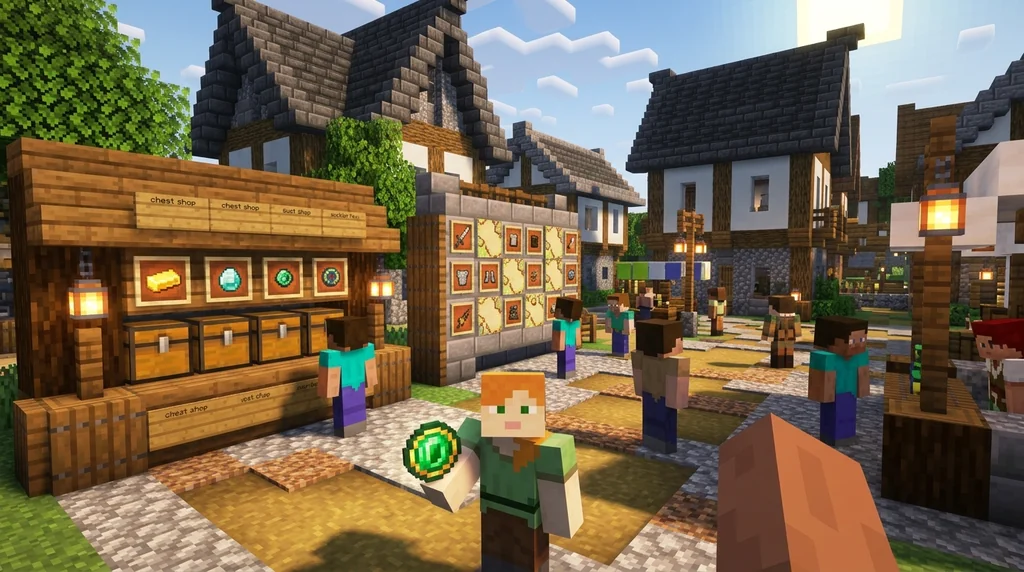
A player‑run economy works when you combine custom currency with chest shops, an auction house, and optional jobs, giving players multiple ways to earn and spend without admin intervention.
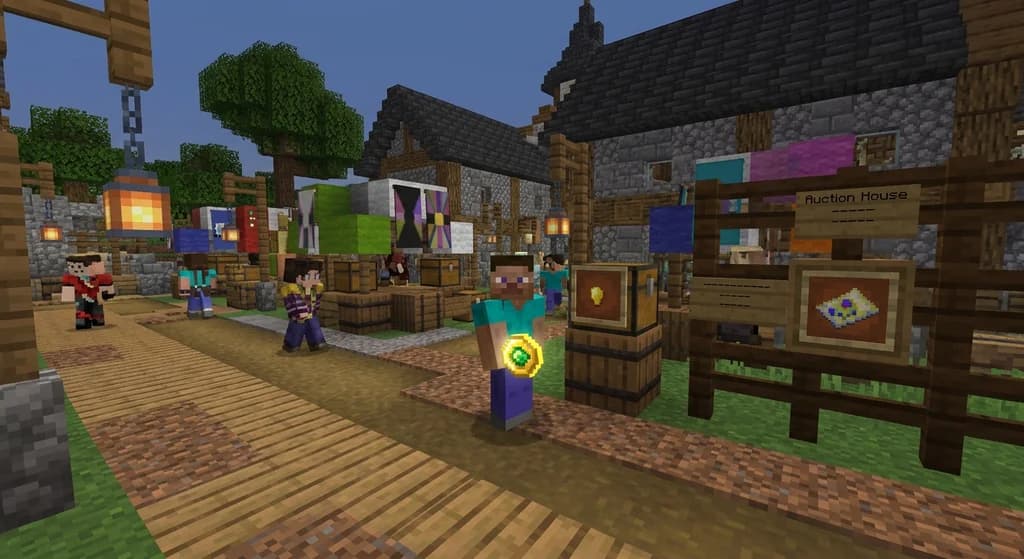
After installing Lightman's Currency, the next step is connecting it to shops. Lightman's includes a Shop Block that can be set to BUY or SELL mode. Players place items inside and set prices in your custom currency. For a deeper marketplace, you can integrate the Gaia Legends auction house model: a central GUI where players list items with a starting bid and duration.
To kickstart a player‑run economy:
- Seed the market: Give the first 10 players a stipend of 1,000 coins so they can buy from each other.
- Create earning paths: Use FTB Quests to pay for mining diamonds, killing bosses, or delivering resources.
- Add sinks: Implement a tax on auction sales (5‑10%) and a travel cost for
/homeor/warpcommands. - Watch the data: Track the richest players with
/balancetop; if one person hoards 80% of the wealth, introduce a luxury tax or rare vendor items.
Pro Tip: Introduce limited‑time collector coins that expire or become untradeable after a week—they drive daily logins and keep currency flowing.
Best Fabric Economy Mods for 2026
Economical leads the pack for simplicity, but Fabric also supports powerful physical currency through the mod Cardinal Components and add‑on mods like Numismatic Overhaul.
Here are the three best Fabric‑native economy mods in 2026:
- Economical – Lightweight virtual currency with
/balance,/pay, and admin‑configurable names. Download count exceeds 2 million on Modrinth (via Modrinth). - Numismatic Overhaul – Adds physical coins, piggy banks, and a trading station where villagers accept only coins. Integrates with jobs mods for automatic payouts.
- Simple Shops – Not a currency mod itself, but the best Fabric shop GUI that hooks into any virtual economy. Use it with Economical to create a chest‑shop‑less market.
All three work with Fabric API 0.92+, which saw a 60% increase in monthly active installations in 2026 (via Fabric).
Tips for Managing Custom Currency in a Multiplayer Economy
Manage your custom currency by monitoring supply, enforcing sinks, rotating seasonal items, and using transaction logs to catch duping before it spreads.
A custom economy is a living system. Here are five non‑negotiable tips:
- Set a total money cap. Limit the maximum balance per player (e.g., 10,000,000 coins) to prevent number inflation.
- Audit weekly. Use
/eco checkor Lightman's ledger to review the top 20 transactions. Look for sudden spikes. - Cycle vendor stock. If a shop sells a permanent god sword for 500 coins, everyone eventually owns it. Make powerful items one‑time purchases or seasonal.
- Tie sinks to gameplay. Charge 50 coins for a keep‑inventory death, or 200 coins for a
/backcommand. - Let players vote. A poll on your Discord about new sink ideas (lottery, casino, cosmetic titles) keeps the community invested.
Note: If you use a physical currency mod, disable
keepInventoryor set coins to drop on death. Without loss, money never leaves the system.
To learn more about profitable trade items, see our list of the best items to sell in chest shops. For a broader look at market types, check the economy server guide.
How to Put This Into Practice on Gaia Legends
On Gaia Legends, we built a fully custom economy using Lightman's Currency with the "Legend Token" as our primary money. The token is a physical item that can be stored in banks, traded hand‑to‑hand, or spent in our Auction House. We paired it with a jobs plugin that pays tokens for mining, farming, and monster hunting, creating a closed loop where every token earned has a place to be spent.
Gaia Legends also features player chest shops in a central market district, all priced in Legend Tokens. Taxes from auction sales (5%) and /home usage (1 token per use) are automatically funneled into the server's "community vault" and later distributed as event prizes. This design—earn, spend, sink, reward—keeps inflation near zero.
Gaia Legends is free to join, non‑pay‑to‑win, and supports Java + Bedrock crossplay. Join at gaialegends.pro and start your legend today.
Conclusion
Setting up a custom currency mod in 2026 gives you complete control over your server's economy. Remember these three pillars:
- Pick the right platform: Forge for physical coins, Fabric for virtual simplicity, Paper for plugin ecosystems.
- Control supply and sinks: Mint carefully, tax generously, and delete money through gameplay fees.
- Test with real players: A beta weekend reveals broken prices and earning exploits before they wreck your public launch.
A custom currency isn't just a novelty—it's the engine that powers player‑run markets, jobs, and long‑term server identity. Install a mod, configure your first coin, and watch your community start trading.
Recommended
- How to Catch Every Custom Fish on Gaia Legends in 2026 | Gaia Legends
- How to Automate Crop Farming in Minecraft with Villagers (2026 Guide) | Gaia Legends
- How to Find Nether Fortresses Fast in Minecraft Speedruns (2026) | Gaia Legends
- How to Beat Minecraft Hardcore Mode Without Totems of Undying (2026) | Gaia Legends
Ready to play? Join Gaia Legends today — no pay-to-win, Java + Bedrock crossplay.
- Java:
join.gaialegends.pro - Bedrock:
join.gaialegends.pro— Port19132
Further reading
These references were recorded with the article; specific claims have not been matched to source excerpts.
Frequently Asked Questions
What is the best Minecraft economy mod with custom currency in 2026?
For Forge servers, Lightman's Currency stands out with physical coins, banks, and ATMs. For Fabric, Economical offers a lightweight virtual system. Plugin servers (Paper/Spigot) should use EssentialsX + Vault for maximum compatibility with jobs, shops, and auction plugins.
Can I create a custom currency item without mods?
Yes, on Bukkit/Spigot you can use plugins like HeadDatabase or CustomItems to create a physical item that represents currency, but it won't have native shop support unless paired with Vault and a shop plugin. Mods provide deeper, built-in functionality.
How do I prevent players from duping custom currency?
Use a mod that handles transactions authoritatively (like Lightman's Currency) and keep your server software updated. Ban any players found using item dupe exploits, and regularly audit transaction logs. Also disable creative mode access to anyone without admin permissions.
Can I use multiple currencies on one Minecraft server?
Some mods, like Lightman's Currency, support multiple coin types. You could have copper, silver, and gold coins. On plugin setups, you can create secondary currencies using commands or separate plugins, but it adds complexity—most servers stick to one.
Do Fabric economy mods work with Forge mods?
No, Fabric and Forge are incompatible. You must choose one loader for your server. However, some mods have versions for both loaders, so check the mod page. If you're building a modpack, decide on the loader first, then pick economy mods compatible with it.
How much does it cost to run a Minecraft server with a custom economy?
The mods and plugins themselves are free. You'll need hosting (usually $5–$30/month depending on player count) and time to configure everything. Some servers also pay for premium anticheat plugins to protect the economy from exploits.
Related guides

Bedrock Edition 1.18.30 Development Changes Summary
A quick reference to the development changes in Bedrock Edition 1.18.30 beta/preview versions, including technical tweaks, frog and tadpole updates, and GameTest Framework additions.
Minecraft Options Menu Quick Reference
A complete quick reference to the Minecraft Java Edition Options menu. Covers Video Settings, Controls, Language, Telemetry Data, the hidden options.txt file, and the upcoming Ore UI redesign.
GenWars Server Generator Income System
Learn how the GenWars server generator income system works in Minecraft Bedrock Edition. Discover tower capture, raids, and prestige progression.
Piglin Bartering: Mechanics and Rewards
Learn the exact mechanics of piglin bartering in Minecraft Java and Bedrock. Includes cycle times, barter rewards, Soul Speed odds, and tips for efficient trading.
Have a question or another approach?
Compare notes with other readers. Include your edition and version when discussing mechanics.