How to Apply for a Whitelisted Minecraft Bedrock SMP in 2026
Filed under Minecraft Server Guides & Reviews · How we create content
Key Takeaways
| Point | Details |
|---|---|
| Find the right community | Research SMPs on sites like Planet Minecraft or Discord listing servers that emphasize your preferred playstyle. |
| Read the rules first | Most whitelisted servers publish detailed rules—ignoring them is the fastest way to get rejected. |
| Craft a unique application | Share a building screenshot, describe your past multiplayer experience, and explain why you're excited about that specific server. |
| Avoid generic language | Phrases like 'I love Minecraft' don't stand out; instead mention specific blocks, builds, or server features. |
| Engage before applying | Many servers allow you to join their Discord before whitelisting—introduce yourself and chat to show you're a good fit. |
| Be patient | Whitelist reviews can take days; a polite follow-up is acceptable, but spamming gets you banned. |
Table of Contents
- What is a Whitelisted Minecraft Bedrock SMP?
- Why Join a Whitelisted Bedrock SMP?
- How Do You Find the Right Whitelisted Bedrock SMP?
- How to Write a Successful Whitelist Application
- Common Mistakes to Avoid in Whitelist Applications
- How to Put This Into Practice on Gaia Legends
- Recommended
Applying for a whitelisted Minecraft Bedrock SMP isn't about luck—it's about showing who you are as a builder and community member. With over 170 million monthly active Minecraft players (via Minecraft), the competition for slots on well-run private servers has never been sharper. This guide walks you through every step to apply for a whitelisted Minecraft Bedrock SMP in 2026, from finding the right server to writing an application that gets accepted.
What is a Whitelisted Minecraft Bedrock SMP?
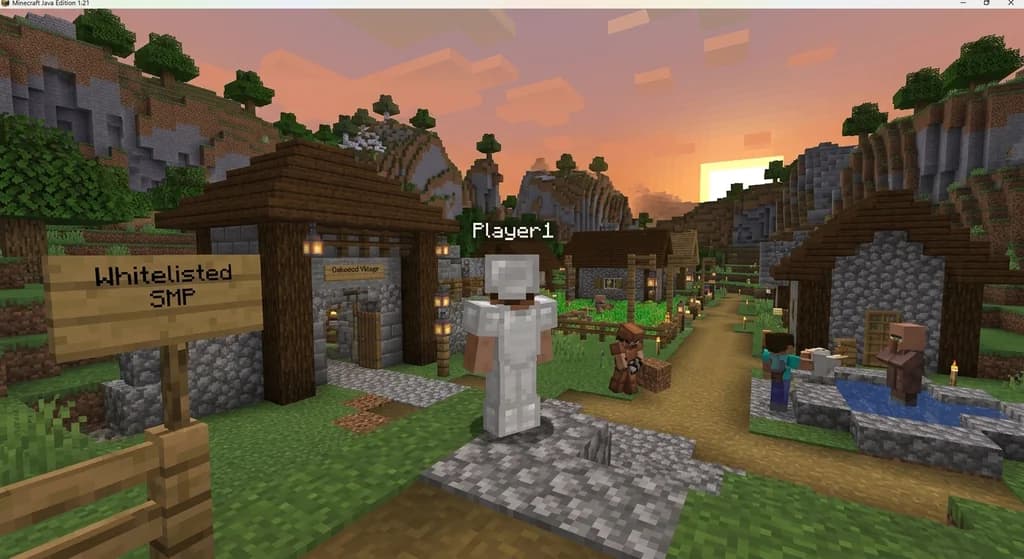
A whitelisted Bedrock SMP (Survival Multiplayer) is a private Minecraft server where the owner approves every player before they can join—ensuring a trusted, grief-free environment for Bedrock Edition players.
In practice, server admins keep a list of approved usernames or Xbox Gamertags. Anyone not on that list simply cannot connect. This creates a curated community where builders, redstone engineers, and adventurers can collaborate without worrying about random griefers. On Bedrock Edition, which supports up to 30 players on a dedicated server (via Minecraft Wiki), a whitelist keeps that player cap focused on genuine participants rather than disruptive randoms.
Whitelisted SMPs often use Discord or a website forum for applications. You'll typically answer questions about your Minecraft experience, share screenshots of past builds, and explain what you'd bring to the server. With Bedrock Edition available on 7 platforms (via Minecraft), these SMPs unite friends across PC, console, and mobile. The goal is to filter for players who add value, not just bodies.
Why Join a Whitelisted Bedrock SMP?
Joining a whitelisted Bedrock SMP gives you a safer, more social, and higher-quality survival experience than public servers, where griefing and cheating are rampant.
Public servers often suffer from hacked clients, destroyed builds, and toxic chat. A whitelist acts as a barrier that deters casual troublemakers. According to Planet Minecraft, the site lists over 40,000 active Minecraft servers (via Planet Minecraft), but the most dedicated communities use whitelists to maintain tight-knit atmospheres. You'll find players collaborating on massive builds, running in-game economies, and organizing events—all without the fear of losing weeks of work to a random lava cast.
A typical whitelisted server starts with a max-player count of 20 (via Minecraft Wiki), ensuring a cozy community. Compare that to chaotic open servers:
| Feature | Public Server | Whitelisted SMP |
|---|---|---|
| Grief protection | Rare | Strong |
| Community size | Large, random | Small, vetted |
| Application required | No | Yes |
| Average player age | All ages | Usually older, mature |
Moreover, whitelisted servers often have customized plugins or data packs that enhance gameplay. Because the player base is small and vetted, owners can invest time into unique features like custom terrain, quests, or roleplay elements. If you're tired of hopping between chaotic servers, applying to a whitelisted SMP might be the reset you need.
How Do You Find the Right Whitelisted Bedrock SMP?
Discovering the perfect whitelisted Bedrock SMP begins by searching specialized server lists, Discord communities, and Reddit forums, then vetting each server's rules, age, and active player count.
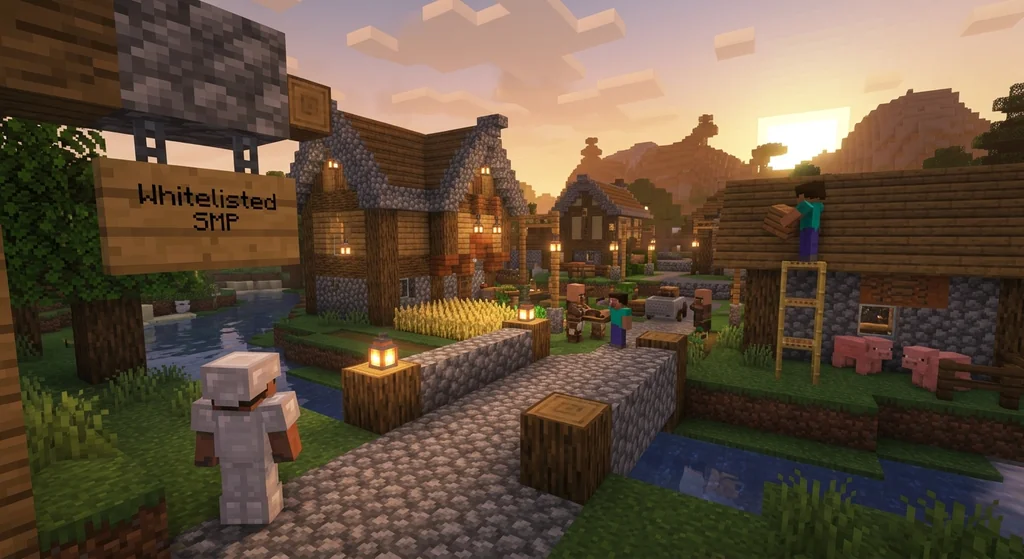
Start your search on platforms where SMPs advertise:
- Planet Minecraft Server List: Filter by “whitelist” and “Bedrock Edition” to see candidates. Look for servers with recent update dates and active comment sections.
- Discord listing servers: Communities like “Minecraft Servers” or “Bedrock SMPs” have channels where owners post invitations.
- Reddit: Subreddits such as r/MinecraftBuddies or r/BedrockSMPs let you browse request posts and owner ads.
Once you've found a few promising servers, dive into their Discord or website. Read the full rules, scan for how long the server has been active, and check if any current members are streaming or posting clips. A server that's been around for 6+ months with regular events is far more likely to survive than a week-old project. Use our guide on how to find the best Minecraft SMP server for you for a deeper vetting checklist.
Warning: Avoid any whitelisted server that asks for money or personal information upfront. Legitimate SMPs never charge an application fee and don't need your email password. Scam servers prey on eager players—if something feels off, trust your gut.
How to Write a Successful Whitelist Application
A successful whitelist application tells a short story about your Minecraft journey, demonstrates your specific skills, and shows genuine excitement for that particular server's vision.
Most applications have a few common questions. Here's how to nail each.
“Tell Us About Yourself”
Don't just say “I like building.” Be specific: “I specialize in medieval-style structures using deepslate and spruce, and I've been playing survival on Bedrock since 2020.” Mention your favorite biome, your go-to building block, or a recent project you're proud of. If you have screenshots, include links—a picture truly is worth a thousand words.
“Why Do You Want to Join This Server?”
Research the server. If they have a town theme, mention that you dream of opening a blacksmith shop. If they have custom dungeons, say you can't wait to tackle them with a team. Generic statements like “I want to make friends” won't cut it. Show that you've read their rules and lore.
“What Can You Contribute?”
Think outside the box. Can you build a community farm? Are you a redstone wizard who can design a sorting system? Maybe you're an artist who can create server banners. The best applications offer something the server doesn't already have.
For more advanced tips on crafting an application that stands out, check out our post on how to join a whitelisted Minecraft server which dives into strategies used by successful applicants.
Pro Tip: Before submitting, spend 2-3 days lurking in the server's Discord. Chat with members, participate in off-topic channels, and get a feel for the culture. When the mods see your application, they'll already recognize your name.
Common Mistakes to Avoid in Whitelist Applications
Generic applications, ignoring posted rules, and failing to demonstrate any Minecraft-specific skill are the top three reasons whitelist applications get denied.
Every server owner has a mental trash bin full of one-word answers and “I like Minecraft” platitudes. Here's what sinks an application:
- Copy-paste applications: If your answer could apply to any server, it's bad. Mention specific plugins, builds, or events by name.
- Grammar disasters: While perfect English isn't required, texting-style shortcuts (“u” instead of “you”) signal low effort.
- No examples: Applying to a builder-focused server without a single screenshot? Expect a swift rejection.
- Arrogance: Claiming to be the “best redstoner ever” without proof undermines your credibility. Humility with evidence wins.
- Ignoring age requirements: Many SMPs have a 15+ or 18+ rule. Lying about your age will get you banned if discovered.
Also, avoid pay-to-win servers masquerading as whitelisted communities. Read our article on how to spot and avoid pay-to-win Minecraft servers to stay informed. A true whitelisted SMP values community over cash.
How to Put This Into Practice on Gaia Legends
On Gaia Legends, we apply many of the same whitelisting principles for our exclusive community events. While our core server is open, special survival seasons and tournaments require a whitelist application that mirrors exactly what we've discussed: show your creativity, demonstrate your Minecraft knowledge, and connect with our Discord community first.
Gaia Legends supports full crossplay between Java and Bedrock players, thanks to how to use Geyser to join Java Minecraft servers on Bedrock technology. We're a non-pay-to-win server where your creativity, not your wallet, builds your reputation. Plus, our ping is optimized for both editions—learn how to check your connection in our guide on how to check your ping to any Minecraft server.
If you're ready to test your application skills, join our Discord at gaialegends.pro, introduce yourself, and keep an eye out for the next whitelisted event. Gaia Legends is free to join, non-pay-to-win, and supports Java + Bedrock crossplay. Start your legend today.
Recommended
- How to Beat the Warden in Minecraft 2026: Complete Strategy Guide | Gaia Legends
- How to Balance a Custom Minecraft MMORPG Party for Dungeons in 2026 | Gaia Legends
- How to Use a Boat for Fishing in Minecraft (2026 Guide) | Gaia Legends
- How to Start a Minecraft Diamond Currency Server in 2026 | Gaia Legends
Ready to play? Join Gaia Legends today — no pay-to-win, Java + Bedrock crossplay.
- Java:
join.gaialegends.pro - Bedrock:
join.gaialegends.pro— Port19132
Further reading
These references were recorded with the article; specific claims have not been matched to source excerpts.
Frequently Asked Questions
How do I apply for a whitelisted Minecraft Bedrock SMP?
First, join the server's Discord or visit their website. Look for a #applications or #whitelist channel. Fill out the form honestly, sharing your in-game name, experience, and why you want to join. Include screenshots if possible. Once submitted, a moderator will review and either accept or deny you within a few days.
What should I include in a whitelist application?
Always include your correct gamertag or username, a brief description of your Minecraft strengths (building, redstone, farming), and why you're interested in that specific server. If you have a portfolio of builds, share it. Mention any previous SMP experience and that you've read the rules.
How long does it take to get whitelisted?
Response times vary from a few hours to a week. Smaller servers may respond quickly, while larger ones might have hundreds of applications to review. Wait patiently, and if you haven't heard back after 5 days, a polite follow-up message in Discord is acceptable.
Can I apply to multiple whitelisted servers at once?
Yes, but be transparent. If you're accepted into one, let the others know you're withdrawing. Applying everywhere with copy-paste answers wastes everyone's time and damages your reputation in the community.
Why do some whitelisted servers require voice interviews?
Voice interviews help server staff verify you're a real person and gauge your personality. It's also a chance for you to ask questions. Approach it casually—they're just checking if you'll be a good fit.
Do whitelisted Bedrock SMPs support crossplay with Java?
Many do, thanks to proxy software like Geyser. The server owner must configure it, but as a Bedrock player, you just connect with the server IP and port. Check the server's description; it will usually state if crossplay is enabled.
Related guides
Minecraft Commands: Usage and Syntax Reference
Learn how to use Minecraft commands across Java and Bedrock editions. This quick reference covers syntax, execution methods, permission levels, and command blocks.
Minecraft Hardcore Mode: Features and Mechanics
Learn everything about Minecraft Hardcore Mode: how to enable it, the permadeath mechanics, spectator mode, multiplayer rules, and how it works on Java and Bedrock editions.
What Is a Minecraft Mod? Community vs Official Definitions
Compare the strict community definition of Minecraft mods with the broader official usage from Mojang. Understand the distinction between mods, data packs, resource packs, and add-ons across Java and Bedrock editions.
Hermitcraft: A Private Server for Minecraft Content Creators
Learn what Hermitcraft is, how the private whitelisted server for Minecraft YouTubers started, who the Hermits are, and how it has shaped the community through events and Marketplace content.
Have a question or another approach?
Compare notes with other readers. Include your edition and version when discussing mechanics.