How to Check Your Ping to Any Minecraft Server: 2026 Guide
Filed under Minecraft Server Guides & Reviews · How we create content
Key Takeaways
| Point | Details |
|---|---|
| Ping measures latency | It's the time in milliseconds for your computer to talk to the server; lower is always better for smooth gameplay. |
| Command prompt is fastest | Typing ping <server IP> in your terminal gives an instant baseline latency check without any extra software. |
| Port 25565 matters | Standard ping tests ICMP traffic, but Minecraft uses TCP/UDP on port 25565; use specialized tools for game-accurate results. |
| In-game display is crucial | Mods like MiniHUD or server list ping features show real-time latency while you play, revealing spikes a one-time test misses. |
| Geographic distance is key | Connecting to a server on your continent can cut ping from 200ms+ to under 50ms, making PvP and parkour actually playable. |
| Gaia Legends is optimized | Our server hardware and network are tuned for low latency, and you can easily verify your connection quality before joining. |
Table of Contents
- Why Does Ping Matter in Minecraft?
- How to Check Your Ping Using the Command Prompt
- How to Use Online Tools for a Minecraft Server Ping Test
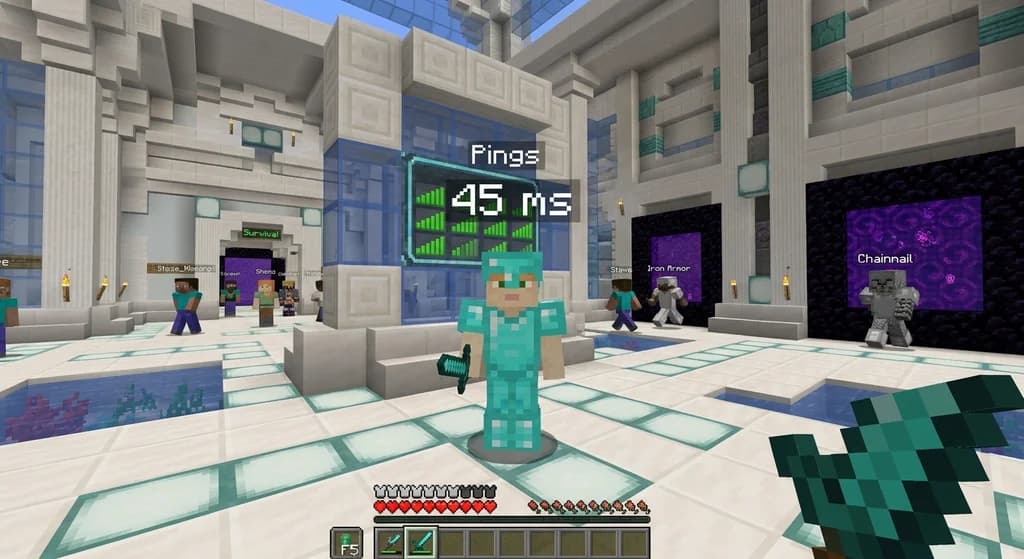
- How to See Ping in Minecraft Directly
- What Is a Good Ping for Minecraft Servers?
- How to Fix High Ping to a Minecraft Server
- How to Put This Into Practice on Gaia Legends
- Frequently Asked Questions
- Recommended
Nothing shatters the illusion of a perfect Minecraft session faster than a creeper that teleports into your face. You swing your sword, but the hit doesn't register. You place a block, and it reappears in your inventory a second later. That's lag, and at the heart of lag is one critical number: your ping. Knowing how to check ping to a Minecraft server is the first step in diagnosing and fixing a choppy multiplayer experience. This guide will walk you through every method available in 2026, from the simplest built-in tools to the most accurate in-game displays, so you can finally understand what's happening between you and the server.
Why Does Ping Matter in Minecraft?
Ping is the round-trip time, measured in milliseconds, for a data packet to travel from your computer to a Minecraft server and back; high ping causes the delays you feel as block lag, rubberbanding, and missed hits.
Ping isn't just an abstract number. It's the heartbeat of your connection. Every action you take—mining a block, hitting a zombie, opening a chest—sends a tiny packet of data to the server. The server processes it and sends a response back. The total travel time is your latency. When that time exceeds roughly 100 milliseconds, the delay becomes noticeable to most players. At 200ms and above, the game can feel like you're wading through honey. Competitive players on servers like Hypixel obsess over this number, and for good reason: a player with 20ms ping will almost always land a hit before a player with 150ms ping, even if the second player clicked first (via Minecraft Wiki).
Ping is influenced by several factors. Physical distance is the most significant. Data can only travel so fast through fiber optic cables, and crossing an ocean adds a hard floor to your minimum possible ping. Your internet connection type also plays a huge role. Fiber optic connections generally offer lower and more stable latency than cable or DSL. Finally, the server's own hardware and network capacity matter. An overloaded server with insufficient RAM or a slow CPU will add processing delay on top of network latency.
Pro Tip: Don't confuse ping with frames per second (FPS). Low FPS is a problem with your computer's graphics processing. High ping is a network problem. You can have 200 FPS and still rubberband if your ping is 300ms.
How Latency Affects Different Playstyles
- PvP and Combat: This is where ping matters most. High ping makes it nearly impossible to combo opponents or react to their movements. You'll often take damage from players who appear to be out of range.
- Parkour and Movement: Precise jumps become a gamble. You might visually land on a block, only to be snapped back to a previous position because the server disagreed with your client.
- Building: While more forgiving, high ping can cause blocks to be placed in the wrong spot, forcing you to break and replace them.
- Redstone: Complex contraptions that rely on precise timing can desync completely, leading to broken farms and malfunctioning doors.
How to Check Your Ping Using the Command Prompt
The fastest way to get a baseline latency measurement to any Minecraft server is to use the built-in ping command in your operating system's terminal, which sends test packets and reports the round-trip time.
This method works on Windows, macOS, and Linux, and it requires no additional software. It's the first thing you should try when troubleshooting a laggy connection.
Step-by-Step for Windows
- Press the Windows Key + R to open the Run dialog.
- Type
cmdand press Enter. This opens the Command Prompt. - Type
ping <server IP>and press Enter. For example, to test Gaia Legends, you would typeping play.[gaialegends.pro](https://gaialegends.pro). - The terminal will send four packets and display the results. Look for the "time=" value. This is your ping in milliseconds.
Step-by-Step for macOS and Linux
- Open the Terminal application.
- Type
ping -c 4 <server IP>. The-c 4flag limits the test to four packets, similar to the Windows default. Without it, the ping will run indefinitely until you stop it with Ctrl+C. - Review the "time=" value in the output.
Understanding Your Command Prompt Results
You'll see a summary at the end that looks like this:
Ping statistics for play.[gaialegends.pro](https://gaialegends.pro):
Packets: Sent = 4, Received = 4, Lost = 0 (0% loss),
Approximate round trip times in milli-seconds:
Minimum = 47ms, Maximum = 52ms, Average = 49ms
Packet loss is a critical metric here. A 0% loss is what you want. Any packet loss, even 1%, indicates an unstable connection that will cause rubberbanding in-game. The average time is your baseline ping.
Warning: A standard
pingcommand uses ICMP protocol, which some server hosts deprioritize or even block. A low ping here is a great sign, but a high ping or a "Request timed out" message might not tell the full story. Minecraft uses TCP for gameplay on port 25565, which can behave differently. Always follow this test with a port-specific check.
How to Use Online Tools for a Minecraft Server Ping Test
Online Minecraft server ping tools go beyond a basic ICMP check by querying the server directly on its game port (usually 25565), giving you not only latency but also player count, version, and MOTD.
These tools are invaluable when you want a more accurate picture of a server's health before you even launch the game. They simulate a Minecraft client handshake, which forces the server to respond in the same way it would when you join. This means the latency reported is much closer to what you'll actually experience in-game.
Top Minecraft Server Ping Test Tools
| Tool | Key Feature | Best For |
|---|---|---|
| MCServerStatus | Clean interface, shows player slots and version | Quick checks from any browser |
| Minecraft Server List Tools | Tracks historical uptime and player graphs | Researching server reliability over time |
| Dinnerbone's MCSrvStat | Lightweight, no ads, open source | Privacy-conscious players |
| Server.pro Ping Checker | Provides a shareable link to results | Sending server status to friends |
To use any of these, simply navigate to the website, enter the server's IP address (like play.[gaialegends.pro](https://gaialegends.pro)), and hit check. Within seconds, you'll see the server's status, how many players are online, and the ping from the tool's server to the Minecraft host. Keep in mind that the ping shown is from the tool's server to the game server, not from your house. However, it confirms the server is online and responsive.
Note: If you're trying to check the latency of a server that uses a non-standard port, you can usually specify it. For example,
play.[gaialegends.pro](https://gaialegends.pro):25570. If you don't know the port, the default 25565 is assumed.
How to See Ping in Minecraft Directly
The most accurate way to monitor your connection quality is to see your ping displayed as a number on your screen while you play, which you can achieve through the server list, client mods, or server-side plugins.
A one-time ping test is a snapshot. It doesn't show you the spikes that cause deaths. Seeing your ping in real-time while you're fighting a boss or building a bridge is the ultimate diagnostic tool.
Method 1: The Server List
The simplest method requires no mods. When you're in the Multiplayer server list, hover your mouse over the connection bars icon next to the server name. A tooltip will appear showing the current latency in milliseconds. This is a live reading that updates as long as the list is open. It's a quick way to find the best Minecraft SMP server for you by comparing connection quality.
Method 2: Client-Side Mods
For a persistent, customizable ping display, mods are the answer. If you're on Java Edition, you need a mod loader like Fabric or Forge. Most performance-focused modpacks include a ping display option.
- MiniHUD (Fabric): A highly configurable mod that can display a compact info line including FPS, ping, coordinates, and server TPS. You can toggle it on and off with a hotkey.
- 5zig Reborn (Forge/Fabric): A classic overlay mod that shows ping, FPS, armor status, and more in a sleek, customizable HUD.
- LabyMod (Standalone/Forge/Fabric): A popular all-in-one client that includes a ping display, voice chat, and cosmetic features.
Installing mods is a core part of optimizing your game, much like using Geyser to join Java servers on Bedrock expands your crossplay options.
Method 3: Server-Side Plugins and Commands
Some servers offer built-in commands to check your ping. The most common is /ping. Simply type /ping in chat, and the server will reply with your current latency. This is a feature of plugins like EssentialsX. If you're on a server and aren't sure if the command exists, just try it. The server's response is the most authoritative measurement because it calculates the delay between the server and your client directly. When you're surviving on a competitive lifesteal server, knowing this number can be the difference between life and death.
What Is a Good Ping for Minecraft Servers?
A good ping for a Minecraft server is under 50ms, which provides a seamless, real-time feel; ping between 50-100ms is playable for most activities, while anything above 150ms will cause noticeable lag.
This is the scale most experienced players use to judge a connection. It's not just about what's technically playable, but what feels responsive and fair.
The Latency Scale
- 0-30ms (Excellent): You're practically playing on a LAN connection. Hits register instantly. This is the competitive PvP standard. Players on premium server hosting often achieve this.
- 30-60ms (Great): The game feels perfectly smooth. You won't notice any delay in block placement or combat. Ideal for any activity.
- 60-100ms (Good): A very slight, barely perceptible delay. You can still PvP effectively, though a highly skilled opponent with lower ping will have an edge. Building and exploration feel normal.
- 100-150ms (Fair): The delay becomes noticeable. You might miss occasional hits or see a block reappear. PvP is frustrating, but casual survival is still enjoyable.
- 150-200ms (Poor): Significant rubberbanding and delayed block interactions are common. Combat is not recommended. You're at a severe disadvantage.
- 200ms+ (Unplayable): The game becomes a slideshow of teleportation. You'll likely time out or be kicked for "flying" as the server struggles to track your position.
How to Fix High Ping to a Minecraft Server
You can often fix high ping to a Minecraft server by choosing a geographically closer server, switching to a wired Ethernet connection, and closing bandwidth-hogging applications on your network.
High ping isn't always a permanent curse. There are several concrete steps you can take to bring that number down before you even think about calling your internet provider. The solutions range from simple software tweaks to hardware upgrades.
Immediate Software Fixes
- Close Background Applications: Streaming 4K video, downloading large files, or even cloud syncing services like Dropbox can saturate your connection. Close everything you don't need.
- Restart Your Router and Modem: This is a cliché for a reason. A simple power cycle can clear memory leaks and force a fresh connection to your ISP, often resolving temporary latency spikes.
- Use a Wired Connection: Wi-Fi is convenient but introduces inherent instability and latency. An Ethernet cable provides a direct, consistent connection that can shave 10-30ms off your ping instantly.
- Check for Malware: Malicious software can silently use your bandwidth in the background. Run a full scan with Windows Defender or a trusted third-party tool.
Advanced and Hardware Fixes
- Choose a Geographically Closer Server: This is the single biggest factor. A server in your city will always have lower ping than one on another continent. When you learn how to find a good Minecraft SMP server, location should be a top priority.
- Prioritize Gaming Traffic (QoS): Many modern routers have a Quality of Service (QoS) setting. You can configure it to prioritize traffic from your gaming PC or console over other devices on the network.
- Upgrade Your Internet Plan: If you're on an old DSL or low-tier cable plan, your provider may be throttling your connection. A plan with higher bandwidth won't magically fix ping to a faraway server, but it can help with local network congestion.
If you've tried all of this and your ping is still high to a specific server, the problem might be on the server's end. Overloaded servers with budget hardware can introduce their own latency. This is a common issue on pay-to-win servers that overpromise and underdeliver.
How to Put This Into Practice on Gaia Legends
All this knowledge about ping, latency, and server responsiveness isn't just theoretical—it's the key to unlocking a truly immersive multiplayer experience. On Gaia Legends, we've built our infrastructure from the ground up with low latency as a core principle. Our server runs on high-performance, dedicated hardware with a premium network that ensures your inputs are processed as quickly as possible.
You can verify this for yourself right now. Open your command prompt and type ping play.[gaialegends.pro](https://gaialegends.pro) to see your raw network latency. Then, use an online tool like MCServerStatus to query our game port and see the full picture, including our active community. When you join, you'll find a non-toxic, fair-play environment where your skill, not your ping, determines your success. Gaia Legends is free to join, non-pay-to-win, and supports Java + Bedrock crossplay.
Join at gaialegends.pro and start your legend today.
Frequently Asked Questions
How do I check my ping to a Minecraft server?
You can check your ping by opening your computer's command prompt and typing ping <server IP>. For a more accurate game-specific test, use an online tool like MCServerStatus that queries the Minecraft port (25565). You can also hover over the server in your multiplayer list or install a mod like MiniHUD to see a live ping display while you play.
Why is my Minecraft ping so high even with good internet?
High ping with a fast internet connection is almost always caused by physical distance to the server. Data travels through undersea cables and across continents, adding unavoidable delay. Other causes include Wi-Fi interference, background downloads on your network, or the server itself being overloaded. Switching to a server closer to your physical location is the most effective fix.
What is a normal ping for Minecraft?
A normal and highly playable ping is between 20ms and 70ms. Most players won't notice any lag in this range. Ping between 70ms and 120ms is still perfectly fine for casual play, though PvP will feel slightly sluggish. Anything consistently over 150ms will cause noticeable rubberbanding and delayed block placement.
Can I see my ping in Minecraft without mods?
Yes. The simplest way is to open your Multiplayer server list. Hover your mouse cursor over the green, yellow, or red connection bars next to a server's name, and a tooltip will appear showing the current ping in milliseconds. This is a live reading built directly into the vanilla Minecraft client.
Does using a VPN lower my Minecraft ping?
A VPN usually increases your ping because it adds an extra stop for your data. However, in rare cases where your ISP has poor routing to a specific server, a "gaming VPN" can provide a more direct path and slightly lower your ping. This is an exception, not the rule, and you should only try it as a last resort after testing your connection without a VPN first.
What is the difference between ping and latency?
In the context of Minecraft, ping and latency are often used interchangeably to mean the same thing: the time it takes for data to make a round trip. Technically, latency is the broader term for any delay in a system, while ping is the specific test used to measure that delay. When a gamer says "I have high ping," they mean they have high network latency.
Recommended
- Best Minecraft RPG Modpacks in 2026: 7 Full-Scale Adventures | Gaia Legends
- 7 Best Minecraft Boss Mods to Install in 2026: Tougher Fights, Better Loot | Gaia Legends
- How to Use the Minecraft Bundle: 2026 Storage and Organization Guide | Gaia Legends
- 7 Best Minecraft Fishing Biomes for Rare Drops and Fast Spawns in 2026 | Gaia Legends
Ready to play? Join Gaia Legends today — no pay-to-win, Java + Bedrock crossplay.
- Java:
join.gaialegends.pro - Bedrock:
join.gaialegends.pro— Port19132
Further reading
These references were recorded with the article; specific claims have not been matched to source excerpts.
Frequently Asked Questions
How do I check my ping to a Minecraft server?
You can check your ping by opening your computer's command prompt and typing `ping <server IP>`. For a more accurate game-specific test, use an online tool like MCServerStatus that queries the Minecraft port (25565). You can also hover over the server in your multiplayer list or install a mod like MiniHUD to see a live ping display while you play.
Why is my Minecraft ping so high even with good internet?
High ping with a fast internet connection is almost always caused by physical distance to the server. Data travels through undersea cables and across continents, adding unavoidable delay. Other causes include Wi-Fi interference, background downloads on your network, or the server itself being overloaded. Switching to a server closer to your physical location is the most effective fix.
What is a normal ping for Minecraft?
A normal and highly playable ping is between 20ms and 70ms. Most players won't notice any lag in this range. Ping between 70ms and 120ms is still perfectly fine for casual play, though PvP will feel slightly sluggish. Anything consistently over 150ms will cause noticeable rubberbanding and delayed block placement.
Can I see my ping in Minecraft without mods?
Yes. The simplest way is to open your Multiplayer server list. Hover your mouse cursor over the green, yellow, or red connection bars next to a server's name, and a tooltip will appear showing the current ping in milliseconds. This is a live reading built directly into the vanilla Minecraft client.
Does using a VPN lower my Minecraft ping?
A VPN usually increases your ping because it adds an extra stop for your data. However, in rare cases where your ISP has poor routing to a specific server, a "gaming VPN" can provide a more direct path and slightly lower your ping. This is an exception, not the rule, and you should only try it as a last resort after testing your connection without a VPN first.
What is the difference between ping and latency?
In the context of Minecraft, ping and latency are often used interchangeably to mean the same thing: the time it takes for data to make a round trip. Technically, latency is the broader term for any delay in a system, while ping is the specific test used to measure that delay. When a gamer says "I have high ping," they mean they have high network latency.
Related guides
Minecraft Hardcore Mode: Features and Mechanics
Learn everything about Minecraft Hardcore Mode: how to enable it, the permadeath mechanics, spectator mode, multiplayer rules, and how it works on Java and Bedrock editions.

How Data Packs Work in Minecraft: Setup and Installation
Learn what data packs are, how to install them in Minecraft Java Edition 1.13+, and how to manage load order, reloading, and safe mode. A quick reference guide.
What Is a Minecraft Mod? Community vs Official Definitions
Compare the strict community definition of Minecraft mods with the broader official usage from Mojang. Understand the distinction between mods, data packs, resource packs, and add-ons across Java and Bedrock editions.
Hermitcraft: A Private Server for Minecraft Content Creators
Learn what Hermitcraft is, how the private whitelisted server for Minecraft YouTubers started, who the Hermits are, and how it has shaped the community through events and Marketplace content.
Have a question or another approach?
Compare notes with other readers. Include your edition and version when discussing mechanics.