Minecraft Hardcore Mode: Features and Mechanics
Filed under Minecraft Server Guides & Reviews · How we create content
Version scope: Java and Bedrock Edition
Key Takeaways
| Point | Details |
|---|---|
| Hardcore mode is a | Hardcore mode is a permadeath variant of Survival locked to Hard difficulty. |
| It can only be | It can only be enabled when creating a new world, not added to an existing one. |
| Upon death, you can | Upon death, you can spectate the world or return to the title screen. |
| In multiplayer, all players | In multiplayer, all players are bound by Hardcore rules. |
| It can be disabled | It can be disabled using external tools (NBTExplorer) or the Bedrock world template trick. |
| Hardcore mode was added | Hardcore mode was added in Minecraft 1.0.0 for Java and 1.21.40 for Bedrock. |
Minecraft Hardcore mode is a permadeath variant of Survival mode. It locks the world to Hard difficulty and permanently removes the ability to respawn after dying. This guide covers the features, death mechanics, and how to enable it in both Java and Bedrock editions.
The Minecraft Wiki defines it simply:
Hardcore is a variant of Survival where the world is locked to Hard difficulty and the player cannot respawn after dying.
How to Enable Hardcore Mode
Hardcore mode is selected during world creation. In Java Edition, it is a state of the "Game Mode" button. In Bedrock Edition, it is a separate toggle.
Hardcore can only be enabled in the Create new world screen; in Java Edition as a state of the "Game Mode" button, in Bedrock Edition as a separate toggle.
When creating a Hardcore world, several options are locked and disabled, including "Allow Commands" (Cheats), "Starting Map", and "Bonus Chest". The difficulty is permanently set to Hard and cannot be changed.
Death Mechanics in Hardcore Mode
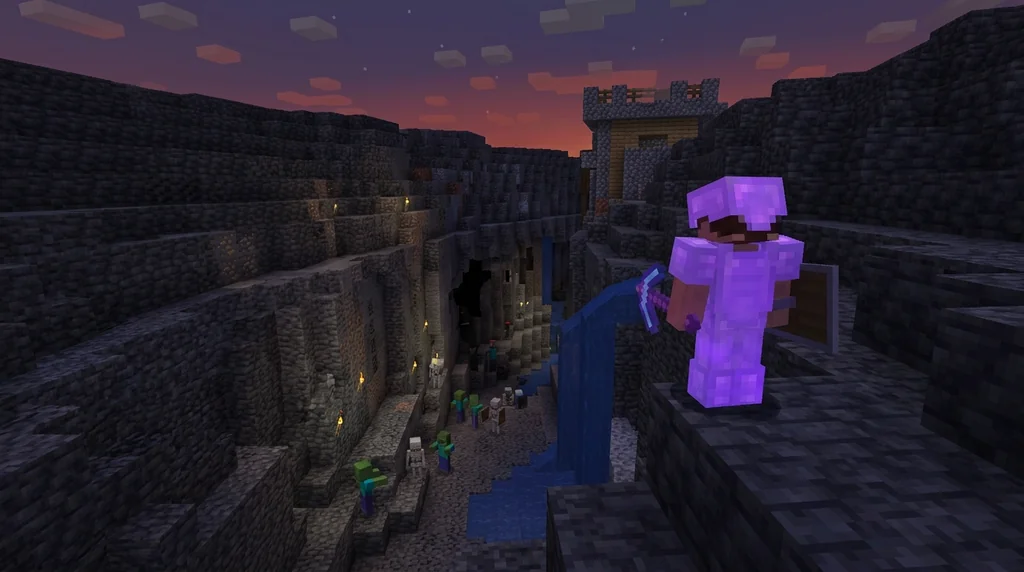
The key feature of Hardcore mode is that the player is not given the option to respawn upon death.
The key feature of Hardcore mode is that the player is not given the option to respawn upon death as they would in other game modes.
Instead, the player is given two options: to spectate the world, which sets the player's game mode to Spectator mode and respawns them at the world's spawn point, or return back to the title screen. Re-opening the world after death returns to the death screen or Spectator mode depending on the outcome.
Multiplayer and Server Rules
Hardcore mode is specific to worlds, not players. This means in multiplayer, all players have Hardcore mode enabled — it is impossible to have some players in Hardcore and some not.
In multiplayer, all players have Hardcore mode enabled — it is impossible to have some players in Hardcore and some not.
Server operators can still use the /gamemode command to change the game mode of themselves or another player. Realms or servers can use Hardcore mode by uploading existing Hardcore worlds to the server. If you want to set up a dedicated server, check out our guide on How to Set Up a Minecraft Server Using the Official Server.jar. For a simpler hosted solution, Minecraft Realms: A Quick Reference for Private Server Play is a great starting point.
Can You Disable Hardcore Mode?
It is normally impossible to toggle Hardcore mode once the world has been created. However, it is possible to use external programs such as NBTExplorer to change it by setting the hardcore boolean in the level.dat file.
It is normally impossible to toggle Hardcore mode once the world has been created, though it is possible to use external programs such as NBTExplorer to change it by setting the [Boolean] hardcore tag to either 1 (hardcore) or 0 (normal).
In Bedrock Edition, Hardcore can be switched on and off by converting the world to a world template and "re-creating" it, which keeps all world data and even allows achievements to be earned.
A Brief History of Hardcore Mode
Hardcore mode was first introduced in Java Edition Beta 1.9 Prerelease 2 on September 29, 2011, and officially released with Minecraft 1.0.0 on November 18, 2011. Bedrock Edition players gained access to Hardcore mode much later, with the release of Bedrock Edition 1.21.40 on October 22, 2024. The longest Hardcore world record lasted for 5 years, ending in April 2019.
The longest Hardcore world record lasted for 5 years.
Sources
- Hardcore is a variant of Survival where the world is locked to Hard difficulty and the player cannot respawn after dying. — Hardcore
- Hardcore can only be enabled in the Create new world screen; in Java Edition as a state of the "Game Mode" button, in Bedrock Edition as a separate toggle. — Hardcore
- The key feature of Hardcore mode is that the player is not given the option to respawn upon death as they would in other game modes. — Hardcore
- In multiplayer, all players have Hardcore mode enabled — it is impossible to have some players in Hardcore and some not. — Hardcore
- It is normally impossible to toggle Hardcore mode once the world has been created, though it is possible to use external programs such as NBTExplorer to change it by setting the \[Boolean\] hardcore tag to either 1 (hardcore) or 0 (normal). — Hardcore
- The longest Hardcore world record lasted for 5 years. — Hardcore
Frequently Asked Questions
Can I play Hardcore mode on an existing world?
No, Hardcore mode must be enabled when creating a new world. It cannot be added to an existing world through the in-game menu. However, you can use external tools like NBTExplorer to edit the world file.
What happens to my items when I die in Hardcore mode?
Since you cannot respawn, you cannot return to your body. You can only spectate the world or return to the title screen.
Is Hardcore mode available on Bedrock Edition?
Yes, Hardcore mode was added to Bedrock Edition in version 1.21.40 (the Bundles of Bravery update) on October 22, 2024.
Does Hardcore mode affect all players on a server?
Yes. The Hardcore mode setting applies to the entire world. All players on a Hardcore server are subject to permadeath.
Related guides
7 Best Tips for Dominating Minecraft Lifesteal SMPs in 2026
Master minecraft lifesteal smp strategy with 7 expert tips. Learn how to get hearts, survive longer, and dominate competitive lifesteal servers in 2026.
How Data Packs Work in Minecraft: Setup and Installation
Learn what data packs are, how to install them in Minecraft Java Edition 1.13+, and how to manage load order, reloading, and safe mode. A quick reference guide.
What Is a Minecraft Mod? Community vs Official Definitions
Compare the strict community definition of Minecraft mods with the broader official usage from Mojang. Understand the distinction between mods, data packs, resource packs, and add-ons across Java and Bedrock editions.
Hermitcraft: A Private Server for Minecraft Content Creators
Learn what Hermitcraft is, how the private whitelisted server for Minecraft YouTubers started, who the Hermits are, and how it has shaped the community through events and Marketplace content.
Have a question or another approach?
Compare notes with other readers. Include your edition and version when discussing mechanics.