The 7 Best Creative Minecraft Servers for Builders in 2026
Filed under Minecraft Server Guides & Reviews · How we create content
Key Takeaways
| Point | Details |
|---|---|
| Creative servers unlock instant building | No resource grind—you get unlimited blocks and flight to focus purely on design. |
| Plot systems protect your work | Most top servers use PlotSquared or similar plugins to prevent griefing and let you claim a personal space. |
| WorldEdit supercharges building speed | With over 5 million downloads, WorldEdit lets you copy, paste, and terraform entire landscapes in seconds. |
| Community matters for builders | The best creative servers have active Discord servers, build contests, and feedback channels to help you improve. |
| Crossplay widens your options | Thanks to Geyser, many Java creative servers now welcome Bedrock players, doubling the pool of available communities. |
| Gaia Legends offers a free creative plots world | Experiment without limits and get inspiration from other builders in a non-pay-to-win environment. |
Table of Contents
- What Are Creative Minecraft Servers?
- Why Build on Creative Servers in 2026?
- How to Choose the Best Creative Server for Your Build Style?
- The 7 Best Creative Minecraft Servers in 2026
- How Do You Protect Your Builds on Creative Servers?
- Which Plugins Power the Best Creative Servers?
- How to Put This Into Practice on Gaia Legends
- Conclusion
- Recommended
Creative mode is the ultimate sandbox—no health bar, no hunger, just an infinite palette of blocks and the freedom to build anything. But the solo world can feel isolating. That’s where best creative Minecraft servers come in. These multiplayer communities let you collaborate, compete, and get inspired by thousands of other builders. In 2026, dedicated creative servers have exploded with advanced plot systems, WorldEdit integration, and crossplay support, giving builders more power than ever. This guide ranks the top seven servers for builders, explains how to choose the right one, and shows you how to leverage the same plugins and protections pros use.
What Are Creative Minecraft Servers?
Creative Minecraft servers are multiplayer worlds where players get unlimited blocks, insta-break tools, and flight to focus purely on building, often with plot systems that claim a personal space for your constructions.
Forget mining and crafting—these servers hand you every block in the game, from rare deepslate emerald ore to glowing froglight. Most run on Paper or Purpur to support plugins like PlotSquared, which carves the map into private plots you can claim with a simple command. Builds persist indefinitely unless you reset the plot, and many servers allow you to invite friends to build together. Unlike survival, griefing is heavily monitored with rollback tools, making creative servers the safest place to experiment with mega-builds, redstone machinery, or pixel art. Some even host build contests with real prizes, turning solitary block-placing into a social spectator sport.
Why Build on Creative Servers in 2026?
Building on creative servers this year gives you access to massive pre-generated plot worlds, an appreciative audience, and the latest building tools that solo mode can't match.
In 2026, creative servers are more than just a blank canvas. Communities have curated themes—medieval cities, sci-fi hubs, nature preserves—giving your builds context. Server events like speed-building competitions or collaborative city projects keep you motivated. You can evaluate a server's community before joining to find a mature, active crowd. Plus, many servers now use resource packs to enhance visuals without mods, making everything look crisp. And with crossplay tools like Geyser, you can join from Bedrock or Java, so your build buddies aren't locked out. The sense of walking through a gallery of other players’ creations every time you log in is something single-player simply can’t replicate.
How to Choose the Best Creative Server for Your Build Style?
The right creative server matches your build scale, preferred level of community interaction, and the plugins you rely on—whether that’s WorldEdit, VoxelSniper, or simple block placement.
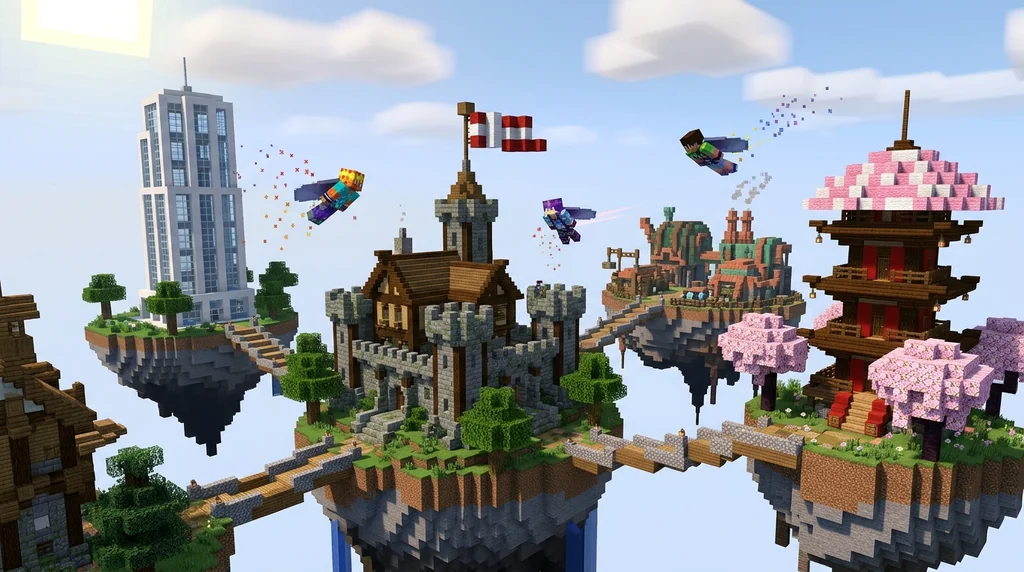
Start by checking the plot size. Mega-builders need 200×200 or even freebuild areas; detail-focused builders might prefer 64×64 with higher plot limits. Next, test the server’s stability. Use our ping checking guide to avoid laggy creative servers that ruin the flow. If the server is whitelisted, read our tips on applying to whitelisted Minecraft servers so your application doesn’t get ignored. Also, look for active staff and a clear grief-reporting system—nothing kills creativity like logging in to a destroyed build. Finally, peek at the server’s Discord or forums to see if they run build contests; competitive events are a great way to sharpen your skills and get noticed.
The 7 Best Creative Minecraft Servers in 2026
These seven servers stand out for their robust plot systems, builder-friendly features, and thriving communities that turn block placing into a shared art form.
| Server | Plot System | Standout Feature | Community Size |
|---|---|---|---|
| Hypixel Creative | Freebuild areas + 101×101 plots | Largest player count, daily building events | 10,000+ concurrent |
| Minecraft Central | 128×128 plots, merging allowed | Weekly themed contests with prizes | 3,000+ |
| Creative Fun | Unlimited freebuild world | Redstone-friendly, no plot restrictions | 2,500+ |
| Builders Refuge | Tiered plots from 50×50 to 300×300 | Dedicated mentoring program for new builders | 1,500+ |
| CubeCraft Creative | 51×51 plots with WorldEdit access | Fast-paced minigame integration | 5,000+ |
| ManaCube Creative | 100×100 plots, custom terrains | RPG-themed build areas, resource pack support | 2,000+ |
| Gaia Legends Creative | 80×80 plots, mergeable | Crossplay support, non-pay-to-win, tight-knit feedback loops | 500+ |
Each server has its vibe: Hypixel Creative is perfect for high-energy builders who love public critique, while Builders Refuge mentors you one-on-one. Minecraft Central’s contests are legendary—many builders have landed whitelisted spots on other SMPs after winning there. Creative Fun’s freebuild zone is a redstone engineer’s dream because you can sprawl without plot borders. If you’re into custom terraforming, ManaCube’s pre-sculpted terrain gives your castle a natural backdrop. No matter your style, pick one that matches your need for feedback and scale.
How Do You Protect Your Builds on Creative Servers?
Reliable creative servers protect builds with automatic plot claiming, rollback plugins like CoreProtect, and active staff who can restore griefed areas in minutes.
Most servers run PlotSquared, which locks your plot to only players you add via /trust or /add. That alone stops 95% of random griefing. But for the remaining risk, server teams rely on CoreProtect—a logging plugin that records every block placement and removal. CoreProtect has over 500,000 downloads on Spigot (via SpigotMC), proving its industry-standard status. If someone does manage to break your build, a moderator can rollback the damage with a single command. Some servers also integrate the Altar SMP plugin for deeper community trust; learn what Altar does to see if your server uses it. Always check a server’s /rules for grief-reporting channels—a good creative server makes protection effortless.
Which Plugins Power the Best Creative Servers?
The backbone of any top-tier creative server consists of WorldEdit, PlotSquared, and FastAsyncWorldEdit—tools that turn hours of manual placing into seconds of automated magic.
WorldEdit is the undisputed king. Boasting over 5 million downloads on Spigot (via SpigotMC), it lets you copy, paste, rotate, and terraform entire landscapes with commands like //set and //brush. PlotSquared, also a staple, has been downloaded over 3 million times (via SpigotMC) and handles plot claiming, merging, and permissions. For large-scale projects, servers plug in FastAsyncWorldEdit (FAWE), which optimizes WorldEdit for servers with many builders—over 1 million downloads confirm its reliability (via SpigotMC). If you're thinking of starting your own creative server, our guide on how to add plugins to a Minecraft server walks you through installing these essentials. Together, they form a toolkit that lets you sketch a skyscraper in thirty seconds and spend hours perfecting the details, all without breaking a sweat.
How to Put This Into Practice on Gaia Legends
Gaia Legends offers a creative plots world where you can claim an 80×80 plot, merge it with a friend, and dive into building with full WorldEdit access. It’s the same tech you’d find on the bigger servers but with a community that’s small enough to know your name. The creative world is free to join, non-pay-to-win, and supports both Java and Bedrock players through built-in crossplay.
Whether you want to test a design before committing to a survival megabuild or just relax by creating, the Gaia creative world is your sandbox. Join at gaialegends.pro and start your legend today.
Conclusion
The best creative Minecraft servers in 2026 combine unlimited blocks, robust plot protection, and active communities that turn building into a shared art:
- Pick a server that fits your scale: Whether it’s Hypixel’s massive freebuilds or Builders Refuge’s mentoring system, size matters.
- Leverage plugins: WorldEdit, PlotSquared, and CoreProtect are the holy trinity—learn them to build faster and stay safe.
- Protect your work: Always trust a server that uses CoreProtect rollbacks and active moderation; it’s non-negotiable.
Now grab your dream palette, log into one of these servers, and turn that blank plot into something unforgettable.
Recommended
- How to Master Custom Magic in Minecraft MMORPGs: 2026 Guide
- How to Set Up a Minecraft Economy Mod with Custom Currency (2026)
- How to Catch Every Custom Fish on Gaia Legends in 2026
- How to Automate Crop Farming in Minecraft with Villagers (2026 Guide)
Ready to play? Join Gaia Legends today — no pay-to-win, Java + Bedrock crossplay.
- Java:
join.gaialegends.pro - Bedrock:
join.gaialegends.pro— Port19132
Further reading
These references were recorded with the article; specific claims have not been matched to source excerpts.
Frequently Asked Questions
What are the best creative Minecraft servers in 2026?
The best creative Minecraft servers in 2026 include Hypixel Creative for massive freebuild events, Minecraft Central for weekly building contests, and Builders Refuge for one-on-one mentoring. CubeCraft Creative offers fast-paced minigame integration, while Creative Fun provides an unlimited freebuild world ideal for redstone engineers. Each excels in different areas, so choose based on your preferred plot size, community size, and plugin access.
Are creative Minecraft servers free to play?
Yes, the vast majority of creative Minecraft servers are free to join. They earn revenue through optional cosmetics or ranks, not pay-to-win mechanics. Always check a server's store to confirm it's non-pay-to-win before committing. Gaia Legends, for example, is entirely free with no pay-to-win features.
How do I protect my builds on a creative server?
Most creative servers use PlotSquared to automatically claim your plot when you first enter it. You can add trusted players with /trust to build together. For rollback protection, servers run CoreProtect, which logs every block change so staff can undo griefing in seconds. Always read the /rules to know how to report issues.
Can I use WorldEdit on creative servers?
Many top creative servers grant WorldEdit access via permission nodes or a simple command. You can copy, paste, and replace blocks in your plot instantly. Servers like Hypixel Creative and Minecraft Central include WorldEdit as a standard tool. Check the server's help guide or ask staff to confirm availability.
Do creative servers work for Bedrock Edition?
Yes, thanks to Geyser. Many Java-based creative servers now support Bedrock players joining from consoles, phones, or Windows 10. You'll typically connect with the same IP but using the Bedrock port. The gameplay is seamless, though some advanced plugins like VoxelSniper may have limited functionality.
What's the difference between freebuild and plot-based creative servers?
Freebuild creative servers give you unlimited space across a massive world with no boundary restrictions—ideal for sprawling cityscapes. Plot-based servers assign you a defined grid square (e.g., 100x100) that prevents overlapping builds but keeps everything organized. Freebuild offers more freedom, while plots protect your space and prevent territorial disputes.
Related guides
How to Set Up a Minecraft Server Using the Official Server.jar
Learn how to download and set up the official Minecraft server.jar for Java Edition. This quick reference covers EULA acceptance, first-run setup, and CLI vs GUI management.
Minecraft Realms: A Quick Reference for Private Server Play
Learn everything you need to know about Minecraft Realms: subscription tiers, pricing, player limits, requirements, and how to set up a private server for friends in Java and Bedrock Edition.
Java Realms Content Creator Program Categories Overview
Compare the five Java Realms map categories and choose where your creation fits before submitting it for review.
Redstone Mechanisms Overview in Minecraft
A quick-reference guide to redstone mechanics in Minecraft. Learn about redstone circuits, key components like tripwire hooks, and how redstone enables...
Have a question or another approach?
Compare notes with other readers. Include your edition and version when discussing mechanics.