7 Best Post-Apocalyptic Block Palettes for Minecraft Wasteland Builds (2026)
Filed under Minecraft Build Palette & Block Harmony · How we create content
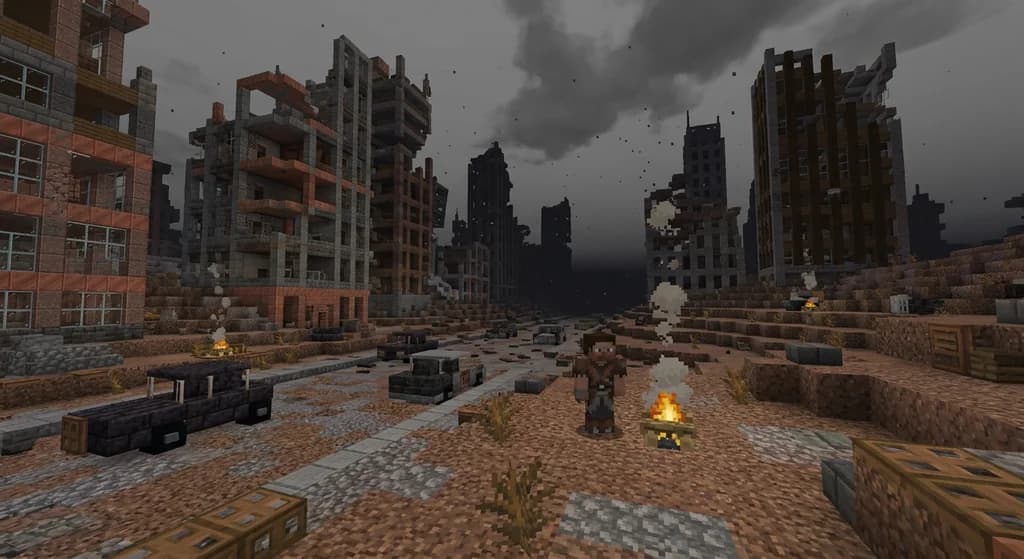
Key Takeaways
| Point | Details |
|---|---|
| Rusted Industrial palette | Combine iron blocks, weathered copper, and deepslate for a factory ruin look. |
| Ash & Char palette | Use basalt, blackstone, and campfires to simulate a world after firestorms. |
| Nuclear Fallout palette | Mix concrete, oxidized copper, and soul soil for a toxic, eerie atmosphere. |
| Overgrown Ruins palette | Blend mossy cobblestone, vines, and dark oak to show nature reclaiming civilization. |
| Block layering matters | Contrast smooth and cracked textures, and use vertical oxidation gradients for organic decay. |
| Test in Gaia's Build Planner | Experiment with these palettes in a 3D preview before building on the server. |
Table of Contents
- What Is a Post-Apocalyptic Block Palette in Minecraft?
- Why Use Post-Apocalyptic Palettes for Wasteland Builds?
- Top 7 Post-Apocalyptic Block Palettes for 2026
- How to Combine Blocks for Maximum Ruin Effect
- How to Put This Into Practice on Gaia Legends
- Conclusion
- Recommended
Post-apocalyptic Minecraft block palettes are the secret sauce that turns a flat, boring build into a haunting wasteland that feels lived-in and desperate. Whether you're crafting a Fallout-style vault, a zombie-infested city, or a barren desert outpost, the right block combination instantly sells the mood. In this guide, you'll learn seven tested palettes that use vanilla blocks to create rust, ash, and decay — plus how to layer them for maximum ruin effect.
What Is a Post-Apocalyptic Block Palette in Minecraft?
A post-apocalyptic block palette is a curated set of decayed, industrial, and scorched Minecraft blocks that together tell a story of collapse and survival.
A post-apocalyptic block palette is a deliberately chosen collection of blocks that mimic the aftermath of a disaster — rusted metal, crumbling concrete, charred wood, and toxic earth. Unlike a medieval or modern palette, it relies on blocks that look damaged, weathered, or abandoned. Think of it as color grading for your build: the same structure built with polished stone looks pristine, but swap in cracked stone bricks, oxidized copper, and coarse dirt and suddenly it's a ruin. The goal isn't just to look ugly; it's to create a believable environment where every block hints at what went wrong.
Why Use Post-Apocalyptic Palettes for Wasteland Builds?
Post-apocalyptic palettes instantly communicate a world after disaster, making your build feel atmospheric and lived-in without needing complex redstone or lore.
Using a dedicated wasteland palette does three things. First, it sets the emotional tone — players know they're in a dangerous, abandoned place the moment they see rusted iron and ash blocks. Second, it hides building imperfections; cracks and uneven textures are features, not flaws. Third, it encourages creative block mixing, which is where Minecraft shines. For example, the contrast techniques you'd learn from stained glass window design apply here too: juxtaposing light and dark, smooth and rough, creates visual interest. A post-apocalyptic palette also pairs well with survival gameplay, making your base feel like a real shelter against the elements.
Pro Tip: Use campfires extinguished with a shovel to produce steady smoke columns without light — perfect for smoldering ruins. Campfire smoke rises 10 blocks before dissipating (via Minecraft Wiki).
Top 7 Post-Apocalyptic Block Palettes for 2026
These seven palettes combine rust, ash, and decay to create the most convincing wasteland builds.
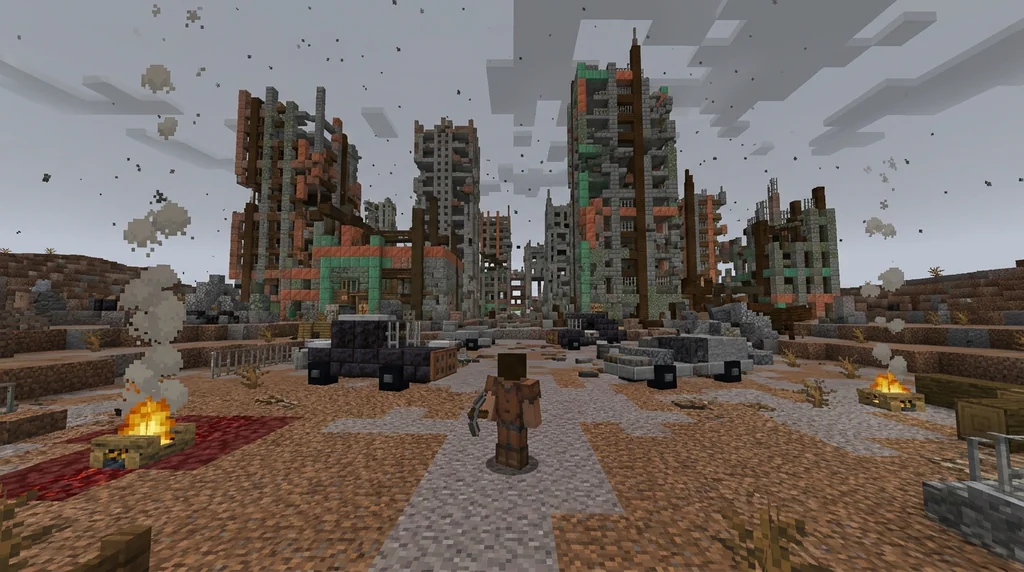
1. Rusted Industrial
This palette screams abandoned factories and collapsed infrastructure. Core blocks: iron blocks (placed as structural beams, then surrounded by rust-like blocks), weathered and oxidized copper for the rust effect, deepslate tiles for dark, heavy machinery, and iron trapdoors as broken vents. Add coarse dirt and gravel around the base to simulate debris. Iron blocks have a blast resistance of 6, which withstands most explosions (via Minecraft Wiki), so they're great for creating indestructible-looking frames.
2. Ash & Char
Ideal for a world after firestorms. Use basalt pillars for charred tree trunks, blackstone variants for scorched earth, and campfires (extinguished) for ash piles. Basalt's blast resistance is 4.2, making it a sturdy ruin block (via Minecraft Wiki). Mix in soul sand and soul soil for patches of eerie blue fire — soul soil slows movement by 50% and creates a ghostly blue flame (via Minecraft Wiki). This palette pairs well with the desolate vibes of a wild west ghost town.
3. Nuclear Fallout
For toxic wastelands and irradiated zones. Combine white and light gray concrete for sterile bunkers, oxidized copper for radioactive green-blue stains, soul soil for glowing ground, and magma blocks for irradiated hot spots. Add cobwebs and iron bars as containment fences. The concrete provides a clean canvas that makes the decay pop.
4. Decayed Suburbia
Perfect for abandoned neighborhoods. Use cracked stone bricks (which generate naturally only in strongholds, giving them a rare ruined vibe — via Minecraft Wiki), mossy cobblestone, dark oak planks (weathered wood), and oak leaves (untrimmed) for overgrown lawns. Break a few windows with glass panes placed irregularly. This palette leans into the "nature reclaiming" look, similar to an overgrown garden palette.
5. Scorched Earth
A palette for deserts or volcanic wastelands. Red sand, terracotta (uncolored), netherrack, magma blocks, and dried kelp blocks create a baked, lifeless landscape. Use blackstone for cooled lava flows and bone blocks scattered as remains. The high contrast between red and black makes structures pop.
6. Overgrown Ruins
Nature has taken over. Combine mossy stone bricks, vine-covered walls, spore blossoms (for particle effects), azalea leaves, and rooted dirt. Add glow lichen for dim lighting. This palette works beautifully when you want to show time passing, much like a jungle temple ruin. For extra detail, use coarse dirt paths and mud bricks.
7. Bunker Core
For underground survival shelters. Polished deepslate for reinforced walls, iron blocks for blast doors, redstone lamps for emergency lighting, and note blocks as control panels. Add cobwebs in corners and soul lanterns for a cold, blue glow. This palette feels functional and desperate.
How to Combine Blocks for Maximum Ruin Effect
Layering contrasting textures—like smooth concrete against cracked stone—and using vertical gradients of oxidation creates depth that makes ruins feel organic.
Great ruins aren't just random block vomit; they follow a logic. Start with a structural skeleton of high-blast-resistance blocks (iron, deepslate) to suggest what survived the disaster. Then add a layer of decay: oxidized copper near the top where rain would hit, cracked variants near the base where stress accumulates. Use gravel and coarse dirt to bury lower sections. For interiors, mix cobwebs, dead bushes, and soul lanterns for atmosphere. The precision of pixel art block placement can help you create intentional damage patterns, like blast holes or collapsed ceilings.
Warning: Don't overuse mossy blocks in a "dry" wasteland — they imply moisture. Stick to cracked and dusty blocks for arid ruins.
Copper oxidation is your best friend for gradual decay. Copper fully oxidizes in 50-82 Minecraft days (via Minecraft Wiki), so you can create a gradient from fresh orange to teal by placing blocks at different stages. Combine that with blackstone stairs for collapsed roofs and iron bars bent into rebar shapes.
How to Put This Into Practice on Gaia Legends
Gaia Legends offers a unique way to test these palettes before you commit resources in survival. Our Build Planner feature lets you experiment with block combinations in an interactive 3D preview — perfect for trying out the Rusted Industrial or Ash & Char palettes without gathering stacks of copper and basalt. You can even share your palette designs with the community for feedback.
Once you're happy, jump into our survival world and start building. The server runs on a non-pay-to-win model, so every block is earned through gameplay, making your wasteland city a true achievement. We also support Java and Bedrock crossplay, so you can build with friends on any device. Gaia Legends is free to join, and our friendly community loves to collaborate on massive ruin projects. Join at gaialegends.pro and start your legend today.
Conclusion
- Pick a palette that matches your disaster story: Rusted Industrial for factories, Ash & Char for firestorms, Nuclear Fallout for toxic zones.
- Layer decay logically: Use high-blast-resistance blocks as bones, then add cracked, oxidized, and buried details.
- Test before you build: Use Gaia Legends' Build Planner to preview palettes and avoid wasted resources.
Post-apocalyptic builds are some of the most rewarding projects in Minecraft because they tell a story without words. Grab your blocks, embrace the ruin, and create a wasteland that other players will remember.
Recommended
- How to Build a Vanilla Minecraft Shop with Scoreboard Economy (2026) | Gaia Legends
- How to Roleplay in Minecraft MMORPGs (2026 Guide) | Gaia Legends
- How to Find the Best Roleplay Minecraft Servers in 2026 | Gaia Legends
- How to Choose Between Bows and Crossbows for Boss Fights in 2026 | Gaia Legends
Ready to play? Join Gaia Legends today — no pay-to-win, Java + Bedrock crossplay.
- Java:
join.gaialegends.pro - Bedrock:
join.gaialegends.pro— Port19132
Further reading
These references were recorded with the article; specific claims have not been matched to source excerpts.
Frequently Asked Questions
What are the best post-apocalyptic Minecraft block palettes for wasteland builds?
The top palettes include Rusted Industrial (iron, copper, deepslate), Ash & Char (basalt, blackstone, campfires), Nuclear Fallout (concrete, oxidized copper, soul soil), Decayed Suburbia (cracked stone, dark oak, moss), Scorched Earth (red sand, terracotta, netherrack), Overgrown Ruins (mossy stone, vines, spore blossoms), and Bunker Core (polished deepslate, iron, redstone lamps). Each evokes a different type of disaster.
How do I create a rusted look without copper?
Combine iron blocks, stripped acacia logs (orange hue), orange terracotta, and red nether bricks to simulate rust. Add coarse dirt and gravel around edges for a corroded, crumbling effect. Iron trapdoors and bars also suggest rusted metal gratings.
Which blocks look like ash in Minecraft?
Extinguished campfires produce ash piles, while light gray concrete powder, gray wool, and snow layers can simulate ash drifts. Basalt and blackstone give a charred, ashy texture. Soul sand and soul soil add an eerie, otherworldly ash feel with blue flames.
Can I use mods for more post-apocalyptic blocks?
Yes, mods like Immersive Engineering, Chisel, and Biomes O' Plenty add rusted metal, cracked concrete, and decaying wood variants. However, vanilla blocks with clever combinations already offer a huge range. On servers like Gaia Legends, sticking to vanilla ensures everyone sees your build correctly.
How do I make my wasteland build look overgrown?
Use mossy cobblestone, vines, glow lichen, and azalea leaves. Let vines hang from broken walls, place spore blossoms for floating particles, and mix rooted dirt with coarse dirt. Trim leaves to look wild but not manicured. Overgrown ruins feel alive even in a dead world.
What lighting works best for a post-apocalyptic atmosphere?
Soul lanterns and soul torches give a cold blue light. Redstone torches provide dim, flickering red light. Campfires (especially extinguished for smoke) and magma blocks offer a hellish glow. Avoid bright, warm lights like glowstone; use shroomlights sparingly for toxic green accents.
Related guides
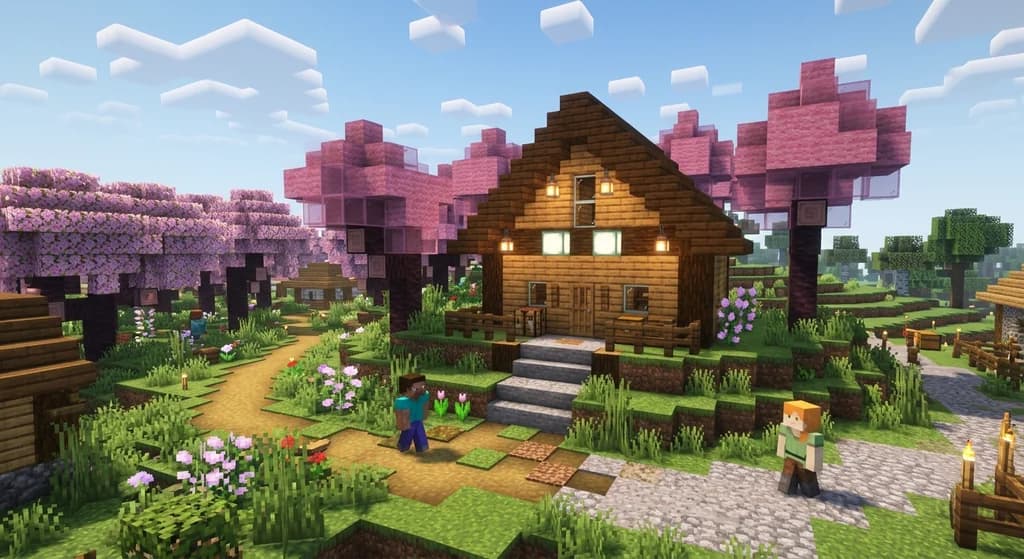
How to Use the 60-30-10 Rule for Balanced Minecraft Builds (2026)
Learn how to use the 60-30-10 rule for Minecraft builds with simple layers: 60% dominant, 30% contrast, 10% accent for balanced bases.
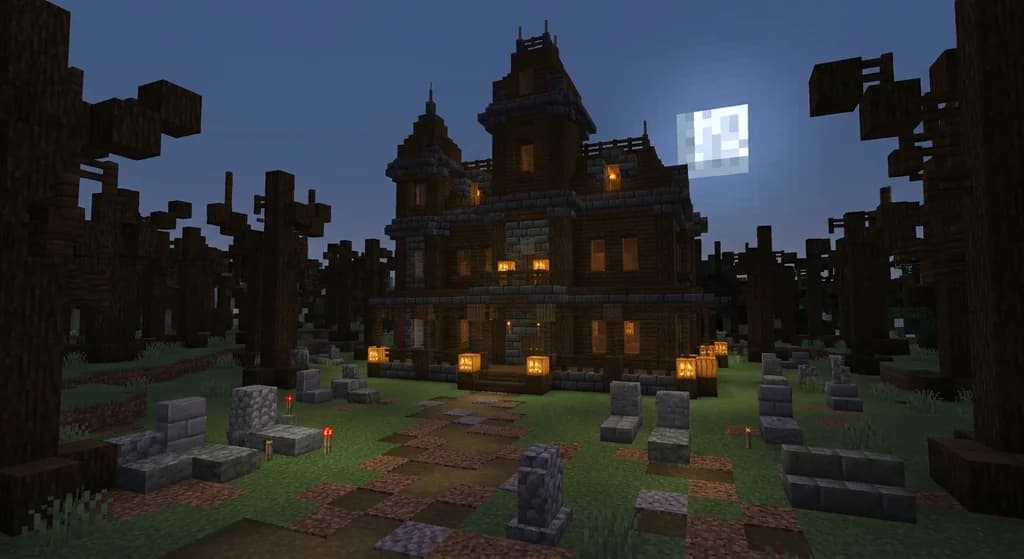
7 Best Halloween Block Palettes for Minecraft Builds (2026)
Discover 7 spooky Minecraft block palettes for Halloween 2026. Perfect combos for haunted houses, pumpkin farms, and eerie builds using deepslate, crimson...
7 Best Jungle Block Palettes for Minecraft Builds (2026)
Discover the 7 best Minecraft jungle block palettes for 2026. Learn jungle wood combos, tropical build ideas, and temple designs to make your builds stand...
Best Medieval Minecraft Block Combinations for 2026 Builds
Discover the best medieval Minecraft block combinations for 2026 builds. Learn wood-stone palettes, texture layering, and dark oak combos for stunning...
Have a question or another approach?
Compare notes with other readers. Include your edition and version when discussing mechanics.