7 Best Block Palettes for Minecraft Pixel Art in 2026
Filed under Minecraft Build Palette & Block Harmony · How we create content
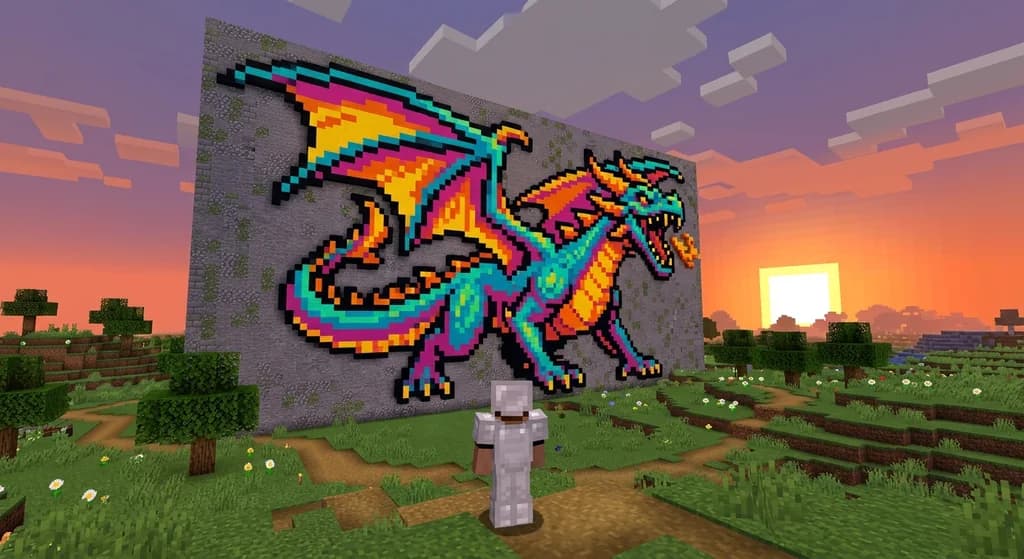
Key Takeaways
| Point | Details |
|---|---|
| Concrete is your go-to | Its 16 solid colors provide a clean, untextured canvas for sharp pixel art. |
| Texture matters | Avoid noisy blocks like cobblestone; use wool for soft pastels and terracotta for muted vintage looks. |
| Contrast is key | A dark outline block like black concrete prevents colors from bleeding together, ensuring readability. |
| Test in creative first | Always prototype your palette to see how blocks interact at a distance before building in survival. |
| Gradients need planning | Use dithering and multiple shades of the same color to create smooth transitions. |
| Gaia Legends showcases your art | The server's pixel art gallery lets you display creations using these palettes. |
Table of Contents
- What Is a Minecraft Pixel Art Block Palette?
- How to Choose the Best Blocks for Pixel Art in Minecraft
- 7 Best Block Palettes for Minecraft Pixel Art
- How Do You Create Smooth Color Gradients in Minecraft Pixel Art?
- Why Does Contrast Matter for Pixel Art Readability?
- Tips for Building Large-Scale Pixel Art in Survival Mode
- How to Put This Into Practice on Gaia Legends
- Conclusion
- Frequently Asked Questions
- Recommended
Minecraft pixel art transforms the game into a canvas, but the secret to jaw-dropping creations is choosing the right minecraft pixel art block palette. Whether you're recreating classic 8-bit sprites or designing original murals, the blocks you pick define your art's clarity, color accuracy, and visual impact. In this guide, we'll explore the 7 best block palettes for Minecraft pixel art in 2026, from vibrant retro palettes to subtle pastel gradients. You'll learn how to select blocks for contrast, shading, and texture, plus tips for building pixel art in survival mode.
What Is a Minecraft Pixel Art Block Palette?
A minecraft pixel art block palette is a curated set of Minecraft blocks chosen for their colors and textures to serve as the "pixels" in a 2D artwork built within the game world.
In Minecraft, pixel art is built by placing blocks in a grid, where each block represents one pixel of the image. Minecraft's default block textures are 16×16 pixels, making each block a perfect pixel for 1:1 scale pixel art (via Minecraft Wiki). A palette limits your color choices to a specific set of blocks, ensuring consistency and a cohesive look. Much like designing stained glass windows, pixel art relies on block-level color placement to create recognizable images.
The best palettes balance color range, texture, and availability. For example, a retro gaming sprite might use the 16 concrete colors for sharp, vibrant pixels, while a pastel mural might lean on wool's softer tones. Understanding how to build a palette is the first step to creating art that pops.
How to Choose the Best Blocks for Pixel Art in Minecraft
Choosing the best blocks for pixel art means prioritizing solid, vibrant colors with minimal texture noise — concrete, wool, and terracotta are top contenders, while blocks like grass or cobblestone distract the eye.
When selecting blocks for your pixel art color scheme, consider these factors:
- Color accuracy: Does the block match the exact hue you need? Minecraft concrete blocks come in 16 solid colors, matching the 16 dyes available in the game, making them the most versatile solid-color block for pixel art (via Minecraft Wiki).
- Texture noise: Some blocks have patterns that break the pixel illusion. Wool has a soft texture that works for pastels but can blur edges, while terracotta's muted finish suits earthy palettes (via Minecraft Wiki). Terracotta blocks come in 16 unglazed colors, with a muted, earthy finish that excels in vintage-style pixel art (via Minecraft Wiki).
- Transparency: Stained glass provides 16 transparent colors, perfect for backlit pixel art that glows when placed in front of a light source (via Minecraft Wiki).
- Availability in survival: If you're building in survival mode, choose blocks you can farm easily. Concrete requires sand and gravel, while wool needs a sheep farm.
- Contrast and shading: Use light and dark blocks to create depth. A well-chosen palette includes at least 3–5 shades of the same color for gradients.
Block Comparison Table
| Block Type | Colors Available | Texture | Best For |
|---|---|---|---|
| Concrete | 16 solid colors | Smooth, uniform | Large solid-color areas, sharp edges |
| Wool | 16 colors | Slightly fuzzy | Soft gradients, pastel art |
| Terracotta | 16 unglazed colors | Muted, earthy | Vintage or muted palettes |
| Concrete Powder | 16 colors | Grainy, gravity-affected | Temporary or animated art |
| Stained Glass | 16 transparent colors | Clear, light-passing | Backlit pixel art, windows |
Warning: Gravity-affected blocks like sand and concrete powder will fall if not supported, making them risky for large-scale pixel art unless you want an animated, shifting design.
Pro Tip: Always test your palette in a creative world before committing in survival. Place blocks side-by-side to see how they interact at a distance — what looks good up close may blend into a mess from far away.
7 Best Block Palettes for Minecraft Pixel Art
These seven curated palettes cover everything from classic 8-bit game sprites to modern pastel murals, each using specific Minecraft blocks to achieve distinct color moods and styles.
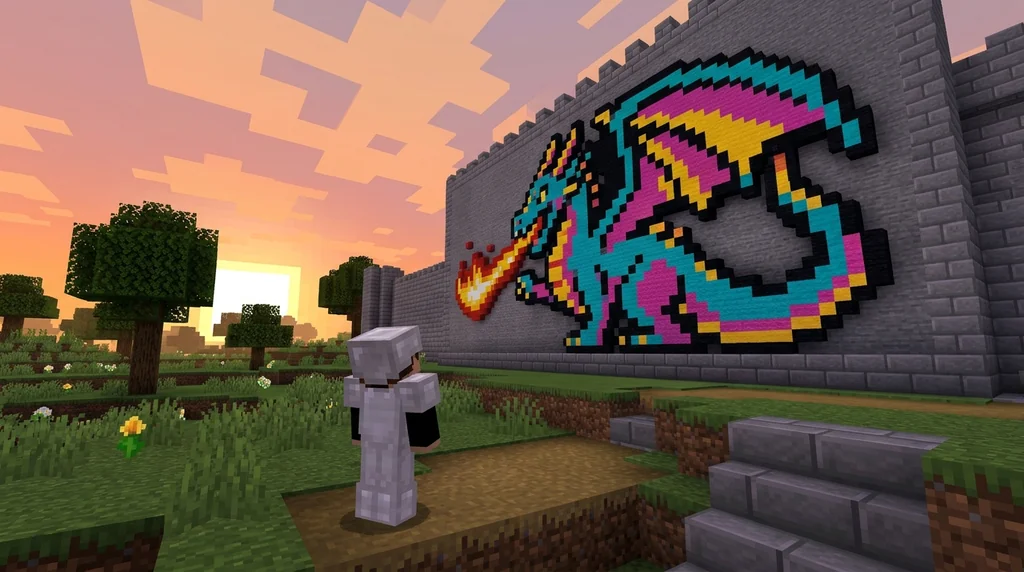
1. Classic 8-Bit Palette
Perfect for retro gaming sprites like Mario or Pokémon, this palette uses the full spectrum of concrete blocks: white, black, red, orange, yellow, green, lime, cyan, light blue, blue, purple, magenta, pink, brown, gray, and light gray. The solid, untextured surface mimics the sharp pixel edges of 8-bit graphics. For outlines, black concrete or black wool creates crisp borders.
2. Pastel Dreams Palette
For cute, soft builds like Kirby or spring-themed art, this palette relies on wool blocks in pastel shades: pink, light blue, lime, yellow, white, and light gray. The slightly fuzzy texture of wool softens transitions, making it ideal for pastel color schemes. Pair with our pastel block palettes guide for more inspiration.
3. Monochrome Mastery Palette
When you want a grayscale look — think pencil sketches or noir scenes — this palette uses concrete and stone variants: white concrete, light gray concrete, gray concrete, dark gray concrete, black concrete, plus diorite, andesite, and stone for subtle texture variation. It's a great way to focus on form over color.
4. Earthy Vintage Palette
This palette channels a rustic, old-school vibe using terracotta blocks: red, orange, yellow, brown, white, and light gray terracotta, with accents of stripped oak and dark oak for outlines. The muted, earthy tones evoke retro posters or faded frescoes. Check out our rustic farm palettes for complementary block combos.
5. Neon Cyberpunk Palette
For high-contrast, futuristic art, combine concrete and wool in neon hues: magenta, cyan, lime, yellow, black, and white. Add sea lanterns or glowstone behind stained glass to create glowing effects. The surreal vibe pairs well with end block palettes for alien landscapes.
6. Underwater Atlantis Palette
Dive into ocean-themed pixel art with prismarine, dark prismarine, prismarine bricks, sea lanterns, cyan concrete, blue concrete, and light blue concrete. These blocks have a natural underwater feel, perfect for mermaids, coral reefs, or submerged ruins.
7. Nether Inferno Palette
Bring the heat with nether blocks: netherrack, crimson planks, warped planks, blackstone, magma block, glowstone, red concrete, and orange concrete. This palette is ideal for fiery demons, volcanic landscapes, or hellish scenes. For more dramatic block choices, see our wizard tower palette guide which uses deepslate and amethyst for magical builds.
How Do You Create Smooth Color Gradients in Minecraft Pixel Art?
Smooth color gradients in pixel art are achieved by arranging blocks in a spectrum from light to dark, using blocks like concrete powder for subtle transitions or wool for blended edges.
Minecraft doesn't have a true color picker, so you must manually create gradients by placing blocks in a sequence. For example, a sunset gradient might use: white concrete → light gray concrete → pink wool → magenta concrete → purple concrete → black concrete. The key is to use blocks with similar hues but varying brightness.
Dithering — alternating two block types in a checkerboard pattern — can simulate intermediate shades when you lack the exact color. This technique works well for large-scale art viewed from a distance. With a world height of 384 blocks, you can build vertical pixel art up to 384 pixels tall in Minecraft 1.21 (via Minecraft Wiki), giving you plenty of room for complex gradients.
Note: Concrete powder blocks are affected by gravity, which can be used creatively for animated pixel art that changes over time — but be careful, they'll fall if not supported.
Why Does Contrast Matter for Pixel Art Readability?
High contrast between adjacent pixels ensures your pixel art is readable from a distance — without it, details blur into a muddy mess, especially on large-scale builds.
In pixel art, outlines are everything. A dark border around each color region defines shapes and prevents colors from bleeding together. Use black concrete, dark oak planks, or even obsidian for outlines. For example, a yellow Pikachu sprite needs a black outline to pop against any background.
When building on a server, test your art's contrast by flying back with an elytra or using a spyglass. If you can't distinguish the subject, add more contrast. The same principle applies to wild west builds, where high-contrast palettes rely on dark outlines for readability against desert backdrops.
Tips for Building Large-Scale Pixel Art in Survival Mode
Building large pixel art in survival requires planning: use a grid system, gather materials in bulk, and consider building in a flat area like a superflat world or a cleared ocean monument.
Survival mode adds resource management to the creative process. Here are practical tips:
- Plan with a grid: Use a map or a third-party tool to overlay a grid on your reference image. Each square = one block.
- Farm materials efficiently: Concrete requires sand and gravel, so set up a desert quarry. Wool needs a sheep farm with all 16 dye colors.
- Use scaffolding or dirt pillars: To reach high places, carry scaffolding or build temporary dirt towers.
- Start small: Test your palette on a 16×16 mini version before scaling up to a 100×100 mural.
- Light it up: Place torches or glowstone behind transparent blocks to make art visible at night.
How to Put This Into Practice on Gaia Legends
Gaia Legends offers a unique pixel art gallery feature where players can showcase their creations using the block palettes we've covered. Whether you're a pixel art veteran or just starting out, you can claim a plot in the creative world, experiment with different palettes, and submit your best work to the gallery for the whole server to admire.
The server's survival world provides ample space for large-scale builds, and with a friendly community, you'll get feedback and inspiration. Gaia Legends is free to join, non-pay-to-win, and supports Java + Bedrock crossplay. Join at gaialegends.pro and start your legend today.
Conclusion
Building unforgettable pixel art in Minecraft comes down to three things: picking the right block palette, mastering contrast, and planning your build. Here's a quick recap:
- Choose solid, vibrant blocks like concrete for sharp pixels, or wool for softer tones.
- Always use contrast — a dark outline makes your art readable from any distance.
- Test your palette first in creative mode to avoid wasting resources.
Now grab your blocks, find a flat canvas, and start crafting pixel art that stops players in their tracks.
Recommended
- How to Resolve Minecraft Player Disputes Without Admin Help in 2026 | Gaia Legends
- How to Earn Item Prestige Levels on Minecraft Servers in 2026 | Gaia Legends
- Why Looting Has No Effect on Minecraft Bosses (2026 Tips) | Gaia Legends
- How to Use Discord to Find Active Minecraft Servers in 2026 | Gaia Legends
Ready to play? Join Gaia Legends today — no pay-to-win, Java + Bedrock crossplay.
- Java:
join.gaialegends.pro - Bedrock:
join.gaialegends.pro— Port19132
Further reading
These references were recorded with the article; specific claims have not been matched to source excerpts.
Frequently Asked Questions
What is the best block palette for Minecraft pixel art?
The best palette depends on your style, but concrete blocks are the most versatile for sharp, vibrant pixel art. For pastel or gradient-heavy art, wool is better. A good starter palette includes the 16 concrete colors plus black and white wool for outlines.
How do I choose a pixel art color scheme in Minecraft?
Start by picking a reference image and identifying its key colors. Map each color to the closest Minecraft block. Use blocks with minimal texture noise (concrete, wool, terracotta) and ensure you have at least 3 shades per color for gradients.
Can I build pixel art in survival mode?
Yes, but it requires resource gathering. Set up farms for concrete (sand + gravel) and wool (sheep + dyes). Use a grid system to plan, and start with smaller pieces to test your palette. Scaffolding helps with tall builds.
What blocks should I avoid for pixel art?
Avoid blocks with heavy texture patterns like cobblestone, grass, or ores, as they break the pixel illusion. Also avoid transparent blocks unless you're doing backlit art, and be cautious with gravity-affected blocks like sand or concrete powder unless you want animation.
How do I make a pixel art gradient in Minecraft?
Arrange blocks from light to dark in a sequence. Use dithering (alternating two block types) to simulate missing shades. For a sunset gradient, try white concrete → pink wool → magenta concrete → purple concrete → black concrete.
What's the difference between map art and world pixel art?
Map art is built in a specific area to be viewed on a map item, which flattens colors and ignores lighting. World pixel art is built directly in the game world for players to see in 3D. Map art uses a different palette because maps render blocks with altered colors.
Related guides
7 Best Block Palettes for the Minecraft Movie Build Challenge (2026)
Discover 7 best block palettes for the Minecraft Movie Build Challenge 2026. Cinematic combos for sci-fi, fantasy, horror & more. Build like a director on...
Top 7 Aesthetic Cottagecore Block Palettes for Minecraft 2026
Discover the top 7 aesthetic cottagecore building blocks for Minecraft 2026. Expert fairycore palettes, pastel combos, and cozy forest house block guides.
7 Best Steampunk Block Palettes for Copper Minecraft Builds 2026
Discover 7 expert steampunk Minecraft block palettes using copper, deepslate, and dark oak. Build vintage machinery and industrial towers with perfect...
7 Best Analogous Block Palettes for Minecraft Treehouses 2026
Discover 7 expert analogous block palettes for Minecraft treehouses in 2026. Master green block harmony, moss-wood combos, and natural building tips for...
Have a question or another approach?
Compare notes with other readers. Include your edition and version when discussing mechanics.