HUD Customization with Mods in Minecraft
Filed under Vanilla-Enhanced Modpacks & QoL · How we create content
Version scope: Minecraft Java Edition (Modding scene, Fabric/Modrinth ecosystem)
Key Takeaways
| Point | Details |
|---|---|
| Vanilla Minecraft does not | Vanilla Minecraft does not allow players to move or customize gameplay HUD elements like health bars or the hotbar. |
| Library mods such as | Library mods such as HUD Lib and Resource Bar API act as foundations, letting other mods add movable HUD components. |
| Client mods like Inventory | Client mods like Inventory Hud+ and Apple Skin display specific data, such as item saturation, directly on the screen. |
| PvP-focused modpacks like The | PvP-focused modpacks like The Ultimate PvP Modpack and Better PvP Optimize bundle HUD mods for enhanced combat awareness. |
| Resource packs can change | Resource packs can change textures and fonts, but cannot alter HUD layout or functionality. |
If you play Minecraft long enough, you start noticing the little things. The way the inventory screen blocks your entire view. The way you have to guess your saturation level. The fixed position of the health bar. Vanilla Minecraft gives you a solid, functional interface, but it's not customizable. To truly take control of your HUD, you need mods. This quick reference covers the essential library mods and client mods that let you build the perfect interface.
Understanding the Limits of the Vanilla Interface
The default Minecraft interface is purely functional. The inventory is a full-screen pop-up, not a customizable overlay.
The inventory is the pop-up menu that the player uses to manage items they carry. You have a set number of storage slots, hotbar slots, and armor slots. While this works, it leaves power users wanting more. Resource packs can change the look of these elements, but they cannot move them or add new data like saturation or detailed armor stats.
Foundation Mods: Library and API Mods for HUD
Before you can move HUD elements around, you need a framework. Library mods act as a foundation for other mods to build upon.
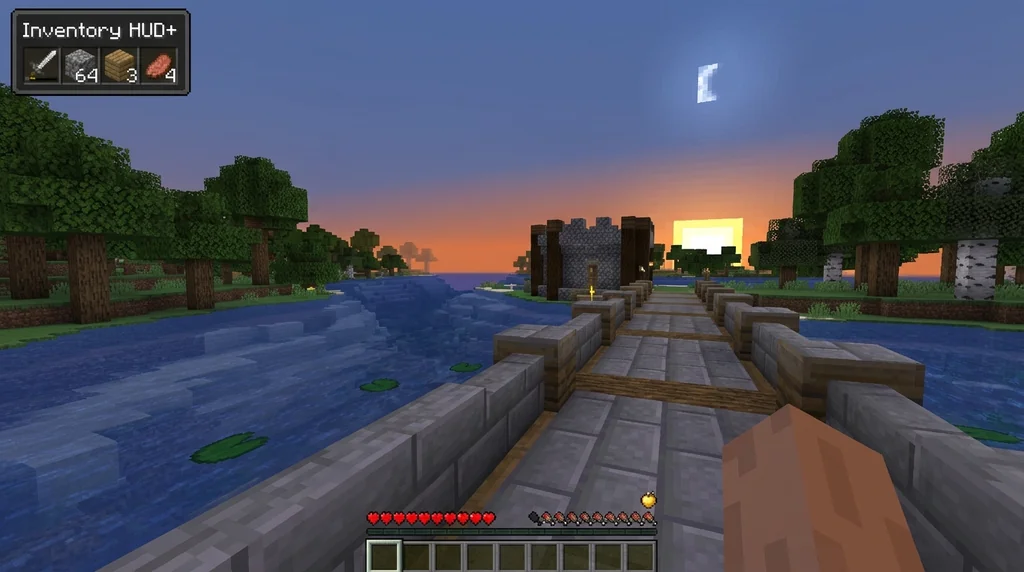
A library mod that provides a simple way for other mods to add HUD that can be moved with a visual editor. HUD Lib provides a visual editor, making it easy for modders to add movable HUD elements. Similarly, the Resource Bar API gives mods a standard way to create resource bars. A small java API mod that allows mods to easily set up a complete resource bar HUD element. These aren't client-facing mods on their own, but they are the reason your HUD can be flexible. Almost every modern HUD mod depends on one of these libraries.
Client-Side HUD Mods for Specific Information
These are the mods you install to see specific data. They add new elements to your screen or modify existing ones.
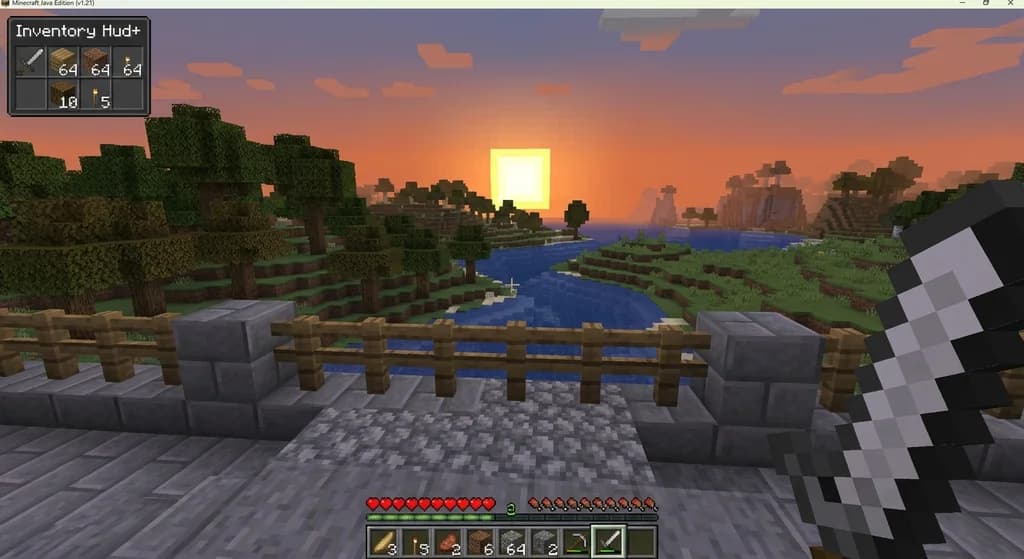
- Inventory Hud+: Displays your inventory in a compact, movable panel on your main screen, so you don't have to open the full inventory menu. For managing the items inside that panel, our guide on Inventory Organization Mods is a perfect companion.
- Apple Skin: A crucial mod for survival and PvP. It shows your exact food saturation level, not just hunger.
Many useful mods such as Inventory Hud+ and Apple Skin to indicate your saturation; an important feature in Combat Situations. This kind of specific information is invaluable. Knowing exactly when you need to eat to keep your health regeneration active is a game-changer.
We have a dedicated overview of the Apple Skin Mod for Minecraft 1.21 if you want to dig deeper into that specific tool.
HUD Customization in PvP Modpacks
If you play competitive Minecraft, HUD customization isn't a luxury—it's a necessity. Modpacks like The Ultimate PvP Modpack and Better PvP Optimize bundle these HUD mods together.
The Ultimate Modpack for Minecraft Combat. ⚔️ PvP Optimize Pack is a lightweight Fabric modpack designed to improve performance, FPS, and PvP gameplay in Minecraft. These packs are optimized for Fabric and combine performance boosts with critical UI improvements. By using a curated pack, you get a cohesive HUD experience without worrying about mod conflicts.
If you want to build your own custom pack around these libraries, our guide on Using a Base Modpack is a great starting point.
Choosing the Right HUD Mods for Your Playstyle
The best HUD setup depends on what you do in Minecraft. For builders, a compact inventory panel is key. For explorers, minimap and compass HUD mods are great. For PvP players, saturation indicators and customizable health bars are non-negotiable. Start with the library mods (HUD Lib, Resource Bar API) and then add client mods that fit your needs. If you want a seamless experience, grab a curated PvP modpack that has already done the hard work of balancing and testing these mods together.
For a broader understanding of how mods and modpacks work, check out our What Are Mods and Modpacks? guide.
Sources
- The inventory is the pop-up menu that the player uses to manage items they carry. — Gameplay
- A library mod that provides a simple way for other mods to add HUD that can be moved with a visual editor. — HUD Lib
- A small java API mod that allows mods to easily set up a complete resource bar HUD element. — Resource Bar API
- Many useful mods such as Inventory Hud+ and Apple Skin to indicate your saturation; an important feature in Combat Situations. — The Ultimate PvP Modpack (UPDATED!)
- The Ultimate Modpack for Minecraft Combat. — The Ultimate PvP Modpack (UPDATED!)
- ⚔️ PvP Optimize Pack is a lightweight Fabric modpack designed to improve performance, FPS, and PvP gameplay in Minecraft. — Better PvP Optimize
Frequently Asked Questions
Can I customize my HUD without mods?
No. Resource packs can change textures and fonts, but they cannot change the layout or add new HUD elements like saturation bars or movable panels.
Are HUD mods allowed on multiplayer servers?
Most servers allow client-side HUD mods, as they usually don't give an unfair advantage beyond better awareness. Always check the server rules. Library mods are typically not needed on the server.
What is the difference between HUD Lib and Resource Bar API?
HUD Lib is a general library for adding any kind of movable HUD element with a visual editor. Resource Bar API is specifically for creating resource bars (like health, mana, stamina).
Do I need to install library mods manually?
Usually, yes. If you install a client mod that depends on HUD Lib, you must install HUD Lib as well. Modpacks handle this automatically.
Related guides
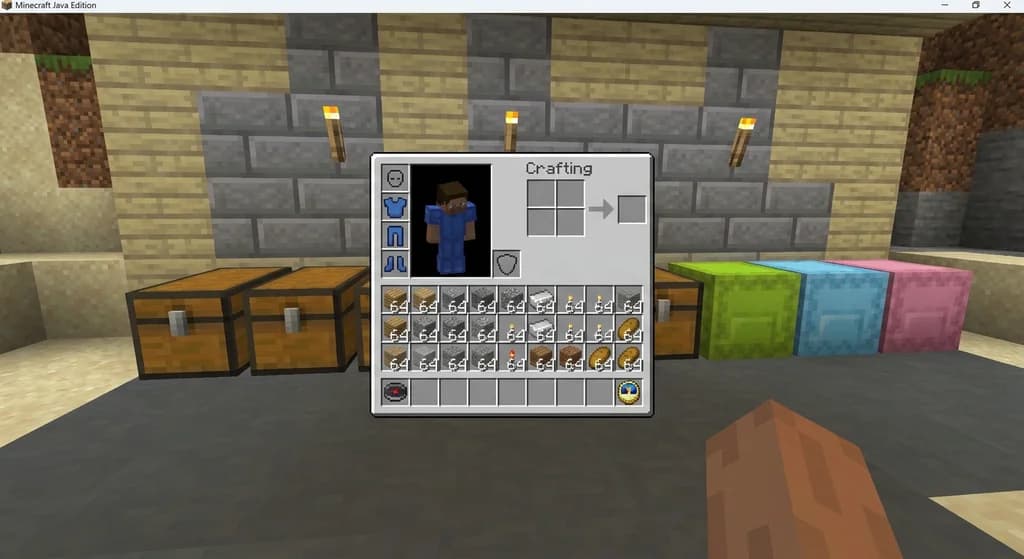
Inventory Organization Mods for Minecraft: Quick Reference
Quick reference for the best inventory organization mods in Minecraft, including InventoryTweaks, Playerautoma, and OFF Client. Learn their features, compatibility, and how to choose the right one.
Using a Base Modpack to Create Your Own Minecraft Modpack
Learn how to use a base modpack as a foundation for your own custom Minecraft modpack. Cut setup time, avoid conflicts, and build the perfect pack for your playstyle.
Aged Light Modpack: Quick Reference
Discover the Aged Light Modpack for Minecraft Fabric 1.20.1. This quick reference covers its vanilla-enhanced features, community influence, and how it fits into the modpack ecosystem.

What Are Mods and Modpacks? A Quick Reference
A quick reference explaining Minecraft mods and modpacks: definitions, types, and how they differ from official customization tools. Includes examples and key distinctions.
Have a question or another approach?
Compare notes with other readers. Include your edition and version when discussing mechanics.