How to Build a Minecraft Trading Post for Villagers in 2026
Filed under Minecraft Economy & Trading · How we create content
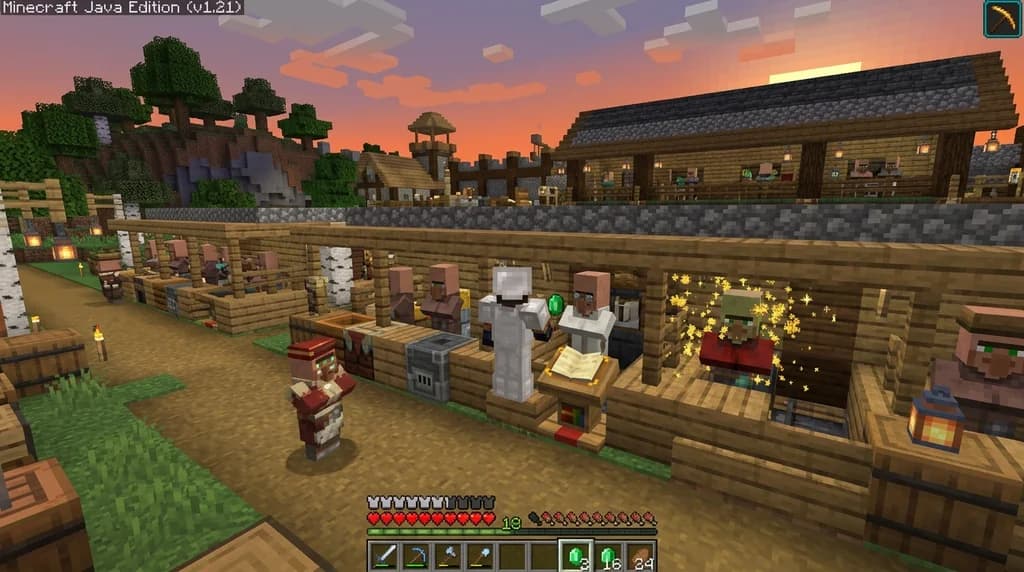
Key Takeaways
| Point | Details |
|---|---|
| Zombie curing stacks up to 5 times | Curing a villager repeatedly can drop trade prices to a single emerald or item, maximizing profit margins. |
| Job blocks define villager professions | Place a lectern, smithing table, or brewing stand near an unemployed villager to assign a trade before locking it in. |
| Raid-proofing is non-negotiable | Trapdoors, iron doors, and strategic lighting prevent baby zombies and pillagers from wiping out your trading hall investment. |
| Organize by profession, not by trade | Grouping librarians together and farmers together lets you scan offers quickly without running between wings. |
| Custom server economies change the game | On Gaia Legends, custom job blocks and a player-driven diamond currency add new layers to villager trading strategies. |
| A good trading post is modular | Start with a 9-villager core and expand outward without breaking existing trades or pathfinding. |
Table of Contents
- What is a Minecraft Villager Trading Post?
- Why Build a Dedicated Trading Post Instead of a Village?
- Essential Materials and Job Blocks for Your Trading Post
- How to Build a Simple Trading Post (Step-by-Step)
- Advanced Design: The Maximum-Efficiency Trading Hall
- How to Organize Villagers for Fast Trading
- How to Put This Into Practice on Gaia Legends
- Conclusion
- Frequently Asked Questions
- Recommended
A well-designed minecraft trading post build guide is the difference between chaotic emerald gathering and a streamlined economic engine. Too many players trap a couple of villagers in a dirt hut and call it done. That works, but it leaves profits on the table. By building a dedicated trading center, you can slash prices through zombie curing, prevent accidental villager loss, and access every enchanted book trade in seconds. This guide will walk you through the entire process — from your first job block placement to a fully optimized, raid-proof trading hall.
What is a Minecraft Villager Trading Post?
A Minecraft villager trading post is a player-built structure designed to safely house, organize, and repeatedly trade with villagers, typically grouping them by profession to maximize emerald profits.
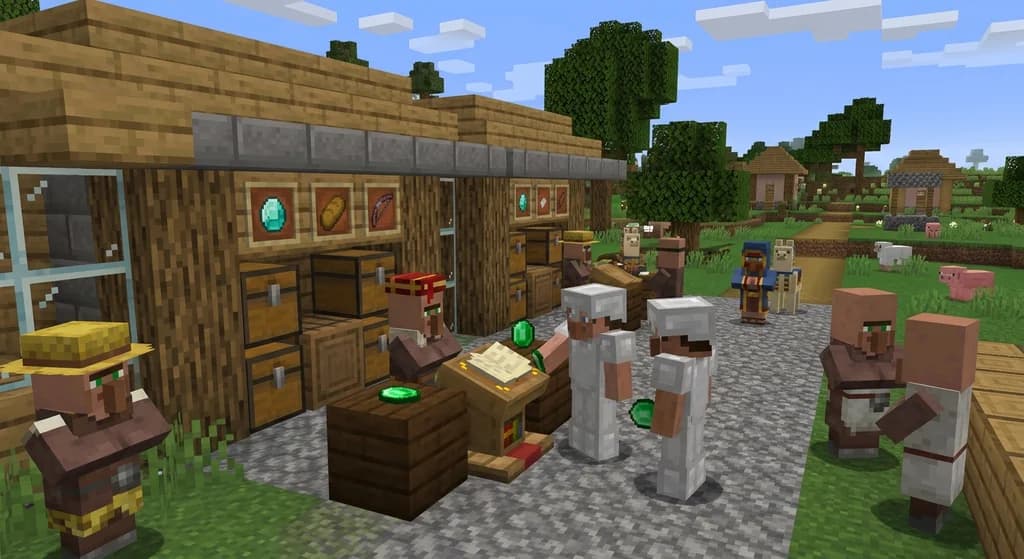
At its core, it’s an upgraded version of a natural village. Instead of villagers wandering into danger at night, they are secured in individual cells or stalls. Each stall contains a specific job block — a lectern for librarians, a smithing table for toolsmiths, a brewing stand for clerics — that locks the villager’s profession and refreshes its trades twice per in-game day. You can think of it as a living vending machine. Stock it with raw materials like sticks, coal, or rotten flesh, and it spits out emeralds and enchanted gear. When you search for a minecraft villager trading post design, you’re really looking for a system that minimizes the time between walking in and walking out with exactly what you need.
Pro Tip: Always place the job block before you trade with the villager. The first trade locks both the profession and the offered items permanently.
Why Build a Dedicated Trading Post Instead of a Village?
Dedicated trading posts eliminate pathfinding lag, protect villagers from hostile mobs, and let you control trade rerolls with surgical precision — things a natural village can never do.
Natural villages are messy. Villagers wander off, get stuck in boats, or are slaughtered by zombie sieges. A trading post solves all of that. You control lighting, access, and zombie curing chambers. More importantly, you can break and replace a job block to reroll a librarian’s enchanted book trade until you get exactly what you want — Mending, for example. In a natural village, finding that specific villager again is a nightmare. A trading post makes it a repeatable science. This is the foundation of any serious minecraft village trading center, transforming a passive game feature into an active economic tool.
| Feature | Natural Village | Dedicated Trading Post |
|---|---|---|
| Villager Safety | Low; subject to mobs and pathfinding bugs | High; fully enclosed and lit |
| Trade Rerolling | Chaotic; villagers scatter | Controlled; break and replace job block instantly |
| Profession Sorting | Random; mixed professions | Organized; grouped by job block type |
| Zombie Curing | Risky; other villagers can be infected | Safe; isolated curing chambers possible |
| Scalability | Limited by village mechanics | Unlimited; build as many cells as you need |
Essential Materials and Job Blocks for Your Trading Post
Every villager profession is tied to a specific job block, and knowing which block to place is the first step in building a functional trading hall.
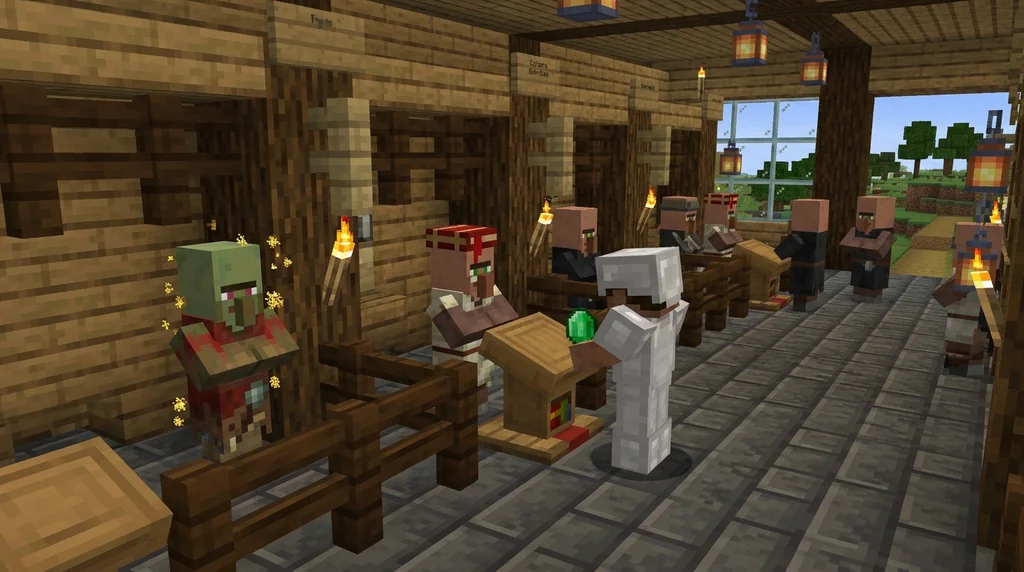
Before you place a single block, gather these essentials. The core of any minecraft trading post build guide is the job block inventory. You’ll need at least one block per villager, plus building materials for the structure itself.
Core Job Block Reference
- Lectern — Librarian (sells enchanted books, buys paper/books)
- Blast Furnace — Armorer (sells enchanted diamond armor, buys coal/iron)
- Smoker — Butcher (sells cooked meat, buys raw meat/berries)
- Brewing Stand — Cleric (sells ender pearls, redstone, buys rotten flesh/gold)
- Cartography Table — Cartographer (sells explorer maps, buys paper/compasses)
- Composter — Farmer (sells golden carrots, buys wheat/beetroot/potatoes)
- Barrel — Fisherman (sells cooked fish, buys string/raw fish)
- Fletching Table — Fletcher (sells arrows, tipped arrows, buys sticks/string)
- Cauldron — Leatherworker (sells leather armor, buys leather/scutes)
- Stonecutter — Mason (sells quartz blocks, bricks, buys clay/stone)
- Smithing Table — Toolsmith (sells enchanted tools, buys iron/flint)
- Loom — Shepherd (sells wool, beds, paintings, buys wool/dyes)
- Grindstone — Weaponsmith (sells enchanted swords/axes, buys iron/flint)
Building Materials
You’ll want a solid block palette. Oak planks and cobblestone work fine for an early-game build, but deepslate bricks and spruce logs give a more permanent, epic feel. Always include plenty of glass or trapdoors so you can see villagers without accidentally hitting them. Iron doors with buttons are essential — villagers can’t operate them, so they stay put.
How to Build a Simple Trading Post (Step-by-Step)
A basic trading post can be built in under an hour with just 15 villagers, a few stacks of building blocks, and a systematic approach to job block placement.
This design works for both single-player and SMP servers. It’s compact, expandable, and gets you trading quickly.
Step 1: Choose Your Location
Pick a flat area at least 15x15 blocks. It should be well-lit and close to your base, but far enough from any natural village that villager pathfinding doesn’t get confused. On an SMP server, consider building it inside a claimed chunk to prevent griefing.
Step 2: Build the Villager Cells
Create a 3-block-wide, 3-block-deep, 2-block-high stall for each villager. The floor should be a solid block. Place a trapdoor on the top block of the front opening — flip it up to let villagers in, then flip it down to keep them in. They’ll see it as a solid block and won’t escape.
Step 3: Transport Your Villagers
Minecart rails are the most reliable method. Push a villager into a minecart and lay track to each cell. Break the minecart once they’re inside and quickly flip the trapdoor. Alternatively, use a boat on land, but this is slower over long distances. Zombie villagers can be cured in place for automatic discounts — more on that in the advanced section.
Step 4: Place and Lock Job Blocks
Place the job block inside the cell. If you’re hunting for a specific trade, break and replace the block repeatedly until the villager offers what you want. The moment you trade even once, the profession and offers are locked forever.
Step 5: Light and Secure
Place torches or lanterns inside each cell. Hostile mobs spawning inside your trading post is a disaster. Add an iron door at the main entrance with a button on the outside. This keeps wandering pillagers out during patrols.
Warning: Never use wooden doors on a trading post. Villagers can open them during the day, and baby zombies can slip through the gap.
Advanced Design: The Maximum-Efficiency Trading Hall
A maximum-efficiency trading hall uses zombie curing, one-block trading windows, and a centralized villager breeder to produce emerald trades as low as 1 item per enchanted book.
This is the endgame. Once you have a basic post running, you can upgrade it into a full minecraft villager trading post design that prints emeralds.
The Zombie Curing Discount
This is the single most powerful mechanic in villager trading. Infect a villager with a zombie, then cure it with a splash potion of Weakness and a golden apple. After curing, the villager permanently discounts all its trades. This effect stacks up to 5 times, meaning a trade that originally cost 64 emeralds can drop to 1 emerald (via Minecraft Wiki). Combine this with the Hero of the Village effect after a raid, and you can buy enchanted diamond gear for a single emerald.
One-Block Trading Windows
Instead of a full trapdoor front, leave a one-block gap at eye level. This lets you right-click the villager without ever exposing them to danger. It also prevents baby zombies from reaching them. Use a slab or a stair block to create a half-block opening that only you can trade through.
Centralized Villager Breeder
Instead of kidnapping villagers from a distant village, build a villager breeder directly above or adjacent to your trading post. Drop the babies into a water stream that sorts them into empty cells. This lets you scale from 10 to 50 villagers without ever leaving your base. Pair this with a custom economy mod and you’ve built an industrial emerald complex.
How to Organize Villagers for Fast Trading
Organizing villagers by profession and then by trade tier turns a chaotic hall into a one-stop shop where you can restock emeralds and gear in under 60 seconds.
Speed matters. The difference between a good trading post and a great one is how fast you can find the right villager. Here’s the system that works best on multiplayer servers.
Group by Profession
Put all your librarians on one wall, all your farmers on another, and all your smiths (toolsmith, weaponsmith, armorer) in a third wing. This mirrors the layout of a real marketplace. You’ll know instantly where to go when you need arrows (fletcher), golden carrots (farmer), or a new Efficiency V pickaxe (toolsmith).
Label Everything
Use item frames or signs above each stall. An item frame with a lectern tells you it’s a librarian. A sign that says “Mending — 10 emeralds” saves you from clicking through every single villager. On an SMP server like Gaia Legends, this also helps other players use your trading post without accidentally breaking trades.
The Quick-Restock Route
Design your hall as a loop. Enter through one door, walk a U-shaped path past every profession, and exit through the other side. Stock your inventory with the raw materials each profession buys — sticks for fletchers, rotten flesh for clerics, iron for tool smiths — and make one pass to collect emeralds from everyone. This is how you make emeralds fast without wasting time.
How to Put This Into Practice on Gaia Legends
Gaia Legends takes villager trading to the next level by integrating it with a custom server economy. You’re not just farming emeralds — you’re farming a currency that interacts with player-run shops, auctions, and custom job blocks.
On Gaia Legends, you can use the Auction House to flip items you’ve acquired from villagers. That Mending book you bought for 10 emeralds? It might sell for 20 diamonds on the player market. Our custom job blocks also let you earn currency while you build your trading post — assign yourself a builder or farmer job and get paid for placing blocks or harvesting crops as you construct your hall. The server’s diamond-based economy means that emeralds are just the starting point; the real wealth comes from trading up.
Gaia Legends is free to join, non-pay-to-win, and supports Java + Bedrock crossplay. Join at gaialegends.pro and start your legend today.
Conclusion
A Minecraft trading post is more than a villager prison — it’s the economic heart of your world. By organizing villagers, mastering zombie curing, and building a secure, labeled hall, you turn a trickle of emeralds into a flood.
- Start with a simple 15-villager post and expand into a full trading hall as you unlock more professions.
- Zombie curing discounts are the single biggest profit multiplier in the game — use them early and often.
- On multiplayer servers, a well-organized trading post becomes a community asset that attracts other players and trade opportunities.
Grab your job blocks, round up some villagers, and build something that pays you back every time you log in.
Ready to play? Join Gaia Legends today — no pay-to-win, Java + Bedrock crossplay.
- Java:
join.gaialegends.pro - Bedrock:
join.gaialegends.pro— Port19132
Further reading
These references were recorded with the article; specific claims have not been matched to source excerpts.
Frequently Asked Questions
What is the best minecraft trading post build guide for beginners?
The best beginner trading post is a simple row of 9-12 villager cells built from oak planks and trapdoors. Start by placing a job block in each cell, transporting villagers via minecart, and trading once to lock their profession. Keep it small, well-lit, and close to your base. Expand only after you’ve mastered trade rerolling and zombie curing.
How do you cure a zombie villager for trading discounts?
Throw a splash potion of Weakness at the zombie villager, then feed it a golden apple. Wait 2-5 minutes while it shakes and converts back to a villager. The cured villager permanently discounts its trades. Repeat the process up to 5 times on the same villager to stack discounts, potentially dropping prices to 1 emerald.
How many villagers do I need for a good trading post?
A functional trading post needs at least 10 villagers to cover essential professions: librarian, farmer, fletcher, cleric, toolsmith, weaponsmith, armorer, butcher, mason, and shepherd. For a comprehensive hall with multiple librarians offering every enchanted book, aim for 20-30 villagers.
Can pillagers attack villagers in a trading post?
Yes. During a raid or patrol, pillagers will pathfind toward villagers and can shoot them through open gaps. Use iron doors with buttons, one-block trading windows, and solid walls to prevent line of sight. Light up the surrounding area to stop patrols from spawning nearby.
How do I reset a villager’s trades?
You cannot reset a villager’s trades once you have traded with it. However, if you have never traded with the villager, you can break its job block and place it again to reroll the offered trades. This is how players hunt for specific enchanted books like Mending from librarians.
What’s the fastest way to transport villagers to a trading post?
Minecart rails are the fastest over long distances. Build a temporary rail line from the nearest village or breeder directly into each cell. For short distances, boats work on land but are slower. On SMP servers, nether portal networks can move villagers across thousands of blocks in minutes.
Related guides
Piglin Bartering: Mechanics and Rewards
Learn the exact mechanics of piglin bartering in Minecraft Java and Bedrock. Includes cycle times, barter rewards, Soul Speed odds, and tips for efficient trading.
Minecraft Server Archetypes: Quick Reference for Admins
Discover the main Minecraft server archetypes including SMP, faction, and minigame servers. A concise quick reference for admins choosing the right server...
Minecraft Economy 101: How Supply and Demand Work on Player-Driven Servers
Learn how supply and demand shape Minecraft economies, from vanilla villager trading mechanics to player-driven server markets. Includes inflation control...
How to Build a Command Block Currency Exchange for Your Minecraft Server
Build a fully vanilla command block currency exchange for your Minecraft server. No plugins needed—just redstone and command blocks. Step-by-step guide...
Have a question or another approach?
Compare notes with other readers. Include your edition and version when discussing mechanics.