How to Automate Item Sorting with Allays in Minecraft 2026
Filed under Minecraft Tips & Tricks · How we create content
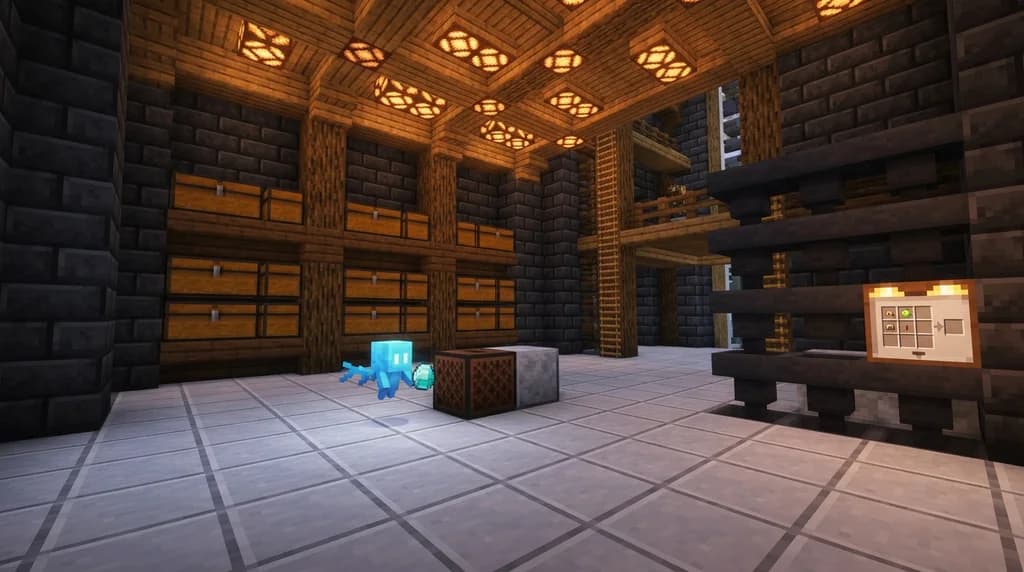
Key Takeaways
| Point | Details |
|---|---|
| Find allays in pillager outposts | Allays spawn in cages at pillager outposts or woodland mansions and can be tamed by giving them any item. |
| Duplicate allays with a jukebox | Give an allay an amethyst shard while a music disc plays nearby to create a second allay after a 5‑minute cooldown. |
| Use note blocks as sorting triggers | Place a note block and tune it to a specific pitch; allays will drop collected items near it when they hear the sound. |
| Automate with redstone | Connect an observer clock or a simple repeater loop to pulse the note block, creating a continuous sorting loop that runs without player input. |
| Combine with a crafter | Feed sorted items into a Minecraft crafter to automatically craft blocks, ingots, or other materials from your allay collection line. |
| Keep allays contained | Use leads, water streams, or name tags to prevent allays from wandering off and ensure consistent sorting behavior. |
Table of Contents
- What Are Allays and How Do They Work?
- How to Find and Tame Allays
- How Do You Duplicate Allays?
- How to Set Up an Allay Item Sorting System
- How to Automate Item Collection with Redstone
- Tips for Allay Automation
- How to Put This Into Practice on Gaia Legends
- Conclusion
- Frequently Asked Questions
- Recommended
Automating item sorting with allays in Minecraft is one of the most elegant upgrades you can make to your base, and this minecraft allay automation guide will show you exactly how to do it. If you’ve ever spent hours staring at a messy chest monster, frantically searching for that one stack of iron ingots, you’ll understand why allays are a game‑changer. These tiny, loyal mobs can pick up, sort, and deliver items on command using nothing more than a note block and a little redstone know‑how. In this post, we’ll walk through every step—from finding your first allay to building a fully automatic sorting loop that runs while you’re away mining.
What Are Allays and How Do They Work?
Allays are tiny flying mobs introduced in Minecraft 1.19 that can collect and deliver items based on the sound of a note block, acting as programmable item sorters.
When you give an allay an item, it becomes “linked” to that item type. The allay will then search for any instance of that item lying on the ground and bring it back to you—or, more importantly, to a note block. Allays can detect dropped items within a 10‑block radius, making them far more efficient than traditional hopper lines (via Minecraft Wiki).
If a note block is triggered nearby, the allay will fly to the block and drop whatever it’s carrying. This behavior is the foundation of all allay‑based automation. By tuning a note block to a specific pitch and placing it near a hopper, you can create a sorter that pulls items out of a stream and deposits them into chests without any manual intervention.
Why Allays Beat Hopper‑Only Sorting
- Range: Allays cover a 10‑block pickup radius, while hoppers only pull from the block directly above them.
- Speed: An allay can collect items faster than a hopper can, especially when multiple items drop simultaneously.
- Flexibility: You can change what an allay sorts by simply giving it a different item; no need to rewire redstone.
How to Find and Tame Allays
You can find allays caged in pillager outposts or woodland mansions, and you tame them simply by giving them an item to hold.
Allays spawn in two structures: pillager outposts (often inside a cage near the top) and woodland mansions (in jail cells). To free an allay, break the cage or iron bars. Once freed, the allay will follow you but won’t pick up anything until you give it an item.
Taming an allay is remarkably simple: right‑click on the allay while holding any item. The allay will take the item and become tamed to you. It will now follow you and, if you hold that same item type, it will actively search for matching items on the ground and deliver them to you. If you want to use the allay for sorting, you’ll need to lead it to your base. A lead is the easiest way—just attach it to the allay and walk. For more on lead mechanics, see our guide on how to tame every rideable mob in Minecraft 2026.
Pro Tip: Allays can be healed with iron ingots, so keep a few on hand if you plan to bring them through dangerous terrain.
How Do You Duplicate Allays?
To duplicate an allay, give it an amethyst shard while a music disc plays in a nearby jukebox, then wait for the duplication dance to complete.
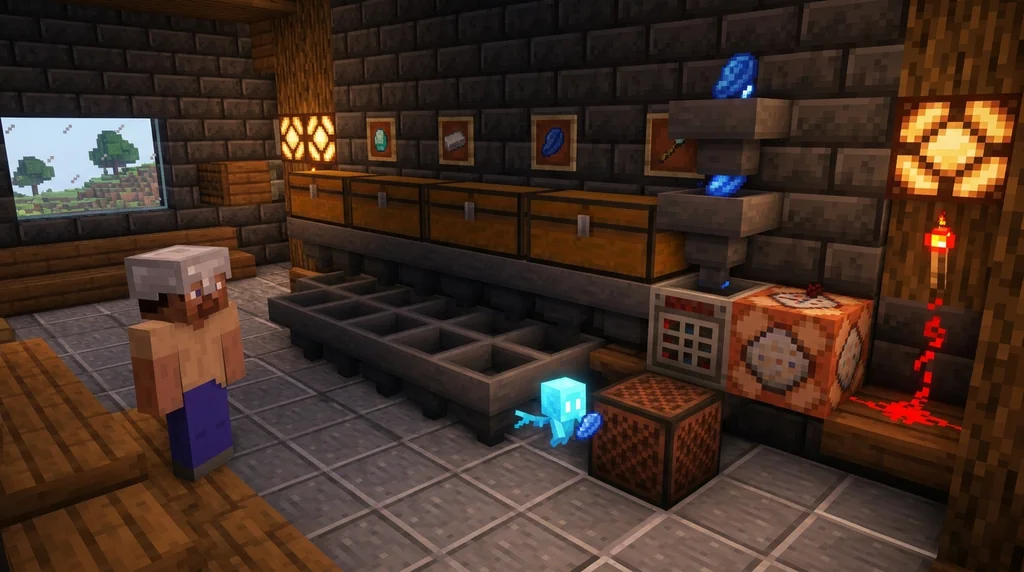
Allay duplication is the secret to scaling your sorting system. Without it, you’d be stuck with one allay per item type. Here’s the step‑by‑step:
- Place a jukebox.
- Insert any music disc. You can find discs in trial chamber vaults; our trial chambers guide covers how to loot them efficiently.
- Wait for the disc to start playing.
- Give an amethyst shard to the allay by right‑clicking it.
- The allay will perform a little dance and after a few seconds, a second allay will appear.
After duplication, a 5‑minute cooldown begins before the allay can duplicate again (via Minecraft Wiki). This cooldown is global—you can’t bypass it by using a different allay—so plan your duplication sessions accordingly.
Warning: If you try to duplicate without a music disc playing, the allay will consume the amethyst shard and nothing will happen. Always check the jukebox first.
How to Set Up an Allay Item Sorting System
A basic allay sorting system uses a note block and a series of hopper‑linked chests to filter items that the allay drops when it hears the sound.
The core of any allay sorter is the note block. When an allay hears a note block, it flies to the block and drops the items it’s carrying. You can exploit this by placing a hopper underneath the note block and routing the items into chests.
Step‑by‑Step Build
- Choose a sorting location: A central area where items will be dropped.
- Place a note block: Make sure it’s accessible for redstone activation.
- Place a hopper directly beneath the note block: The hopper will collect items that fall on the note block.
- Run a hopper line to your chests: Use additional hoppers or a water stream to transport items.
- Tune the note block: Right‑click it to set a pitch. Allays don’t care about pitch, but tuning helps distinguish different note blocks in multiple‑allay setups.
- Give the allay the item you want sorted: The allay will now search for that item and drop it on the note block each time the block plays.
To make the note block trigger, you can use a simple redstone clock. An observer block facing a redstone clock is a popular choice; it detects the clock pulse and powers the note block. For a deep dive into observer tricks, check out how to use the observer block: 7 simple redstone tricks.
Allay Sorter vs. Classic Hopper Sorter
| Feature | Allay Sorter | Classic Hopper Sorter |
|---|---|---|
| Pickup Range | 10 blocks | 1 block (directly above) |
| Item Filtering | By giving allay any item | Requires item frames & filters |
| Scalability | Duplicate allays per item type | Build separate hopper slices |
| Complexity | Low – only note block & hopper | Medium – redstone comparators |
| Maintenance | Allays may wander; use leads | Hoppers jam if overflowed |
How to Automate Item Collection with Redstone
By connecting an observer to a redstone clock that triggers the note block, you can create a fully automatic allay‑powered item collection loop.
Once you have a basic sorter, the next step is making it run without player input. An automatic allay system uses a repeating redstone signal to pulse the note block continuously. This causes the allay to drop items every time the note plays, creating a steady stream of sorted goods.
Simple Redstone Clock Designs
- Repeater loop: Two repeaters facing each other, set to maximum delay, with a redstone dust loop. This creates a pulse every 0.8 seconds.
- Observer clock: An observer looking at a redstone component that changes state, like a sticky piston moving a block. The observer fires every time it sees a change, triggering the note block.
Note: In Java Edition, observers detect block updates every 0.5 seconds, so an observer clock can trigger the note block twice per second—more than enough for allay sorting.
Integrating with a Crafter
Take your automation one step further by feeding the sorted items into a Minecraft crafter. For example, if your allay is collecting raw iron, you can route the iron into a crafter that automatically smelts it into ingots. Our Minecraft crafter automatic crafting guide covers the setup in detail.
To coordinate the two systems, use a redstone signal that activates the crafter only when the hopper feeding it is full. This prevents the crafter from wasting resources on partial stacks. Use the F3 debug screen to monitor redstone power levels; our F3 debug screen shortcuts post shows you how to read them quickly.
Tips for Allay Automation
Optimize your allay sorter by keeping the allay in a confined area, using water streams to centralize drops, and combining with a crafter for on‑demand crafting.
- Contain your allays: Build a glass or iron bar enclosure around the note block. Allays will still fly to the note block when it plays, but they won’t wander off.
- Use water streams to deliver items: Instead of dropping items manually, create a water funnel that pushes all dropped items into a central pit. The allay will then pick them up from that concentrated area.
- Name tag your allays: Naming an allay prevents it from despawning. Use an anvil and a name tag—this is especially important on SMP servers where mob caps are higher.
- Chain multiple note blocks: For multi‑item sorting, place several note blocks in a row, each assigned to a different allay. Tune each note block to a unique pitch so you can visually (or audibly) tell which sorter is active.
- Combine with hopper minecarts: If your allay drops items on a note block above a hopper, a hopper minecart running underneath can collect items faster than a stationary hopper.
How to Put This Into Practice on Gaia Legends
Gaia Legends is a free‑to‑join Minecraft SMP that supports Java and Bedrock crossplay, and it’s the perfect place to test your allay automation skills. Our server runs on a stable, non‑pay‑to‑win environment where redstone creations are fully supported, and we have a welcoming community of builders and engineers who love sharing tips.
On Gaia Legends, you can find allays in the wild just like in vanilla, but our community‑built trading halls and resource farms mean you’ll never be short on amethyst shards or music discs. The server’s near‑vanilla economy rewards creativity, so an efficient allay sorter isn’t just a convenience—it’s a way to thrive. Whether you’re setting up a massive automatic storage system or just want to keep your starter base tidy, you’ll find plenty of inspiration from other players.
Gaia Legends is free to join, non‑pay‑to‑win, and supports Java + Bedrock crossplay. Join at gaialegends.pro and start your legend today.
Conclusion
Allay automation turns a chaotic sorting problem into a smooth, hands‑free operation. The most important takeaways:
- Allays collect items in a 10‑block radius and drop them at a note block, making them a superior alternative to hopper chains.
- Duplicate allays with amethyst shards and a jukebox to scale your sorting system without building massive redstone machinery.
- A basic redstone clock connected to a note block can fully automate the process, and pairing it with a crafter unlocks automatic crafting.
Don’t settle for messy chests. Grab a few allays, set up a note block, and watch your base transform into a well‑oiled machine. And if you’re looking for a community to share your builds with, Gaia Legends is waiting.
Frequently Asked Questions
Recommended
- How to Mentally Prepare for Minecraft Speedrun PB Attempts (2026) | Gaia Legends
- How to AFK Fish in Minecraft 2026: Does It Still Work? | Gaia Legends
- How to Survive Hardcore Minecraft with No Natural Regeneration (2026 UHC Guide) | Gaia Legends
- How to Dismantle Custom Items for Crafting Materials on Minecraft Servers (2026) | Gaia Legends
Ready to play? Join Gaia Legends today — no pay-to-win, Java + Bedrock crossplay.
- Java:
join.gaialegends.pro - Bedrock:
join.gaialegends.pro— Port19132
Further reading
These references were recorded with the article; specific claims have not been matched to source excerpts.
Frequently Asked Questions
What is the best minecraft allay automation guide for building a sorting system?
This guide is designed to be a complete minecraft allay automation guide. It covers finding allays, duplicating them, wiring note‑block sorters, and integrating redstone clocks and crafters. Whether you’re a beginner or an experienced redstoner, you’ll find step‑by‑step instructions and pro tips to create a fully automatic item sorter.
How do I keep allays from despawning?
Name your allays using a name tag applied at an anvil. Named allays never despawn, even if you leave the chunk. You can also keep them in a confined area with leads or glass walls to prevent them from wandering into unloaded chunks.
Can allays sort non‑stackable items?
Yes, allays can pick up any item, including non‑stackable ones like swords or armor, as long as you give them that specific item first. However, they can only carry one item at a time, so sorting non‑stackables is slower than sorting stackable items.
What is the maximum range of an allay’s item detection?
An allay can detect dropped items within a 10‑block radius. This makes them far more efficient than hoppers, which only pull from the block directly above them. You can extend the effective range by using water streams to push items toward the allay.
How do I automate note block activation for allays?
Use a simple redstone clock, such as a repeater loop or an observer clock, to pulse the note block continuously. Each pulse causes the allay to drop its items. Connect the clock to the note block with redstone dust, and the allay will repeatedly deliver items as long as it can find them.
Do allays work in the Nether or End?
Yes, allays function in any dimension. However, you must bring them through a portal using a lead or by using a boat. In the Nether, be careful of lava and ghasts; a lead can keep them close. In the End, they can collect items normally, making them useful for sorting ender pearl farms.
Related guides
How to Master Redstone: 10 Essential Survival Contraptions (2026)
Your complete minecraft guide to redstone: 10 must-know survival contraptions, beginner tips, and circuit breakdowns to automate your world in 2026.
Netherite vs Diamond Armor: A Stats Comparison
Compare the stats, durability, and knockback resistance of Netherite and Diamond armor in Minecraft. Learn the costs, upgrade process, and which set is right for your playstyle.
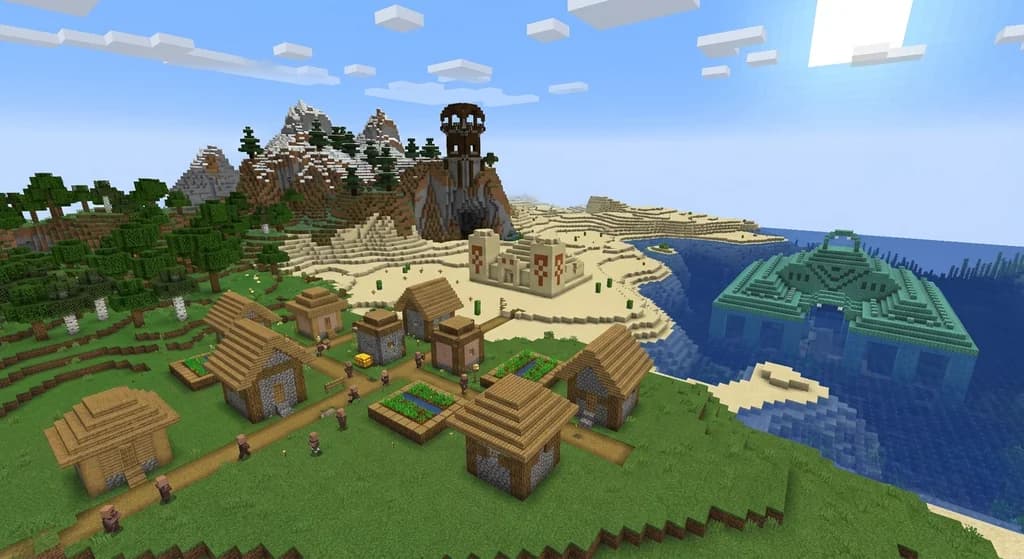
Minecraft Structures: A Reference Guide to Generated Formations
Learn everything about Minecraft generated structures. This quick reference covers structure types, generation mechanics, structure-like features, and how to use /locate in Java and Bedrock Editions.
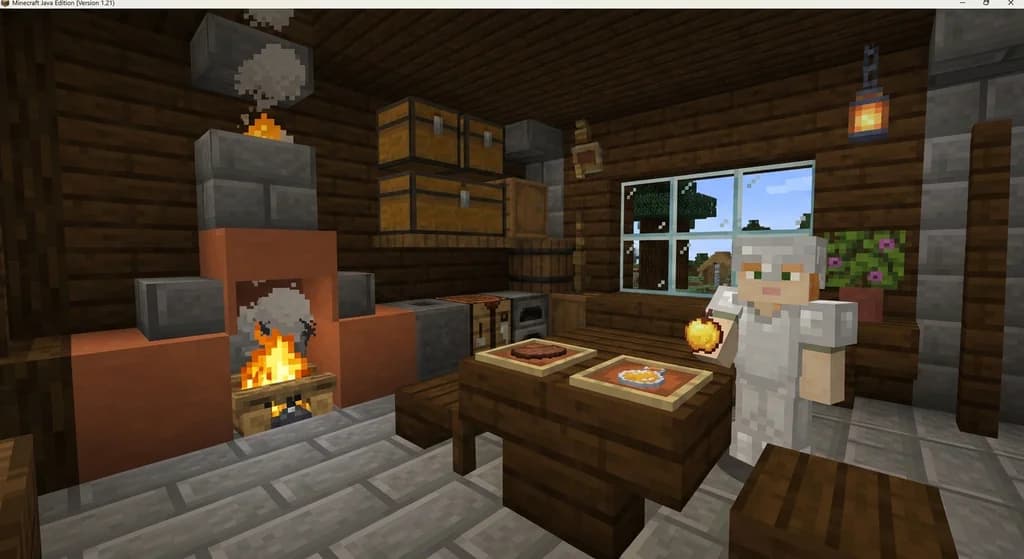
Minecraft Food Mechanics: Eating, Hunger, and Saturation
Learn how eating, hunger, and saturation work in Minecraft. This quick reference covers consumption time, health regeneration, sprinting limits, and starvation damage.
Have a question or another approach?
Compare notes with other readers. Include your edition and version when discussing mechanics.