How to Master Redstone: 10 Essential Survival Contraptions (2026)
Filed under Minecraft Tips & Tricks · How we create content
Minecraft version varies by section · Updated 2026-06-28
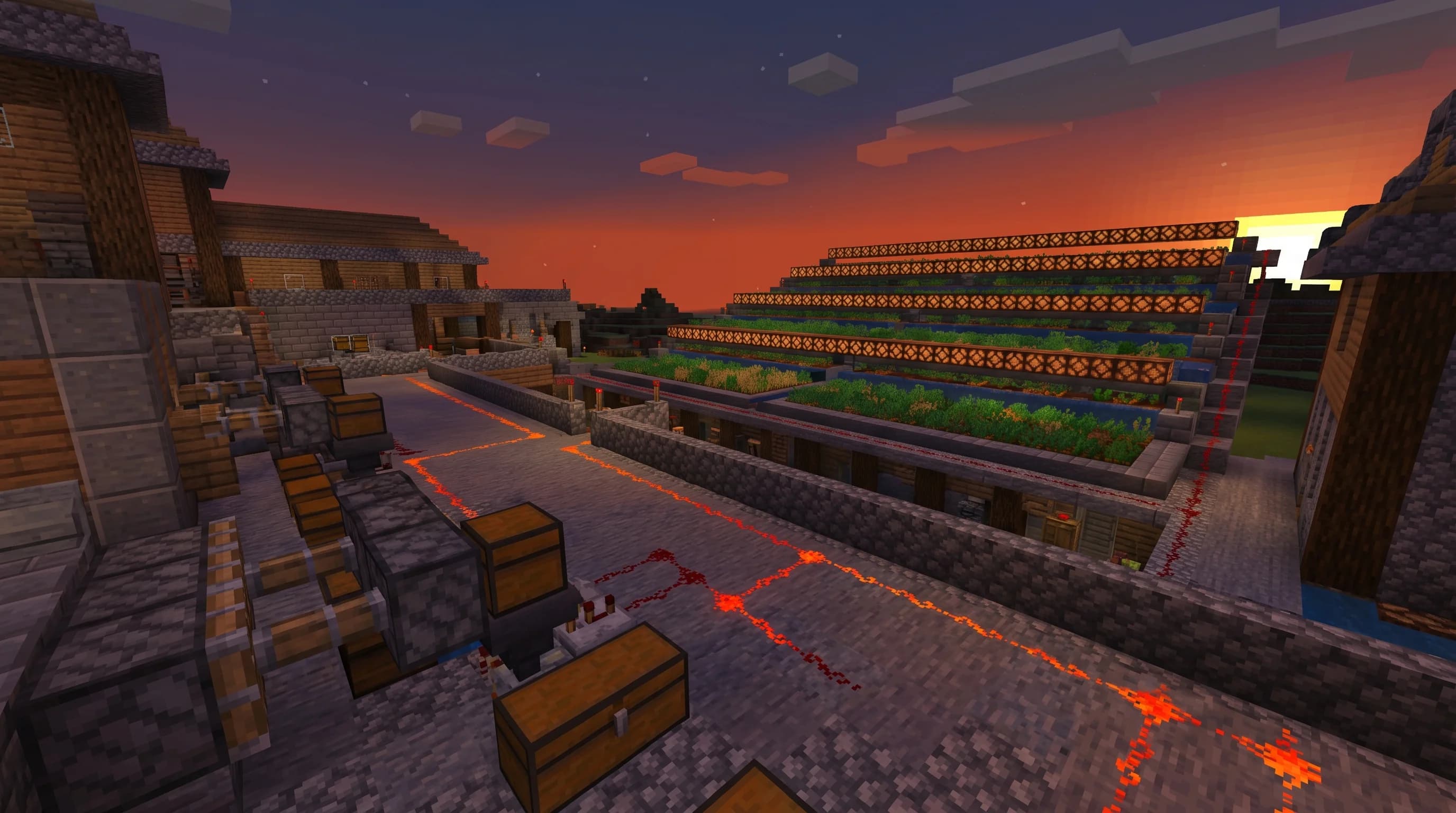
Key Takeaways
- Redstone signals travel up to 15 blocks before needing a repeater to extend them.
- Observers detect block-state changes and fire a one-tick pulse — perfect for automatic farms.
- A sticky piston retracts the block it holds; a regular piston does not — choosing wrong breaks most door builds.
- Comparators can read container fullness and output a signal strength of 0–15 based on how full the chest is.
- The most common beginner mistake is powering a circuit from the wrong face of a component — always check input vs. output sides.
- Automating even one resource — like a simple cactus or bamboo farm — frees up hours of grinding per week.
Most players avoid redstone for years. Then one afternoon they wire up a simple door, it actually works, and suddenly they're up at 2 a.m. building an automatic sorting system. That's the redstone moment. This minecraft guide to redstone is designed to get you to your moment as fast as possible — and then keep you building.
We'll cover the five components you genuinely need to understand, then walk through 10 survival contraptions in order of difficulty. By the end, you'll have the mental model to figure out circuits you've never seen before.
What Is Redstone and How Does It Work?
Redstone is Minecraft's built-in electricity-and-logic system, using dust, components, and power sources to transmit signals that trigger mechanical actions like moving blocks, dispensing items, or opening doors.
Think of it like wiring in the real world — except the rules are simpler and the consequences of getting it wrong are just a piston slapping you in the face.
The Five Components You Actually Need
You don't need to memorize every redstone component on day one. These five handle 90% of survival builds:
| Component | What It Does | Key Rule |
|---|---|---|
| Redstone Dust | Carries a signal up to 15 blocks | Signal loses 1 strength per block |
| Repeater | Extends signal to full strength 15 | Also adds delay (1–4 ticks) |
| Comparator | Compares or subtracts signal strength | Reads container fullness (0–15) |
| Piston / Sticky Piston | Pushes (and pulls) blocks | Sticky pulls; regular doesn't |
| Observer | Detects block-state changes | Fires a 1-tick pulse on change |
Note: A redstone tick is 0.1 seconds (2 game ticks). Repeater delays stack — four repeaters at max delay add 1.6 seconds of lag to a circuit. Plan accordingly.
How to Build Your First 10 Survival Contraptions
Work through these in order. Each one introduces a new mechanic. Skip ahead and you'll hit a wall.
1. The 2×2 Flush Piston Door
This is the classic starter build. Two sticky pistons per side, a button or lever on each face, and a simple T-flip-flop if you want it to toggle. It teaches you:
- How sticky pistons retract their held block (regular pistons don't — a critical difference)
- How to power pistons from behind without the dust becoming visible on the floor
- Basic signal routing
Build this first. It's satisfying and genuinely useful in survival.
2. The Auto-Smelter with Hopper Chain
Drop raw ore in the top chest, fuel in the side chest, and collect smelted goods from the bottom — automatically. The circuit uses a comparator reading the fuel chest to pause input when the furnace is full.
According to the Minecraft Wiki, a hopper transfers one item every 8 game ticks (0.4 seconds) when not being blocked by a redstone signal. That timing matters when you're balancing throughput across multiple furnaces.
Pro Tip: Link 4–6 furnaces in parallel with a hopper chain feeding each one. Your smelting speed multiplies without any extra circuit complexity.
3. The Observer-Based Cactus Farm
Observers are the beginner's best friend for automatic farms. Place an observer facing a cactus, wire its output to a piston that knocks the cactus into a hopper below. The observer fires every time the cactus grows a block — no clock needed.
This is a zero-clock design, which means no performance cost and no risk of the clock jamming.
4. The Hopper Clock
A hopper clock is two hoppers facing each other with items bouncing between them. Attach a comparator to each hopper and you get a reliable, lag-friendly clock signal. The speed depends on the number of items: fewer items = faster clock.
This replaces the old torch-tower clock in most modern builds because it's quieter, more stable, and adjustable without rebuilding.
5. The BUD Switch (Block Update Detector)
A BUD switch detects when a neighboring block changes state — like a crop growing to full maturity — without using an observer. It's slightly more complex to wire but essential for older-style farm designs and for understanding how observers actually work under the hood.
Note: On some server configurations, BUD switches can behave inconsistently due to tick-rate differences. Test yours in a single-player world first before committing to a large farm.
6. The Item Sorter
This is where redstone gets genuinely powerful. A sorter uses comparators and hoppers to route specific items into specific chests. Each filter chest holds 41 of the same item in 4 slots and 1 in the 5th. The comparator detects when the count drops, allowing only the matching item through.
7. The Minecart Unloader
Pair a minecart with a chest with a hopper underneath a powered rail. When the cart stops, the hopper pulls items out automatically. Add a detector rail to trigger a dispenser that re-launches the cart. This creates a looping automatic transport line — great for moving items between a mine and your base.
8. The Villager Trading Hall Door System
Trading halls need doors that open only when you're inside and close automatically. A pressure plate + T-flip-flop combo handles this cleanly. One plate inside, one outside, wired to the same toggle circuit. No button mashing, no doors left open for zombies.
For servers running version 1.21 or newer, you can swap the T-flip-flop for a copper bulb placed near the door. Right-click the bulb to toggle its state, and its redstone signal keeps the door open until you click it again — no extra circuitry needed.
9. The Sculk Sensor Alarm
Sculk sensors detect vibrations — footsteps, block breaks, projectile hits — and output a redstone signal. Wire one to a note block or a dispenser loaded with arrows for a perimeter alarm. The calibrated sculk sensor (added in Java 1.20) lets you filter specific vibration types so you're not getting false alarms from your own chickens.
According to the Minecraft Wiki, a sculk sensor has a detection range of 8 blocks for most vibration types, making it ideal for compact perimeter systems.
10. The Automatic Mob Farm Trigger
The final boss of beginner redstone. Use a daylight sensor (inverted for nighttime output) to activate a trapdoor above a mob farm drop shaft. Mobs spawn, wander over the trapdoor, fall, and get finished off by a player AFK at the bottom. The daylight sensor ensures the system only runs at night, reducing lag during the day.
Pro Tip: Invert a daylight sensor by right-clicking it. It will output signal during the night instead of the day — no extra inverter circuit needed.
Tips for Debugging Redstone Circuits
Even experienced builders spend half their time debugging. Here's how to do it faster:
- Isolate sections. Break the circuit into input, logic, and output. Test each independently.
- Use temporary torches to manually power a section and confirm it works before connecting the full circuit.
- Check signal strength. Redstone dust fades from bright red (15) to dark red (1). If a component isn't triggering, your signal may be too weak.
- Watch for quasi-connectivity. Pistons in Java Edition can be powered by a block two spaces above them being powered — this causes weird behavior if you're not expecting it.
- Remove and replace dust. Sometimes a dust connection looks right but isn't. Break and re-place the dust at the junction.
Why Redstone Makes Survival So Much Better
Automation isn't cheating — it's the point. Minecraft's survival loop is about converting time and resources into better tools and more efficient systems. Redstone is the layer that lets you compress time.
A single automatic sugarcane farm running overnight can produce enough paper for every book in an enchanting library. With a crafter (added in 1.21), you can automatically craft that sugarcane into paper and even books without touching a crafting table — closing the loop completely. An auto-smelter means you never stand next to a furnace clicking again. An item sorter means your storage room stays clean without effort.
The players who get the most out of survival aren't the ones who grind hardest. They're the ones who build the smartest systems.
How to Put This Into Practice on Gaia Legends
Everything in this guide works out of the box on Gaia Legends' survival servers — and the high-performance infrastructure means your redstone clocks and hopper chains run at consistent tick rates without the lag spikes that plague overcrowded servers.
On Gaia Legends, you'll find:
- Dedicated survival worlds where your automated farms run 24/7, even when you're offline
- Crossplay support so Java and Bedrock players can collaborate on the same redstone builds
- An active community of builders who share schematics and debug sessions in our Discord
Gaia Legends is free to join, non-pay-to-win, and supports Java + Bedrock crossplay. Join at gaialegends.pro and start your legend today.
Wrapping Up
Redstone rewards patience and curiosity more than raw knowledge. Start with the basics, build the 10 contraptions above, and you'll develop the instincts to tackle anything. The three things to remember:
- Signal strength decays — always use repeaters for runs longer than 15 blocks
- Sticky pistons pull, regular pistons don't — pick the wrong one and your build breaks
- Observers and hoppers are the backbone of every good automatic farm
Pick one contraption from this list and build it today. That's all it takes to get started.
Ready to play? Join Gaia Legends today — no pay-to-win, Java + Bedrock crossplay.
- Java:
join.gaialegends.pro - Bedrock:
join.gaialegends.pro— Port19132
Further reading
These references were recorded with the article; specific claims have not been matched to source excerpts.
Frequently Asked Questions
What is the best minecraft guide to redstone for complete beginners?
The best approach is to learn the five core components first — redstone dust, repeaters, comparators, pistons, and observers — then build simple contraptions in order of complexity. Start with a piston door, then an auto-smelter, then an observer farm. Each build teaches a transferable skill. The Minecraft Wiki is the most reliable reference for exact mechanics and signal values.
How far does a redstone signal travel without a repeater?
A redstone signal travels up to 15 blocks before it fades to zero. The signal loses 1 strength for every block of dust it passes through, starting at 15 and reaching 0 at the 16th block. Place a repeater anywhere before the signal dies to reset it back to full strength 15 and extend the circuit as far as you need.
What is the difference between a sticky piston and a regular piston in Minecraft?
A regular piston pushes a block forward when powered but leaves it in place when it retracts. A sticky piston pushes the block forward AND pulls it back on retraction. For doors, hidden staircases, and any build where you need a block to return to its original position, you must use sticky pistons. Using the wrong type is the most common beginner piston mistake.
How do I make an automatic farm with redstone?
The easiest automatic farm for beginners uses an observer and a piston. Point the observer at a growing crop or cactus — it fires a one-tick pulse when the block changes state. Wire that pulse to a piston that breaks the grown crop, and place a hopper below to collect the drops. No clock required, no performance cost, and it works on both Java and Bedrock editions.
What are the best easy redstone circuits to learn first?
In order of difficulty: (1) a lever-powered piston door, (2) a hopper-based auto-smelter, (3) an observer cactus farm, (4) a hopper clock, and (5) a basic item sorter. These five circuits cover the most important redstone concepts — signal routing, timing, detection, and filtering — and each one is genuinely useful in a survival world.
Why does my redstone circuit not work in Minecraft?
The most common causes are: signal strength too low (add a repeater), dust not visually connected at a corner (break and replace it), powering the wrong face of a component (check input vs. output sides), or quasi-connectivity affecting pistons in Java Edition. Debug by isolating each section — test input, logic, and output independently using temporary torches to manually power each stage.
Related guides
How to Automate Item Sorting with Allays in Minecraft 2026
Learn how to automate item sorting with allays in Minecraft 2026. Our minecraft allay automation guide covers taming, duplication, and note-block sorting...
How to Use Beacons in Minecraft: Complete Beacon Guide 2026
Learn how to use a beacon in Minecraft with our 2026 guide. Covers crafting, building, effects, activation, pyramids, and tips. Includes interactive range...

Minecraft Structures: A Reference Guide to Generated Formations
Learn everything about Minecraft generated structures. This quick reference covers structure types, generation mechanics, structure-like features, and how to use /locate in Java and Bedrock Editions.
Minecraft Food Mechanics: Eating, Hunger, and Saturation
Learn how eating, hunger, and saturation work in Minecraft. This quick reference covers consumption time, health regeneration, sprinting limits, and starvation damage.
Have a question or another approach?
Compare notes with other readers. Include your edition and version when discussing mechanics.