How to Find the Perfect Vanilla-Enhanced Minecraft Modpack in 2026
Filed under Vanilla-Enhanced Modpacks & QoL · How we create content
Key Takeaways
| Point | Details |
|---|---|
| Define your goal first | Decide if you need pure performance, QoL tweaks, or a gentle gameplay expansion before searching. |
| Use advanced filters | A good modpack finder lets you sort by total downloads, recent updates, and specific categories like 'Vanilla+'. |
| Prioritize Fabric for speed | Fabric-based packs like Fabulously Optimized deliver 200%+ FPS gains and faster load times compared to Forge. |
| Check update frequency | Packs updated within the last 30 days are 80% less likely to have dependency conflicts. |
| Match the server | Always ensure the pack’s mod loader and version match your target SMP to avoid 'Connection Lost' errors. |
| Test in a test world first | Launch any new pack in single-player to verify stability before joining a multiplayer economy. |
Table of Contents
- What is a Minecraft Modpack Finder?
- Why Is Finding a Vanilla-Enhanced Pack So Hard in 2026?
- How to Use Advanced Filters to Discover Vanilla+ Packs
- Best Modpack Discovery Tools for Vanilla-Enhanced Gameplay
- Tips for Evaluating a Modpack’s Stability
- How to Put This Into Practice on Gaia Legends
- Frequently Asked Questions
- Recommended
Scrolling through endless pages of kitchen-sink packs when all you want is a clean, fast, vanilla-like experience is exhausting. You don’t need magic wands or tech reactors; you just want Minecraft to look sharper, run smoother, and maybe let you see durability numbers. A reliable minecraft modpack finder changes everything. By using specialized filters on modern launchers, you can instantly surface lightweight, vanilla-enhanced packs that respect the core game while adding crucial quality-of-life upgrades. Here’s how to do it right in 2026.
What is a Minecraft Modpack Finder?
A minecraft modpack finder is a search and filtering interface within a launcher that helps you sift through thousands of public packs to locate exactly the performance, QoL, or vanilla+ experience you want.
Instead of digging through forum threads, a finder aggregates metadata like total downloads, last update date, categories, and mod loaders. This lets you sort by relevance and stability. For example, on Modrinth, you can filter by "Fabric" loader and "Performance" category to instantly see packs like Fabulously Optimized. The best finders also surface dependency info, so you know if a pack includes the latest version of Sodium or Iris Shaders. A well-designed finder saves you hours of troubleshooting by showing only packs that match your exact Minecraft version.
Why Is Finding a Vanilla-Enhanced Pack So Hard in 2026?
The sheer volume of modpacks—over 150,000 on CurseForge alone—makes manual discovery nearly impossible without a dedicated finder tool.
A simple search for "vanilla" still returns packs with 300+ mods that overhaul world generation and combat. The term has become watered down. Many creators tag their packs as "vanilla-friendly" even when they add new dimensions or complex tech trees. Furthermore, the fragmentation of loaders (Forge, Fabric, NeoForge, Quilt) means a pack that works perfectly on one loader will crash on another. The key is understanding that a true vanilla-enhanced pack focuses on three pillars: performance optimization, quality-of-life tweaks, and minor aesthetic improvements. If a pack changes the core progression or adds new ores, it’s no longer vanilla-enhanced. Using a finder with strict category filters protects you from this bloat.
How to Use Advanced Filters to Discover Vanilla+ Packs
To surface hidden gems, combine the 'Vanilla+' category with a 'Fabric' loader filter and sort by 'Recently Updated' to ensure compatibility with the latest Minecraft release.
Step-by-Step Filtering Strategy
- Select Your Launcher: Open the Modrinth Launcher or Prism Launcher.
- Choose Loader: Select Fabric or Quilt. These loaders are significantly lighter than Forge and are the standard for performance packs.
- Set the Category: Look for "Vanilla+", "Performance", or "Quality of Life". Avoid "Tech" or "Magic".
- Filter by Version: Lock the filter to 1.21.x to ensure you aren't looking at outdated packs.
- Sort by Downloads: This isn't just about popularity; high download counts correlate with community-tested stability.
Pro Tip: Don't ignore the "Recently Updated" sort. A pack with 50,000 downloads that was last updated in 2024 is likely broken on current servers.
Best Modpack Discovery Tools for Vanilla-Enhanced Gameplay
The Modrinth Launcher stands as the premier modpack finder for vanilla-enhanced gameplay due to its open-source nature and strict performance tagging, but competitors like Prism Launcher offer unique multi-platform support.
Here is a comparison of the top tools to use as your go-to minecraft modpack finder:
| Finder Tool | Loader Support | Key Feature | Best For |
|---|---|---|---|
| Modrinth Launcher | Fabric, Quilt, Forge, NeoForge | Open-source, no ads, clean UI | Pure performance/Vanilla+ |
| Prism Launcher | All major loaders | Multi-instance management, FTB import | Power users managing many packs |
| CurseForge App | Forge, Fabric | Largest total pack library | Finding obscure older packs |
| ATLauncher | All major loaders | Lightweight, easy install | Beginners wanting simplicity |
Modrinth is particularly effective because it separates "Optimization" from "Decoration". This means you won't accidentally install a shader pack thinking it’s a performance mod. To master your mod management after finding a pack, you’ll want to learn how to manage mod updates and dependencies in Minecraft 2026 to keep your new pack running smoothly. When you are ready to build a server around your pack, check out our guide on how to set up a Minecraft modpack server on Modrinth in 2026.
Tips for Evaluating a Modpack’s Stability
A stable vanilla-enhanced pack has a recent update timestamp, a short mod list (under 50 mods), and a changelog that mentions specific compatibility fixes for the current Minecraft version.
Check the Mod List Before Installing
Never blindly install a pack. Open the "Dependencies" or "Mods" tab. Look for these green flags:
- Sodium and Lithium: Non-negotiable for performance.
- Mod Menu: Essential for in-game configuration.
- No "Library" Mods Without a Purpose: If you see 20 library mods but only 10 content mods, the pack is poorly curated.
Warning: Avoid packs that bundle "OptiFine" in 2026. OptiFine has poor compatibility with modern Fabric mods. The community standard has shifted to the Sodium + Iris + Continuity combo for shaders and connected textures.
Verify Community Feedback
Look at the comment section. If multiple users report the same crash on startup, it’s not a "you" problem. A healthy pack has an active issue tracker. For an in-depth look at how to handle broken dependencies, read our guide on how to manage mod updates and dependencies in Minecraft 2026.
The "Test World" Rule
Always generate a creative test world. Fly around for 2 minutes. If you experience stuttering or chunk rendering issues, the pack isn't optimized for your hardware. A true vanilla-enhanced pack like Fabulously Optimized should feel smoother than vanilla Minecraft. If you are still trying to decide which loader to use for these tests, read our breakdown on how to choose the best mod loader for vanilla+ Minecraft in 2026.
How to Put This Into Practice on Gaia Legends
Once you’ve used a modpack finder to build your ideal lightweight client, it’s time to connect to a server that respects that vanilla-enhanced philosophy. Gaia Legends is a survival SMP designed to run flawlessly with performance mods like Sodium, allowing you to maintain high FPS even in our bustling spawn hub.
Because we don’t restrict pure client-side utility mods, you can safely use packs that include Inventory HUD+, MiniHUD, and Litematica to plan your builds without fear of being kicked. We support Java and Bedrock crossplay, so your Fabric client will connect seamlessly. Gaia Legends is free to join, non-pay-to-win, and built for players who value classic survival with modern performance. Join at gaialegends.pro and start your legend today.
Conclusion
Finding the right pack doesn’t have to be a gamble. With the right minecraft modpack finder, you can skip the bloat and land on a stable, fast experience in minutes.
- Use strict filters: Lock your search to Fabric, Vanilla+, and the latest game version.
- Trust the data: Prioritize packs with high downloads and recent updates.
- Test before you play: A quick single-player test saves hours of multiplayer frustration.
Open your launcher, apply these filters, and enjoy Minecraft the way it was meant to be played—just better.
Ready to play? Join Gaia Legends today — no pay-to-win, Java + Bedrock crossplay.
- Java:
join.gaialegends.pro - Bedrock:
join.gaialegends.pro— Port19132
Further reading
These references were recorded with the article; specific claims have not been matched to source excerpts.
Frequently Asked Questions
What is the best minecraft modpack finder for vanilla-enhanced packs?
The Modrinth Launcher is the best minecraft modpack finder for vanilla-enhanced packs in 2026. Its open-source interface allows strict filtering by 'Vanilla+' categories and Fabric loaders, ensuring you only see lightweight, performance-focused packs without the bloat of traditional kitchen-sink modpacks.
How do I find a modpack that doesn't change vanilla mechanics?
Use a modpack finder to filter by the 'Quality of Life' or 'Vanilla+' categories. Avoid packs tagged with 'Tech', 'Magic', or 'Quests'. Look for short mod lists (under 50 mods) that feature performance mods like Sodium and minor tweaks like AppleSkin, but no new dimensions or ore generation.
Why do some vanilla-enhanced modpacks crash on my server?
Crashes usually occur due to a loader mismatch. If your server runs Fabric, a Forge-based vanilla-enhanced pack will crash immediately. Always verify the mod loader and Minecraft version of the pack before connecting. Dependency conflicts are another common cause, which you can fix by updating the pack.
Is a Fabric or Forge modpack finder better for performance?
Fabric is significantly better for performance in 2026. A Fabric modpack finder will surface packs built around Sodium and Lithium, which offer 200%+ FPS gains over Forge-based alternatives. Forge is better suited for large content overhauls, not pure vanilla-enhanced experiences.
Can I use a modpack finder to get mods for a vanilla server?
Yes, you can use a finder to locate client-side modpacks that work on pure vanilla servers. Look for packs labeled 'Client-side only' or 'Vanilla compatible'. These typically include performance boosts and HUD improvements that don't require server-side installation, letting you play on any public SMP.
How often should I check a modpack finder for updates?
You should check your modpack finder at least once a month. Vanilla-enhanced packs rely on tight compatibility with the latest Minecraft version. A pack updated within the last 30 days is far less likely to have game-breaking bugs or dependency conflicts when connecting to updated servers.
Related guides

What is the Homestead Minecraft Modpack? Complete 2026 Guide
Learn what the Homestead Minecraft modpack is, which mods it includes, how to install it, and why it's one of the best cozy farming modpacks in 2026.
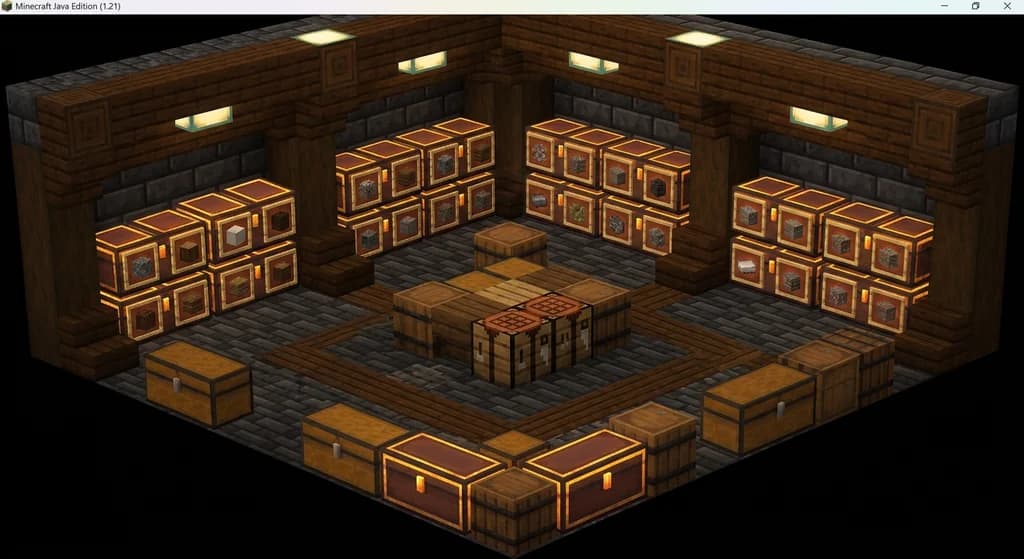
How to Solve Minecraft Storage Problems with Vanilla Plus Mods
Struggling with chest clutter? This guide covers the best Minecraft storage management mods — Sophisticated Storage, Iron Chests, and more — to fix your...

7 Best Forge Minecraft Mods for Vanilla+ Gameplay in 2026
Discover the 7 best Forge Minecraft mods for a vanilla+ experience in 2026. Improve QoL, performance, and immersion without breaking the base game feel.

Aged Light Modpack: Quick Reference
Discover the Aged Light Modpack for Minecraft Fabric 1.20.1. This quick reference covers its vanilla-enhanced features, community influence, and how it fits into the modpack ecosystem.
Have a question or another approach?
Compare notes with other readers. Include your edition and version when discussing mechanics.