7 Best Forge Minecraft Mods for Vanilla+ Gameplay in 2026
Filed under Vanilla-Enhanced Modpacks & QoL · How we create content
Key Takeaways
| Point | Details |
|---|---|
| Vanilla+ defined | Vanilla+ mods improve Minecraft's existing systems — UI, farming, exploration — without adding new dimensions or tech trees. |
| Jade is essential | Jade displays block and mob information on-screen, eliminating the need to look up every item in an external wiki. |
| Farmer's Delight expands food | Farmer's Delight adds over 60 new food items and crops that fit naturally into survival gameplay. |
| Rubidium boosts FPS | Rubidium is a Forge-compatible performance mod based on Sodium that significantly improves frame rates on most hardware. |
| Always match Forge versions | Installing a mod built for the wrong Forge or Minecraft version is the single most common cause of crashes. |
| JEI saves hours | Just Enough Items lets you look up every crafting recipe in-game, cutting down on wiki lookups mid-session. |
Table of Contents
- What Are Forge Minecraft Mods for Vanilla+ Gameplay?
- How to Install Forge Mods in 2026
- Best 7 Forge Mods for Vanilla+ Minecraft
- Vanilla+ Mod Comparison Table
- Tips for Building Your Vanilla+ Modpack
- How to Put This Into Practice on Gaia Legends
- Conclusion
- Frequently Asked Questions
- Recommended
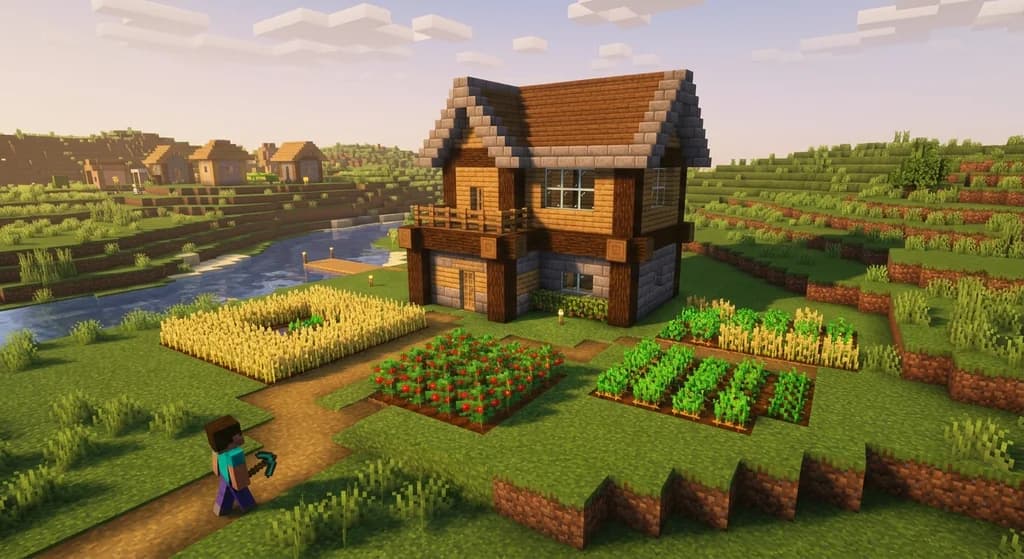
Most players who try Forge mods for the first time end up in one of two places: overwhelmed by a 300-mod tech pack, or underwhelmed by a single tweak that barely changes anything. The sweet spot — the one that actually makes Minecraft better without making it unrecognizable — is vanilla+. These are the forge minecraft mods that polish what's already there rather than replace it.
This guide covers the seven best Forge mods for a vanilla+ experience in 2026, how to install them safely, and how to combine them into a setup that feels like the game Mojang always meant to ship.
What Are Forge Minecraft Mods for Vanilla+ Gameplay?
Vanilla+ is a modding philosophy where every addition feels like it could have shipped with the base game. No new dimensions, no complex tech trees, no UI overhauls that make the game unrecognizable. Just thoughtful improvements to farming, exploration, inventory management, and performance.
Forge is one of the two dominant mod loaders for Java Edition. It has a longer history than Fabric and supports a larger library of content mods — which is why most vanilla+ content mods (like Farmer's Delight and Supplementaries) target Forge first. If you want the widest selection of polished, content-focused mods, Forge is still your best starting point in 2026.
Note: Fabric and NeoForge are strong alternatives, especially for performance mods. But if you're building around content-heavy vanilla+ additions, Forge's mod ecosystem remains the most mature option.
How to Install Forge Mods in 2026
Installing Forge mods is a three-step process. Get it right once and it becomes second nature.
Step-by-Step Installation
- Download the correct Forge version from minecraftforge.net — match it exactly to your Minecraft version (e.g., 1.21.1).
- Run the Forge installer and select "Install Client." This creates a new Forge profile in your launcher.
- Download your mods from CurseForge or Modrinth — always check the "Game Versions" tag on each mod page.
- Drop the
.jarfiles into your.minecraft/modsfolder. - Launch Minecraft using the Forge profile and confirm the mod count in the main menu.
Warning: Never mix mods built for different Minecraft versions in the same mods folder. A 1.20.1 mod in a 1.21.1 instance is the most common cause of immediate crashes on startup.
For a deeper look at performance-focused setup, check out 7 Essential Minecraft Performance Mods for Low-End PCs (2026) — it covers the exact launch flags and JVM arguments that pair well with this mod list.
Best 7 Forge Mods for Vanilla+ Minecraft
Here are the seven mods that belong in every vanilla+ Forge setup. Each one earns its place.
1. Jade — The Information Layer You Didn't Know You Needed
Jade is a heads-up display mod that shows you the name, mod source, and relevant details of whatever block, entity, or fluid your crosshair is pointing at. It replaces the old HWYLA/WAILA lineage and is actively maintained for modern Forge versions.
Why it matters: you stop tabbing out to the wiki every five minutes. Jade shows you a beehive's honey level, a furnace's progress, and a mob's health — all without opening any menus. It's the single most universally recommended QoL mod in the Forge community for good reason.
2. Farmer's Delight — The Food Overhaul That Fits
Farmer's Delight adds new crops (tomatoes, rice, onions, cabbages), cooking mechanics, and over 60 new food items — all designed to match vanilla's art style and progression curve. According to the Farmer's Delight CurseForge page, the mod has surpassed 35 million downloads, making it one of the most downloaded Forge content mods of all time.
The cooking pot and cutting board mechanics slot into early survival naturally. You're not building power grids to make a sandwich. You're just playing Minecraft with better food.
3. Supplementaries — Decorations That Actually Belong
Supplementaries fills the gap between "bare survival base" and "I spent 200 hours decorating." It adds functional decorative blocks: signposts, candles, jars, wind vanes, rope, and more. Everything uses vanilla materials and fits the existing block palette.
This is the mod that makes your base look intentional without requiring a full building overhaul. If you're interested in how block choices shape a build's identity, 7 Best Vanilla Plus Modpacks Like Better Minecraft in 2026 covers how top vanilla+ packs use mods like this as their visual foundation.
4. Just Enough Items (JEI) — The Recipe Browser
Just Enough Items (JEI) is a recipe-viewing mod that lets you look up crafting recipes, smelting outputs, and mod-added processing chains directly in your inventory screen. Press R on any item to see how to craft it. Press U to see what it's used in.
JEI has been a staple of Forge modpacks for nearly a decade. In a vanilla+ setup, it's especially useful when Farmer's Delight and Supplementaries add new recipes that aren't documented in-game. No more wiki tabs.
5. Xaero's Minimap — Navigation Without the Immersion Break
Xaero's Minimap adds a clean, configurable minimap to the corner of your screen. It marks waypoints, shows player and mob positions, and integrates with Xaero's World Map (a companion mod) for a full-map view.
The reason it belongs in a vanilla+ list — rather than feeling like a cheat — is that it replaces a friction point (getting lost) without removing any challenge. You still have to explore to reveal the map. You still have to survive to use your waypoints.
Pro Tip: Set a waypoint the moment you find your first stronghold portal room. You'll thank yourself later when you need to return for the End fight.
6. AppleSkin — Hunger Transparency Done Right
AppleSkin is a tiny mod with a big impact. It visualizes the hidden food saturation and exhaustion mechanics that vanilla Minecraft tracks but never shows you. You can finally see how much saturation a steak gives versus bread, and plan your food strategy accordingly.
According to the Minecraft Wiki's hunger mechanics page, saturation is depleted before the hunger bar itself — meaning most players are making food decisions with incomplete information. AppleSkin fixes that.
7. Rubidium — Forge-Compatible Performance
Rubidium is a Forge port of Sodium, the high-performance rendering engine originally developed for Fabric. It replaces Minecraft's default rendering pipeline with a significantly more efficient one, improving frame rates on most hardware without changing any visual content.
Pair it with Oculus (a Forge-compatible shader loader) if you want shaders on top of the performance gain. Together, they give you a visually richer game that also runs better — which is exactly what vanilla+ is about.
For a full breakdown of performance mod stacks, see 7 Essential Minecraft Performance Mods for Low-End PCs (2026).
Vanilla+ Mod Comparison Table
| Mod | Category | Performance Impact | Best For |
|---|---|---|---|
| Jade | Information / UI | Minimal | All players |
| Farmer's Delight | Content / Food | Low | Survival players |
| Supplementaries | Decoration | Low | Builders |
| Just Enough Items | UI / Recipe | Minimal | All players |
| Xaero's Minimap | Navigation | Low | Explorers |
| AppleSkin | UI / Hunger | Minimal | Survival players |
| Rubidium | Performance | Positive (improves FPS) | Low-end PCs |
Tips for Building Your Vanilla+ Modpack
Getting the mod list right is only half the job. Here's how to make the whole thing run cleanly.
Start Small and Add Gradually
Don't install all seven mods at once and then troubleshoot a crash. Add two or three, launch, play for 10 minutes, then add more. This makes it trivially easy to identify which mod caused a problem.
Check for Dependency Mods
Some mods require a library mod to function. Jade requires Architectury API on some versions. Rubidium may require Embedium or Magnesium Extras depending on your Forge build. Always read the "Relations" tab on CurseForge before downloading.
Keep a Backup of Your Mods Folder
Before adding any new mod to an existing world, copy your entire .minecraft/mods folder to a backup location. If something breaks, you can restore in seconds rather than spending an hour troubleshooting.
Warning: Never update a mod mid-playthrough without checking the changelog first. Some updates change world generation or block IDs, which can corrupt existing chunks near the border of explored and unexplored terrain.
If you want to go further and explore a full curated pack built around these principles, How to Install and Play Better Minecraft: The 2026 Ultimate Guide walks through a complete modpack setup from scratch.
How to Put This Into Practice on Gaia Legends
Everything in this guide is about building a personal experience that feels polished and intentional. That's the same standard Gaia Legends holds its official server environment to.
Gaia Legends runs a high-performance, carefully tuned Java + Bedrock crossplay environment where lag and clunky UI are treated as bugs, not features. The server uses optimized server-side performance tooling — the same philosophy as Rubidium on the client side — so your gameplay stays smooth whether you're in a 200-player event or exploring solo.
The QoL principles behind mods like Jade and AppleSkin also show up in Gaia's custom HUD and server-side information displays, which surface useful game state without cluttering your screen. And the Farmer's Delight-style approach to progression — meaningful choices, no pay-to-win shortcuts — mirrors how Gaia handles its economy and ranks.
Gaia Legends is free to join, non-pay-to-win, and supports Java + Bedrock crossplay. Whether you're running a vanilla+ mod setup on your own or looking for a community that already has that polish baked in, it's worth a look.
Join at gaialegends.pro and start your legend today.
Conclusion
Building a great vanilla+ Forge setup comes down to three things:
- Choose mods that respect the base game — Jade, JEI, and AppleSkin add information without changing rules; Farmer's Delight and Supplementaries add content that fits the existing world.
- Get your Forge version right before anything else — version mismatches cause 90% of mod crashes and are 100% preventable.
- Add Rubidium last — once your content mods are stable, drop in the performance layer and enjoy a game that looks better and runs faster.
Start with just Jade and JEI if you're new to Forge modding. Add the rest one at a time. You'll end up with a Minecraft experience that feels like the game finally grew up — without losing what made it great in the first place.
Ready to play? Join Gaia Legends today — no pay-to-win, Java + Bedrock crossplay.
- Java:
join.gaialegends.pro - Bedrock:
join.gaialegends.pro— Port19132
Further reading
These references were recorded with the article; specific claims have not been matched to source excerpts.
Frequently Asked Questions
What are the best Forge Minecraft mods for vanilla+ gameplay in 2026?
The best Forge Minecraft mods for vanilla+ gameplay in 2026 are Jade (information HUD), Farmer's Delight (food and crops), Supplementaries (decorative blocks), Just Enough Items (recipe browser), Xaero's Minimap (navigation), AppleSkin (hunger transparency), and Rubidium (performance). These seven mods improve quality of life and immersion without replacing Minecraft's core survival loop.
How do I install Forge mods without crashing my game?
Always match your mod's Minecraft version to your Forge profile version exactly. Download mods only from trusted sources like CurseForge or Modrinth, check the 'Relations' tab for required dependency mods, and add mods one or two at a time so you can isolate any crash. Keep a backup of your mods folder before making changes to an existing world.
What is the difference between vanilla+ mods and full overhaul mods?
Vanilla+ mods improve existing Minecraft systems — better UI, more food options, cleaner navigation — without adding new dimensions, tech trees, or mechanics that fundamentally change how the game works. Full overhaul mods like Create or Mekanism add entirely new gameplay loops. Vanilla+ is for players who love Minecraft as-is and want it to feel more complete.
Is Rubidium safe to use with other Forge mods?
Yes. Rubidium is a well-maintained Forge port of Sodium and is compatible with most vanilla+ content mods. It can conflict with some older shader loaders, so use Oculus (the Forge-compatible shader mod) rather than OptiFine when pairing shaders with Rubidium. Always check the mod's CurseForge page for known incompatibilities before adding it to an existing modpack.
Do vanilla+ Forge mods work on multiplayer servers?
Most vanilla+ client-side mods — Jade, JEI, AppleSkin, Xaero's Minimap, and Rubidium — work on any multiplayer server without needing server-side installation. Content mods like Farmer's Delight and Supplementaries require the mod to be installed on the server as well. Always check whether a mod is client-only or requires both sides before joining a server with it.
How many Forge mods can I run at once without lag?
There's no universal number — it depends on your hardware and which mods you choose. A lightweight vanilla+ stack of 7 to 15 mods runs well on most mid-range PCs. Adding a performance mod like Rubidium gives you headroom for more content mods. The key is to avoid redundant mods that do the same job and to use a mod manager like Prism Launcher to keep instances organized.
Related guides
How to Solve Minecraft Storage Problems with Vanilla Plus Mods
Struggling with chest clutter? This guide covers the best Minecraft storage management mods — Sophisticated Storage, Iron Chests, and more — to fix your...
Using a Base Modpack to Create Your Own Minecraft Modpack
Learn how to use a base modpack as a foundation for your own custom Minecraft modpack. Cut setup time, avoid conflicts, and build the perfect pack for your playstyle.

What Are Mods and Modpacks? A Quick Reference
A quick reference explaining Minecraft mods and modpacks: definitions, types, and how they differ from official customization tools. Includes examples and key distinctions.
How to Find the Perfect Vanilla-Enhanced Minecraft Modpack in 2026
Struggling to find the right vanilla-enhanced modpack? Use this 2026 modpack finder guide to discover lightweight packs that boost performance and QoL.
Have a question or another approach?
Compare notes with other readers. Include your edition and version when discussing mechanics.