7 Best Christmas Village Block Palettes for Minecraft (2026)
Filed under Minecraft Build Palette & Block Harmony · How we create content
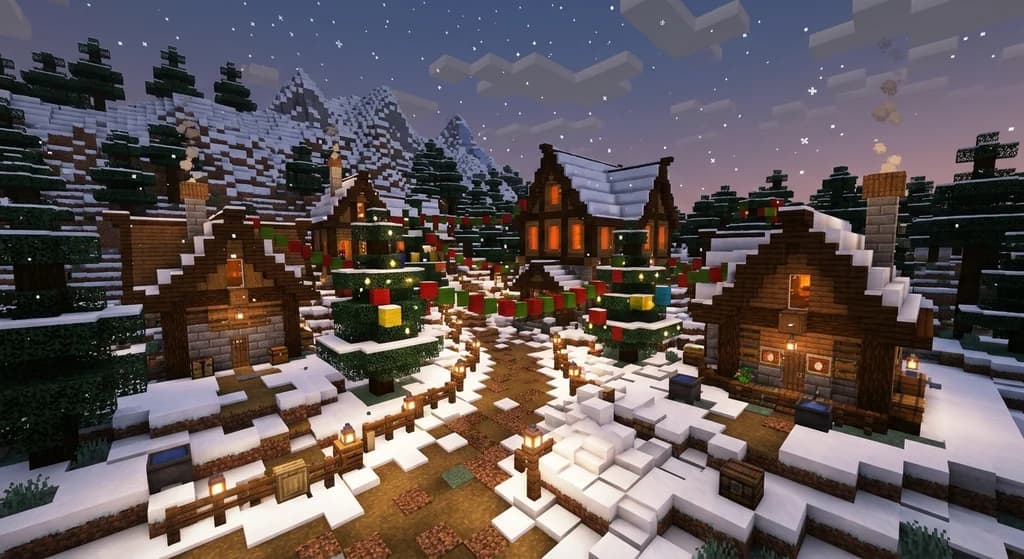
Key Takeaways
| Point | Details |
|---|---|
| Pick a wood base first | Spruce is the classic Christmas wood because it reads dark and evergreen against snow. |
| Limit your palette to 3–4 colors | Too many colors turn a cozy village into visual noise. |
| Use snow layers, not snow blocks | Layered snow at 0.125-block increments adds realistic drift depth. |
| Light is part of the palette | Lanterns at light level 15 make warm focal points without changing block colors. |
| Texture with stairs and slabs | Slabs and stairs break up flat walls and evoke gingerbread trim. |
Table of Contents
- What Are the Best Christmas Village Block Palettes in Minecraft?
- What Makes a Christmas Village Palette Work?
- How Do You Add Snow and Ice Without Flattening a Build?
- How to Put This Into Practice on Gaia Legends
- Conclusion
- Frequently Asked Questions
Building a cozy Christmas village is one of the most satisfying winter projects in Minecraft — but without the right christmas village block palettes, your snowy scene can turn into a gray, flat mess. The secret is choosing blocks that feel warm and festive together: rich reds, deep greens, crisp whites, and warm amber light. In this guide, you'll learn the seven best christmas village block palettes for Minecraft in 2026, how to apply simple color theory to winter builds, and how to make snow, ice, and lighting work for you instead of against you. We'll also share a quick comparison table so you can pick the right palette before you place your first block. By the end, you'll have a download-ready recipe for a village that looks like a Hallmark card — and you might even find your next inspiration on the seasonal holiday builds our community creates.
What Are the Best Christmas Village Block Palettes in Minecraft?
The best Christmas village palettes combine deep spruce wood, bright snow-white blocks, rich red accents, and glowing amber lighting to read as festive even at a distance.
A Christmas village block palette is a curated set of Minecraft blocks that share a seasonal color theme. The best winter palettes use just three or four distinct color families — warm browns, cool whites, festive reds, and one glowing accent — so the build feels intentional rather than riotous. And if you want to build your own from scratch, our guide on How to Create Your Own Block Palettes in Minecraft (2026) walks through the exact color-matching steps.
Here are our seven favorite palettes for 2026:
1. The Cozy Taiga Cabin
- Base: Spruce planks, stripped spruce logs, dark oak
- Snow: White concrete powder, snow layers, powder snow
- Accent: Red wool, red terracotta
- Light: Lanterns, campfires
This palette is the classic snow-cottage look. The dark spruce frames the white walls, while red wool bunting adds a pop of holiday cheer. Use white concrete powder for clean walls and sprinkle snow layers on top for that fresh-fallen look.
2. Candy Cane Stripes
- Base: White concrete, white terracotta
- Accent: Red wool, red terracotta, red concrete
- Snow: Snow layers, snow blocks
Candy cane stripes are surprisingly easy: alternate red and white blocks in horizontal bands on walls and pillars. The trick is keeping the stripe width steady — two blocks of white for every one block of red reads better than a busy checkerboard. This palette shines on small shops and cookie stands.
3. Gingerbread Bakery
- Base: Birch planks, spruce planks, brown terracotta, packed mud
- Accent: White wool for icing, red and green wool sprinkles
- Snow: Snow layers on the roof
Gingerbread houses are about texture. Use birch planks and brown terracotta to mimic baked dough, then outline the doors and windows with white wool to look like icing. Add green wool "candy" dots and red wool buttons in a pattern. For icing, craft white dye from bone meal — a single bone yields 3 bone meal, which you can use as white dye for snow-white accents (via Minecraft Wiki).
4. Frosted Night Market
- Base: Deepslate bricks, polished deepslate
- Accent: Sea lanterns, lanterns, cyan stained glass
- Snow: Powder snow, snow layers
For a more modern or magical village, pair dark deepslate with bright cyan-and-white windows. The contrast between the near-black stone and glowing snow makes stallfronts feel like a Nordic night market. This palette is perfect for an outdoor gathering area with a central ice rink.
5. Mistletoe & Moss
- Base: Moss blocks, spruce logs, spruce planks
- Accent: White wool, red mushroom blocks or red wool
- Snow: Snow layers on the moss
Moss blocks are an unexpected Christmas block, but their deep, slightly blue-tinted green reads beautifully against snow. Let moss cap your roofs before adding a thin snow layer, and finish with red fabric or mushroom blocks for berries.
6. Emerald Pine
- Base: Green wool, green concrete, spruce planks
- Accent: Gold blocks or yellow terracotta, red wool
- Snow: Snow blocks and layers for icicle-like formations
This palette is all about the Christmas tree. Build trees from stacked green wool or concrete, decorate with gold and red ornaments, and place them along your village path. Use spruce trunks for a natural look and snow layers to blend the bases.
7. Aurora Winter
- Base: Quartz blocks, smooth quartz
- Accent: Light blue terracotta, purple and cyan stained glass, sea lanterns
- Snow: Powder snow, blue ice
An aurora village uses pale cool tones to imitate a polar night. Quartz buildings reflect the sky, while stained glass panels colored with purple and cyan act as aurora curtains. Add sea lanterns behind the glass for a shimmering glow.
Quick Reference Table
| Palette | Base Blocks | Best For |
|---|---|---|
| Cozy Taiga | Spruce + white concrete | Classic cottages |
| Candy Cane | White + red concrete | Shops, street decorations |
| Gingerbread | Birch + brown terracotta | Bakeries, player houses |
| Frosted Night | Deepslate + sea lanterns | Night markets, ice rinks |
| Mistletoe | Moss + spruce | Rustic, woodland builds |
| Emerald Pine | Green wool + gold | Christmas tree displays |
| Aurora | Quartz + blue ice | Magical winter towns |
If you love experimenting with four-color schemes, our 7 Best Tetradic Block Palettes for Minecraft Builds has some surprisingly festive combos too. And for a spooky counterpoint to Christmas, check out the 7 Best Halloween Block Palettes for Minecraft — the color theory skills transfer perfectly.
What Makes a Christmas Village Palette Work?
A Christmas palette works when it uses a limited set of contrasting blocks: warm wood, cold snow, bright red, and a single glowing accent.
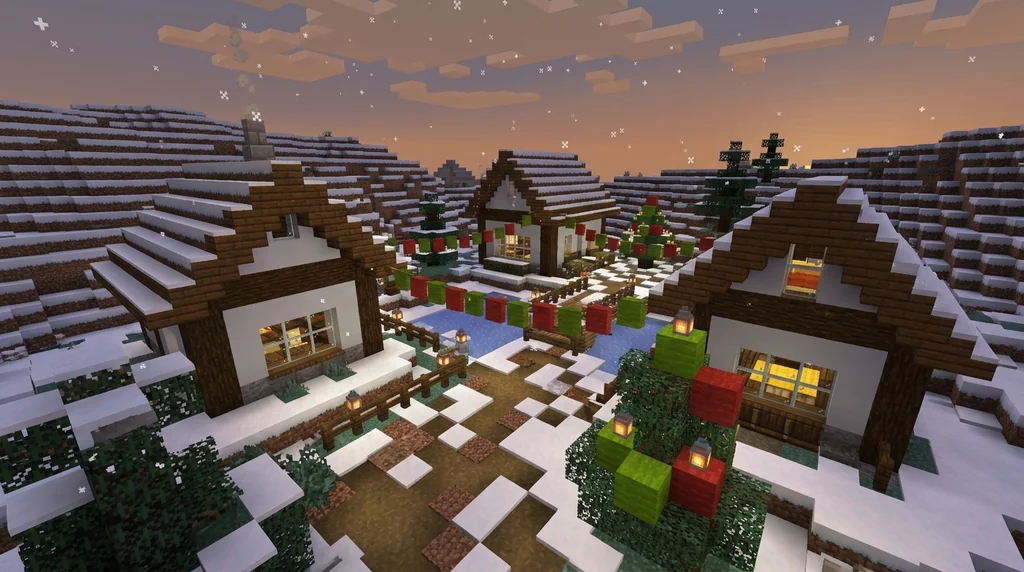
The most common mistake is trying to use every festive block you know. Red and green might scream Christmas, but if you also throw in blue, gold, purple, and pink, the build loses its visual anchor. Instead, start with a base color, add a contrast color, and finish with one accent.
The 3-Color Rule
Pick a dominant base (spruce or white), a secondary surface (white concrete or snow), and a single bold accent (red or green). That's your village identity. You can vary shades within each family — for example, mixing spruce planks, stripped spruce, and dark oak — but don't introduce a new hue until you've used the first three.
Why does this work? Minecraft wool comes in 16 colors, but a palette of just three of them is far more effective at creating a cohesive scene (via Minecraft Wiki). The same logic applies to terracotta and concrete. And if you want to dig deeper into color relationships, our 7 Best Badlands Block Palettes for Stunning Minecraft Builds shows how warm Earth tones interact with the same theory.
Why Light Is a Palette Block
Think of lighting as part of your block palette. Lanterns emit light level 15, the brightest light level in Minecraft (via Minecraft Wiki). A row of lanterns under an overhang doesn't just illuminate — it adds an amber accent color that ties the whole village together. Place them at consistent intervals, like every four blocks, to create rhythm.
Pro Tip: Use sea lanterns for an icy, blue-white glow, and regular lanterns for warm amber tavern light. Mixing the two creates a beautiful contrast between cozy interiors and snowy streets.
How Do You Add Snow and Ice Without Flattening a Build?
Snow layers, powder snow, and ice add winter character when used as textures on roofs, paths, and window sills rather than blanketing everything.
Snow can ruin a build if you just drop snow blocks everywhere. The trick is to vary thickness and let the architecture show through.
Use Snow Layers for Depth
Snow layers are your best friend. Snow layers can be stacked up to 8 layers, with each layer adding 0.125 blocks of height (via Minecraft Wiki). Use one layer on top of slabs, two layers on stairs, and three or four layers along the back of a roof to create a believable drift angle. Avoid placing them on paths where players walk — it can make walking feel slower.
Warning: Avoid using snow blocks on roofs unless you want a heavy, cartoonish look. Snow blocks are a full block, and they hide the nice silhouette of your roof. Save them for igloos and tree bases.
Add Frost: Powder Snow and Ice
Powder snow adds a soft, flocked look, but you can only walk through it in leather boots. Place it around doorways and under overhangs where players won't cross. For ice rinks or frozen ponds, use regular ice or blue ice. And don't forget to light every nearby surface: the day-night cycle runs on a strict 20-minute clock, so your village is in darkness for roughly 7 minutes each cycle (via Minecraft Wiki). Without light, even the most beautiful palette disappears.
Create a Winter Walkway
A simple path can tie a village together. Alternate partially-graveled spruce slabs and snow layers to make a cobbled walkway that survives snowfall. Add a few lanterns on spruce fence posts at the corners. This is a great place to experiment with our 7 Best Garden & Landscape Block Palettes for Minecraft 2026 for ideas that work outside the village.
Interior Accents Go a Long Way
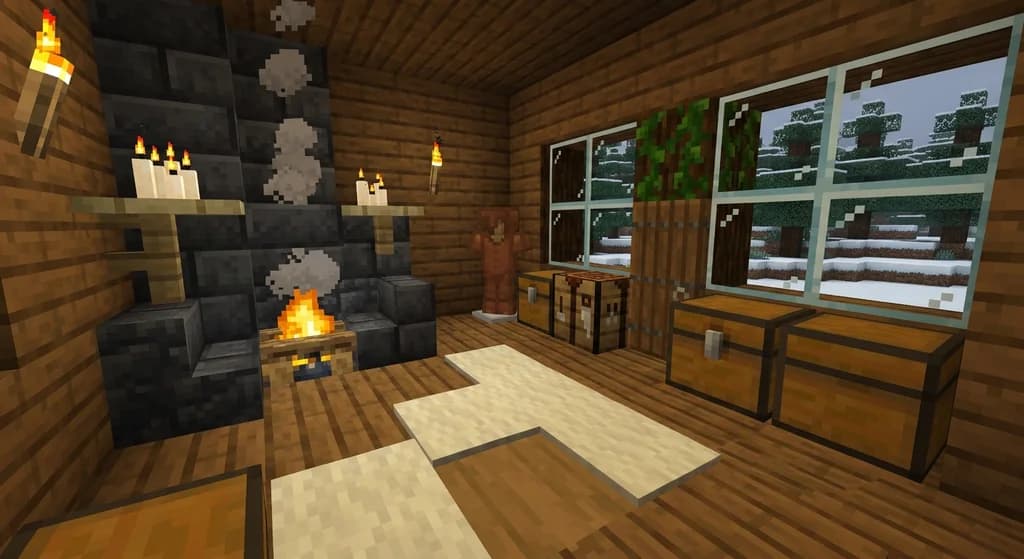
Your palette doesn't stop at the exterior. If you're decorating a cozy home, check out the Best Interior Block Palettes for Cozy Minecraft Homes — the same white, red, and warm-wood logic works beautifully inside a Christmas home.
How to Put This Into Practice on Gaia Legends
Gaia Legends is a Java + Bedrock crossplay SMP where seasonal building events turn these palettes into community showcases.
On Gaia Legends, our seasonal winter event gives every player a plot in a snowy taiga and one week to build a Christmas cottage using the palettes above. We award special cosmetic trophies for best color harmony and best use of lighting. Players have already used the Candy Cane palette to line the main avenue, and the Aurora palette for the community ice rink. Gaia Legends is free to join, non-pay-to-win, and supports Java + Bedrock crossplay. Whether you want to practice your palette skills in creative or survive the winter together, the server is always open. Join at gaialegends.pro and start your legend today.
Conclusion
The right Christmas village block palette turns a generic winter build into a scene players remember for seasons.
Here are the three most important takeaways:
- Limit your palette to three or four colors to keep every building in your village cohesive.
- Use snow layers and light as textural tools — they add depth and warmth without hiding your build.
- Let light define your accent color — amber lanterns and blue sea lanterns create memorable nighttime scenes.
Try one of these palettes on your next winter build, and don't be afraid to mix and match. The 3-rule applies to the whole village: one wood family, one snow treatment, one glowing accent. Your next Christmas village is only a few blocks away.
Ready to play? Join Gaia Legends today — no pay-to-win, Java + Bedrock crossplay.
- Java:
join.gaialegends.pro - Bedrock:
join.gaialegends.pro— Port19132
Further reading
These references were recorded with the article; specific claims have not been matched to source excerpts.
Frequently Asked Questions
What are the best christmas village block palettes minecraft?
The best Christmas village block palettes pair a dark wood like spruce with white concrete or snow, then add red wool accents and warm lantern light. Seven tested combos include Cozy Taiga, Candy Cane, Gingerbread, Frosted Night Market, Mistletoe, Emerald Pine, and Aurora Winter. Each uses three or four colors for a cohesive festive look.
How many colors should a Christmas village build use?
Stick to three or four color families: a wood base, a snow or white surface, and one accent hue. Adding more creates visual noise and makes the village feel less cohesive. You can vary shades within each family, but avoid introducing a new hue until you have a reason.
Can I use any wool color for Christmas builds?
Yes, but red, green, white, and gold are the most iconic. Colors like cyan and purple work well for aurora or frozen-theme builds. The key is consistency — use the same accent across all structures so the whole village reads as one story.
Do snow layers affect movement?
Snow layers are non-solid at one layer but become slightly taller as you stack them. Players can walk on snow layers without a speed penalty, but powder snow is different: you sink through it unless you wear leather boots. For paths, keep snow layers to one or two high.
What's the best lighting for a winter village?
Lanterns and sea lanterns are the best choices. Lanterns emit light level 15, the highest light level in Minecraft, which keeps snowy streets safe from hostile mob spawns at night. Place them every four to six blocks for balanced coverage, and mix amber and blue light for contrast.
How can I practice these palettes on a multiplayer server?
On a survival SMP like Gaia Legends, you can test palettes in a creative copy of the world using WorldEdit or a separate testing server. Or build a small-scale single structure first — practice one cottage, then expand to a full village after you're happy with the color combos.
Related guides
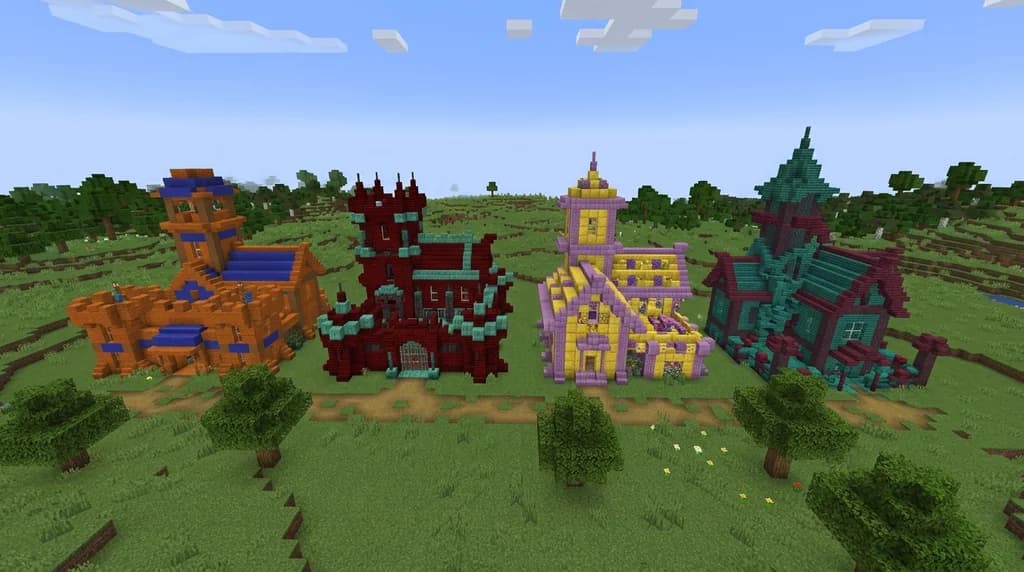
7 Best Complementary Block Palettes for High-Contrast Builds 2026
Master complementary Minecraft block palettes in 2026. 7 expert high-contrast block combos, color theory tips, and pro building strategies for stunning...
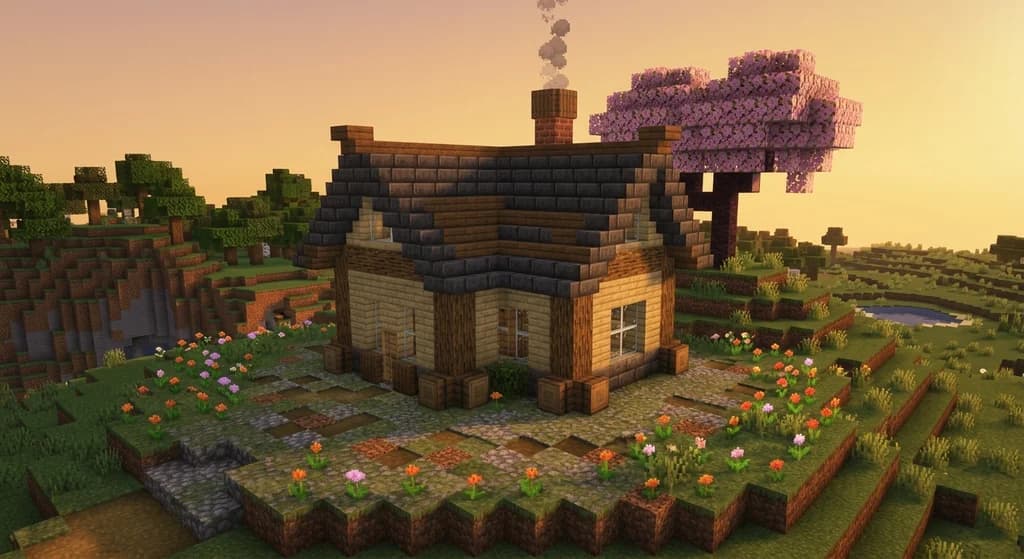
Using Minecraft: Guide to Creative for Building Tips
Learn how to use Minecraft: Guide to Creative for block palette inspiration and building tips. Discover tutorials, community builds, and color harmony techniques.

Lighthouses in Minecraft: Quick Reference
Discover how to build a lighthouse in Minecraft with this quick reference guide. Learn about the award-winning Lightning Rod Lighthouse build and the...
7 Best Interior Block Palettes for Cozy Minecraft Homes (2026)
Discover the best interior block palettes for cozy Minecraft homes in 2026. Try 7 wood, wool, and candle palettes you can copy into your next build.
Have a question or another approach?
Compare notes with other readers. Include your edition and version when discussing mechanics.