7 Best Complementary Block Palettes for High-Contrast Builds 2026
Filed under Minecraft Build Palette & Block Harmony · How we create content
Key Takeaways
| Point | Details |
|---|---|
| Complementary palettes defined | A complementary palette pairs two colors directly opposite each other on the color wheel, producing the maximum visual contrast possible. |
| Anchor + bridge rule | Always pick two opposing anchor blocks first, then add one neutral bridge block (stone, gravel, or diorite) to prevent the contrast from feeling harsh. |
| Orange vs. Blue is the most popular combo | Terracotta and orange concrete paired with blue concrete or blue ice is the single most-used high-contrast palette in competitive Minecraft builds. |
| Neutral blocks matter | Smooth stone, calcite, and diorite act as visual 'rest zones' that let the eye appreciate both contrasting colors without fatigue. |
| Texture beats flat color | Mixing polished, chiseled, and raw variants of the same block family adds depth so your palette reads well at every render distance. |
| Competition edge | High-contrast complementary palettes are statistically more likely to win screenshot-based build competitions because they read clearly as thumbnails at small sizes. |
Table of Contents
- What Are Complementary Minecraft Block Palettes?
- Why High-Contrast Builds Win Competitions
- The 7 Best Complementary Block Palettes
- How to Build with Complementary Palettes
- Complementary vs. Analogous vs. Triadic Palettes
- Tips for High-Contrast Minecraft Builds
- How to Put This Into Practice on Gaia Legends
- Conclusion
- Frequently Asked Questions
- Recommended
Most Minecraft builds fail not because of bad shapes, but because of muddy, low-contrast color choices. If you've ever finished a build and thought "it looks fine but not exciting," the palette is almost always the culprit. Learning to use complementary Minecraft block palettes — pairs of colors sitting directly opposite each other on the color wheel — is the single fastest upgrade you can make to your building game in 2026.
This guide breaks down the 7 best high-contrast combos, explains the color theory behind each one, and gives you exact block names so you can start building right now.
What Are Complementary Minecraft Block Palettes?
A complementary block palette is a building color scheme that pairs two blocks whose hues sit directly opposite each other on the standard color wheel, creating the maximum possible visual contrast between them. In painting and graphic design this principle has been used for centuries; in Minecraft it translates directly to block selection.
Classic complementary pairs include:
- Orange ↔ Blue (the most popular in Minecraft)
- Red ↔ Cyan
- Yellow ↔ Purple
- Green ↔ Crimson/Magenta
Because Minecraft blocks have fixed hues, you don't need a color wheel app. You just need to know which block families sit on opposite ends of the spectrum — and that's exactly what the next section covers.
Note: Complementary palettes create maximum contrast, which means they can feel overwhelming if you use both colors at equal proportions. The classic rule is a 70/30 split: 70% dominant color, 30% accent.
Why High-Contrast Builds Win Competitions
High-contrast builds are easier to read at a distance, in screenshots, and especially as thumbnails. According to the Minecraft Wiki, Minecraft's default render distance in Java Edition ranges from 2 to 32 chunks, meaning your build often needs to communicate its identity from hundreds of blocks away. A muddy analogous palette blurs into noise; a sharp complementary palette stays legible.
High contrast also photographs better. When players share builds on social media or in server showcases, complementary palettes pop on small screens in a way that monochrome or low-contrast builds simply don't.
The 7 Best Complementary Block Palettes
Here are the seven combos that consistently produce the most striking high-contrast Minecraft builds, ranked from most versatile to most specialized.
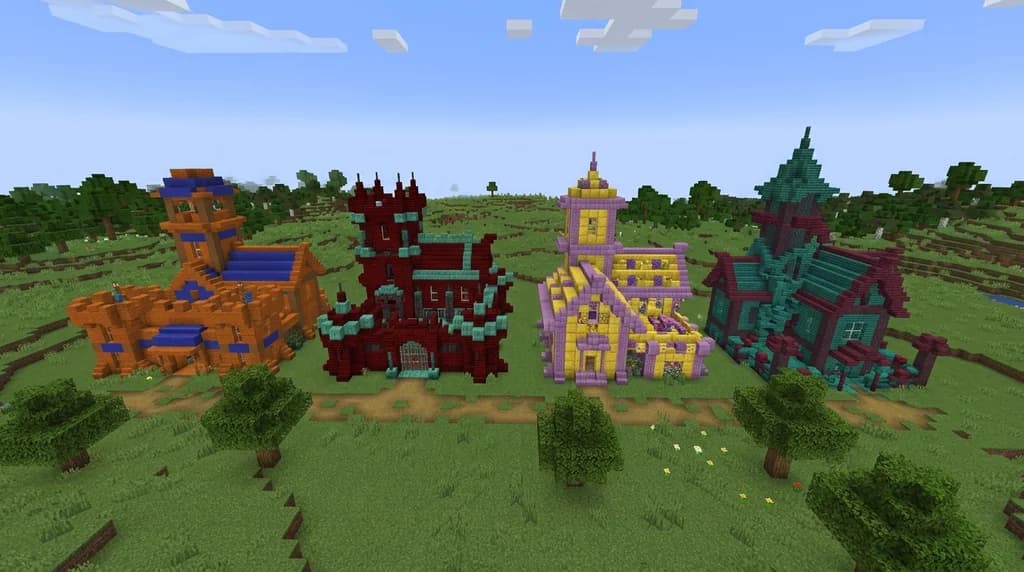
1. Orange Terracotta + Blue Concrete
The classic. Orange terracotta (and its glazed variant) pairs with blue concrete and blue concrete powder for a warm-versus-cool punch that works on desert bases, market stalls, and fantasy towers alike. Add smooth stone as your neutral bridge.
Full palette: Orange terracotta · Glazed orange terracotta · Blue concrete · Smooth stone
2. Red Nether Bricks + Cyan Prismarine
This combo leans dark and dramatic. Red nether bricks carry a deep, saturated red that locks perfectly against prismarine and prismarine bricks. Use dark prismarine as your shadow block and chiseled stone bricks as the bridge.
Full palette: Red nether bricks · Nether brick · Prismarine bricks · Dark prismarine · Chiseled stone bricks
3. Yellow Concrete + Purple Amethyst
Bright and bold. Yellow concrete is one of Minecraft's most saturated blocks; pair it with amethyst blocks and budding amethyst for a regal, high-energy contrast. Calcite works beautifully as the neutral here.
Full palette: Yellow concrete · Yellow glazed terracotta · Amethyst block · Calcite
4. Warped Planks + Crimson Stem
The Nether gave builders two complementary biomes in one dimension. Warped planks (teal-green) sit opposite crimson stem (deep magenta-red) on the color wheel. This palette reads as alien and organic — perfect for fantasy or sci-fi builds.
Full palette: Warped planks · Warped stem · Crimson stem · Crimson planks · Blackstone
5. Lime Concrete + Magenta Concrete
The most vibrant option on this list. Lime concrete and magenta concrete are both fully saturated, so keep the 70/30 rule strict here — lime as dominant, magenta as accent details only. White concrete is your essential bridge.
Full palette: Lime concrete · Lime terracotta · Magenta concrete · White concrete
6. Brown Terracotta + Light Blue Concrete
A softer, earthier take on the orange/blue family. Brown terracotta reads as warm clay while light blue concrete feels like open sky. This combo is ideal for cottagecore, rustic, or lakeside builds where you want contrast without aggression.
Full palette: Brown terracotta · Coarse dirt · Light blue concrete · Light blue stained glass · Diorite
7. Deepslate + Yellow Glazed Terracotta
The dark-and-gold palette. Deepslate bricks and cobbled deepslate provide a near-black base that makes yellow glazed terracotta and gold blocks explode visually. This is the go-to for dungeon entrances, throne rooms, and dramatic facades.
Full palette: Deepslate bricks · Cobbled deepslate · Yellow glazed terracotta · Gold block · Chiseled deepslate
| Palette | Dominant Block | Accent Block | Bridge Block | Best For |
|---|---|---|---|---|
| Orange + Blue | Orange terracotta | Blue concrete | Smooth stone | Desert, market, fantasy |
| Red + Cyan | Red nether bricks | Prismarine bricks | Chiseled stone | Dark fortress, ocean lab |
| Yellow + Purple | Yellow concrete | Amethyst block | Calcite | Regal towers, magic builds |
| Warped + Crimson | Warped planks | Crimson stem | Blackstone | Sci-fi, alien, Nether |
| Lime + Magenta | Lime concrete | Magenta concrete | White concrete | Pop-art, modern, shops |
| Brown + Light Blue | Brown terracotta | Light blue concrete | Diorite | Cottagecore, lakeside |
| Deepslate + Gold | Deepslate bricks | Yellow glazed terracotta | Chiseled deepslate | Dungeons, throne rooms |
How to Build with Complementary Palettes
Step-by-Step Approach
- Choose your dominant color — this covers roughly 70% of your build's visible surface.
- Choose your accent color — the complementary opposite, used for trim, windows, roofing, or decorative details.
- Add a neutral bridge block — smooth stone, diorite, calcite, or white concrete. This prevents the two opposing colors from vibrating against each other.
- Vary texture within each color — mix polished, chiseled, slab, and stair variants of your dominant block so the surface has depth.
- Test at distance — walk 50 blocks away and check if the palette still reads clearly. If it blurs, increase the contrast ratio.
Pro Tip: Place your two accent blocks next to each other in your hotbar and hold them up against the build before committing. The in-hand preview gives you a fast gut-check on whether the contrast feels right.
Warning: Avoid using both complementary colors at 50/50 proportion across large flat surfaces — the visual vibration effect (called "simultaneous contrast") makes builds look unintentionally chaotic. Always establish a clear dominant.
For builds that use multiple color families at once, check out our guide on 7 Best Triadic Block Palettes for Vibrant Minecraft Builds 2026 — triadic schemes add a third color at equal spacing around the wheel for a different kind of energy.
Complementary vs. Analogous vs. Triadic Palettes
Not every build calls for maximum contrast. Here's a quick comparison to help you choose the right approach:
| Palette Type | Color Relationship | Contrast Level | Best Use Case |
|---|---|---|---|
| Complementary | Opposite on color wheel | Maximum | Feature builds, competition entries |
| Analogous | Adjacent on color wheel | Low-medium | Natural, cozy, organic builds |
| Triadic | Three equally-spaced hues | High, balanced | Vibrant multi-color builds |
| Monochromatic | Same hue, different values | Minimal | Minimalist, modern architecture |
If you're building something that needs to feel calm and cohesive rather than bold, our 7 Best Analogous Block Palettes for Minecraft Builds (2026) guide covers that approach in depth. For sleek, contemporary structures, the 7 Best Modern Minecraft House Palettes for Sleek Builds 2026 post is worth a read too.
Tips for High-Contrast Minecraft Builds
Use Lighting as a Third Variable
Sea lanterns, shroomlights, and glowstone all have distinct warm or cool tones. A cool-toned sea lantern reinforces a blue accent palette; a warm glowstone reinforces an orange dominant. Matching your light source color to your dominant block deepens the palette's cohesion.
Scale Your Accent Wisely
On small builds (under 20×20), use your accent color on just one or two features — a roof line, a window frame, a single decorative column. On large builds, you can afford to use it on an entire wing or floor.
Don't Forget Depth Blocks
Every palette needs at least one "shadow block" — a very dark variant that sits in recessed areas, under overhangs, and in window reveals. Blackstone, dark oak planks, and chiseled deepslate all work as shadow blocks regardless of your main palette. According to the Minecraft Wiki, Minecraft's lighting engine calculates block face brightness based on sky exposure and adjacent light sources, so recessed shadow blocks genuinely appear darker in-game — use that to your advantage.
Pro Tip: When building with the Deepslate + Gold palette, use chiseled deepslate in the most recessed areas and polished deepslate on mid-level surfaces. The three texture variants create a natural depth gradient without changing your color palette at all.
How to Put This Into Practice on Gaia Legends
Everything above becomes even more rewarding when you're building alongside — and competing against — a real community. On Gaia Legends, our build competitions run on a regular schedule and are judged on both technical skill and visual impact. A strong complementary palette is one of the fastest ways to stand out from dozens of other entries.
Our custom player shops system also rewards palette thinking: shops with visually distinct exteriors consistently attract more foot traffic because players remember and return to builds that look striking. Using an orange-and-blue or deepslate-and-gold palette for your shopfront makes it instantly recognizable on the server map.
Gaia Legends also features a creative plot world where you can prototype palettes risk-free before committing blocks in survival. Test your complementary combos there, screenshot the result, and then build with confidence in your main world.
Gaia Legends is free to join, non-pay-to-win, and supports Java + Bedrock crossplay. Join at gaialegends.pro and start your legend today.
Conclusion
Mastering complementary Minecraft block palettes doesn't require a design degree — it requires knowing three things:
- Pick opposites: Choose two blocks whose hues sit across from each other on the color wheel for instant, powerful contrast.
- Respect the 70/30 rule: One color dominates, the other accents. Equal splits create visual chaos.
- Bridge the gap: A neutral block between your two complementary colors keeps the palette feeling intentional rather than jarring.
Try one of the seven palettes above in your next build — even swapping just your trim blocks to a complementary accent color will transform how your work reads from a distance. Color theory isn't just for artists. It's for anyone who wants their builds to stop people mid-scroll.
Ready to play? Join Gaia Legends today — no pay-to-win, Java + Bedrock crossplay.
- Java:
join.gaialegends.pro - Bedrock:
join.gaialegends.pro— Port19132
Frequently Asked Questions
What are the best complementary Minecraft block palettes for high-contrast builds?
The best complementary Minecraft block palettes for high-contrast builds are: orange terracotta + blue concrete, red nether bricks + prismarine, yellow concrete + amethyst, warped planks + crimson stem, lime concrete + magenta concrete, brown terracotta + light blue concrete, and deepslate bricks + yellow glazed terracotta. Each pairs two opposite hues for maximum visual pop, with a neutral bridge block to keep the contrast clean.
What does complementary mean in Minecraft building color theory?
In Minecraft building color theory, complementary means two colors that sit directly opposite each other on the standard color wheel — like orange and blue, or red and cyan. When placed next to each other, complementary colors create the highest possible contrast, making each color appear more vivid and your build more visually striking from any distance.
How do I stop complementary colors from clashing in a Minecraft build?
Use the 70/30 rule: let one color cover roughly 70% of your build's surface (walls, floors, main structure) and use the second color as an accent on trim, windows, and details only. Always add a neutral bridge block — smooth stone, diorite, calcite, or white concrete — between the two opposing colors to prevent the 'simultaneous contrast' vibration effect.
Which Minecraft blocks work best as neutral bridge blocks between complementary colors?
The most effective neutral bridge blocks are smooth stone, calcite, diorite, white concrete, and chiseled stone bricks. These blocks have very low saturation, so they don't compete with either complementary color. They act as a visual 'rest zone' that lets the eye move comfortably between the two contrasting anchor colors without fatigue.
Can I use complementary palettes in survival mode or do I need creative?
Absolutely — all seven palettes in this guide use blocks obtainable in survival mode. Orange and brown terracotta generate naturally in badlands biomes. Prismarine is farmable from ocean monuments. Deepslate is abundant below Y=0. Amethyst geodes generate underground. The only blocks that require crafting are concrete variants, which need dye, gravel, and sand — all easy to gather early.
Are complementary palettes better than analogous palettes for Minecraft builds?
Neither is objectively better — they serve different goals. Complementary palettes maximize contrast and visual impact, making them ideal for competition entries, showcase builds, and player shops that need to stand out. Analogous palettes (adjacent colors on the wheel) feel cohesive and natural, making them better for organic, cozy, or landscape-integrated builds. The best builders know when to use each approach.
Related guides
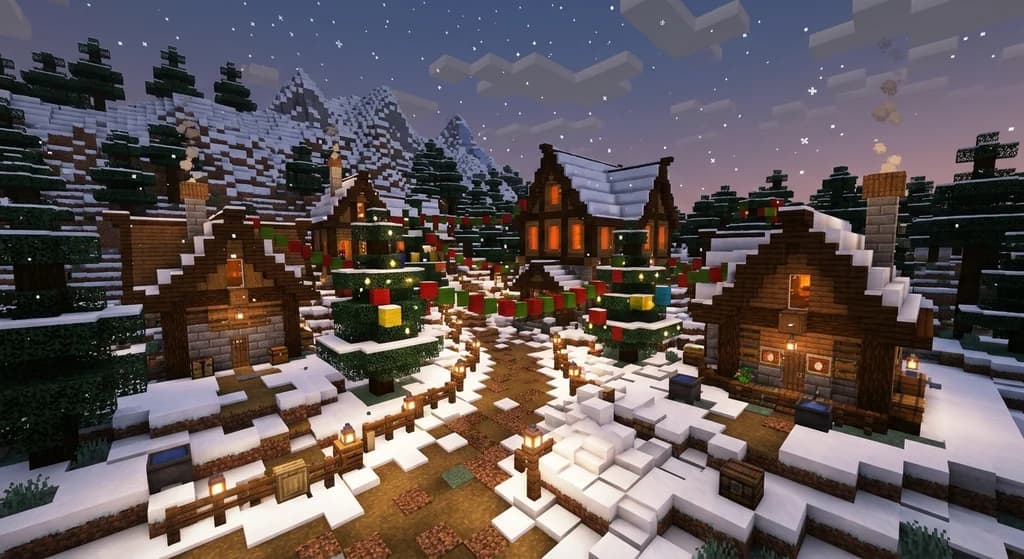
7 Best Christmas Village Block Palettes for Minecraft (2026)
Discover the 7 best Christmas village block palettes for Minecraft in 2026. Learn festive block combos, color theory, snow textures, and winter lighting tips.
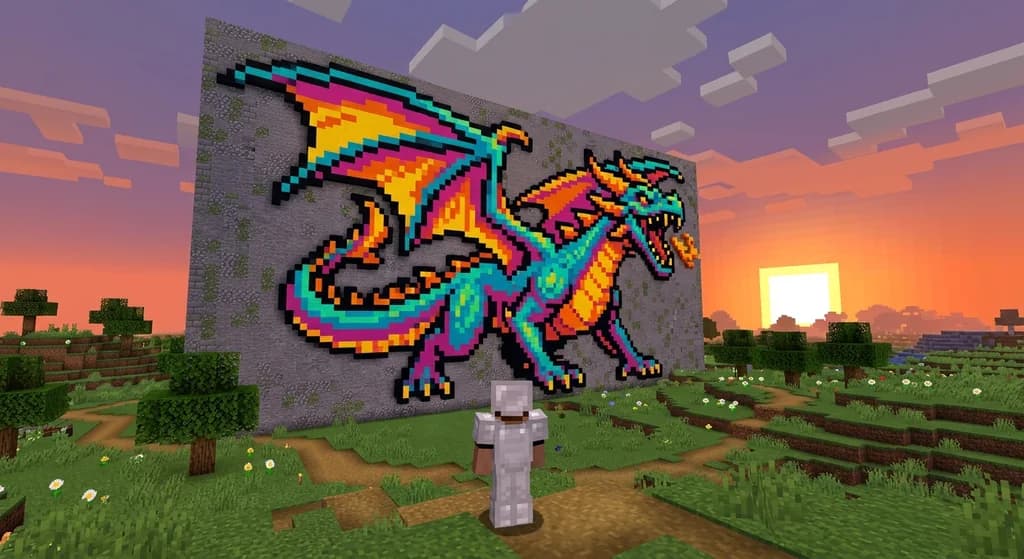
7 Best Block Palettes for Minecraft Pixel Art in 2026
Discover the 7 best block palettes for Minecraft pixel art in 2026. Learn how to choose blocks, create color schemes, and build stunning pixel art in...
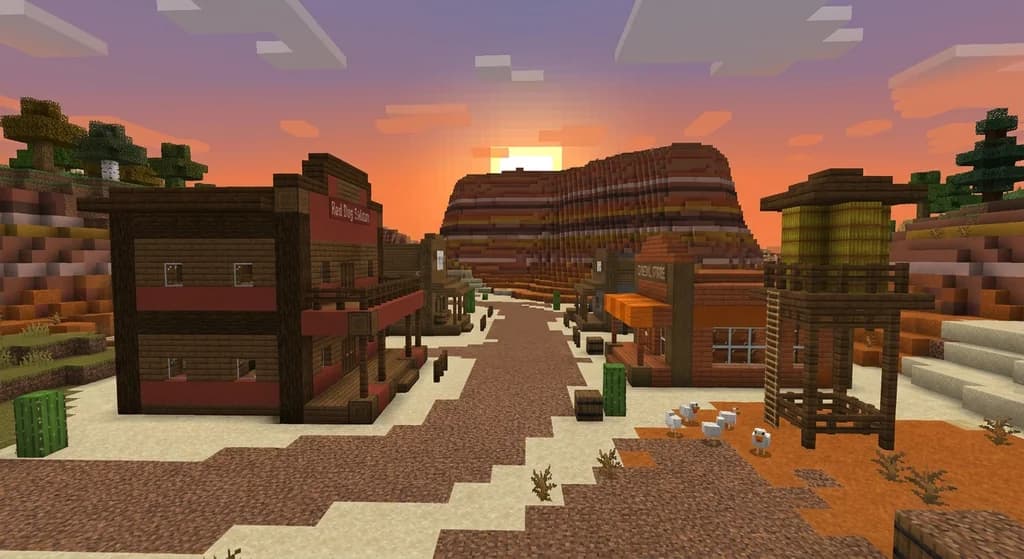
7 Best Wild West Block Palettes for Minecraft Builds (2026)
Discover 7 wild west Minecraft block palettes for 2026. Use sandstone, acacia, terracotta & more to build saloons, ghost towns and frontier farms.
7 Best Block Palettes for the Minecraft Movie Build Challenge (2026)
Discover 7 best block palettes for the Minecraft Movie Build Challenge 2026. Cinematic combos for sci-fi, fantasy, horror & more. Build like a director on...
Have a question or another approach?
Compare notes with other readers. Include your edition and version when discussing mechanics.