Understanding Minecraft Mods and Customization
Filed under Minecraft MMORPG & RPG Servers · How we create content
Version scope: Java Edition & Bedrock Edition (ongoing)
Key Takeaways
| Point | Details |
|---|---|
| A mod (modification) is | A mod (modification) is unofficial code injected into Minecraft to alter its behavior. |
| Mods require third-party mod | Mods require third-party mod loaders and are distinct from official data packs, resource packs, and add-ons. |
| Mods can range from | Mods can range from minor utility tweaks to complete overhauls of gameplay, graphics, and world generation. |
| Mojang occasionally uses the | Mojang occasionally uses the term 'mod' broadly in marketing, causing some ambiguity. |
| Optimization mods improve frame | Optimization mods improve frame rates and load times, making the game more accessible on lower-end hardware. |
If you've ever wanted Minecraft to have magic spells, new dimensions, or smoother performance, you've probably heard of mods. But what exactly is a mod, and how does it differ from the customization tools already in the game? Let's break it down.
What Is a Minecraft Mod?
At its core, a mod is simply a modification. The term 'mod' is short for modification. More specifically, a mod is a piece of unofficial code that is injected into the game for the purpose of modifying its behavior.
A mod (short for modification) is a piece of unofficial code that is injected into the game for the purpose of modifying its behavior.
Mods can do almost anything. They can be used to enhance the game by means ranging from fixing bugs, adjusting core mechanics, to completely revamping the way the game is played with unique features.
They can be used to enhance the game by means ranging from fixing bugs, adjusting core mechanics, to completely revamping the way the game is played with unique features.
They allow players to customize the look and feel of the game, give more options and customization, or expand the game with new progression and mechanics.
They allow players to customize the look and feel of the game, give more options and customization, or expand the game with new progression and mechanics.
Community vs. Official: A Practical Distinction
Minecraft is unusual because it has both unofficial modding and official customization APIs. Within the Minecraft community, the term is conventionally used in a strict sense to refer to unofficial, community-made code alterations that require third-party mod loaders.
Within the Minecraft community, the term is conventionally used in a strict sense to refer to unofficial, community-made code alterations that require third-party mod loaders.
Under this definition, 'mods' are distinct from officially supported game customization features, such as data packs, resource packs, and add-ons.
Under this definition, "mods" are distinct from officially supported game customization features, such as data packs, resource packs, and add-ons.
In the broader video game industry, the term 'mod' is often used as an umbrella term for any user-created content that alters a game's look or behavior.
In the broader video game industry, the term "mod" is often used as an umbrella term for any user-created content that alters a game's look or behavior.
Because Minecraft is a unique case that supports both unofficial modification and official modification APIs simultaneously, the community generally maintains a practical distinction to avoid confusion between the two methods.
Because Minecraft is a unique case that supports both unofficial modification and official modification APIs simultaneously, the community generally maintains a practical distinction to avoid confusion between the two methods.
To add to the complexity, Mojang Studios occasionally uses the terms 'mod' and 'modding' more broadly in official marketing and documentation to include official features. For example, the official Minecraft.net's Creator homepage refers to the use of add-ons as a way to 'mod Minecraft'.
For example, the official Minecraft.net's Creator homepage refers to the use of add-ons as a way to "mod Minecraft".
This varying usage between the community, the broader gaming industry, and Mojang Studios themselves can occasionally lead to ambiguity regarding what officially constitutes a 'mod' in the context of the game.
This varying usage between the community, the broader gaming industry, and Mojang Studios themselves can occasionally lead to ambiguity regarding what officially constitutes a "mod" in the context of the game.
What Can Mods Change?
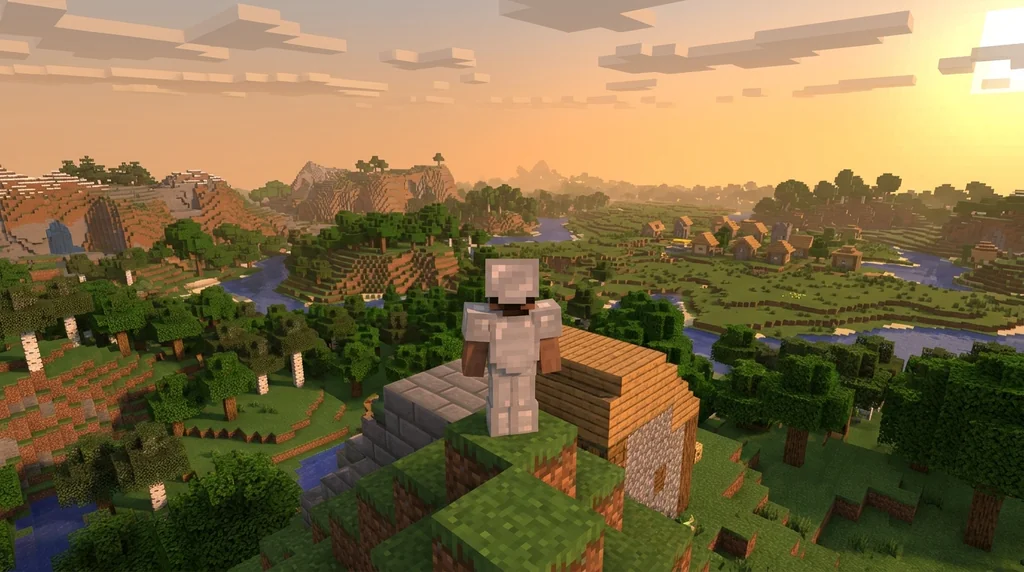
Mods have control over various aspects of the game, where developers can modify or add custom features, such as physics, graphics, user interface, and various gameplay features (such as entities, items, blocks, world generation, and dimensions, usually through the game's registries).
Mods have control over various aspects of the game, where developers can modify or add custom features, such as physics, graphics, user interface, and various gameplay features (such as entities, items, blocks, world generation, and dimensions, usually through the game's registries).
There are also utility mods that improve the game by adding or improving minor features while being close to vanilla, and optimization mods that modify the game's rendering to improve frame rates and load times, making the game more accessible on lower-end hardware.
Optimization mods modify the game's rendering to improve frame rates and load times, making the game more accessible on lower-end hardware (see also Tutorial:Improving frame rate).
How Mods Are Detected in Java Edition
In Java Edition, the game can detect when it's running in a 'modded' state. The term 'modded' can be determined in the game's code as the game running with a custom client brand or an invalidated signature file (likely coming from a modified Java class).
Additionally, in Java Edition, the term "modded" can be determined in the game's code as the game running with a custom client brand or an invalidated signature file (likely coming from a modified Java class), see § Modded flag.
This detection is important for some servers that restrict modded clients or for anti-cheat systems.
Choosing the Right Customization Path
Whether you want to dive into full mods with new dimensions and mechanics, or prefer the lightweight approach of data packs and resource packs, Minecraft offers a path for every player. If you're interested in how official servers use these tools to create quests and RPG experiences, check out our article on Quest Systems in Official Minecraft Event and Featured Servers.
For those looking to build their own adventures, our guide on How to Build Custom Dungeons for Minecraft MMORPGs (2026) provides practical steps using command blocks and plugins.
Final Thoughts
Understanding the difference between mods and official customization features helps you choose the right tool for your next project. Mods offer immense creative freedom, while data packs and resource packs provide a stable, officially supported way to tweak the game. Whichever path you take, the Minecraft community has built an incredible ecosystem to explore.
Sources
- A mod (short for modification) is a piece of unofficial code that is injected into the game for the purpose of modifying its behavior. — Mod
- They can be used to enhance the game by means ranging from fixing bugs, adjusting core mechanics, to completely revamping the way the game is played with unique features. — Mod
- They allow players to customize the look and feel of the game, give more options and customization, or expand the game with new progression and mechanics. — Mod
- Within the Minecraft community, the term is conventionally used in a strict sense to refer to unofficial, community-made code alterations that require third-party mod loaders. — Mod
- Under this definition, "mods" are distinct from officially supported game customization features, such as data packs, resource packs, and add-ons. — Mod
- In the broader video game industry, the term "mod" is often used as an umbrella term for any user-created content that alters a game's look or behavior. — Mod
- Because Minecraft is a unique case that supports both unofficial modification and official modification APIs simultaneously, the community generally maintains a practical distinction to avoid confusion between the two methods. — Mod
- For example, the official Minecraft.net's Creator homepage refers to the use of add-ons as a way to "mod Minecraft". — Mod
Frequently Asked Questions
What is the difference between a mod and a data pack?
A mod is unofficial code that requires a third-party mod loader and can change almost any aspect of the game. Data packs are official, supported by Mojang, and allow you to modify recipes, loot tables, advancements, and functions without altering the game's core code.
Do mods work on both Java Edition and Bedrock Edition?
Mods as described here (using third-party loaders) are primarily for Java Edition. Bedrock Edition uses add-ons, which are official customization features, though Mojang sometimes refers to them as modding.
Are mods safe to download?
Mods from reputable sources like CurseForge or Modrinth are generally safe. Always download from trusted sites and avoid unknown sources to reduce the risk of malware.
Can I use mods on a multiplayer server?
Yes, but both the server and all players usually need the same mods installed. Some servers have specific modpacks or allow only client-side mods.
Related guides
Quest Systems in Official Minecraft Event and Featured Servers
Explore how quests work in official Minecraft servers like the A Minecraft Movie Live Event and SoulSteel. Analysis of progression, rewards, and design...
What Is a Minecraft Mod? Community vs Official Definitions
Compare the strict community definition of Minecraft mods with the broader official usage from Mojang. Understand the distinction between mods, data packs, resource packs, and add-ons across Java and Bedrock editions.
Minecraft's RPG Roots: How Early Games Shaped the Game
Discover how Legend of the Chambered, RubyDung, and Rubylands shaped Minecraft's RPG DNA. Explore the origins of its textures, quest systems, and MMORPG servers.
How to Get Lily Pads by Fishing in Minecraft: Chances and Biome Restrictions
Learn the exact 1.7% chance of catching lily pads while fishing in Minecraft. Discover the crucial Bedrock Edition jungle biome restriction, plus trading and renewable resource tips.
Have a question or another approach?
Compare notes with other readers. Include your edition and version when discussing mechanics.