How to Build Custom Dungeons for Minecraft MMORPGs (2026)
Filed under Minecraft MMORPG & RPG Servers · How we create content
Key Takeaways
| Point | Details |
|---|---|
| Custom dungeons defined | Player-built adventure zones with unique mobs, loot, and bosses for MMORPG servers. |
| Planning matters | Sketch layouts and themes first; modular design with structure blocks saves time. |
| Balance is key | Scale difficulty with player levels using command-block-based dynamic systems or tiered wings. |
| Tools of the trade | Use structure blocks, command blocks, and plugins like MythicMobs to bring dungeons to life. |
| Reward smartly | Custom loot tables with rare drops keep players coming back. |
| On Gaia Legends | Upcoming dungeon builder tool lets you design and share adventures on a free, non-pay-to-win server. |
Table of Contents
- What Are Custom Dungeons in Minecraft MMORPGs?
- Why Should You Build Custom Dungeons for Your MMORPG Server?
- How to Plan Your Dungeon Layout and Theme
- How Do You Balance Dungeon Difficulty for Different Player Levels?
- Essential Tools and Commands for Dungeon Building
- Creating Engaging Boss Fights and Rewards
- How to Put This Into Practice on Gaia Legends
- Conclusion
- Recommended
You’ve seen them on the biggest MMORPG servers—vast, sprawling dungeons filled with custom mobs, lethal traps, and legendary loot. But building your own custom dungeon for a Minecraft MMORPG isn’t just for server admins with coding degrees. With the right tools and a bit of planning, anyone can design an adventure that keeps players coming back for more. This guide walks you through every step of how to build custom dungeons for Minecraft MMORPGs, from layout and difficulty balancing to boss mechanics and rewards.
What Are Custom Dungeons in Minecraft MMORPGs?
Custom dungeons are player-built adventure zones within MMORPG servers that feature unique layouts, mob spawners, loot tables, and boss encounters, designed to challenge groups of players and reward them with exclusive gear or progression.
Unlike the small, naturally generated dungeons you find in vanilla Minecraft—those cramped rooms with a single spawner and maybe two chests—custom MMORPG dungeons are massive, multi-room experiences. They can span dozens of chunks, incorporate scripted events, and even tell a story. Servers like Hypixel SkyBlock have made dungeons a core progression system, and now many community-run MMORPG servers are following suit. A well-built dungeon becomes a content pillar that keeps your player base engaged for months.
Why Should You Build Custom Dungeons for Your MMORPG Server?
Custom dungeons keep players engaged by offering fresh content that static worlds can’t provide, increasing player retention and encouraging guild cooperation.
When players exhaust overworld quests or max out their skill trees, dungeons give them a reason to log in. They’re repeatable, scalable, and social. A group of friends tackling a tough boss together builds community—and that’s exactly what turns a server into a home. Dungeons also create natural gear checks and progression gates, pushing players to improve their builds and seek out better equipment, like the artifact weapons that often drop only from endgame bosses.
Pro Tip: Design your dungeon so that different classes or roles (tank, healer, DPS) each have moments to shine. That encourages players to join a guild and coordinate.
How to Plan Your Dungeon Layout and Theme
Start with a clear theme and a rough sketch—a haunted catacomb, a fiery nether fortress, or an abandoned mineshaft—then build modular rooms that connect logically.
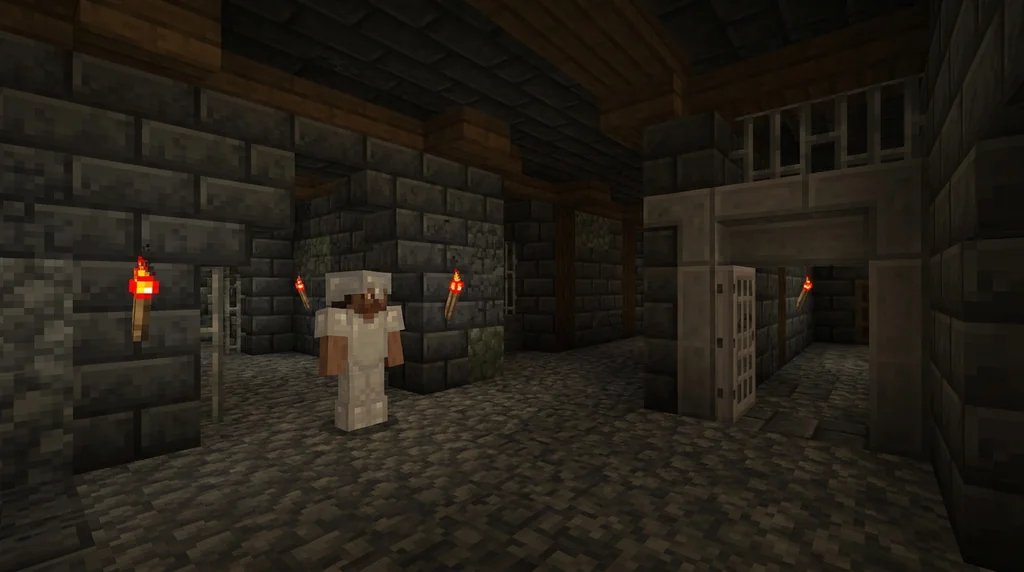
Before placing a single block, decide on the story. Why are players here? What’s the final boss guarding? A strong theme makes the dungeon memorable. Once you have the concept, map out the flow. A classic design includes:
- An entrance area that sets the mood.
- A series of combat rooms with trash mobs.
- Puzzle or parkour sections to break up combat.
- A mini-boss that tests a specific mechanic.
- The final boss arena with a unique gimmick.
- A treasure room that feels rewarding.
Use structure blocks to save each room as a template. A structure block can capture up to 48x48x48 blocks, so even large chambers can be stored and reused (via Minecraft Wiki). This modular approach lets you mix and match rooms to create endless variety without rebuilding from scratch.
How Do You Balance Dungeon Difficulty for Different Player Levels?
Balancing difficulty involves scaling mob health and damage based on the intended player level, using dynamic difficulty systems or tiered dungeon wings to ensure both new and veteran players find challenges.
A dungeon that’s too easy is boring; one that’s too hard drives players away. The best MMORPG dungeons offer multiple difficulty tiers. You can achieve this with command blocks that check player levels or gear and adjust mob attributes accordingly. For example, a repeating command block can run /execute as @a[distance=..50,level=10..20] run data merge entity @e[type=minecraft:zombie,limit=1,sort=nearest] {Attributes:[{Name:generic.max_health,Base:40}]} to give zombies more health for mid-level players.
Warning: Test your scaling logic thoroughly in Adventure mode. A misconfigured command can make a boss invincible or spawn endless waves, crashing the server.
Another option is to build separate dungeon wings: a “Novice” wing with basic mobs, an “Elite” wing with tougher variants, and a “Master” wing for endgame groups. This approach works well alongside pet systems that give players extra combat power as they progress.
Essential Tools and Commands for Dungeon Building
Structure blocks, command blocks, and plugins like MythicMobs form the backbone of any custom dungeon, allowing you to build, automate, and populate your creation with ease.
Here’s a quick comparison of the main tools:
| Tool | Best For | Learning Curve |
|---|---|---|
| Structure blocks | Saving/loading rooms, modular design | Low |
| Command blocks | Traps, spawn waves, boss mechanics | Medium |
| MythicMobs plugin | Custom mobs, skills, loot tables | Medium |
| WorldEdit | Terrain shaping, large-scale edits | Low |
Structure blocks are your best friend for modular dungeons. Place a structure block in the corner of a room, set it to Save, and give it a name. Later, use a Load block to paste that room anywhere. This lets you build a library of 50+ rooms, like our beta testers on Gaia Legends have done in just one week.
Command blocks handle the logic. A repeating command block set to “Always Active” can run 20 commands per second, perfect for timed events like a lava trap that activates every 30 seconds (via Minecraft Wiki). Use conditional chain command blocks to create branching boss mechanics—if a player steps on a pressure plate, trigger a special attack.
For mobs, plugins like MythicMobs (used on over 10,000 servers) let you create custom creatures with unique abilities, drop tables, and spawn triggers without writing a single line of Java (via SpigotMC). Combine these with the /execute command to target players precisely: /execute as @a[distance=..10] at @s run summon minecraft:arrow ~ ~2 ~ {Motion:[0.0,-1.0,0.0]} creates a rain of arrows when a player gets too close.
Creating Engaging Boss Fights and Rewards
A memorable boss fight combines clear telegraphs, multiple phases, and a loot table that drops rare, exciting items worth the effort.
The boss is the climax of your dungeon. Design it with at least two phases: a normal phase and an enraged phase below 50% health. Use command blocks to change the arena, spawn adds, or alter attack patterns. The /execute command can detect when a boss’s health drops and trigger a phase change: /execute as @e[type=minecraft:zombie,name="Dungeon Boss",scores={health=..50}] run setblock 10 64 10 minecraft:redstone_block.
Loot tables make the reward feel special. You can define custom drops with specific chances; for example, a boss could have a 5% chance to drop an artifact weapon, mirroring the rarity systems found on servers like Hypixel SkyBlock, where legendary items can have drop rates as low as 0.5% (via Hypixel). Link your dungeon’s loot to wider server progression—maybe the boss drops a key that unlocks a hidden quest elsewhere.
Pro Tip: Add a “challenge mode” achievement for beating the boss without taking damage or within a time limit. Players love bragging rights.
How to Put This Into Practice on Gaia Legends
Gaia Legends is building a dungeon builder tool that lets you design custom dungeons directly on the server, no external plugins needed. You’ll be able to place structure block templates from a library, configure mob spawns with a GUI, and set loot tables—all while playing in Adventure mode. Once your dungeon is ready, you can publish it for the whole server to play, and even track completion times on a leaderboard.
We built this because we believe player-made content keeps an MMORPG alive. You don’t need to be a command block wizard; the tool handles the heavy lifting. Gaia Legends is free to join, non-pay-to-win, and supports Java + Bedrock crossplay. Whether you’re a seasoned dungeon master or just starting out, you’ll find a community eager to test your creations.
Join at gaialegends.pro and start your legend today.
Conclusion
Building custom dungeons for Minecraft MMORPGs is a skill that pays off in player engagement and server longevity. Remember these three takeaways:
- Plan a clear theme and modular layout with structure blocks—reusable rooms save hours of work.
- Balance difficulty with tiered designs or command-block scaling so every player feels challenged, not frustrated.
- Create memorable boss fights with multiple phases and rewarding loot tables that tie into your server’s progression.
Now it’s your turn. Grab a structure block, sketch a dungeon, and bring your adventure to life. Your players are waiting.
Recommended
- How to Defeat the Creaking in Minecraft 2026: Complete Combat Guide
- How to Profit from Minecraft Wandering Trader Deals in 2026
- How to Conquer Trial Chambers in Minecraft 2026: Tips & Tricks
- How to Catch Fish Without a Fishing Rod in Minecraft (2026)
Ready to play? Join Gaia Legends today — no pay-to-win, Java + Bedrock crossplay.
- Java:
join.gaialegends.pro - Bedrock:
join.gaialegends.pro— Port19132
Further reading
These references were recorded with the article; specific claims have not been matched to source excerpts.
Frequently Asked Questions
How to build custom dungeons in Minecraft MMORPGs?
Start by planning a theme and layout using structure blocks to save modular rooms. Use command blocks for traps and boss mechanics, and plugins like MythicMobs for custom mobs and loot tables. Test everything in Adventure mode to ensure balance and prevent exploits, then publish on your server for players to enjoy.
What tools do I need to build a custom dungeon?
Essential tools include structure blocks for saving and loading room templates, command blocks for logic and events, WorldEdit for terrain editing, and plugins like MythicMobs for custom creatures. A repeating command block can run 20 commands per second, making complex mechanics possible without mods.
Can I use command blocks for dungeon mechanics?
Absolutely. Command blocks let you create timed traps, spawn waves, boss phase changes, and conditional events. Use repeating command blocks for continuous checks and chain command blocks for sequences. The /execute command is especially powerful for targeting players and triggering actions based on their position or health.
How do I balance dungeon difficulty?
Design tiered difficulty levels—Novice, Elite, Master—with separate wings or scale mob health and damage using command blocks that check player levels. Test with groups of different gear levels. Ensure each class has a role, and avoid one-shot mechanics that feel unfair.
How do I share my custom dungeon with other players?
On most servers, you can save your dungeon as a structure file and share it with the admin for integration. On Gaia Legends, the upcoming dungeon builder tool will let you publish dungeons directly in-game, complete with leaderboards and public playtesting.
What are the best plugins for MMORPG dungeon creation?
MythicMobs is the gold standard for custom mobs and skills, used on over 10,000 servers. Other helpful plugins include DungeonsXL for instanced dungeons, BetonQuest for quest integration, and ItemsAdder for custom textures and items. Always check compatibility with your server version.
Related guides
Minecraft's RPG Roots: How Early Games Shaped the Game
Discover how Legend of the Chambered, RubyDung, and Rubylands shaped Minecraft's RPG DNA. Explore the origins of its textures, quest systems, and MMORPG servers.
The Herobrine Myth: Origins and Reality
Uncover the truth behind Minecraft's most famous creepypasta. Learn where the Herobrine myth came from, why it persists, and why he never actually existed in the game.
Quest Systems in Official Minecraft Event and Featured Servers
Explore how quests work in official Minecraft servers like the A Minecraft Movie Live Event and SoulSteel. Analysis of progression, rewards, and design...
How to Roleplay in Minecraft MMORPGs (2026 Guide)
Learn how to roleplay in Minecraft MMORPGs with our 2026 guide. Master character backstory, in-game actions, and find the best roleplay servers on Gaia...
Have a question or another approach?
Compare notes with other readers. Include your edition and version when discussing mechanics.