Create Configurable Machine Outputs Mod Quick Reference
Filed under Vanilla-Enhanced Modpacks & QoL · How we create content
Version scope: Minecraft 1.18–1.20 (Forge & Fabric)
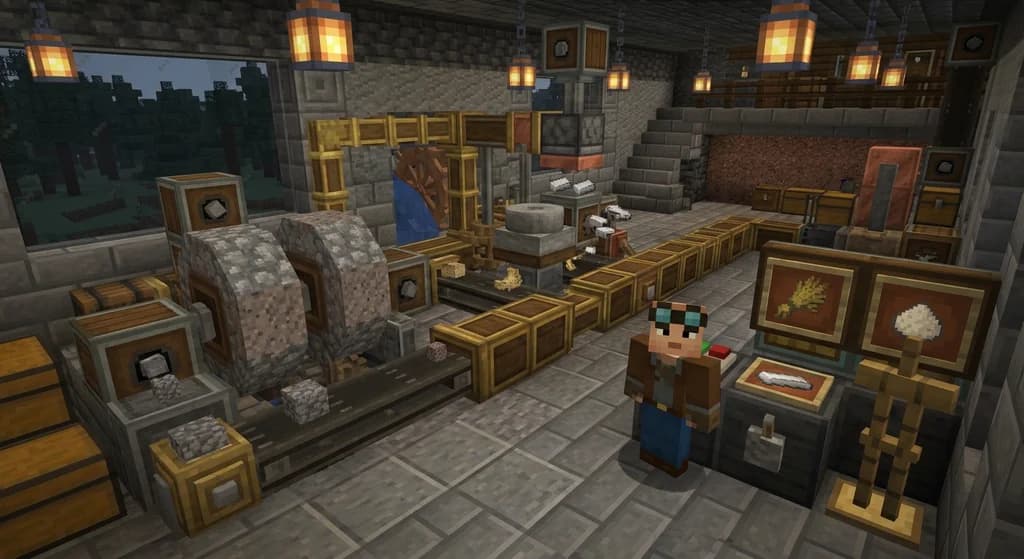
Key Takeaways
| Point | Details |
|---|---|
| Resolves recipe conflicts on | Resolves recipe conflicts on millstones, crushing wheels, and presses automatically. |
| Simple GUI or config | Simple GUI or config file lets you pick exactly which recipe a machine uses. |
| Lightweight and compatible with | Lightweight and compatible with most Create addons and modpacks. |
| No more random outputs | your automation becomes predictable and reliable. |
| Works on both Forge | Works on both Forge and Fabric for modern Minecraft versions. |
If you've ever built a Create mod factory only to find your crushing wheels randomly switching between different outputs — one moment crushing cobblestone into gravel, the next into something from a different addon — you know the frustration. That's exactly the problem Create Configurable Machine Outputs solves.
This lightweight addon lets you take control of your machinery automation. As the mod's description puts it, it helps you "choose which recipe your millstones, crushing wheels and presses use when multiple addons create conflicting recipes, ensuring predictable and reliable automated systems."
This mod lets you choose which recipe your millstones, crushing wheels and presses use when multiple addons create conflicting recipes, ensuring predictable and reliable automated systems.
How Recipe Conflicts Happen
When you install multiple Create addons (like Create: New Age, Create: Crafts & Additions, or Create: Misc & Things), they often add their own recipes for the same machine. Your millstone might be able to crush wheat into flour from one mod and also into dough from another. Without intervention, the game picks one at random or cycles between them, breaking your carefully planned production lines.
Take control of your create machinery automation!
What This Mod Does
Once installed, the mod adds a simple interface to each supported machine. You can:
- View all available recipes for that machine from every installed mod.
- Select exactly one recipe to use, locking the machine to that output.
- Change the selection at any time without breaking the machine.
No more surprise outputs. Your crushing wheel will crush exactly what you tell it to, every time.
Supported Machines
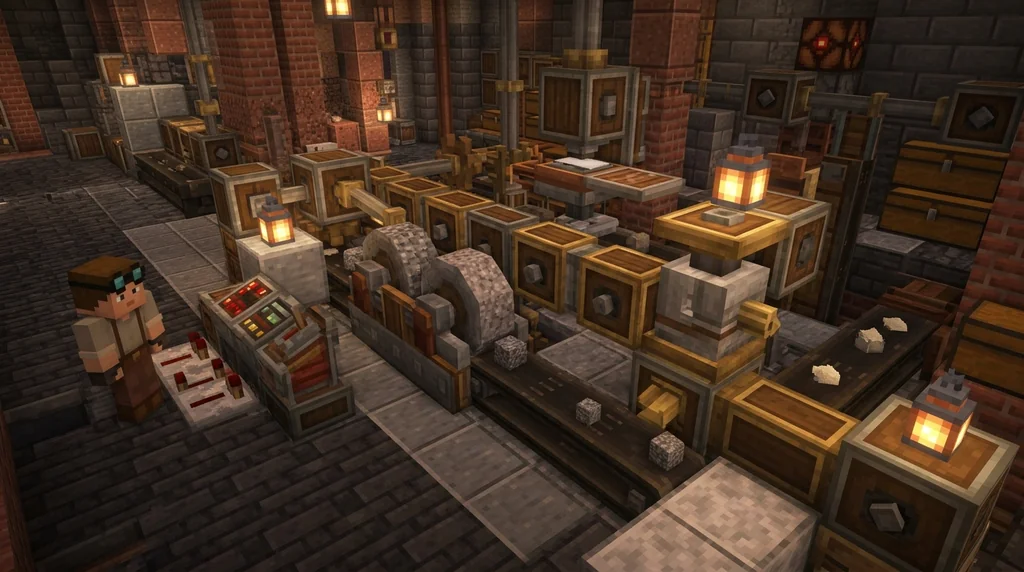
The mod currently works with:
- Millstone — perfect for automated flour, dough, or dust production.
- Crushing Wheel — essential for ore processing and material grinding.
- Press — for compacting, stamping, and pressing operations.
Installation and Setup
- Download the mod from Modrinth or CurseForge for your Minecraft version (1.18–1.20, Forge or Fabric).
- Place it in your
modsfolder like any other mod. - Launch the game. No additional libraries are required.
- Right-click on a supported machine to open the recipe selection GUI.
- Choose your desired recipe from the list. The machine will now only use that recipe.
Compatibility
This mod is designed to be compatible with most Create addons. It doesn't override or remove other mods' recipes — it just lets you pick which one to use. It works well in modpacks that include multiple Create addons, such as Landscapes Reimagined Genesis, which "embrace[s] the iconic Create mod and addons" alongside other content.
Explore Terralith, marvel at YUNG's, MES, and MVS Structures; embrace the iconic Create mod and addons, pristine performance mods, embark on a captivating questline, and more!
Why You Need It
If you're running a Create-based factory with multiple addons, this mod is almost essential. It saves you from:
- Wasted materials when a machine produces the wrong output.
- Broken automation loops that rely on specific outputs.
- Constant manual intervention to reset machines.
Instead, you get predictable, reliable automation that behaves exactly as you designed it.
Final Thoughts
Create Configurable Machine Outputs is a small mod with a big impact on quality of life. It doesn't add flashy new blocks or mechanics — it just fixes a common pain point in modded Create factories. If you value reliable automation, this is a must-have addition to your modpack.
For more ways to streamline your modded experience, check out our guides on Inventory Organization Mods and HUD Customization with Mods.
Sources
- This mod lets you choose which recipe your millstones, crushing wheels and presses use when multiple addons create conflicting recipes, ensuring predictable and reliable automated systems. — Create: Configurable Machine Outputs
- Take control of your create machinery automation! — Create: Configurable Machine Outputs
- Explore Terralith, marvel at YUNG's, MES, and MVS Structures; embrace the iconic Create mod and addons, pristine performance mods, embark on a captivating questline, and more! — Landscapes Reimagined Genesis
Frequently Asked Questions
Does this mod work with all Create addons?
Yes, it is designed to be compatible with most Create addons. It reads the recipes each addon registers and lets you choose among them.
Can I change a machine's recipe after I've set it?
Absolutely. Just right-click the machine again to open the GUI and select a different recipe. The machine will switch immediately.
Is this mod available for both Forge and Fabric?
Yes, versions are available for both Forge and Fabric for Minecraft 1.18 through 1.20.
Will this mod affect other machines like mixers or fans?
Currently, the mod only supports millstones, crushing wheels, and presses. Other machines are not affected.
Related guides

HUD Customization with Mods in Minecraft
Discover the best Minecraft HUD mods for customizing your interface. This quick reference covers HUD Lib, Resource Bar API, Inventory Hud+, Apple Skin, and how modpacks use them for better gameplay awareness.
Inventory Organization Mods for Minecraft: Quick Reference
Quick reference for the best inventory organization mods in Minecraft, including InventoryTweaks, Playerautoma, and OFF Client. Learn their features, compatibility, and how to choose the right one.
Using a Base Modpack to Create Your Own Minecraft Modpack
Learn how to use a base modpack as a foundation for your own custom Minecraft modpack. Cut setup time, avoid conflicts, and build the perfect pack for your playstyle.
Aged Light Modpack: Quick Reference
Discover the Aged Light Modpack for Minecraft Fabric 1.20.1. This quick reference covers its vanilla-enhanced features, community influence, and how it fits into the modpack ecosystem.
Have a question or another approach?
Compare notes with other readers. Include your edition and version when discussing mechanics.