Minecraft Server.properties Reference for Community Server Admins
Filed under Minecraft Community & Social Play · How we create content
Version scope: Java and Bedrock editions
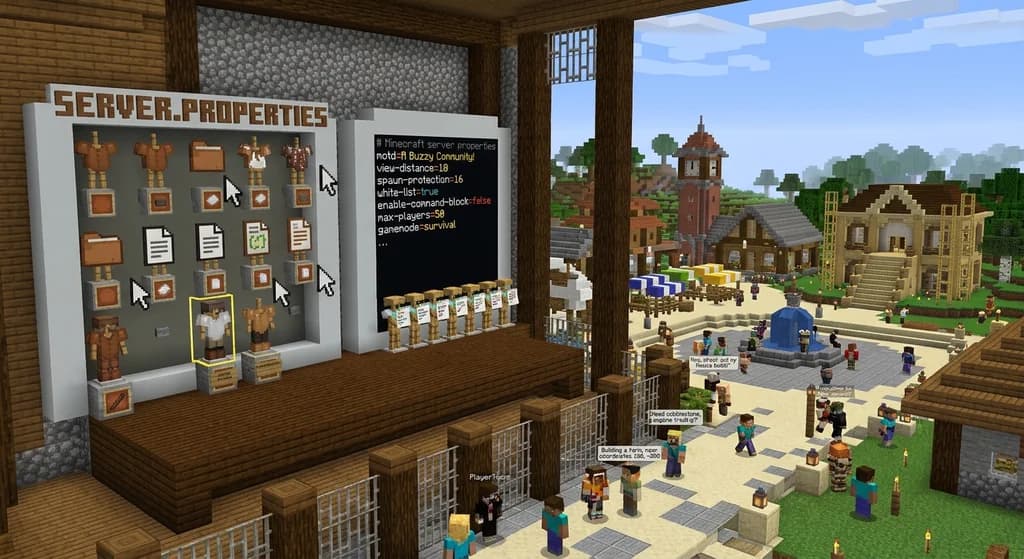
Key Takeaways
| Point | Details |
|---|---|
| Server.properties is a plain-text | Server.properties is a plain-text settings file for both Java and Bedrock Edition servers, but the two editions' files are not interchangeable. |
| The file sits in | The file sits in the server's current working directory and uses simple key=value lines, with # for comments. |
| After editing server.properties, you | After editing server.properties, you must restart the server for changes to apply. |
| On startup, the server rewrites the file | it keeps existing values, sets missing/invalid ones to defaults, and strips out all comments. |
| Always back up your | Always back up your server.properties before editing, and use a text editor like Notepad, nano, or Vim. |
If you run a Minecraft server for your community, the server.properties file is where the magic happens. It controls everything from the server's name and player limit to whether PvP is enabled. This quick reference covers what it is, where to find it, and how to use it on both Java and Bedrock editions.
What Is Server.properties?
Minecraft Wiki: "server.properties is a file that specifies settings for the Minecraft server software." server.properties is a file that specifies settings for the Minecraft server software.
It's a plain-text configuration file. Java Edition uses one variant, Bedrock Edition uses another. They serve the same purpose but are not compatible.
"There exists a variant for server.jar in Java Edition, as well as for Bedrock Dedicated Server in Bedrock Edition. Those variants are not compatible, but serve a similar purpose with similar syntax." There exists a variant for server.jar in Java Edition, as well as for Bedrock Dedicated Server in Bedrock Edition. Those variants are not compatible, but serve a similar purpose with similar syntax.
Where Is Server.properties Located?
The file lives in the current working directory of the server software. If you start your server from /home/minecraft/server, you'll find it there.
"server.properties is located in the current working directory of the server software." server.properties is located in the current working directory of the server software.
Both Java and Bedrock behave the same way. The Bedrock server ships with a default file; Java generates one if it doesn't exist.
How to Edit the File
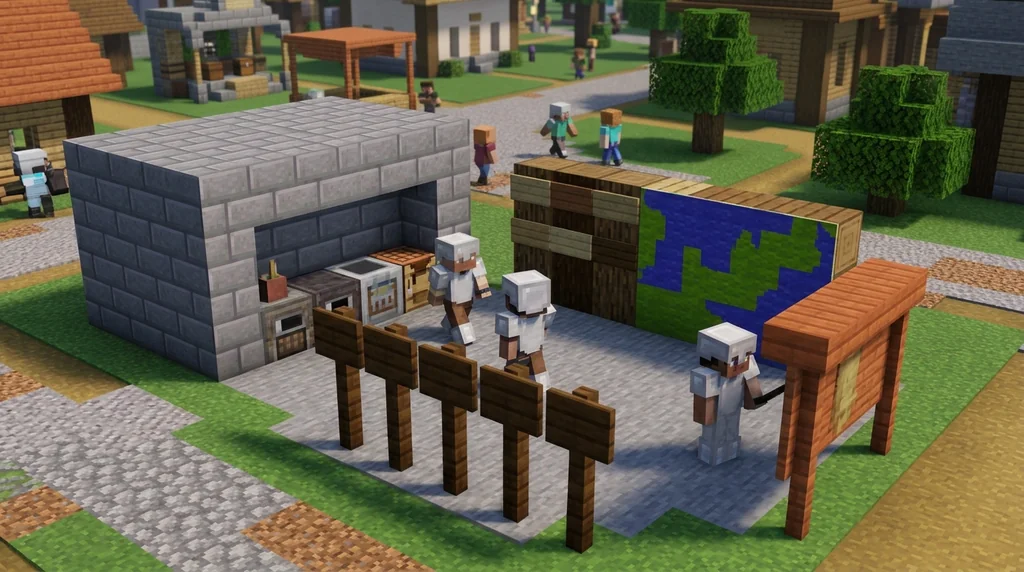
The file is UTF-8 encoded text (with ISO-8859-1 fallback on Java). You can open it with any text editor like Notepad, TextEdit, Kate, nano, or Vim.
"The file is UTF-8 encoded text using the Properties syntax... It can be edited with a text editor, such as Notepad, TextEdit, Kate, nano or Vim." The file is UTF-8 encoded text using the Properties syntax, as defined for Properties.load(Reader). It can be edited with a text editor, such as Notepad, TextEdit, Kate, nano or Vim.
Lines follow the format:
setting-name=value
Lines starting with # are comments and are ignored by the server.
Values are always strings but may be interpreted as integers, booleans, or other types depending on the key.
How Server Startup Processes the File
Every time the server starts, it reads the existing server.properties, then rewrites it. This regeneration behaves in a specific way:
- Existing values are copied over.
- Comments are discarded.
- Any missing keys or keys with invalid values are set to defaults.
- The file is written with UTF-8 encoding, and the first line becomes a comment "Minecraft server properties" with a timestamp on the second line.
"The server.properties file is regenerated by the server software on startup: If the file already exists, existing values are copied from it. Comments are ignored. Any missing keys or keys with invalid values are set to the defaults." The server.properties file is regenerated by the server software on startup: If the file already exists, existing values are copied from it. Comments are ignored. Any missing keys or keys with invalid values are set to the defaults.
Because of this, you should always keep your own backup of your custom settings if you want to preserve comments or formatting.
Applying Changes: Restart Required
After you save an edit to server.properties, the server will not reload it automatically. You must restart the server for the new settings to take effect.
"After changes are made to the file, the server must be restarted for them to take effect." After changes are made to the file, the server must be restarted for them to take effect.
Practical Tips for Community Server Admins
- Backup before editing: Copy the file to
server.properties.backupbefore making changes. - Use comments sparingly: They'll be removed on next restart, so don't rely on them for documentation.
- Test settings on a staging server if possible, especially game-altering ones like
pvp,difficulty, orgamemode. - Remember the restart: Edit, save, stop server, start server.
- Check for typos: An invalid value will be silently replaced with the default. Double-check your capitalization and spelling.
If you're new to running a server, see our guide on Java Edition Server Software Quick Reference for how to set up the vanilla server.jar. For help building a welcoming player base, read How to Find the Best Minecraft Community for You in 2026 and How to Write a Minecraft Server Code of Conduct in 2026.
Common Settings at a Glance
| Setting | Purpose | Example Value |
|---|---|---|
server-name | Display name for the server | My Community |
max-players | Maximum number of players online | 20 |
difficulty | Game difficulty (peaceful, easy, normal, hard) | normal |
pvp | Enable player-vs-player combat (true/false) | false |
white-list | Enable whitelist (true/false) | true |
enable-command-block | Allow command blocks (true/false) | false |
Note: These are common settings but the full list is larger. Check your edition's official documentation for all available keys.
Frequently Asked Questions
Where exactly is server.properties on my server?
It's in the same folder as the server executable (or where you run the start command). On Java Edition, this is the "current working directory". On Bedrock, the file is shipped with the server software and placed there by default.
Why did my comments disappear from server.properties?
The server rewrites the file on startup and discards all lines starting with #. If you want to keep notes, store them in a separate file like readme.txt.
Can I edit server.properties while the server is running?
Yes, you can edit the file at any time, but changes will only apply after a restart. Editing while the server is active is safe but pointless until you restart.
Do Java and Bedrock server.properties files work on each other's servers?
No. They have different keys and syntax. Always use the variant that matches your server edition.
What happens if I make a typo in a value?
The server will detect the invalid value and silently replace it with the default for that key. Always double-check your edits before restarting.
Sources
- server.properties is a file that specifies settings for the Minecraft server software. — Server.properties
- There exists a variant for server.jar in Java Edition, as well as for Bedrock Dedicated Server in Bedrock Edition. — Server.properties
- Those variants are not compatible, but serve a similar purpose with similar syntax. — Server.properties
- server.properties is located in the current working directory of the server software. — Server.properties
- The file is UTF-8 encoded text using the Properties syntax, as defined for Properties.load(Reader). — Server.properties
- It can be edited with a text editor, such as Notepad, TextEdit, Kate, nano or Vim. — Server.properties
- The server.properties file is regenerated by the server software on startup: If the file already exists, existing values are copied from it. — Server.properties
- Comments are ignored. — Server.properties
Frequently Asked Questions
Where exactly is server.properties on my server?
It's in the same folder as the server executable (or where you run the start command). On Java Edition, this is the "current working directory". On Bedrock, the file is shipped with the server software and placed there by default.
Why did my comments disappear from server.properties?
The server rewrites the file on startup and discards all lines starting with `#`. If you want to keep notes, store them in a separate file like `readme.txt`.
Can I edit server.properties while the server is running?
Yes, you can edit the file at any time, but changes will only apply after a restart. Editing while the server is active is safe but pointless until you restart.
Do Java and Bedrock server.properties files work on each other's servers?
No. They have different keys and syntax. Always use the variant that matches your server edition.
What happens if I make a typo in a value?
The server will detect the invalid value and silently replace it with the default for that key. Always double-check your edits before restarting.
Related guides
Official Minecraft Discord Servers: A Quick Reference
Find the official Minecraft Discord servers: main community, feedback, and Mojira bug tracker. Quick reference with invite links, creation dates, and key...
Java Edition Server Software Quick Reference
A quick reference to Minecraft Java Edition server software. Learn about the official server.jar, its features, how to download and run it, and the basics...
How to Find the Best Minecraft Community for You in 2026
Learn how to find a Minecraft community that fits your playstyle in 2026. Compare server types, spot toxic signs, and discover active servers with our...
How to Write a Minecraft Server Code of Conduct in 2026
Learn how to write a Minecraft server code of conduct in 2026: practical templates, enforcement tips, and community-first wording that reduce griefing and...
Have a question or another approach?
Compare notes with other readers. Include your edition and version when discussing mechanics.