How to Use Beacons in Minecraft: Complete Beacon Guide 2026
Filed under Minecraft Tips & Tricks · How we create content
Key Takeaways
| Point | Details |
|---|---|
| Craft a beacon | 3 obsidian, 1 Nether star, 5 glass in a 3x3 pattern. |
| Build a pyramid | 4 layers of mineral blocks (iron, gold, emerald, diamond, netherite) under the beacon. |
| Activate | beacon must have direct access to the sky; right-click to open the GUI. |
| Choose powers | Speed, Haste, Resistance, Jump Boost, Strength, and Regeneration. |
| Secondary power requires a | Secondary power requires a 4-layer pyramid; you can also increase the primary power level. |
| Range scales with pyramid | 20, 30, 40, or 50 blocks (plus beacon itself). |
Table of Contents
- What Is a Beacon in Minecraft?
- How to Craft a Beacon
- How to Build a Beacon Pyramid
- How to Activate and Use a Beacon
- All Beacon Effects and Powers Explained
- How Far Does a Beacon Range Extend?
- Which Beacons Are Best for Your Base?
- Why Should You Use a Beacon?
- How to Put This Into Practice on Gaia Legends
- Conclusion
- Frequently Asked Questions
If you've ever wondered how to use a beacon in Minecraft, you're not alone. Beacons are one of the game's most powerful utility blocks, giving you temporary status effects that can drastically improve your mining, combat, and building speed. In this complete beacon guide, I'll walk you through crafting, building a pyramid, activating, and choosing the best effects for your playstyle. Whether you're a new player or a seasoned pro, you'll finish this knowing exactly how to make a beacon work for you.
What Is a Beacon in Minecraft?
A beacon is a utility block that emits a light beam into the sky and grants nearby players status effects when powered by a pyramid of mineral blocks. It's the only block in Minecraft that can give you effects like Haste or Regeneration without needing to drink potions or eat golden apples. The beacon itself does nothing unless it has a properly constructed pyramid beneath it and direct access to the sky.
Beacons were added in update 1.4.2 (the Pretty Scary Update) back in 2012, and they've remained a staple of end-game bases ever since. They're especially useful when you're working on long-term projects like a city or a massive farm, because the effects last as long as you stay in the beam's radius.
How to Craft a Beacon
To craft a beacon, you need exactly 3 obsidian, 1 Nether star, and 5 glass, arranged in a specific pattern. This is one of the few crafting recipes that requires a Nether star, so you'll have to defeat the Wither first. If you haven't fought the Wither yet, check out our guide on How to Use the Respawn Anchor in Minecraft 2026 for some Nether-related survival tips.
Step-by-Step Crafting Recipe
- Get obsidian: Mine at least 3 blocks with a diamond or netherite pickaxe. Obsidian forms when water flows onto lava source blocks.
- Get a Nether star: Defeat the Wither. The Wither drops one Nether star when killed. Bring milk, good armor, and ranged weapons.
- Get glass: Smelt sand in a furnace. You'll need 5 glass blocks.
- Open your crafting table and place the ingredients exactly as shown below:
| Glass | Glass | Glass | | Glass | Nether star | Glass | | Obsidian | Obsidian | Obsidian |
That gives you a beacon. Simple, right?
Pro Tip: If you're farming Withers for multiple beacons, build a confined killing chamber using bedrock in the Nether roof. It keeps the Wither trapped and safe.
How to Build a Beacon Pyramid
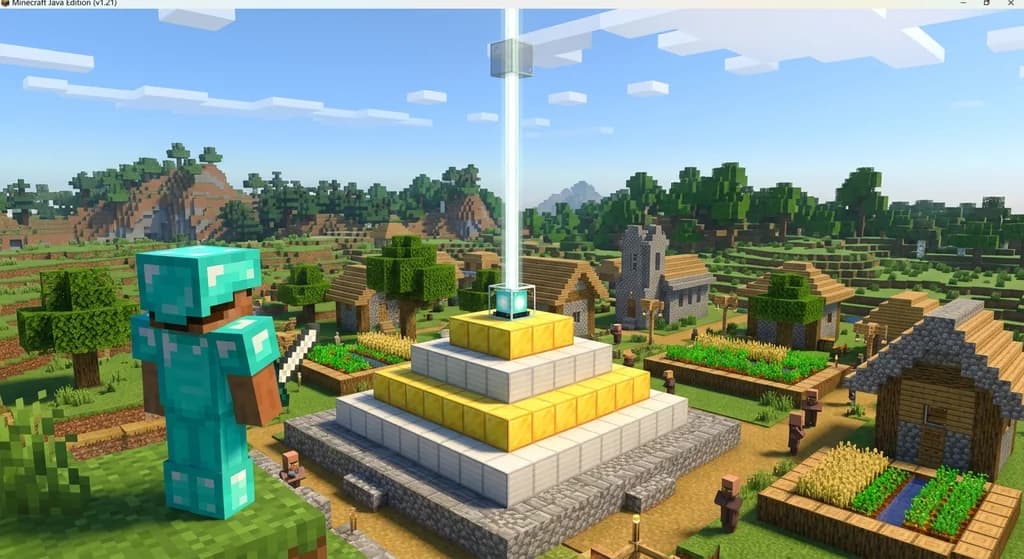
To activate a beacon, you must place it on a pyramid made of iron, gold, emerald, diamond, or netherite blocks — the pyramid's size determines the effects and range. The pyramid can be 1 to 4 layers tall, with each layer being a square of mineral blocks. The beacon sits on top of the uppermost layer. You can mix different mineral types freely; only the block count matters.
Pyramid Size Requirements
| Layer | Base Size | Blocks Needed | Total Blocks |
|---|---|---|---|
| 1 (minimum) | 3x3 | 9 | 9 |
| 2 | 5x5 | 25 | 34 |
| 3 | 7x7 | 49 | 83 |
| 4 (max) | 9x9 | 81 | 164 |
- 1 layer: Grants a primary power at level 1.
- 2 layers: Grants primary power at level 2.
- 3 layers: Grants primary power at level 3.
- 4 layers: Grants primary power at level 4 (if available) and a secondary power (if you choose it).
Warning: The pyramid must have direct sky access above the beacon — no blocks like glass or leaves can block the beam. Also, the beacon can't see the sky if a solid block is directly above it.
How to Activate and Use a Beacon
Once your pyramid is ready, right-click the beacon to open its interface, then insert a mineral ingot/emerald/diamond/netherite ingot to choose your effects. The beacon activates immediately when you select a power and click the checkmark. The beam rises into the sky, and the effects pulse out to players within range.
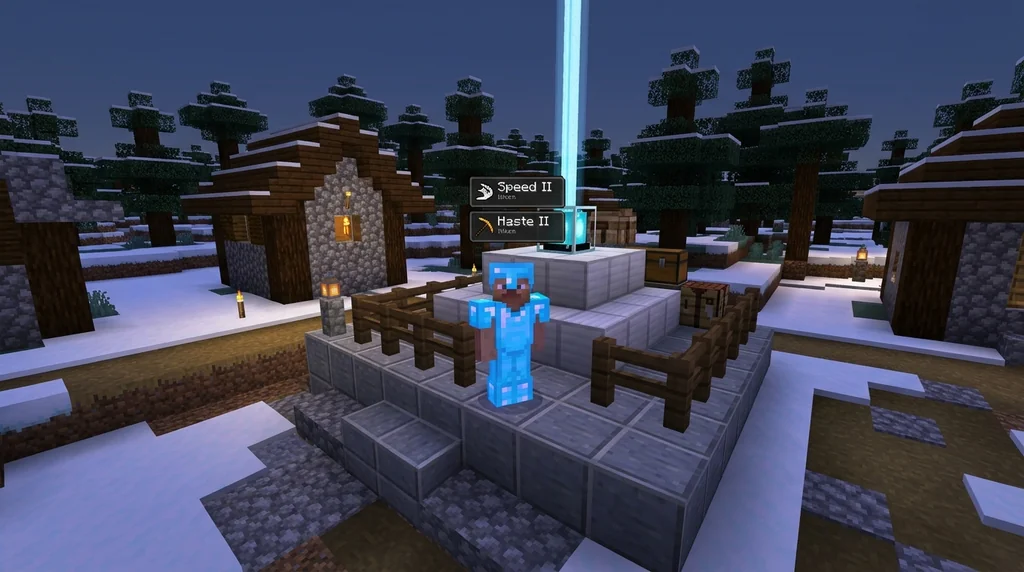
Steps to Activate
- Place the beacon on the top center block of your pyramid.
- Right-click the beacon to open its GUI.
- Insert one of the following: iron ingot, gold ingot, emerald, diamond, or netherite ingot.
- Select a primary power from the grid (only the ones matching your pyramid level will be lit).
- If you have a 4-layer pyramid, you can also select a secondary power.
- Click the green checkmark to confirm.
That's it! You've now got an active beacon. To change powers, right-click again and choose a different effect.
All Beacon Effects and Powers Explained
Beacons can grant six primary effects — Speed, Haste, Resistance, Jump Boost, Strength, and Regeneration — with secondary effects depending on pyramid size. Here's a quick breakdown:
| Effect | Max Level (from beacon) | What It Does |
|---|---|---|
| Speed | I (level 1) | Increases movement speed by 20% per level |
| Haste | II (level 2) | Increases mining speed by 20% per level |
| Resistance | II | Reduces damage taken by 20% per level |
| Jump Boost | II | Increases jump height and reduces fall damage |
| Strength | I | Increases melee damage by 3 per level |
| Regeneration | I (level 1) | Regenerates health over time |
- Level 1 effects are available with a 1-layer pyramid.
- Level 2 effects come with a 2-layer pyramid.
- Level 4 effects (only Speed, Haste, Resistance, and Jump Boost) require a 4-layer pyramid.
- Regeneration is the secondary power you can choose when you have a full 4-layer pyramid; it acts as an additional effect on top of your primary.
Pro Tip: Use Haste II with a Efficiency V pickaxe to instamine most stone blocks. Mining becomes extremely fast, perfect for massive excavation projects.
How Far Does a Beacon Range Extend?
The beacon's effect range depends on its pyramid size: 20, 30, 40, or 50 blocks from the beacon itself. The radius is measured in blocks horizontally, and it's a square area (not circular) centered on the beacon. The beam height is infinite for all practical purposes, but the effects only apply to players within the horizontal range.
| Pyramid Layer | Effect Range (in blocks) |
|---|---|
| 1 | 20 |
| 2 | 30 |
| 3 | 40 |
| 4 | 50 |
So a fully upgraded 4-layer pyramid gives you a 101x101 block area of effect — huge for a base. If you have multiple beacons, you can overlap them to cover even more space.
Which Beacons Are Best for Your Base?
The best beacon power depends on your activity: Haste for mining, Speed for travel, and Strength for combat are the most popular choices. Many players build multiple beacons for different purposes. For example, you might have a Haste beacon near your quarry, a Speed beacon at your base entrance, and a Strength beacon near your PvP arena.
Quick Reference by Use Case
- Mining: Choose Haste II (needs 2-layer pyramid) to speed up your pickaxe.
- Building: Jump Boost I or II lets you climb easily; Speed helps you move between scaffolds.
- Farming: Regeneration keeps you alive while harvesting hostile mobs.
- PvP: Strength I gives you +3 damage per hit; Resistance II reduces incoming damage.
- Exploring: Speed II (from 4-layer) makes you zoom across terrain.
Why Should You Use a Beacon?
Beacons provide powerful, constant area-of-effect buffs that cost nothing to maintain after construction, making them worth the investment. Unlike potions, which run out and require ingredients, a beacon's effects last indefinitely as long as you're within range. This makes them ideal for long-term projects and base defense.
Beacons also serve as a visual landmark: the light beam can be seen from far away, helping you find your base quickly. If you're playing on a server, a lit beacon shows others you're active and established.
Warning: Beacons can be destroyed by explosions or griefers if not protected. On a survival server, reinforce your beacon area with obsidian or build it in a protected chunk claim (via Minecraft Wiki).
How to Put This Into Practice on Gaia Legends
On Gaia Legends, our interactive beacon range calculator lets you plan your pyramid size and check real-time effect coverage before you build. It's a handy tool for our SMP community, where players often ask how far a beacon reaches or which pyramid size fits their base. The calculator shows the exact block radius for each layer and even suggests optimal placements.
We also have a showcase where players share their beacon designs — from minimalist 1-layer setups to massive 4-layer pyramids made of netherite. If you're new, you can check out other players' builds for inspiration. Gaia Legends is free to join, non-pay-to-win, and supports Java + Bedrock crossplay.
Join at gaialegends.pro and start your legend today.
Conclusion
Beacons are one of the most rewarding end-game investments in Minecraft. Let's recap the essentials:
- Craft a beacon with obsidian, a Nether star, and glass.
- Build a pyramid of mineral blocks to unlock stronger effects and longer range.
- Activate it by right-clicking and selecting your desired power.
Whether you're a miner wanting Haste, a builder needing Jump Boost, or a fighter craving Strength, a beacon will transform your gameplay. Team up with friends on your SMP and share the buffs. Try it on Gaia Legends, where you can also use our interactive calculator to perfect your setup.
Frequently Asked Questions
How do I use a beacon in Minecraft?
To use a beacon in Minecraft, place it on top of a pyramid made of iron, gold, emerald, diamond, or netherite blocks (at least 3x3). Expose the top to the sky, right-click to open the GUI, insert a mineral ingot/diamond/emerald, pick a power, and confirm. The beacon then grants effects to players within its range.
What is the best beacon power for mining?
Haste is the best for mining. A 2-layer pyramid gives Haste II, which increases mining speed by 40%, letting you break stone nearly instantly with an Efficiency V pickaxe. For maximum mining efficiency, pair Haste II with a beacon and a good pickaxe.
How many layers does a beacon need for full effects?
A 4-layer pyramid (9x9 base) gives you the maximum primary power level (level 4 for Speed, Haste, Resistance, and Jump Boost) plus a secondary power like Regeneration. Smaller pyramids limit the primary level: 1 layer for level 1, 2 for level 2, 3 for level 3.
Can I mix different mineral blocks in a beacon pyramid?
Yes, you can mix iron, gold, emerald, diamond, and netherite blocks freely. Only the total block count matters, not the mineral type. Mixing is cheaper if you have surplus iron or gold.
How far does a beacon reach?
The beacon's effect range depends on pyramid size: 1 layer = 20 blocks, 2 = 30, 3 = 40, 4 = 50. This radius extends in the horizontal plane, creating a square area centered on the beacon.
Does a beacon work underground?
No, a beacon requires direct access to the sky to activate and maintain its beam. If you place it underground, it won't activate. You can build a vertical shaft to the surface, but the beacon itself must have a clear view of the sky.
Recommended
- How to Unlock Hidden Minecraft Fishing Achievements in 2026 | Gaia Legends
- How to Set Up a Hardcore Minecraft Server for Friends (2026) | Gaia Legends
- How to Fix Mod Conflicts in Your Vanilla-Enhanced Modpack in 2026 | Gaia Legends
- 7 Best Tetradic Block Palettes for Minecraft Builds (2026) | Gaia Legends
Ready to play? Join Gaia Legends today — no pay-to-win, Java + Bedrock crossplay.
- Java:
join.gaialegends.pro - Bedrock:
join.gaialegends.pro— Port19132
Frequently Asked Questions
How do I use a beacon in Minecraft?
To use a beacon in Minecraft, place it on top of a pyramid made of iron, gold, emerald, diamond, or netherite blocks (at least 3x3). Expose the top to the sky, right-click to open the GUI, insert a mineral ingot/diamond/emerald, pick a power, and confirm. The beacon then grants effects to players within its range.
What is the best beacon power for mining?
Haste is the best for mining. A 2-layer pyramid gives Haste II, which increases mining speed by 40%, letting you break stone nearly instantly with an Efficiency V pickaxe. For maximum mining efficiency, pair Haste II with a beacon and a good pickaxe.
How many layers does a beacon need for full effects?
A 4-layer pyramid (9x9 base) gives you the maximum primary power level (level 4 for Speed, Haste, Resistance, and Jump Boost) plus a secondary power like Regeneration. Smaller pyramids limit the primary level: 1 layer for level 1, 2 for level 2, 3 for level 3.
Can I mix different mineral blocks in a beacon pyramid?
Yes, you can mix iron, gold, emerald, diamond, and netherite blocks freely. Only the total block count matters, not the mineral type. Mixing is cheaper if you have surplus iron or gold.
How far does a beacon reach?
The beacon's effect range depends on pyramid size: 1 layer = 20 blocks, 2 = 30, 3 = 40, 4 = 50. This radius extends in the horizontal plane, creating a square area centered on the beacon.
Does a beacon work underground?
No, a beacon requires direct access to the sky to activate and maintain its beam. If you place it underground, it won't activate. You can build a vertical shaft to the surface, but the beacon itself must have a clear view of the sky.
Related guides
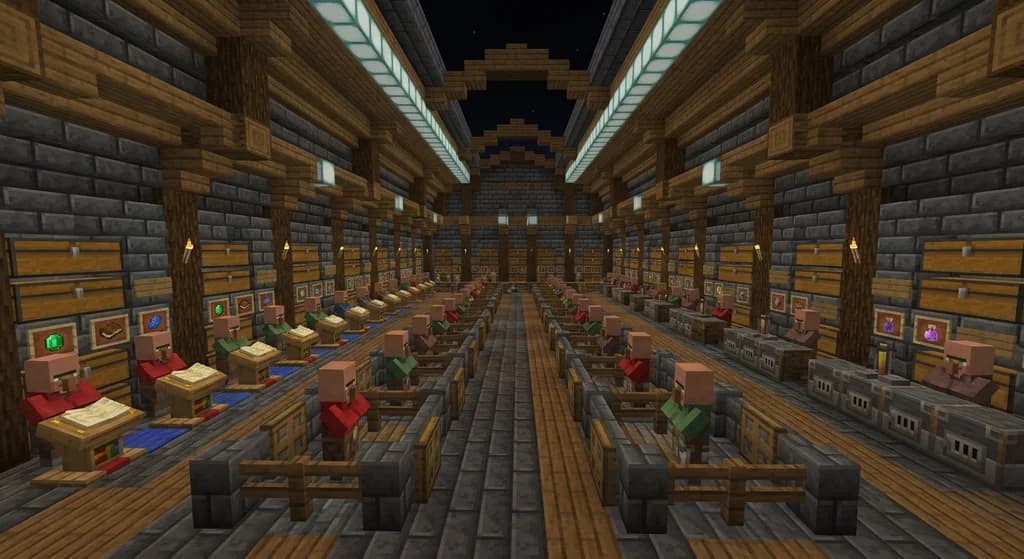
How to Master Minecraft Villager Trading: 7 Expert Tips for 2026
Master the Minecraft villager trading guide for 2026. Learn the best villager trades, how to lower prices, and build a trading hall that farms infinite...
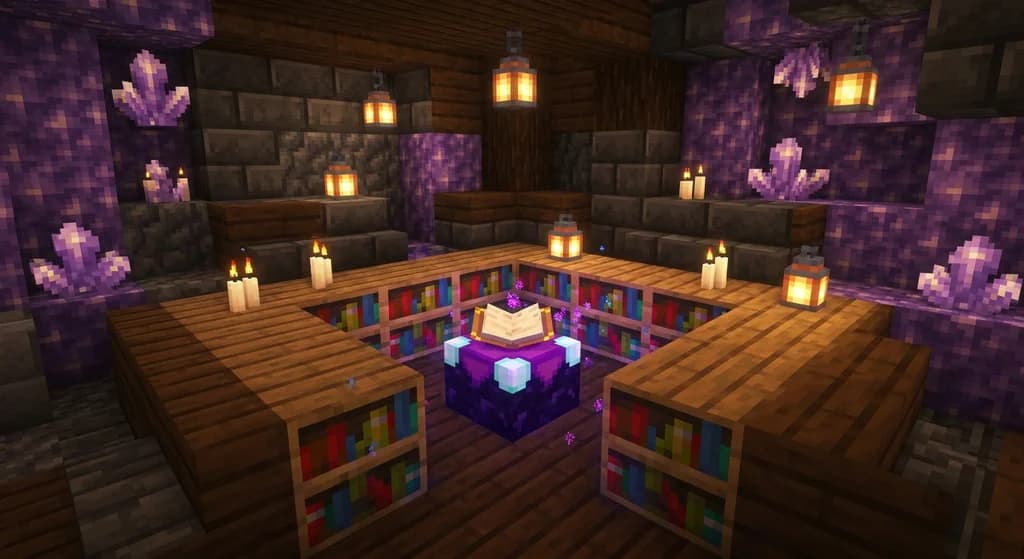
Best Minecraft Enchanting Table Setup for Max Levels (2026)
Learn the best Minecraft enchanting table setup to reach level 30 enchants. Bookshelf layout, placement rules, and pro tips for 2026 survival worlds.
How to Master Redstone: 10 Essential Survival Contraptions (2026)
Your complete minecraft guide to redstone: 10 must-know survival contraptions, beginner tips, and circuit breakdowns to automate your world in 2026.
How to Get and Use Nether Wart Blocks in Minecraft: Quick Reference
Learn how to get and use Nether Wart Blocks in Minecraft. This quick reference covers mining, crafting, composting, and mob spawning prevention in the Nether.
Have a question or another approach?
Compare notes with other readers. Include your edition and version when discussing mechanics.