How to Spot a Dying Minecraft Server: 7 Warning Signs (2026)
Filed under Minecraft Server Guides & Reviews · How we create content
Key Takeaways
| Point | Details |
|---|---|
| Population drop | A consistent decline in daily players over several weeks is the most obvious sign. |
| Staff absence | Administrators who don’t log in, respond to tickets, or enforce rules signal neglect. |
| Content stagnation | Months without plugin updates or new events mean the server is coasting toward shutdown. |
| Community toxicity | A shift from helpful chat to spam, insults, or eerie silence drives away new players. |
| Pay-to-win creep | Aggressive donations with game-breaking advantages are a desperate cash grab. |
| Technical decay | Frequent lag spikes, unpatched bugs, and rollbacks indicate the hosting may be cut soon. |
Table of Contents
- What Is a “Dying Minecraft Server”?
- Why Do Minecraft Servers Die?
- The 7 Warning Signs of a Dying Minecraft Server
- How Can You Evaluate a Server Before Committing?
- How to Put This Into Practice on Gaia Legends
- Conclusion
Joining a Minecraft server is a time investment. You build a base, make friends, and grind for gear. But nothing stings more than logging in one day to find the server ghosted—chunks empty, staff vanished, Discord silent. Learning how to spot a dying Minecraft server early can save you weeks of wasted effort. This guide breaks down the seven most reliable warning signs, from player count drops to admin absenteeism, so you can cut your losses before it’s too late.
What Is a “Dying Minecraft Server”?
A dying Minecraft server is a community in sustained decline—losing players, staff engagement, and content momentum week after week until it eventually goes offline.
This isn’t about a single bad day. A server might have a quiet week or a holiday dip, but a dying server never recovers its previous activity. The player count chart looks like a slow, steady downward slope. You’ll notice fewer people in voice chat, empty minigame lobbies, and staff who haven’t been seen in a month.
Note: A server’s life cycle can be short. Minecraft has sold over 300 million copies across all platforms (via Mojang Blog), yet the average survival multiplayer server struggles to keep players for longer than a few months. The sheer volume of servers means competition is fierce.
Why Do Minecraft Servers Die?
Servers collapse for four main reasons: owner burnout, financial strain, lack of fresh content, and community toxicity—often in combination.
Running a server is expensive. A dedicated hosting plan can cost $20–$100 per month, and if donations dry up, the owner faces a choice: pay out of pocket or pull the plug. The bar is high: Hypixel, the largest Minecraft server, hit a peak of 216,558 concurrent players in 2021 (via Hypixel), proving how massive a community must be to feel lively.
Content staleness is another killer. Players crave new challenges. If the same events recycle every two weeks without fresh plugins or map expansions, the excitement fades. SpigotMC alone hosts over 150,000 plugins (via SpigotMC), so there’s no excuse for a server to go months without an update. Servers that fail to adapt to new Minecraft versions or community trends see their pop count plummet. Finally, a toxic atmosphere accelerates the decline—we’ll explore these in the signs.
The 7 Warning Signs of a Dying Minecraft Server
These seven indicators are your early warning system—if you spot three or more on your current server, it’s time to start looking elsewhere.
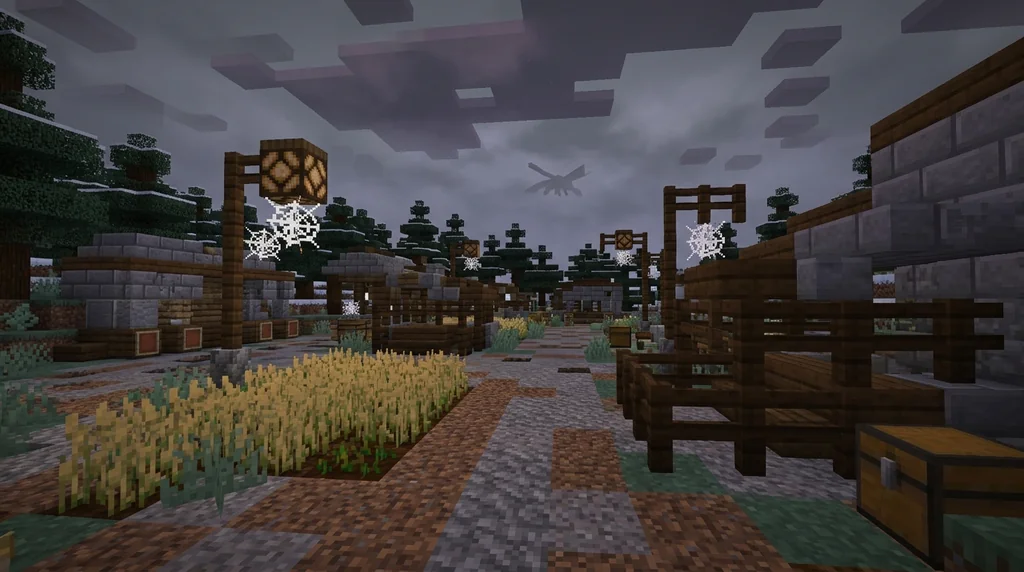
1. Persistent Population Drop
A steady decline in daily average players, especially during peak hours, is the most obvious red flag of a dying server.
Check the server’s player count at the same time over several weeks. If Monday evenings went from 30 players to 12 in a month, the trend is dangerous. A healthy server retains at least 60% of its peak players during off-hours. Use a server list site or in-game /list to track.
For servers that still feel alive, explore our list of the best Minecraft mini-game servers as active alternatives.
2. Inactive or Absent Staff
When administrators stop logging in, responding to tickets, or enforcing rules, the server is already on life support.
Staff are the backbone. They welcome newbies, ban hackers, and run events. If you file a support ticket and hear crickets for two weeks, that’s a problem. Worse, if the owner hasn’t been seen online in a month, the server is essentially abandoned. Even simple tools like a whitelist, as documented on the Minecraft Wiki (via Minecraft Wiki), can prevent griefers, but dead servers often have it disabled.
Check the staff list on forums or Discord—are they still active? You can also learn how to evaluate a Minecraft server community for more tips on spotting deadbeat staff.
3. Stale Gameplay and No Updates
A server stuck on Minecraft 1.19 with no new mini-games or events for months signals that the owner has run out of steam.
Minecraft evolves every year with major updates. If your server’s spawn hasn’t changed since 2024 and everyone is still grinding the same kits, boredom will drive players away. Check the server’s changelog or Discord announcement channel: when was the last update? Active servers roll out seasonal events, new crates, or map resets. CurseForge lists more than 100,000 server mods and plugins (via CurseForge), so a motivated owner can easily freshen things up.
4. Toxic or Silent Community
A shift from friendly banter to insult-flinging, or to dead silence, reveals a community that has stopped caring about newcomers.
A healthy server’s chat is full of “GG” and building tips. A dying server’s chat is either empty or toxic. You’ll see harassment, racist slurs, or constant complaining with no moderation. New players get ignored or mocked. Without a welcoming vibe, no one stays. If you see this, look for whitelisted SMPs with community applications where gatekeeping keeps quality high.
5. Pay-to-Win Creep
Sudden introduction of overpowered donor kits, real-money auction houses, and aggressive cash shop pop-ups indicate a final cash grab before closure.
When a server is circling the drain, owners may try to squeeze every last dollar from the few remaining players. They’ll sell armor with Sharpness X for $20 or spawn-kit advantages that ruin balance. Donations are normal, but when progression becomes impossible without paying, it’s a death rattle.
Warning: Be extremely cautious about spending money on a server that’s showing other warning signs. You could lose your investment when the server shuts down permanently. Check for Minecraft server IP safety before ever entering payment details.
6. Technical Issues Ignored
Frequent lag spikes, rollbacks, broken plugins, and crashes that go unfixed for weeks scream that the owner has stopped paying for quality hosting.
A few seconds of TPS lag is normal, but constant rubberbanding makes the game unplayable. If the server experiences daily downtime without an apology or status update, treat it as a flashing red light. Technical neglect often precedes a hosting bill that doesn’t get paid.
Pro Tip: Use the /tps command (if available) to check server performance. Values below 18 TPS indicate trouble; below 15 is practically unplayable.
7. No New Player Recruitment
When the owner stops advertising on server lists, stops posting on social media, and the whitelist is permanently closed, the server is in terminal decline.
A growing server actively recruits new members. Look for recent server-list bumps, Reddit posts, and join-events. Planet Minecraft alone lists over 10,000 active server submissions each year (via Planet Minecraft), so if a server stops advertising there, it’s a sign. You can also explore crossplay solutions like playing Bedrock on Java servers without Geyser to widen your pool of potential communities, but a dying server won’t bother.
How Can You Evaluate a Server Before Committing?
Before investing hours of your time, perform a quick community check: log in during peak and off-peak hours, monitor chat, join the Discord, and observe staff activity for at least a week.
A thorough evaluation can save you from the heartbreak of a dying server. Our guide to evaluating a Minecraft server community in 2026 walks through Discord red flags, staff responsiveness, and player sentiment. Apply those lessons to any server you consider.
How to Put This Into Practice on Gaia Legends
Gaia Legends is built to avoid the pitfalls described above—active staff, frequent content updates, a welcoming community, and fair non-pay-to-win policies.
On Gaia Legends, you’ll find daily admin presence, weekly events like boss arenas, and a transparent donation system that never sells game-breaking advantages. We monitor player feedback closely and patch technical issues same-day. Our server has been carefully curated to ensure a stable, long-term home for players.
Gaia Legends is free to join, non-pay-to-win, and supports Java + Bedrock crossplay. Join at gaialegends.pro and start your legend today.
Conclusion
Now you know the seven warning signs that reveal how to spot a dying Minecraft server before you lose your builds and friends. Keep these takeaways close:
- A consistent player count drop over weeks is your earliest alarm bell.
- Deadbeat staff and outdated content confirm the downward spiral; don’t wait for a shutdown notice.
- Avoid investing time or money in pay-to-win schemes—cut your losses and find a thriving alternative.
Use this checklist whenever you try a new server. Your time in Minecraft is too precious to waste on dying communities.
Ready to play? Join Gaia Legends today — no pay-to-win, Java + Bedrock crossplay.
- Java:
join.gaialegends.pro - Bedrock:
join.gaialegends.pro— Port19132
Further reading
These references were recorded with the article; specific claims have not been matched to source excerpts.
Frequently Asked Questions
What is the fastest way to spot a dying Minecraft server?
Check the average player count at peak times over two to three weeks. A steady decline of 30% or more without a recovery is the quickest indicator. Also, look for inactive staff: if support tickets go unanswered for days, the server is likely on its way out.
Can a dying Minecraft server recover?
Yes, but it requires a motivated owner to reinvest time and money—launching a major update, fixing bugs, and re-engaging the community. Without a clear turnaround plan, most dying servers simply fade away after a few months of decline.
How long does a typical Minecraft server last?
The majority of small servers shut down within six months to a year due to owner burnout or financial pressure. Larger, well-funded servers can run for years. Consistent player interest and regular updates are the key factors in longevity.
What should I do if my favorite server is dying?
Back up your builds and screenshots. Reach out to staff with constructive feedback, but if warning signs persist, start scouting a new server early. Don’t leave your decision to the last minute—you risk losing your progress if the server goes offline suddenly.
How do I find a healthy Minecraft server?
Look for servers that advertise actively on trusted lists, have responsive staff in Discord, and post regular changelogs. Join during off-peak hours to test the community vibe. A server that welcomes new players and runs fresh events is likely here to stay.
Are paid or donation-based servers more likely to die?
Not necessarily. A transparent, non-pay-to-win donation model can actually sustain a server longer by covering hosting costs. The danger is aggressive pay-to-win creep, which often signals a last-ditch cash grab before closure, rather than long-term planning.
Related guides
Minecraft Realms: A Quick Reference for Private Server Play
Learn everything you need to know about Minecraft Realms: subscription tiers, pricing, player limits, requirements, and how to set up a private server for friends in Java and Bedrock Edition.
Official Minecraft Live Events: What They Are and How to Join
Learn what official Minecraft Live Events are, how to join them in Bedrock Edition, and what to expect inside these limited-time multiplayer servers...
How to Find Safe, Free Minecraft Servers to Join in 2026
Learn how to find safe, free Minecraft servers in 2026 using official tools, trusted server lists, and safety checks. Step-by-step guide for Java and Bedrock.
What is a Minecraft Factions Server? Beginner’s Guide (2026)
Learn what a Minecraft factions server is, how factions work in 2026, and get beginner tips for surviving raids. Includes a guide to custom plugins and...
Have a question or another approach?
Compare notes with other readers. Include your edition and version when discussing mechanics.