How to Set Up a Minecraft Server Bank with Player Deposits (2026)
Filed under Minecraft Economy & Trading · How we create content
Key Takeaways
| Point | Details |
|---|---|
| Choose a plugin | EssentialsX, CMI, and Bank are top choices with different features. |
| Secure your bank | Use permissions, vaults, and password protection to prevent theft. |
| Set up deposits | Configure /deposit and /withdraw commands with interest options. |
| Integrate with economy | Connect your bank to Vault for seamless currency management. |
| Test thoroughly | Always test on a test server before deploying to your main SMP. |
Table of Contents
- What Is a Minecraft Server Bank?
- How to Set Up a Minecraft Server Bank with Player Deposits
- How Do You Choose the Right Minecraft Bank Plugin?
- Step-by-Step: Configuring Your Bank Plugin
- How Do You Secure Your Minecraft Server Bank?
- How to Put This Into Practice on Gaia Legends
- Conclusion
- Frequently Asked Questions
- Recommended
Ever lost your entire inventory to a surprise creeper or a raid? On a multiplayer server, that can be a devastating setback. A Minecraft server bank solves this by giving players a safe place to stash their valuables. In this guide, you'll learn how to set up a server bank with player deposits, so your community can securely store items and currency. We'll cover plugin selection, configuration, security, and best practices for 2026. Whether you're running a small SMP or a large network, this guide has you covered.
What Is a Minecraft Server Bank?
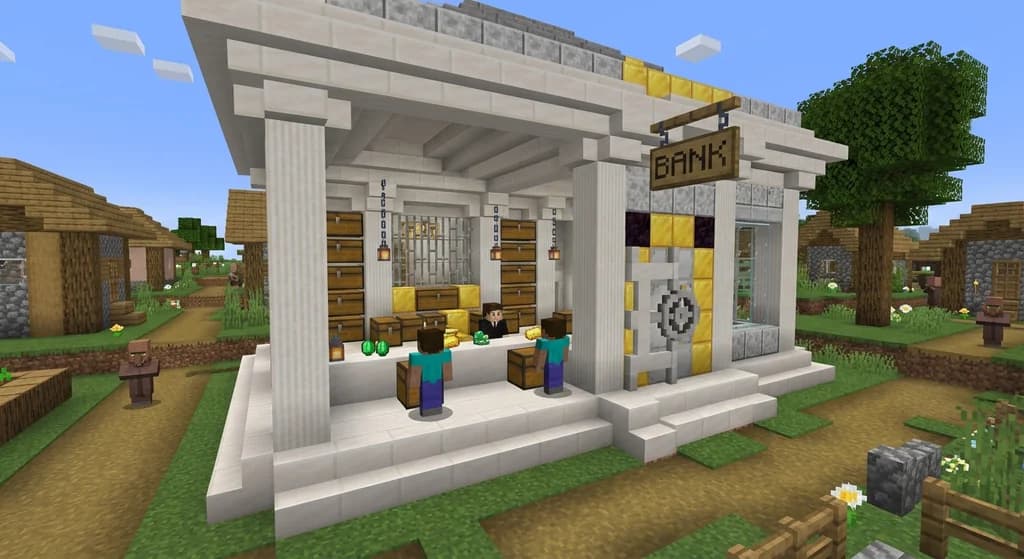
A Minecraft server bank is a plugin-based system that lets players deposit and withdraw items or virtual currency, often with interest and loan features.
It's essentially a central storage system managed by the server. Players can type commands like /deposit to store items or currency, and /withdraw to retrieve them. Some banks even offer interest on deposits, encouraging players to save. Banks are especially valuable on survival servers where deaths and raids can wipe out progress. They act as a safety net, ensuring that your hard-earned diamonds aren't lost forever.
Why Do Players Need a Bank?
On a typical SMP, players accumulate resources over time. Without a bank, they risk losing everything to a creeper explosion or a griefer. A bank provides peace of mind and a sense of financial security. It also adds an economic layer to the server, making the gameplay more engaging. Many servers integrate banks with their existing economy plugins, allowing players to store both items and currency in one place.
How to Set Up a Minecraft Server Bank with Player Deposits
Setting up a bank requires installing an economy plugin, configuring a bank plugin, and granting permissions to players.
The process is straightforward if you follow these steps. First, you'll need a core economy plugin like EssentialsX or CMI to handle currency. Then, you'll choose a bank plugin that integrates with it. Finally, you'll configure the bank's settings, such as deposit limits, interest rates, and permissions. Let's break it down.
Step 1: Install an Economy Plugin
Before you can have a bank, you need a currency system. The most popular choice is EssentialsX, which has been downloaded over 10 million times (via SpigotMC). It provides a robust economy with commands like /balance and /pay. Alternatively, you can use Vault as a bridge to connect your bank plugin to any economy plugin. Vault itself has over 5 million downloads (via SpigotMC).
Step 2: Select a Bank Plugin
There are several bank plugins available, each with its own features. The table below compares the most popular ones:
| Plugin | Key Features | Download Count |
|---|---|---|
| EssentialsX | Basic bank commands, integrates with its own economy | 10 million+ (via SpigotMC) |
| CMI | Advanced banking, interest, loans, and more | 2 million+ (via SpigotMC) |
| Bank | Dedicated bank plugin with vault and password features | 500k+ (via SpigotMC) |
Pro Tip: If you're just starting out, EssentialsX is the easiest to set up because it bundles economy and bank functionality. For advanced features like interest and loans, consider CMI.
Step 3: Configure the Bank
Once you've installed the plugin, you'll need to configure it. Most plugins have a config.yml file where you can set deposit limits, withdrawal fees, and interest rates. For example, you might set a daily interest rate of 0.5% to encourage saving. You'll also need to assign permissions to players so they can use the bank commands. Typically, you'll grant bank.use to everyone and bank.admin to moderators.
How Do You Choose the Right Minecraft Bank Plugin?
The best bank plugin depends on your server's needs: EssentialsX for simplicity, CMI for advanced features, and Bank for dedicated banking.
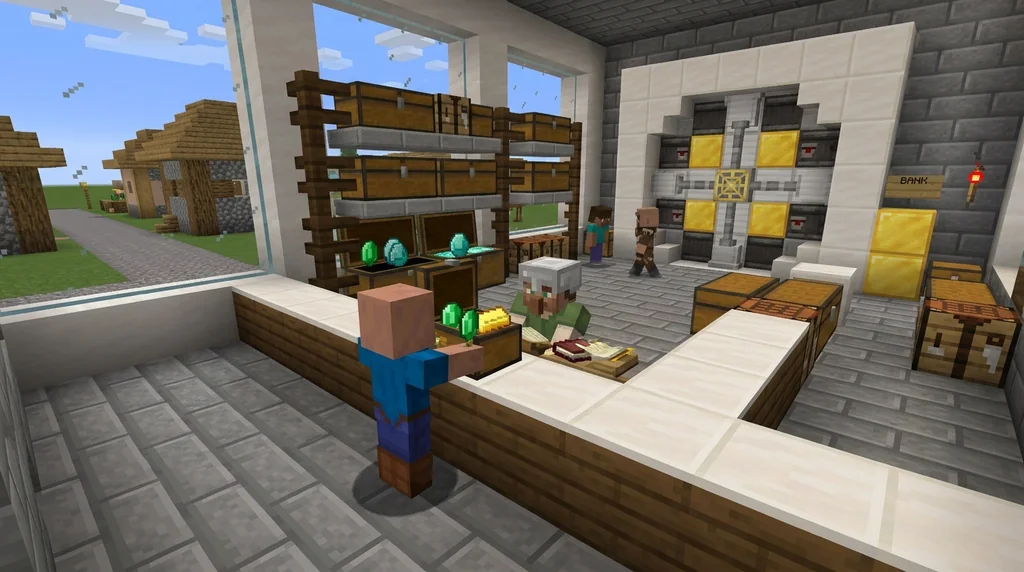
Consider the size of your server and the level of complexity you're comfortable with. If you're running a small community, EssentialsX might be all you need. For larger networks with complex economies, CMI offers more control. The Bank plugin is a great middle ground if you want a standalone solution without the bloat of a full essentials suite. You can also check out our guide on building a barter economy if you prefer a more hands-on approach.
Step-by-Step: Configuring Your Bank Plugin
Configuring a bank plugin involves editing configuration files, setting permissions, and testing the commands.
Here's a step-by-step walkthrough using EssentialsX as an example:
- Install EssentialsX by placing the JAR file in your
pluginsfolder and restarting the server. - Edit
config.ymlto enable the bank feature. Look foreconomy.bank-enabledand set it totrue. - Set deposit limits using
economy.bank-deposit-limit. A common value is10000(in your currency). - Configure interest with
economy.bank-interest-rate. Set it to0.05for 5% interest per day. - Assign permissions in your permissions plugin. Give players
essentials.bank.depositandessentials.bank.withdraw. - Test by logging in as a player and using
/bank deposit 100.
Warning: Misconfiguring permissions can lock players out of their own bank accounts. Always test on a test server first to avoid issues.
Once you've set up the basics, you can expand the system. Many servers integrate their bank with a job system, so players earn currency that they can deposit. Check out our guide on setting up a job system with quests and rewards to see how that works.
How Do You Secure Your Minecraft Server Bank?
Securing your bank involves setting up permissions, using vaults, and enabling password protection to prevent unauthorized access.
A bank is only useful if it's secure. Here are some best practices:
- Use a vault plugin like Vault to manage permissions centrally.
- Set up password protection on the bank plugin so only the owner can withdraw items.
- Limit the number of admins who can access bank logs or force withdrawals.
- Regularly back up your server data to prevent loss from crashes or exploits.
Note: Some bank plugins offer two-factor authentication for high-value accounts. Enable this if available.
Security also extends to player behavior. Teach your community to avoid sharing passwords and to report suspicious activity. Our guide on avoiding scams in player markets has tips that apply to banking as well.
How to Put This Into Practice on Gaia Legends
Gaia Legends is a free-to-play SMP that takes banking seriously. We've integrated a /bank system that allows players to deposit both items and currency, protecting them from raids and unexpected deaths. Our bank offers competitive interest rates and integrates seamlessly with our economy. We also have a dedicated staff team to handle disputes and ensure fair play.
Gaia Legends is free to join, non-pay-to-win, and supports Java + Bedrock crossplay. Whether you're a builder, trader, or adventurer, our bank gives you the security you need to focus on what matters: having fun. Join at gaialegends.pro and start your legend today.
Conclusion
Setting up a Minecraft server bank with player deposits is a smart move for any SMP. Here are the key takeaways:
- Choose the right plugin based on your server's size and needs.
- Configure deposits and withdrawals with clear limits and interest rates.
- Secure your bank with permissions, vaults, and password protection.
By following this guide, you'll give your players a safe place to store their valuables, reducing frustration and improving the overall experience. Try it on your server and see the difference it makes.
Recommended
- How to Use the Minecraft Recovery Compass in 2026: Full Guide
- How to Use Fish for Trading, Crafting, and More in Minecraft 2026
- How to Speedrun All Bosses in Minecraft: The Ultimate 2026 Guide
- How to Get the Dragon Egg in Minecraft 2026: Complete Guide
Ready to play? Join Gaia Legends today — no pay-to-win, Java + Bedrock crossplay.
- Java:
join.gaialegends.pro - Bedrock:
join.gaialegends.pro— Port19132
Further reading
These references were recorded with the article; specific claims have not been matched to source excerpts.
Frequently Asked Questions
What is a Minecraft server bank?
A Minecraft server bank is a plugin-based system that allows players to deposit and withdraw items or virtual currency. It typically integrates with the server's economy plugin and offers features like interest, loans, and secure storage. This protects players from losing items due to death or raids.
How do I set up a bank on my Minecraft server?
To set up a bank, install an economy plugin like EssentialsX or CMI, then choose a bank plugin that integrates with it. Configure the bank's settings in its config.yml, set permissions for players, and test the commands. Many plugins offer built-in bank functions.
Which Minecraft bank plugin is the best?
The best plugin depends on your needs. EssentialsX is great for simplicity and comes with its own economy. CMI offers advanced features like interest and loans. The Bank plugin is a dedicated solution with vault and password features. Consider your server's size and complexity.
Can players deposit items in a Minecraft bank?
Yes, many bank plugins support item deposits. Players can use commands like /deposit with an item in hand to store it. Some plugins also allow currency deposits. Check your plugin's documentation for specific commands and limits.
How do I secure my Minecraft server bank?
Secure your bank by using a permissions plugin to control access, enabling password protection on accounts, and limiting admin privileges. Regularly back up your server data. Educate players on safe practices like not sharing passwords and reporting suspicious activity.
Does Gaia Legends have a bank feature?
Yes, Gaia Legends offers a /bank system that lets players deposit items and currency. It's integrated with our economy and designed to protect your valuables from raids and deaths. The server is free to join, non-pay-to-win, and supports Java and Bedrock crossplay.
Related guides

Minecraft Server Archetypes: Quick Reference for Admins
Discover the main Minecraft server archetypes including SMP, faction, and minigame servers. A concise quick reference for admins choosing the right server...
How to Set Up a Minecraft Job System with Quests and Rewards (2026)
Learn to set up a Minecraft job system with quests and rewards in 2026. Configure plugins, design quests, and build a player economy with daily tasks and...
How to Build a Minecraft Trading Post for Villagers in 2026
Master the ultimate minecraft trading post build guide for 2026. Discover efficient villager trading post designs, zombie curing strategies, and how to...
Understanding Minecraft Economy Plugin Tax Systems
Learn how Minecraft economy plugin tax systems work as money sinks to balance player economies. We analyze common tax types, configuration trade-offs, and who should act.
Have a question or another approach?
Compare notes with other readers. Include your edition and version when discussing mechanics.