Understanding Parity Issues Between Java and Bedrock Editions
Filed under Minecraft Boss Hunting & Combat · How we create content
Version scope: Java and Bedrock Editions (ongoing parity list)
Key Takeaways
| Point | Details |
|---|---|
| Parity issues are features | Parity issues are features or behaviors exclusive to one edition or that behave differently between editions. |
| Java Edition has directional | Java Edition has directional damage tilt (screen tilts away from damage source), while Bedrock Edition always tilts left. |
| Sprint-jumping animation speed is | Sprint-jumping animation speed is consistent in Java but may differ in Bedrock. |
| Item pickup animations differ | Java drags items upward, Bedrock drags them to the player's feet. |
| The community maintains a | The community maintains a comprehensive list of parity issues on the Minecraft wiki. |
| Suggestions for fixing parity | Suggestions for fixing parity issues can be submitted to the official feedback site or Discord. |
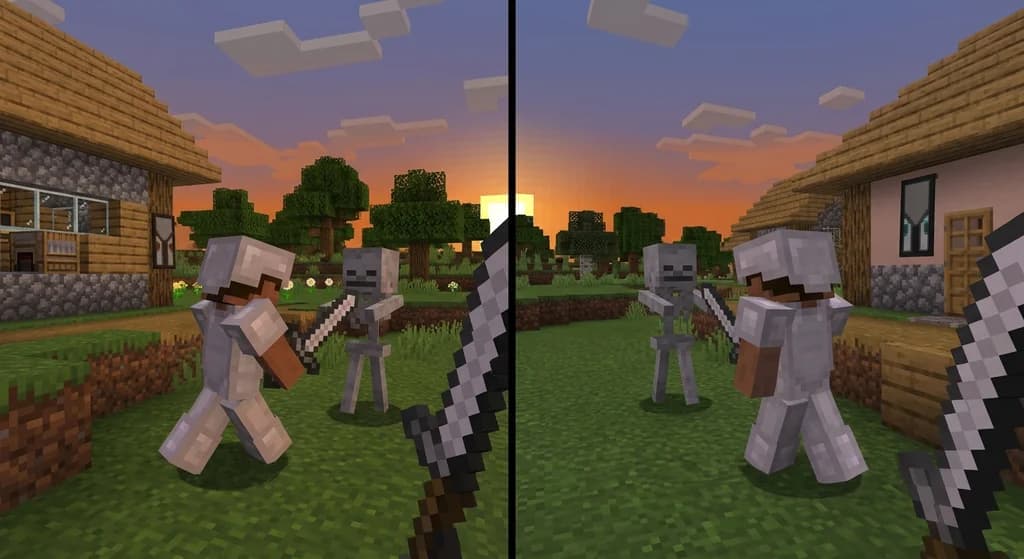
When you switch between Minecraft Java Edition and Bedrock Edition, you might notice some features don't match up. These differences are called parity issues, and they can affect everything from combat to crafting.
The Parity issue list defines a parity issue as:
A parity issue is where one feature exists only in one edition of the game and not in the other (version exclusives), or the behavior of a feature differs between both editions.
This list includes many differences, some of which directly impact how you fight mobs and bosses.
Combat-Related Differences Between Java and Bedrock
One of the most noticeable combat differences is how damage tilt works. In Java Edition, the screen tilts in the direction opposite to where you were hit, giving you spatial feedback. In Bedrock Edition, the screen always tilts to the left, regardless of the attack direction.
The Parity issue list notes:
The damage tilt effect is directional; the screen turns to the opposite side of where the player was damaged from, rather than always turning to the left.
This can disorient players who are used to the directional cue, especially during intense boss fights where positioning matters.
Another animation difference affects sprint-jumping. In Java Edition, the sprint-jumping animation for your own character moves at the same speed as other players see it. In Bedrock, there may be a discrepancy.
The list also mentions:
Sprint-jumping displays the moving animation at the same speed for your player character as other player characters do for you.
While this doesn't change gameplay mechanics, it can feel off for players accustomed to Java's consistency.
Animation Differences That Affect Gameplay
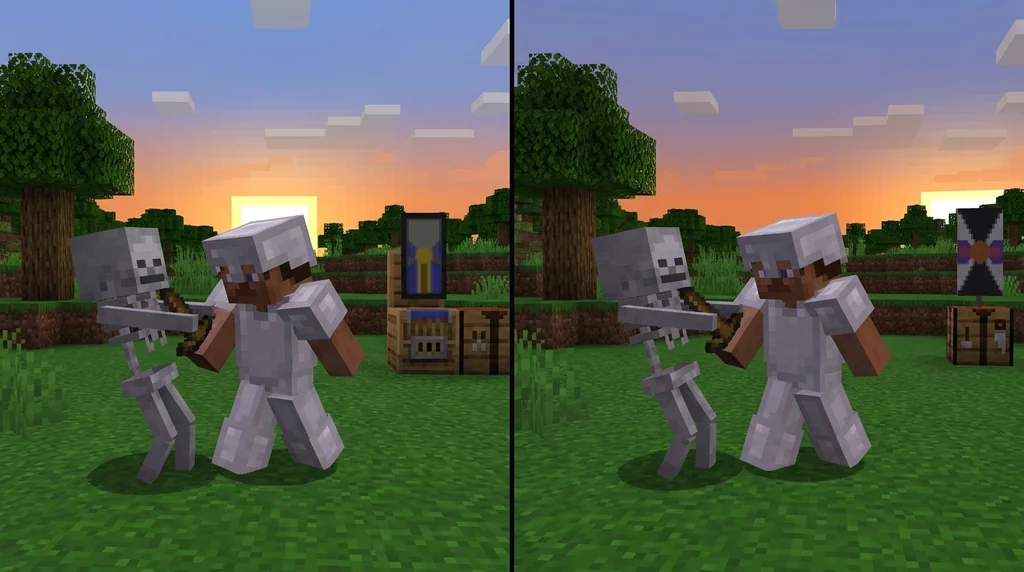
Item pickup animations also differ between editions. In Java Edition, items you pick up are dragged upward to your body, while in Bedrock they are dragged to your feet.
According to the Parity issue list:
Animations Items picked up are dragged upward to the player's body, rather than dragged to their feet.
This is a subtle visual difference, but it can affect how quickly you perceive loot collection in the heat of combat.
These are just a few examples from the comprehensive parity issue list maintained by the community.
This page is a list of parity issues between Java and Bedrock editions.
How to Stay Informed and Report Issues
If you encounter a parity issue that hasn't been addressed, you can suggest fixes on the official feedback site or the feedback Discord.
The list advises:
Suggestions to fix existing parity issues prior to the Buzzy Bees update (Java Edition 1.15, Bedrock Edition 1.14.0), or to add a feature present in one edition but not the other, should be made on the feedback site or the feedback Discord.
The list is regularly updated, and entries are only removed when the change comes to the final release of the corresponding edition.
For more on how Java Edition's combat has evolved, check out our article on the Minecraft Combat Overhaul. And for a look at the major combat changes introduced in Java 1.9, see Key Combat Changes in the 1.9 Update.
Sources
- A parity issue is where one feature exists only in one edition of the game and not in the other (version exclusives), or the behavior of a feature differs between both editions. — Parity issue list
- The damage tilt effect is directional; the screen turns to the opposite side of where the player was damaged from, rather than always turning to the left. — Parity issue list
- Sprint-jumping displays the moving animation at the same speed for your player character as other player characters do for you. — Parity issue list
- Animations Items picked up are dragged upward to the player's body, rather than dragged to their feet. — Parity issue list
- This page is a list of parity issues between Java and Bedrock editions. — Parity issue list
- Suggestions to fix existing parity issues prior to the Buzzy Bees update (Java Edition 1.15, Bedrock Edition 1.14.0), or to add a feature present in one edition but not the other, should be made on the feedback site or the feedback Discord. — Parity issue list
Related guides
How to Install Combat Mods for Minecraft Java Edition
Want harder boss fights in Minecraft Java Edition? This quick reference explains how to install combat mods using the launcher's profile system, choose the right mod loader, and find essential mods for boss hunting.
Minecraft Combat Overhaul: Official Plans and Modding Community Context
Examine the evidence behind Mojang's stalled combat overhaul for Java Edition, the significance of Combat Test 8c, and the thriving modding community filling the gap.
Elder Guardian Weaknesses Quick Reference
Learn the specific weaknesses of the Elder Guardian in Minecraft, including shield counters, Impaling enchantment damage, invisibility exploits, and arena tactics for Ocean Monuments.
Key Combat Changes in the 1.9 Update
Discover the major combat overhaul in Minecraft Java Edition 1.9: attack cooldown, shields, dual wielding, and the revamped End. A quick reference for players returning or adapting.
Have a question or another approach?
Compare notes with other readers. Include your edition and version when discussing mechanics.