Minecraft seeds explained: unlock unique worlds
Filed under Minecraft Tips & Tricks · How we create content
TL;DR:
- Every Minecraft world is generated from a specific seed that dictates its terrain, biomes, and structures. Understanding how seeds work allows players to select or share worlds intentionally, ensuring consistent layouts and resource locations. While seeds are mostly compatible between Java and Bedrock editions, differences in structure placement and world features mean they are not fully interchangeable.
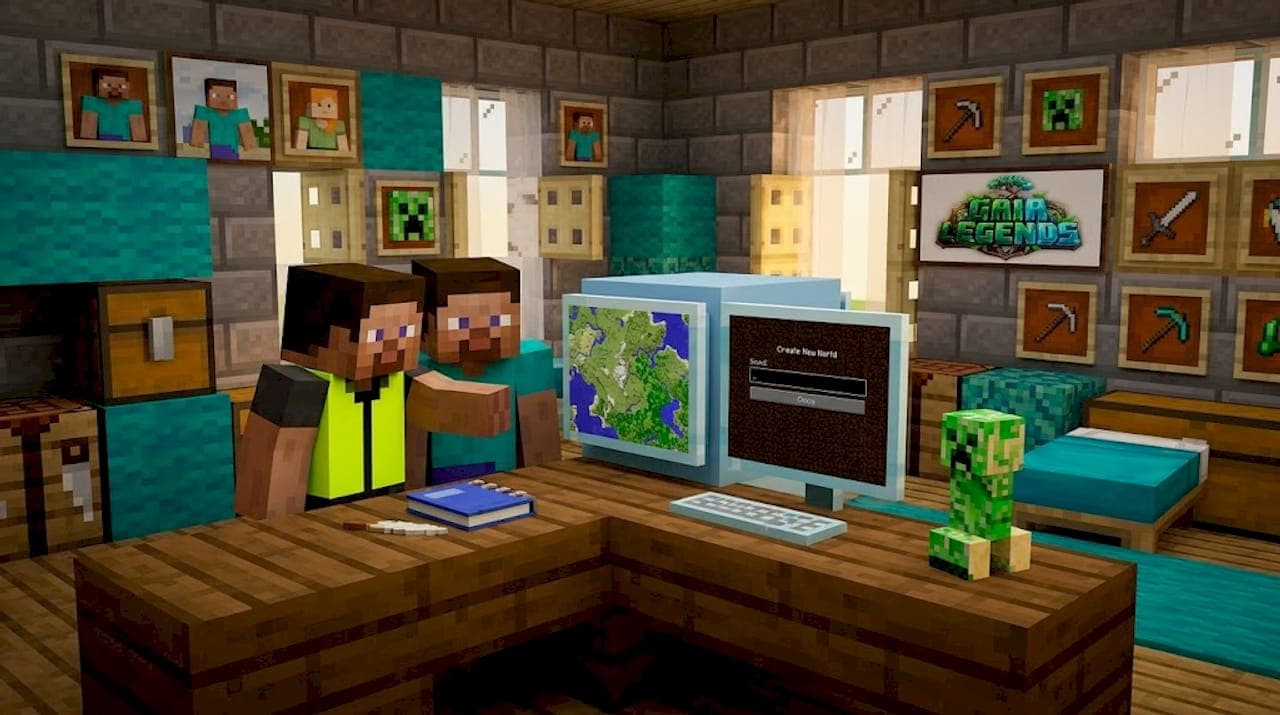
Every Minecraft world you have ever played was generated from a seed. Not random magic, not some mysterious dice roll behind the scenes. A seed is a specific value that tells the game exactly what kind of world to build, down to where the mountains rise, where the jungle starts, and where the diamonds hide. As defined on the Minecraft Wiki, a world seed is a numeric or text value used as input to the world generator that determines how the game builds your world. Once you understand how seeds work, you stop being a passenger in a randomly generated world and start being the person who picks the destination.
Table of Contents
- What exactly is a Minecraft seed?
- How do Minecraft seeds work?
- How to find, enter, and share Minecraft seeds
- Java vs. Bedrock: Compatibility and differences
- Choosing the best seed: What makes a 'good' Minecraft world?
- Why mastering Minecraft seeds transforms your gameplay
- Explore more Minecraft guides and world ideas
- Frequently asked questions
Key Takeaways
| Point | Details |
|---|---|
| Every world uses a seed | Minecraft seeds determine how every world is generated and can be numbers or text. |
| Same seed means same layout | Using the same seed creates identical terrain and biomes for that Minecraft version. |
| Edition differences exist | Java and Bedrock may generate different structures even if terrain looks the same with a given seed. |
| Seeds enable planning | You can choose or share seeds to create specific worlds for builds, survival, or multiplayer fun. |
| Best seed is personal | A 'good' seed fits your own play style, whether you want challenge, beauty, or resources. |
What exactly is a Minecraft seed?
Now that you know every world is built from a seed, let's define exactly what a Minecraft seed is and why it matters.
At its core, a seed is just a string of characters or numbers you can enter when you create a new Minecraft world. Think of it like a recipe code. You punch in the same code, and the kitchen produces the same dish every single time. Change one ingredient and the whole dish changes. That is essentially what a seed does for your Minecraft world.
"In Minecraft, a world seed (often just called 'seed') is a numeric or text value used as the input to the world generator, and it determines how the game generates the world." — Minecraft Wiki
Here is what you need to know about how seeds function:
- Any text you type becomes a number. Even if you type a word like "diamonds" or "jungle," Minecraft converts it to a numeric value behind the scenes. The game works entirely with numbers, but it accepts text as a convenience for players.
- Same seed, same world. The exact same seed in the same Minecraft edition and version will always produce the identical world layout, every single time. No variation.
- Different seeds, different worlds. Change even one character and you get an entirely different world with its own terrain, biomes, and structures.
- Seeds are shareable. This is where they really shine. You can copy your seed and send it to a friend, and they can step into the exact same world you are playing in.
- Seeds control terrain, biomes, and many world features. From the shape of the coastlines to the placement of ravines, from the type of biome at spawn to the underground cave systems, the seed drives all of it.
Many players never think about seeds at all. They hit "Create New World" and let the game pick randomly. That works fine, but it is a bit like picking a movie by closing your eyes and pointing at a screen. Sometimes you get something great. Other times, you spawn in the middle of a frozen tundra with no trees for miles. Knowing your seed lets you make an informed choice instead.
Seeds are also the backbone of the Minecraft community's world-sharing culture. When someone finds a world with a spectacular mountain range, a rare mushroom island at spawn, or a village sitting directly on top of a stronghold, they share the seed. Others plug it in and experience the same thing. It is one of the most powerful features of the game, and yet a surprising number of players have never used it intentionally.
How do Minecraft seeds work?
With a basic understanding of what seeds are, let's look under the hood to see how seeds drive world generation and what that means for every player.
Minecraft uses a deterministic algorithm to generate its worlds. Deterministic means the same input always produces the same output, without exception. The underlying system uses a version of Perlin noise, a mathematical technique that generates natural-looking, pseudo-random patterns. The seed is the starting value fed into that noise function, and it determines everything that follows.
| Seed input | World outcome |
|---|---|
| Same seed + same version + same edition | Identical world, 100% of the time |
| Same seed + different version | Likely different world due to generation changes |
| Same seed + different edition | Partially different world, especially structures |
| Different seed | Completely different world |
| Random seed | Game picks any 64-bit number automatically |
Because the world generator is deterministic for a fixed seed, every hill, river, cave, and ocean exists at a predictable location. This is incredibly useful for planning. Speedrunners use it to map out the fastest route to the End. Builders use it to find the perfect flat valley before they start construction. Survival players use it to locate early villages or shipwrecks.
Seeds are typically 64-bit integers. That means there are roughly 18.4 quintillion possible seeds. For practical purposes, that is an almost infinite number of worlds. You will never run out of new terrain to explore, even if you played every day for multiple lifetimes.
Pro Tip: Seeds you find online are often tied to a specific Minecraft version. Always check the version listed alongside a seed before using it. A seed that showed a gorgeous cherry grove biome in 1.20 might generate something completely different in an older or newer version.
Where do seeds come from? A few sources:
- Random generation. Leave the seed field blank and Minecraft picks one for you automatically.
- Community seed lists. Websites and forums curate seeds by category, version, and play style.
- Your existing worlds. You can look up the seed of a world you are already playing and share it with others.
- Personal experimentation. Some players manually type values or words to discover what they generate.
Understanding seeds at this level changes how you approach the game. Instead of accepting whatever world the random roll gives you, you gain the ability to shop around and find exactly what you need.
How to find, enter, and share Minecraft seeds
Knowing how seeds affect your world, you'll want to find, use, and share specific seeds. Here's how to do it in both popular Minecraft editions.
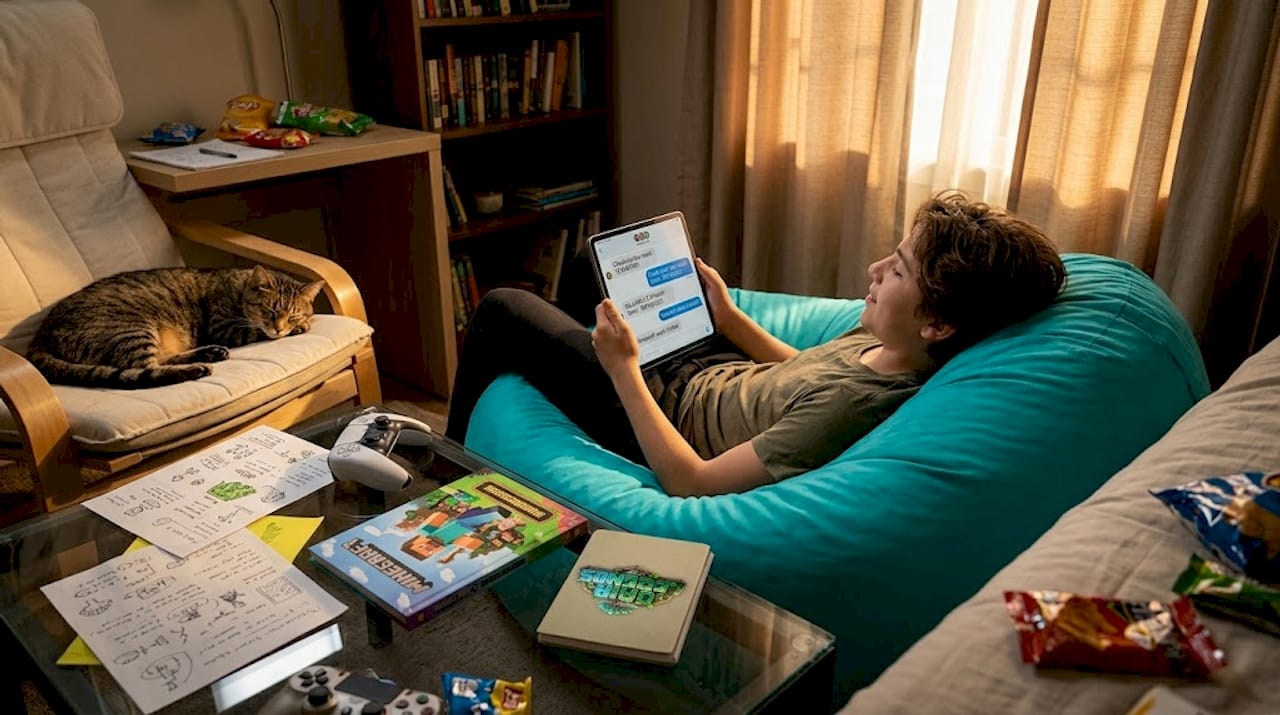
As noted by the Minecraft Wiki, finding and using the seed in-game differs by edition. Java exposes it via commands and menus, while Bedrock exposes it via world options and can also use seed templates.
Finding your current seed:
- Java Edition: Type "/seed` in the chat and press Enter. The seed number will appear in your chat window immediately. You can do this in both singleplayer and multiplayer worlds, though multiplayer requires operator permissions.
- Bedrock Edition: Before loading a world, go to the world settings screen. The seed is displayed there directly. You can also use the
/seedcommand in-game on Bedrock if you have the appropriate permissions.
Entering a custom seed when creating a new world:
- Open Minecraft and select "Singleplayer" on Java or "Play" on Bedrock.
- Click "Create New World" on Java or "Create New" on Bedrock.
- Look for the "More World Options" button on Java, or scroll down to find the "Seed" field on Bedrock.
- Type or paste your seed into the field.
- Adjust any other world settings you want, then create the world.
- The game generates a world based on your exact seed input.
Bedrock seed templates are a feature unique to that edition. Bedrock actually has a built-in library of notable seeds you can browse and apply with a single tap. This is perfect for players who want great starting worlds without hunting online.
| Feature | Java Edition | Bedrock Edition |
|---|---|---|
| Find seed in-game | /seed command | World settings screen or /seed |
| Enter seed on creation | More World Options menu | Seed field in world creation |
| Built-in seed library | No | Yes (seed templates) |
| Seed sharing method | Copy/paste number or text | Copy/paste number or text |
| Multiplayer seed visibility | Operator required for /seed | Host controls visibility |
Sharing seeds with friends is straightforward. Copy the seed number from your world and send it via chat, Discord, or any message platform. Your friend enters it in the seed field when creating a new world in the same edition and version. For groups playing together, intentional multiplayer world sharing is one of the best ways to ensure everyone starts in an agreed-upon world with the features your group actually wants.
Many players on survival servers coordinate seed choices before launching a new season. It is a smart move. PC Gamer regularly shares carefully curated seed lists so players can find the right world for their specific goals without trial and error.
Pro Tip: Save a record of your favorite seeds in a text file. It sounds simple, but seeds are easy to forget, and recreating a world you loved is only possible if you kept track of the number.
Java vs. Bedrock: Compatibility and differences
If you're playing with friends or sharing seeds online, you may wonder whether Java and Bedrock will produce identical worlds. Let's break down the similarities and differences.
The short answer is: mostly compatible for terrain, but not identical for everything. According to the Minecraft Wiki, Java and Bedrock can share some seed compatibility in terms of terrain and biomes, but structures can differ between editions even when using the same seed.
Here is what you can expect when using the same seed across editions:
- Terrain shape: Mountains, valleys, oceans, and the general landscape will look very similar or identical.
- Biome placement: Biome types and their general locations tend to match between editions on seeds in the 64-bit signed integer range.
- Structure locations: This is where things diverge. Villages, strongholds, shipwrecks, ocean monuments, and other generated structures can spawn in different locations or not at all between editions.
- Cave systems: Underground layouts and cave placements often differ, especially with the new cave generation introduced in version 1.18.
- Mob spawning: The positions of mob spawners and dungeon placements are not guaranteed to match.
- Decoration details: Small details like flowers, trees, and surface features may vary.
This matters a lot for specific use cases. If you want to recreate a friend's world for general exploration and building, a shared seed will work well. If you are planning a speedrun and need a stronghold in a specific location, cross-edition seeds are unreliable for that precision. The same applies to Bedrock compatibility tips for hardcore players who need to know exactly what structures they will encounter.
Pro Tip: Always test a seed on your specific edition before committing to a major build or survival run. Spend 10 minutes exploring the spawn area to confirm the key features you need are actually there.
The bottom line is that Java and Bedrock are not fully interchangeable platforms when it comes to seeds. They share a lot of DNA, but they are distinct enough that you should treat them separately when seed planning.
Choosing the best seed: What makes a 'good' Minecraft world?
Now that you know how seeds work and differ, let's talk about how to pick the right one and what makes a world truly stand out for your play style.
Here is the honest truth: there is no single best Minecraft seed. What counts as a great seed depends entirely on what you want to do. A seed that is perfect for a hardcore survivalist is not necessarily the right choice for a creative builder, and a speedrunner's dream seed might bore a casual player who just wants a cozy valley to build a cottage in.
"A 'good seed' is subjective: players optimize for playability goals like spawn proximity to resources and structures or desirable terrain, not just rarity." — PC Gamer
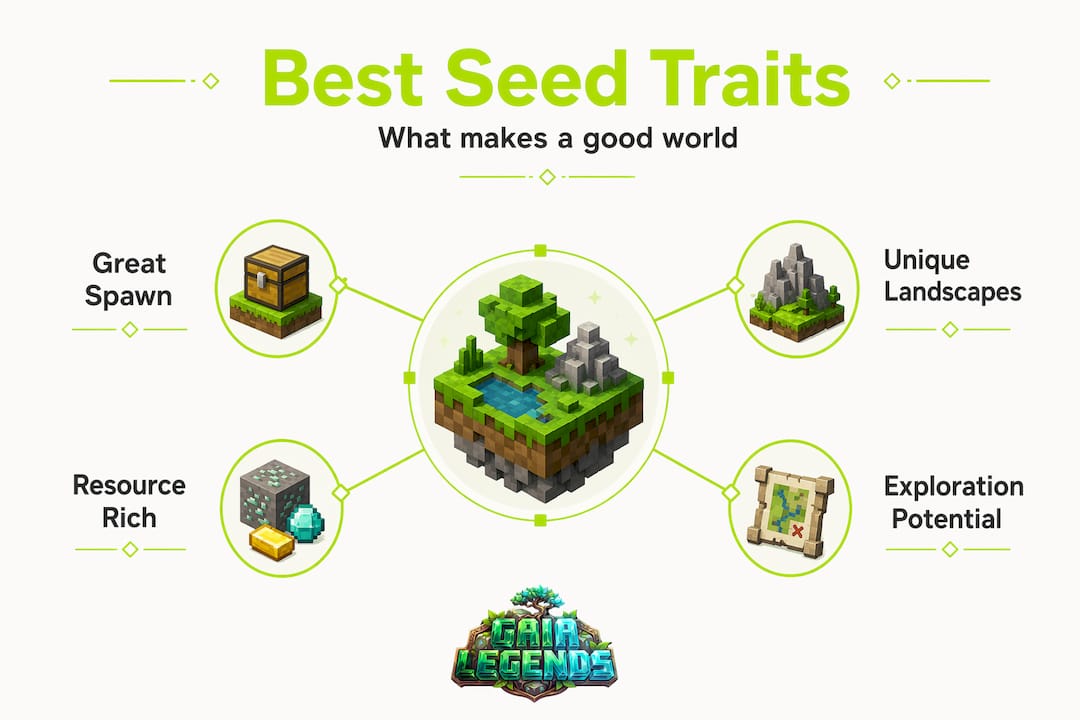
That said, here are the most common criteria players use to evaluate seeds:
- Starter village at or near spawn. A village within a few hundred blocks of spawn gives you beds, villagers, and early resources. This is a massive advantage for survival play.
- Access to multiple biomes nearby. Having a desert, jungle, snowy tundra, and forest all within reach of spawn means you can gather diverse resources without lengthy travel.
- Rare biome spawns. Seeds that place you near a mushroom island, bamboo jungle, or cherry grove at spawn are considered special finds.
- Survival island spawns. For players who want a serious challenge, a seed that puts you on a small island with minimal resources tests your survival skills in a completely different way.
- Scenic landscapes for building. If you are focused on building, seeds with dramatic cliffs, river deltas, or natural arches give you an impressive backdrop for your creations.
- Early access to strongholds or Nether fortresses. Speedrunners and progression-focused players love seeds that place key structures closer to spawn.
- Exposed terrain features. Some seeds spawn you near exposed ravines, exposed ancient cities, or surface-level ore deposits.
For survival-focused seed strategies, the general rule is to prioritize seeds that give you a solid start without making things too easy. A village within reach is helpful. A village literally at spawn with a blacksmith chest full of iron gear edges into "too easy" territory for experienced players, though beginners will love it.
Builders should think about the canvas the seed provides. Unique world inspiration often starts with a naturally dramatic piece of terrain that sparks a creative vision. A flat plains seed works great for symmetrical megabuilds. A jagged mountain seed begs for cliff-side castles and suspended bridges.
Survival players and explorers will also want to check out survival seed tips to make the most of whatever seed they choose. Even a "mediocre" seed becomes manageable with the right early-game strategy.
The best approach is to identify your primary goal, then find a seed that supports it. Browsing curated lists is the fastest way. Many community resources organize seeds by scenario, which saves you the trial and error of testing dozens of worlds manually.
Why mastering Minecraft seeds transforms your gameplay
With the key facts about seeds covered, here's our honest take on why seed literacy is one of the most underrated skills in the entire game.
Most players treat seeds as an afterthought. They hit "Create New World," ignore the seed field, and just accept whatever the game hands them. We get it. The randomness feels authentic, like the world truly belongs to you. But here is the thing: intentional seed selection is no different from any other strategic choice in Minecraft. Just like learning redstone mechanics or mastering combat timing, understanding seeds is a skill that makes you a better, more capable player.
For survivalists, the right seed removes hours of early frustration. Finding wood and food while staying alive on night one is hard enough without also dealing with a spawn that drops you in a frozen wasteland with no trees. For builders, the right seed gives you a memorable seed-driven build before you place a single block, because the terrain itself becomes part of the design.
Speedrunners take this further. For them, seed selection is a deeply analytical process. They study where strongholds generate relative to spawn, calculate optimal routes to the End, and sometimes run hundreds of attempts on specific seeds to find the fastest possible path. That is an extreme example, but it illustrates how powerful seed knowledge becomes when applied with intention.
The broader point is this: true Minecraft mastery is not just about reacting to the world in front of you. It is about shaping the experience from the very beginning. A great seed does not make the game easier. It makes it more aligned with what you actually want to do. That alignment leads to longer, more enjoyable play sessions, more successful multiplayer communities, and more creative outcomes.
Treat seeds like the tool they are. Learn them, use them on purpose, and share them generously with your community.
Explore more Minecraft guides and world ideas
Ready to put your new knowledge to work? Here's where you can dive deeper or find inspiration for your next Minecraft world.
Frequently asked questions
Can you use the same Minecraft seed on both Java and Bedrock editions?
Yes, but only terrain and biomes will largely match. As confirmed by the Minecraft Wiki, structures and features can differ between editions even when using the exact same seed, so don't expect a perfect one-to-one recreation.
How do I find the seed for my Minecraft world?
On Java Edition, type /seed in the chat to display your world's seed instantly. On Bedrock, the seed is in the world options screen, accessible before you load your world, or you can use the /seed command in-game.
What happens if I change versions or updates with the same seed?
Changing Minecraft versions can produce a noticeably different world even with the identical seed, because world generation changes between versions can shift terrain, biomes, and structure placement significantly.
Where do I find the coolest or most interesting Minecraft seeds?
Many community platforms and gaming sites regularly share curated seed collections organized by play style and version. PC Gamer's seed lists are a great starting point, covering everything from survival islands to seeds with rare biomes at spawn.
Why doesn't a copied seed from a friend always look exactly the same?
The most common reason is an edition or version mismatch. Edition differences can preserve terrain and biomes while still shifting where structures and smaller features appear, so even an accurate seed won't produce a pixel-perfect copy across different platforms or game versions.
Recommended
Related guides
How to Obtain Mending in Minecraft
Learn how to get Mending in Minecraft. Discover the best methods: trading with librarian villagers, fishing, and looting chests. Includes mechanics and...
How to Use the Trident in Minecraft: Riptide, Channeling & Impaling
Learn how to use the trident in Minecraft with our quick reference guide. Covers Riptide, Channeling, Impaling enchantments, throwing mechanics, and...
How to Find Buried Treasure in Minecraft 2026: Maps & Tips
Master how to find buried treasure in Minecraft with our 2026 guide. Find treasure maps in shipwrecks & ruins, follow the X, and collect rare loot like...
Minecraft Combat Tips That Win Every Fight in 2026
Master Minecraft combat tips to dominate every fight in 2026! Learn essential strategies for weapons, timing, and terrain to become unbeatable.
Have a question or another approach?
Compare notes with other readers. Include your edition and version when discussing mechanics.