Minecraft Event Hosting Guide for Every Server Size
Filed under Minecraft Tips & Tricks · How we create content
TL;DR:
- Hosting successful Minecraft events requires clear goals, optimized server performance, and dedicated event worlds. Consistent planning, effective moderation, and post-event engagement foster community growth and long-term player retention. Balancing competitiveness with community spirit and structured recurrence creates thriving, memorable server moments.
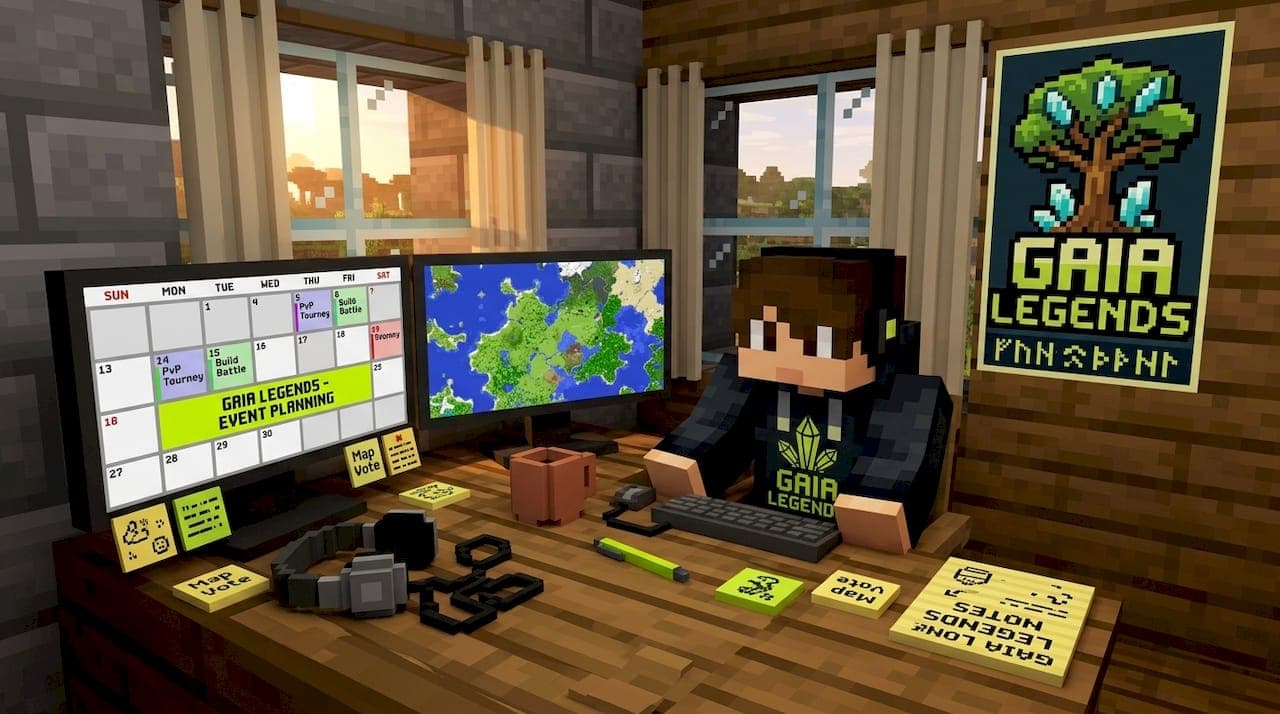
Hosting a Minecraft event sounds straightforward until 60 players connect at once, your server hits 8 TPS, and half the lobby is arguing about the rules. If you've ever organized an event only to watch it fall apart from lag, confusion, or low turnout, you're not alone. This minecraft event hosting guide exists to change that. We're pulling from real experience running Gaia Legends SMP to walk you through every phase: setting your goals, prepping your server, running the event smoothly, and turning one good event into a thriving community habit.
Table of Contents
- Key takeaways
- Your minecraft event hosting guide starts with goals
- Technical prep: server performance and tools
- Planning and running your event smoothly
- Troubleshooting common event hosting problems
- Post-event analysis and long-term community growth
- My honest take on what makes events actually work
- Experience Gaia Legends and take your events further
- FAQ
Key takeaways
| Point | Details |
|---|---|
| Start with a clear goal | Define whether your event targets retention, new players, or community celebration before choosing a format. |
| Prioritize CPU over RAM | Server performance is CPU-bound; single-thread speed matters more than raw memory during event spikes. |
| Use dedicated event worlds | Isolate events in separate worlds with clean backups to protect your main server and simplify resets. |
| Plan for peak loads | Design your setup for 3-4 times your average daily player count, not just your normal baseline. |
| Collect post-event data | Track session length, repeat logins, and player feedback to improve every future event. |
Your minecraft event hosting guide starts with goals
Before you place a single block in your event arena, you need to know what you're trying to accomplish. This sounds obvious, but it's the step most new hosts skip entirely. They pick an event format because it sounds fun, then wonder why it didn't move the needle for their server.
Different events solve different problems. Here's how to match your goal to the right format:
- Retain existing players: Recurring events like weekly PvP nights or seasonal build contests give regulars a reason to log in even on quiet weeks. The rhythm itself becomes the draw.
- Attract new players: High-visibility tournaments work well here. Hosting Minecraft tournaments with public signups and a prize structure creates social buzz and gives newcomers a structured entry point.
- Celebrate updates or milestones: Community festivals with themed builds, custom quests, and social minigames let players explore new content together without competitive pressure.
- Build identity and culture: Social events, trivia nights, and collaborative mega-builds create shared memories. These are the community engagement moments that players talk about for months.
On Gaia Legends SMP, we've hosted all four types. Our most successful retention events have been structured monthly tournaments with standardized kits, because players knew exactly what to expect and when. Our best community-building event was a server-wide build contest tied to a seasonal theme, where teams competed across neighborhoods they'd already built together.
Aligning your event scale with your server size matters just as much as choosing the format. A 20-player server running a 128-player tournament bracket is setting itself up for a bad time. Start with a format your infrastructure can handle confidently, then scale up as you learn what works. You can browse server event ideas sorted by server size to find a good starting point.
Technical prep: server performance and tools
This is where most event hosts underinvest, and where most events fail. Good Minecraft event planning tips are useless if your server crashes at the worst moment.
Understanding your hardware requirements
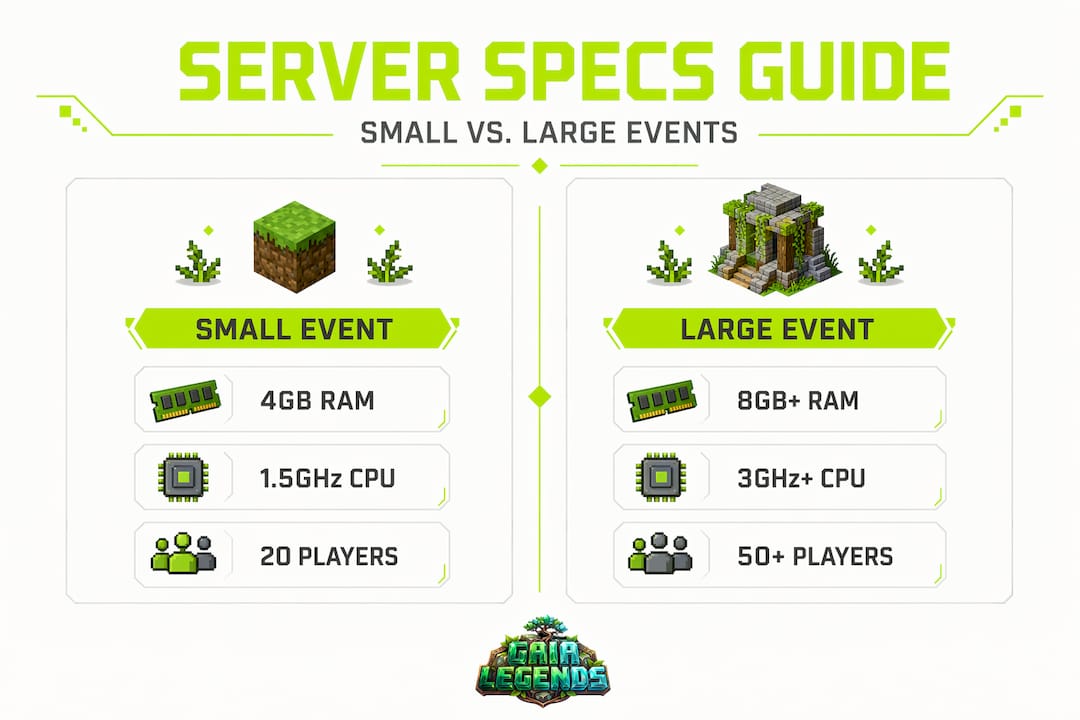
The first thing to get right is your hardware baseline. For a 48-player PvP event, you're looking at a hosting cost of $30 to $60 monthly with at least 2GB of base RAM plus 150 to 200MB per player slot. But here's what most guides don't tell you: RAM is almost never the bottleneck.
Minecraft server performance is CPU-bound, specifically tied to single-thread performance. TPS drops during events almost always trace back to a single-core bottleneck, not a lack of memory. When you're choosing a host or upgrading your setup, prioritize high single-thread clock speed over total core count or raw RAM.
| Spec | Minimum for small events | Recommended for large events |
|---|---|---|
| RAM | 4GB (up to 20 players) | 10GB+ (50+ players) |
| CPU priority | Single-thread speed | High single-thread clock, 3.5GHz+ |
| Storage | SSD recommended | NVMe SSD required |
| Network | 100 Mbps | 1 Gbps dedicated |
Pre-generating your event world
One of the best things you can do before any event is pre-generate your event world. Chunk generation during live play is a massive CPU spike trigger. Pre-gen removes that entirely and keeps TPS stable when players start moving fast across the map.
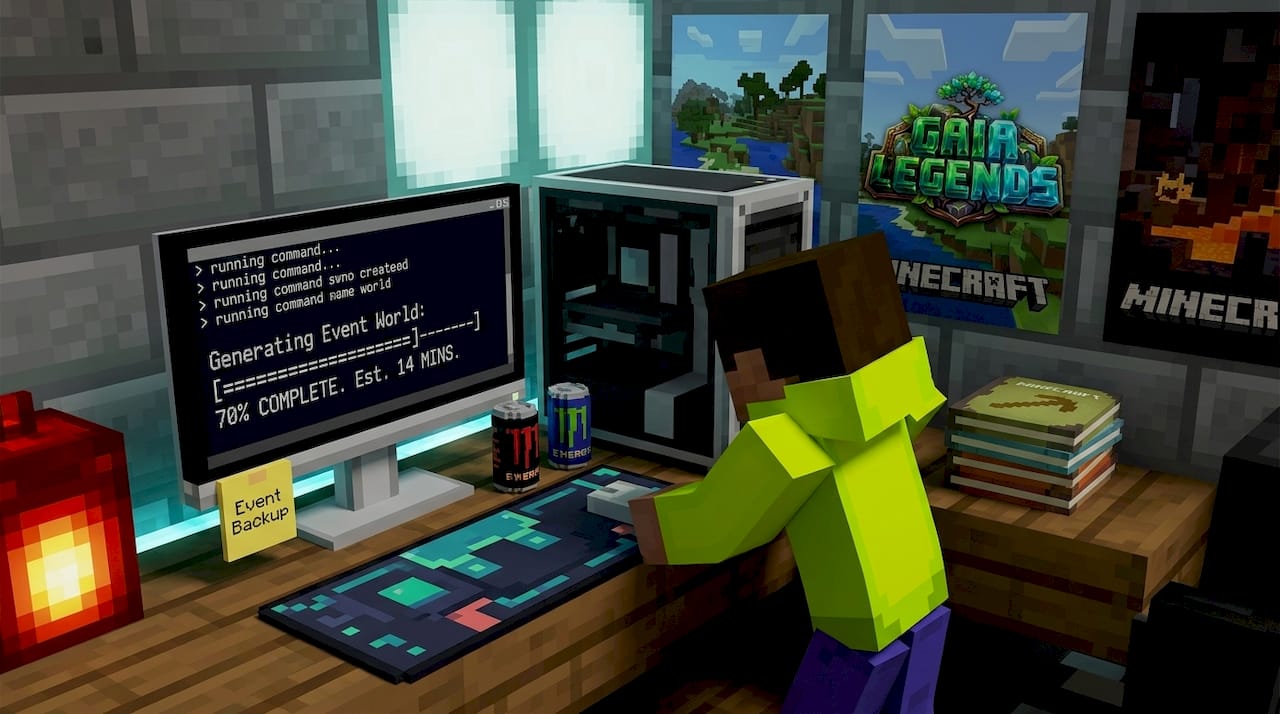
Dedicated event worlds with clean backups are non-negotiable best practice. Never run your event in the main survival world. A griefed or corrupted main world because of an event gone wrong is a community killer. Isolated event instances let you reset the map between rounds and protect everything your players have built.
Plugins and automation tools
For competitive formats, the BattleArena plugin is worth knowing about. It handles match setup, team configuration, and map resets automatically, which reduces the manual load on your staff and makes the event feel professional rather than chaotic.
For non-competitive events, WorldGuard handles anti-griefing protection cleanly. FAWE (Fast Async WorldEdit) lets you reset or rebuild event zones without blocking the main server thread.
Pro Tip: Before your event goes live, strip the event zone of excess entities, ambient mobs, and complex redstone contraptions. These are the hidden TPS killers that cause server crashes during player spikes, even on otherwise healthy hardware.
Planning and running your event smoothly
Good intentions and solid hardware still produce chaotic events without a clear operational plan. Here's how to structure your event from the first announcement to the final reward.
Your pre-event timeline
A 3 to 4 week lead time is the sweet spot for community events. That gives you enough runway to build signups, test your technical setup, and communicate the rules without burning out on planning. Here's a realistic schedule:
- Week 1: Lock in the event format, goal, and date. Begin building or setting up the event world. Post the first announcement with a signup link.
- Week 2: Finalize the rules, kit loadouts, and bracket structure. Run your first full technical test with a small group of trusted players.
- Week 3: Open public signups and send reminder announcements. Fix any issues from your test run. Stress-test the event world with simulated player load.
- Event day: Open the staging area 30 minutes early for arrivals. Run the main event for 45 to 90 minutes depending on format. Close with a ceremony, winner recognition, and a preview of your next event.
Managing players and spectators
The staging area is your most underrated organizational tool. Staging areas for player gathering and rule briefing reduce confusion at event start more than almost any other single factor. Build yours with clear signage, separated spectator and player zones, and a staff broadcast system.
Spectators need their own teleport points away from active gameplay areas. Chunk loading from spectators moving freely through an event map is a real TPS drain. Keep them in designated viewing spots or use a spectator mode plugin that limits their movement.
- Signups and matchmaking: Use a form or Discord bot to collect registrations in advance. For tournaments, generate brackets before the event starts so players know their matchups the moment they log in.
- Rule communication: Post rules in chat at the start of every round, not just at the beginning of the event. Players join late, get distracted, and miss the briefing. Repeat the key rules at each transition point.
- Kit standardization: Standardized kits remove gear disparity complaints entirely. Every player starts on equal footing. This single change eliminates the most common fairness argument in competitive Minecraft events.
Pro Tip: Assign dedicated moderators to handle spectator chat separately from active gameplay. A staff member buried in spectator complaints can't catch a rule violation in the arena. Split the roles before the event starts.
Troubleshooting common event hosting problems
Even well-prepared events hit unexpected problems. Knowing what to look for before it happens is what separates experienced hosts from frustrated ones.
The most common issues we see, and how to handle them:
- Lag spikes with plenty of RAM: This almost always traces to single-core CPU saturation, not memory. Check your server's TPS using "/tps` in real time. If you're dropping below 18 TPS during the event, entity and chunk load are the culprits. Remove ambient mobs and reduce loaded chunks around the event zone.
- External players can't connect: Port 25565 TCP/UDP must be forwarded through your router, and Java must have a firewall exception. This is the number one technical hurdle for first-time hosts. Test your configuration with a tool like canyouseeme.org before going live.
- Unexpected player spike crashes: A server averaging 20 players daily is not automatically ready for 70 to 80 players during a tournament. Plan for peak loads 3 to 4 times your average before the event, not after the crash.
- Running events in the main world: This is the mistake we see most often from newer hosts. One grief, one corrupted save, and months of player builds are at risk. Always use a dedicated event world.
- Rule enforcement complaints: When players feel rules weren't enforced consistently, they stop trusting future events. Log every moderation action during the event so you can review and respond to complaints with evidence.
"The best event you ever host will still have something go wrong. The difference between a recoverable problem and a community-ending one is almost always preparation and communication."
For a deeper look at keeping your server running smoothly under load, the Gaialegends guide on optimizing Minecraft gameplay covers performance tuning that applies directly to event scenarios.
Post-event analysis and long-term community growth
One great event is a good day. A series of well-analyzed events is a community identity. The difference comes down to what you do in the 48 hours after the event ends.
Here's the post-event process we follow at Gaia Legends SMP:
- Pull your metrics. Track peak player count, session length, and how many players logged back in within 72 hours of the event. Repeat login rate is the clearest signal of whether your event created genuine engagement or just a one-time spike.
- Collect player feedback. A short 5-question survey posted in Discord right after the event captures honest reactions while the experience is fresh. Ask about fairness, lag, fun level, and what they'd change. Don't skim this data.
- Recognize and share. Post winner announcements, screenshots, and highlights within 24 hours. Players who saw their name or build featured are dramatically more likely to return for the next event. This is how you turn participants into regulars.
- Review your moderation log. Look for patterns in rule violations or complaints. If the same rule caused multiple disputes, rewrite it before the next event. Clarity now prevents arguments later.
- Schedule the next event publicly. Announce your next event before the current one's hype fades. Recurring events create community habits, and habits are what separate servers that grow from servers that stagnate.
Over 60% of new Minecraft servers lose their active player base within the first month. The servers that survive that window almost always have one thing in common: a structured, recurring event calendar that gives players a reason to come back even when they've finished their current project.
Tracking session length matters more than headcount. A 200-player event where everyone leaves after 20 minutes tells you something very different than a 50-player event where players stick around for three hours and ask when the next one is.
My honest take on what makes events actually work
I've watched dozens of event launches across different server types, and the pattern is almost always the same. New hosts obsess over the theme and prizes, then scramble at the last minute when the server starts stuttering at twice the expected player count. The technical side gets treated as an afterthought instead of the foundation.
What I've learned from running events on Gaia Legends SMP: the staging area is worth more than the arena design. Players who arrive to a clean, clearly organized gathering space with visible instructions and a warm staff presence are already in a better headspace before the event starts. Confusion at the gate poisons the entire experience. A beautiful arena with a chaotic entry process feels worse than a simple arena with a smooth one.
I've also learned to stop chasing the "perfect" event format. The events that built our strongest community moments weren't the most elaborate ones. They were the ones with the clearest rules, the most consistent moderation, and the fastest follow-up recognition. Players remember how they felt, not how complex the bracket system was.
The hardest lesson from hosting Minecraft tournaments is accepting that competitiveness and community spirit can pull against each other. When prizes get too valuable, the social atmosphere shifts. When prizes are too modest, turnout drops. Finding that balance for your specific community takes experimentation. Treat every failed event as a data point, not a defeat.
Recurring events create what I'd call heartbeat moments. Players orient their schedule around them without even realizing it. That's when you know your server has a real community and not just a player list.
— Gaia
Experience Gaia Legends and take your events further
FAQ
What is the best server setup for hosting Minecraft events?
Prioritize high single-thread CPU performance over raw RAM. You need at least 2GB base RAM plus 150 to 200MB per player slot, a dedicated event world with backups, and pre-generated chunks to keep TPS stable during player spikes.
How far in advance should I plan a Minecraft event?
A 3 to 4 week lead time works well for most community events. This gives you time to build signups, run technical tests, communicate the rules, and fix problems before the event goes live.
How do I stop my Minecraft server from lagging during events?
Remove excess mobs, ambient entities, and complex redstone from your event zone before players arrive. Plan your hardware for peak loads 3 to 4 times your daily average, not your normal baseline. TPS drops almost always come from CPU bottlenecks, not RAM shortages.
Do I need a separate world for Minecraft events?
Yes. Running events in your main survival world puts all player builds at risk from grief, corruption, or reset conflicts. A dedicated event world lets you reset the map between rounds and protect your core server safely.
How do I keep players coming back after a Minecraft event?
Post winner recognition and highlights within 24 hours, collect feedback immediately while interest is high, and announce your next event before the current one's momentum fades. Recurring events build the habits that turn one-time attendees into loyal regulars.
Recommended
Related guides
How to Obtain Mending in Minecraft
Learn how to get Mending in Minecraft. Discover the best methods: trading with librarian villagers, fishing, and looting chests. Includes mechanics and...
How to Use the Trident in Minecraft: Riptide, Channeling & Impaling
Learn how to use the trident in Minecraft with our quick reference guide. Covers Riptide, Channeling, Impaling enchantments, throwing mechanics, and...
How to Find Buried Treasure in Minecraft 2026: Maps & Tips
Master how to find buried treasure in Minecraft with our 2026 guide. Find treasure maps in shipwrecks & ruins, follow the X, and collect rare loot like...
Minecraft Combat Tips That Win Every Fight in 2026
Master Minecraft combat tips to dominate every fight in 2026! Learn essential strategies for weapons, timing, and terrain to become unbeatable.
Have a question or another approach?
Compare notes with other readers. Include your edition and version when discussing mechanics.