How to Create Custom Boss Bars in Minecraft (2026 Commands Guide)
Filed under Minecraft Boss Hunting & Combat · How we create content
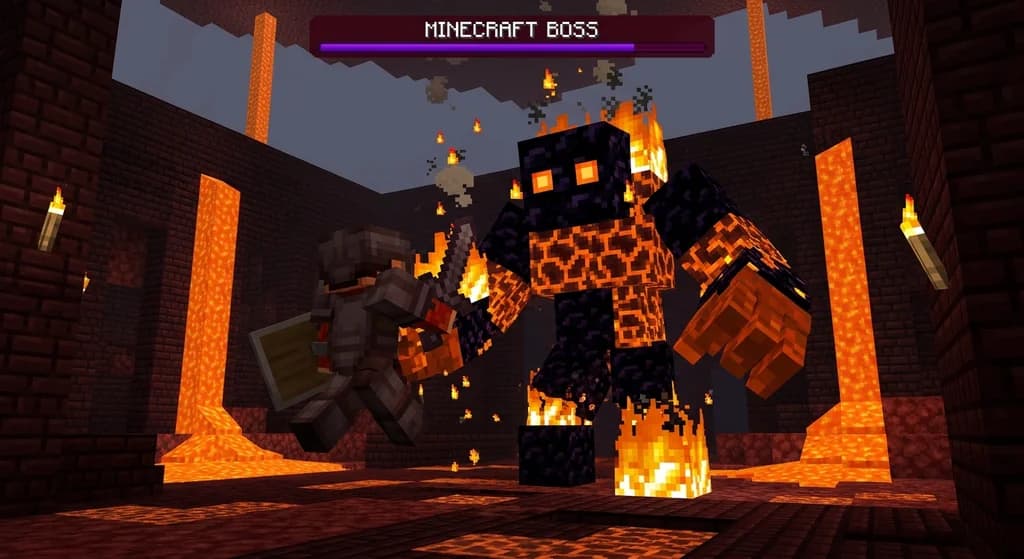
Key Takeaways
| Point | Details |
|---|---|
| Command basics | The /bossbar command creates, modifies, and removes boss bars using subcommands like add, set, and remove. |
| Texture hack | Replace gui/boss_bar.png in a resource pack to draw any custom design – spikes, gradients, or even animated bars. |
| Dynamic data | Use /execute if score to link boss bar values to scoreboard objectives, making bars reflect real-time health or mana. |
| Style variety | Choose from 6 built-in styles (notched_6, notched_10, etc.) and 4 colors to match your boss theme. |
| Limit knowledge | You can store up to 256 unique boss bars per world, each with a custom ID – enough for a full dungeon. |
Table of Contents
- What Is a Boss Bar in Minecraft?
- How to Create a Basic Boss Bar with Commands
- How Do You Customize the Boss Bar Texture?
- How Can You Make Boss Bars React to Game Events?
- Best Practices for Dynamic Boss Bar Design
- How to Put This Into Practice on Gaia Legends
- Conclusion
- Frequently Asked Questions
- Recommended
Want to make your custom boss fights feel truly epic? The boss bar is the first thing players see – a dynamic health display that sets the stakes. With the /bossbar command and a bit of creativity, you can craft bars that pulse, change color, and track anything from mana to timer. This guide walks you through minecraft boss bar commands 2026, from basic setup to fully reactive data pack integration.
What Is a Boss Bar in Minecraft?
A boss bar is a horizontal health indicator that appears at the top of the screen during Wither, Ender Dragon, or custom fights, and can be fully controlled via commands.
In vanilla Minecraft, boss bars appear automatically for the Ender Dragon and the Wither, showing their remaining health. But with the addition of the /bossbar command in Java Edition 1.9, you can create your own bars for any purpose – tracking custom boss health, raid waves, puzzle timers, or even server announcements. The /bossbar command requires at least the add subcommand to create a boss bar with an ID, name, and initial value (via Minecraft Wiki). Each bar is identified by a namespace ID like minecraft:custom_boss, and you can store up to 256 unique boss bars per world, each identified by a custom ID like minecraft:custom_boss (via Minecraft Wiki).
Boss bars can be styled with 6 notch patterns and 4 colors, making them instantly recognizable. They're a cornerstone of modern custom map design, and learning to wield them opens up a world of polished combat experiences.
How to Create a Basic Boss Bar with Commands
Start by creating the bar with /bossbar add, then set its value, color, and style to match your boss theme; a functional bar takes just three commands.
Step-by-Step Command Setup
- Create the bar:
/bossbar add my_boss "The Guardian"gives it an ID and display name. - Set max and value:
/bossbar set my_boss max 200and/bossbar set my_boss value 200makes it full. - Show it to players:
/bossbar set my_boss players @amakes it visible to everyone.
Using /bossbar set minecraft:custom_boss color red style notched_6 sets the bar to red and splits it into six segments, ideal for raid-like health displays (via Minecraft Wiki). From here you can toggle visibility with visible true/false or remove it with /bossbar remove my_boss.
Pro Tip: Name your boss bar IDs descriptively –
dungeon_wither_kingis much easier to debug in command blocks thanbb1. Clear naming saves hours in complex setups.
Why Boss Bars Beat Plain Chat Messages
Chat broadcasts get lost in scroll. A boss bar demands attention. When a player enters a boss arena and sees a custom-named bar appear, they instinctively know combat has begun. This psychological trigger is why professional adventure maps and servers rely on them. For more on crafting memorable boss arenas, see our guide to the 7 Best Minecraft Boss Mods to Install in 2026.
How Do You Customize the Boss Bar Texture?
Replace the default solid purple bar with any design by modifying gui/boss_bar.png in a resource pack – no mods required.
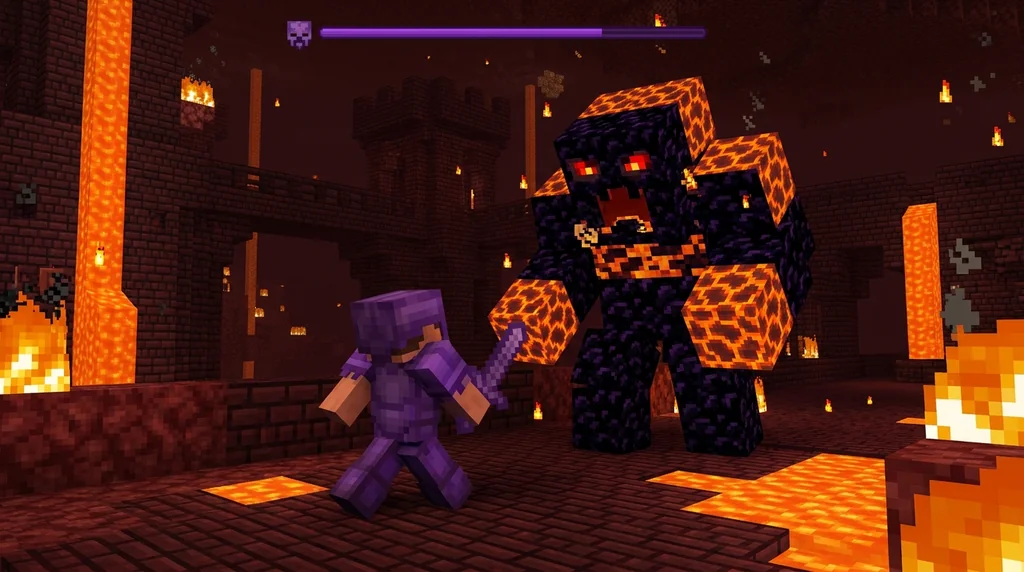
Custom boss bar textures are loaded from assets/minecraft/textures/gui/boss_bar.png in a resource pack, replacing the default solid purple bar (via Minecraft Wiki). The image is a 182×5 pixel strip that gets stretched and filled based on the bar's value. You can draw spikes, gradients, metallic plates, or even pixel-art runes. The background behind the bar remains controlled by the same file, so you can also create a transparent or themed backdrop.
Creating a Themed Boss Bar: Example
- Ice boss: Light blue gradient with white frost spikes.
- Fire boss: Orange-red with animated glow if using an animated PNG.
- Corrupted entity: Purple-black static or glitch effect.
Warning: If you use a resource pack on a server, every client must have it installed to see the textures. Consider a server resource pack enforced by the server.properties file.
Once you have your texture, place it in the correct folder, and the game will automatically apply it to all boss bars. This technique also works for the boss bar addon mods, but a vanilla resource pack approach is cleaner and keeps your world unmodded. For fights where the boss deserves unique presentation, this small visual tweak makes the Top 5 Hardest Minecraft Boss Mobs and How to Solo Them (2026) feel uniquely yours.
How Can You Make Boss Bars React to Game Events?
Link boss bar values to scoreboard objectives using /execute if score, and the bar updates live as a mob takes damage, a timer ticks, or a player completes stages.
The /execute if score command can dynamically update the boss bar’s value based on scoreboard objectives, enabling real-time tracking of boss health in data packs (via Minecraft Wiki). This is the heart of interactive boss bars.
Example: Health-Synced Boss
- Assign a scoreboard health objective to the boss mob:
/scoreboard objectives add bossHealth dummy "Boss HP" - Continuously copy the mob's health to the score with
/execute as @e[type=minecraft:zombie,tag=boss] store result score @s bossHealth run data get entity @s Health - Update the boss bar value:
/execute as @e[tag=boss] run bossbar set dungeon_boss value @s bossHealth
You can also trigger effects when the bar reaches certain thresholds – spawn reinforcements at 50%, change attack pattern at 25%. For example, learning How to Farm Nether Stars Fast: 7 Best Wither Boss Strategies 2026 becomes even more engaging when the Wither's bar changes color at half health.
Driving Non-Health Bars
- Timer: Decrement a score every second and map it to the boss bar for a raid timer.
- Mana: Track a magic resource that refills over time, displayed as a boss bar for spellcasting bosses.
- Raid waves: Show overall progress (wave 3/5) by scaling the bar value.
Best Practices for Dynamic Boss Bar Design
Design boss bars that communicate clearly: use distinct colors for phases, avoid clutter with too many bars, and always give players a way to understand what the bar represents.
Color & Style Cheat Sheet
| Boss Type | Recommended Color | Style | Why |
|---|---|---|---|
| Fire/Lava boss | Red | notched_10 | Intense, classic health |
| Ice/Water boss | Blue | progress | Calm, flowing mana feel |
| Corruption boss | Purple | notched_6 | Segmented for corruptions |
| Holy/Light boss | Yellow | progress | Radiant shield |
| Timer/Event | Green | progress | Smooth countdown |
Keep It Readable
- Never show more than two boss bars at once; multiple bars confuse and clutter the screen.
- Name the bar meaningfully – “Soul Reaper – 80%” is better than “Boss.”
- Test with different GUI scales; a bar that looks huge on small GUI might crowd the screen.
Combining responsive bars with clean visuals makes even simple encounters feel AAA. For inspiration on building harder encounters, see our tactics on How to Use Wind Charges in Minecraft Combat: Best 2026 Pro Tips. And if you're designing an ocean-themed boss, our How to Beat Minecraft Ocean Monuments: Elder Guardian Guide 2026 will show you how to integrate guardian mechanics.
How to Put This Into Practice on Gaia Legends
Gaia Legends uses custom data packs that bring all these techniques together. Every custom boss on the server – from the Nether’s Blazing Behemoth to the End’s Void Serpent – features a fully reactive boss bar with phase colors, sound alerts, and loot announcements.
As a player, you’ll see these bars appear the moment you step into an arena. Our weekly boss challenges rotate mobs, each with unique mechanics coded directly into the boss bar behavior. The server supports both Java and Bedrock crossplay, meaning no matter your platform, you’ll experience the same high-quality combat. Gaia Legends is free to join, non-pay-to-win, and runs on powerful hardware to keep even massive boss fights lag-free.
Want to create your own custom boss bars for community dungeons? Join our builder program, where you can submit data pack concepts and see them featured in Gaia’s adventure world. Join at gaialegends.pro and start your legend today.
Conclusion
Custom boss bars transform ordinary fights into memorable battles. By mastering the /bossbar command, you can:
- Create fully customized health displays with unique IDs and styles.
- Replace the default texture with a resource pack for a visual overhaul.
- Sync bars to scoreboard values for live, interactive feedback.
Even if you’re not running a server, these techniques can elevate your friends’ LAN world or a single-player adventure map. Start with a simple /bossbar add command, then experiment with textures and scoreboard linking – you’ll see how quickly your fights feel professional.
Frequently Asked Questions
Recommended
- How to Master Minecraft Elytra Flight: 10 Pro Tips for 2026 | Gaia Legends
- How to Join a Whitelisted Minecraft Server in 2026: Application Tips | Gaia Legends
- How to Get Infinite Fishing Bait in Minecraft Survival (2026 Guide) | Gaia Legends
- How to Master Blaze Routing in Minecraft Speedruns (2026 Guide) | Gaia Legends
Ready to play? Join Gaia Legends today — no pay-to-win, Java + Bedrock crossplay.
- Java:
join.gaialegends.pro - Bedrock:
join.gaialegends.pro— Port19132
Further reading
These references were recorded with the article; specific claims have not been matched to source excerpts.
Frequently Asked Questions
What is the minecraft boss bar command used for in 2026?
The /bossbar command creates, modifies, and removes custom on-screen health bars for boss fights, timers, or any tracked value. It’s fully functional in vanilla Java Edition and supports colors, notch styles, dynamic values, and player visibility control without any mods.
How do I change the boss bar texture without mods?
Replace the file assets/minecraft/textures/gui/boss_bar.png inside a resource pack. The game will stretch your custom 182×5 pixel design based on the bar’s value. This works on vanilla and most servers that allow resource packs.
Can boss bars display something other than health?
Absolutely. By linking a boss bar’s value to a scoreboard objective (timer, mana, wave count) via /execute if score, you can display anything. Many maps use them as countdown clocks, puzzle progress, or raid wave indicators.
Why does my custom boss bar not show up for other players?
You must include a players selector when creating or updating the bar, e.g., /bossbar set my_boss players @a. Without this, the bar remains invisible to everyone except the command executor. Also check that visibility is set to true.
How many boss bars can I have at the same time in Minecraft?
You can have up to 256 unique boss bars defined simultaneously in a single world, each with a distinct namespace ID. However, showing more than two bars at once on screen can overwhelm players, so limit active bars for clarity.
Are custom boss bars possible on Bedrock Edition?
Bedrock Edition does not support the Java /bossbar command; it lacks that command entirely. On Bedrock, custom boss bars are typically achieved through addons and behavior packs that simulate the HUD element using JSON UI and scripting.
Related guides
How to Prepare for a Minecraft Boss Fight in 2026: Gear, Food & Strategy
Master Minecraft boss fight preparation in 2026 with the best gear, food buffs, and strategy. Complete checklist for pre-boss inventory, potions, and...
How to Beat Minecraft Ocean Monuments: Elder Guardian Guide 2026
Master the Minecraft ocean monument guide for 2026. Beat elder guardians, farm sponges, and raid monuments with the best gear, strategies, and loot tips.
How to Conquer Minecraft Ominous Trials: Pro Combat Tips 2026
Master the Minecraft ominous trials guide for 2026. Learn breeze rod farming, heavy core drop rates, ominous trial spawner tips, and pro combat loadouts.
How to Beat Minecraft Ominous Trials for Rare Loot in 2026
Learn how to beat ominous trials in Minecraft 2026. Master ominous bottles, trial chamber loot tables, heavy core drop rates, and the best gear loadouts.
Have a question or another approach?
Compare notes with other readers. Include your edition and version when discussing mechanics.