How to Submit a Minecraft Speedrun to the Leaderboards (2026)
Filed under Speedrunning & Competitive Minecraft · How we create content
Key Takeaways
| Point | Details |
|---|---|
| Record unmodified proof | Video evidence must show the entire run without cuts, with game audio, and an on-screen timer like LiveSplit. |
| Follow exact category rules | Any% Glitchless requires no glitches, a fresh random seed, and specific F3 screen visibility at world creation and game end. |
| Compress video properly | Speedrun.com requires high-quality video with clear gameplay, compressed to under their size limits for review. |
| Submit on speedrun.com | Create an account, fill out the submission form with accurate real-time attack (RTA) timing, and attach your evidence link. |
| Expect a waiting period | Volunteer verifiers can take days or weeks to review your run—don't resubmit unless asked, or you risk a timeout. |
| Practice submission on private servers | Use platforms like Gaia Legends to practice verified runs with a built-in timer before submitting globally. |
Table of Contents
- What Does It Mean to Submit a Minecraft Speedrun?
- What Are the Official Rules for Minecraft Speedrun Submissions in 2026?
- How to Record a Compliant Minecraft Speedrun for Verification
- How to Submit Your Minecraft Speedrun to speedrun.com
- Why Do Speedruns Get Rejected?
- Tips for a Smooth Minecraft Speedrun Verification Process
- How to Put This Into Practice on Gaia Legends
- Frequently Asked Questions
- Recommended
Trying to get your Minecraft speedrun on the leaderboard can feel more stressful than the run itself. You spend hours grinding a world record pace, only to realize you didn't record the F3 screen properly or your timer was the wrong format. I've seen countless good runs get rejected because of simple submission mistakes, not slow gameplay. This guide lays out the exact process—from setting up your recording to hitting submit on speedrun.com—so your run actually sticks. Whether you're chasing Any% Glitchless or just want your name on a server leaderboard, here's how to submit a Minecraft speedrun to the leaderboards correctly in 2026.
What Does It Mean to Submit a Minecraft Speedrun?
Submitting a Minecraft speedrun means officially recording a timed playthrough of the game and uploading the evidence to a recognized leaderboard—typically speedrun.com—where volunteer moderators verify it against a strict category ruleset before approving it.
A submission is not a casual upload. You're requesting that your run be ranked alongside every other verified run in the world. The process exists to maintain the integrity of the leaderboard. Moderators look for seven key things: world creation proof, a visible F3 debug screen showing seed and coordinates at critical moments, a visible timer running from start to finish, full run video without cuts, proper audio for splice detection, compliance with category-specific rules, and no banned modifications. When you submit a run, you stake your reputation on it. Fabricated or spliced runs result in bans from submitting ever again.
Minecraft speedruns are broken into categories, with the most competitive being Any% Glitchless RSG (Random Seed Glitchless). Other major categories include Any% SSG (Set Seed Glitchless), All Achievements, and All Advancements. Each category has its own rules about what is and isn't allowed, and you must select the correct one during submission or your run will be rejected immediately.
Category Selection Matters
Choosing the wrong category is one of the top three rejection reasons. If you used a known strong seed and ran it as RSG, verifiers will spot it by cross-referencing the seed in your F3 screen against known seed databases. Before you even start recording, decide your category and read every rule at least twice.
What Are the Official Rules for Minecraft Speedrun Submissions in 2026?
The official rules for Minecraft speedrun submissions on speedrun.com require full video evidence with an uncut beginning-to-end recording, a visible F3 screen showing coordinates at world creation and game end, and a real-time attack timer displayed throughout.
Speedrun.com's Minecraft: Java Edition leaderboards, found at speedrun.com/mc, specify version-specific regulations. For Any% Glitchless RSG, the most submitted category, the rules in 2026 remain strict:
- Video evidence: The entire run must be recorded in one uncut video. No stopping and restarting the recording mid-run.
- Timer requirement: A Real-Time Attack (RTA) timer like LiveSplit must be clearly visible on-screen at all times. In-game time counts, but RTA is the standard verification metric.
- F3 screen at key moments: The full F3 debug screen must be clearly legible at world creation, before entering the End, and the instant the credits roll. Verifiers need coordinates and seed visible to rule out splicing or pre-placed assets.
- Audio required: Both game audio and your microphone (if used) must be present to help moderators detect splicing.
- Seed reveal rule: For RSG, you must not know the seed before the run starts. Showing world creation using "Create New World" with a random seed in the F3 screen is mandatory.
Warning: If your video cuts, flickers, or obscures the F3 screen at any of the required timestamps, your submission will be rejected—regardless of how fast the time is. Record a clean screen with zero overlays except the approved timer.
Version and Mod Restrictions
Speedrun.com is conservative on mods. Only visual and performance-enhancing mods—like Sodium, Starlight, and a timer mod—are permitted for most categories. Fabric, Forge, or OptiFine installations are allowed, but any mod that changes world generation, loot tables, or player mechanics invalidates the run. You can find the approved mod list on the official speedrun.com leaderboard page. If you're new to mod setups, our 7 Best Minecraft Speedrun Mods for Competitive Play 2026 guide covers exactly what's legal.
Timing standards follow RTA conventions: timing starts the instant you cancel the world creation screen and ends on the first frame the credits begin rolling in the portal return. Milliseconds matter at the top of the leaderboard; use an RTA timing software that captures frame-accurate data and outputs a splits file for submission.
How to Record a Compliant Minecraft Speedrun for Verification
Recording a verification-compliant Minecraft speedrun requires OBS Studio configured at 1080p 60fps with a clean screen containing only the game window, a LiveSplit timer, and clear F3 screen captures at world creation, dimension changes, and end credits.
Before you ever load a world, set up your recording correctly. The most common mistake new runners make is recording with default bitrate settings that produce muddy footage unreadable by verifiers.
Required Recording Setup
| Component | Requirement | Why It Matters |
|---|---|---|
| Resolution | 1080p minimum | Verifiers need to read F3 text clearly |
| Framerate | 60fps | Frame-perfect movements require smooth review |
| Bitrate | 6000kbps+ | Higher bitrate preserves detail for splice analysis |
| Audio | Game + Mic | Helps verifiers detect audio splices |
| Timer Overlay | LiveSplit visible | Official RTA timing proof |
Pro Tip: Record in .mkv format in OBS, then remux to .mp4 for upload. If your PC crashes mid-run, .mkv saves what you recorded up to that point. .mp4 files corrupt completely on interrupted recording.
What Verifiers Examine
Expect volunteer mods to watch your entire run—yes, all of it—and scrub back and forth at dimension transitions. They look for:
- Spliced frames—sharp video cuts where two separate recordings were joined.
- Timer consistency—no skipping, pausing, or resetting that wasn't declared.
- Seed integrity—coordinates and biome generation matching the displayed seed.
- Glitch categorization—even minor duplications can bump a run from Glitchless to Glitched.
- Mod legality—any evidence of x-ray, world downloaders, or seed crackers fails verification.
For RSG categories, the seed stays hidden until the run is posted. The F3 screen at world creation shows verifiers the seed was freshly generated and not pre-loaded. Here's a critical point: speedrun verification for Minecraft runs is rigorous—over 90% of runner-submitted RSG times go through a multi-verifier chain before approval (via speedrun.com).
Many runners practice RTA timing and route efficiency on private practice servers before tackling official leaderboards. Our guide on How to Set Up a Minecraft Speedrun Practice Server in 2026 helps you build the ideal environment for repetition-driven improvement.
How to Submit Your Minecraft Speedrun to speedrun.com
To submit a Minecraft speedrun to speedrun.com, you create a free account, navigate to the game category page, click "Submit Run," fill in your RTA time as displayed in LiveSplit, paste your video evidence URL, and wait for verification.
This process is straightforward, but small errors on the form cause instant rejection. Follow these steps precisely.
Step-by-Step Submission Process
- Create an account at speedrun.com. Use a consistent username that matches your in-game name. Verifiers will cross-reference this.
- Go to the Minecraft: Java Edition leaderboard and select your category—"Any% Glitchless" is the default for most runners.
- Click "Submit Run." This opens the submission form.
- Enter your IGT (In-Game Time) if required by the category, and always enter your RTA time from the timer. The RTA should be rounded to milliseconds.
- Paste your video URL in the evidence field. YouTube is preferred, but Twitch highlights and Vimeo work if the video remains publicly accessible and unlisted.
- Add optional notes—if your recording has any known anomalies (e.g., a brief frame drop at a portal transition), explain it here to prevent rejection.
- Submit and wait. You'll receive a notification on the site when your run is verified. Do not resubmit the same run; it goes into a queue and resubmitting duplicates wastes verifier time.
Submission Timing
Volunteer verification takes anywhere from hours to two weeks depending on category congestion. Any% RSG is the most popular, so expect longer waits. Checking your run's status by refreshing a few times per day is fine, but avoid pinging moderators in forums unless your run has been pending for more than fourteen days with no update.
If your run gets rejected, the moderator note will explain exactly why. Fix the issue, re-record a new run, and resubmit. Do not argue in DMs; it's fruitless and against community etiquette. Learn from the rejection and try again. Mastering category-specific routes increases your chance of a top time on re-attempts, and the deep dark route is one of the most time-saving modern strats—check out How to Route the Deep Dark in Minecraft Speedruns (2026 Guide) to shave critical seconds off the midgame.
Why Do Speedruns Get Rejected?
Speedrun submissions get rejected most often because of insufficient video evidence—missing F3 screens, cut footage, or hidden timers—followed by incorrect category selection and illegal game modifications.
When a moderator rejects your run, it's frustrating but educational. Understanding rejection patterns helps you prepare a bulletproof submission next time. The most common rejection reasons break down into three tiers.
Rejection Categories
| Tier | Reason | How to Avoid |
|---|---|---|
| 1 - Evidence | Missing F3 screen at world creation or credits | Always toggle F3 before these moments; practice the muscle memory |
| 1 - Evidence | Video cut mid-run | Use OBS .mkv format and a single recording session |
| 2 - Category | Wrong category selected | Read the category rules again before submitting; confirm RSG vs SSG |
| 2 - Category | Banned mods used | Only install approved performance mods from the whitelist |
| 3 - Performance | Timer pausing or skipping | Lock LiveSplit to a single hotkey and avoid touching it |
Note: Some runs are flagged for "unusual patterns"—if your RNG is statistically impossible, verifiers can request a seeded rerun. Legitimate fast runs get randomly audited; this is normal and not a punishment.
A key part of avoiding rejection is knowing your route well enough that you don't panic-F3 at the wrong times. Our How to Find Nether Fortresses Fast in Minecraft Speedruns (2026) guide can remove the guesswork from one of the most reset-heavy segments, giving you calmer, cleaner runs.
Tips for a Smooth Minecraft Speedrun Verification Process
A smooth verification process starts with pre-run checklist discipline: record a five-second test clip before each attempt, keep a second timer on your phone as backup, and never submit the first take of anything.
Adopting a pro mindset around the submission itself elevates your chance of getting verified fast. Here are actionable tips used by top-level runners.
Pre-Run Checklist
- Verify OBS is recording by checking the preview window before starting the world creation animation.
- Confirm your timer is running and visible on screen with no overlapping elements.
- Tidy your desktop—closing notifications prevents pop-ups from obscuring the F3 screen.
- Disable sleep mode on your PC.
- Run a network stability test if streaming to Twitch as your primary recording; a dropped frame at the wrong second invalidates everything.
During the Run
Don't switch monitor focus or alt-tab. Each application jump shows on video and raises questions. If you need to adjust volume, do it with hardware controls on your headset or keyboard—not by clicking away.
After you hit the credits, let the video roll for an extra two seconds showing the entire end screen and your timer. Stopping recording instantly looks suspicious and ranks rejection #4 in frequency. The verification process for Minecraft runs is meticulous—the average RSG world record verification at speedrun.com takes a chain of three verifiers and includes a frame-by-frame audit of nether travel (via speedrun.com). If your video has even a few missing frames at the end, they'll flag it.
Post-Run Documentation
Name your video file logically with the category, time, and date. Upload as Unlisted on YouTube—not Private, which blocks verifiers. After uploading, check that the link works in an incognito browser before pasting it into the speedrun.com form. Missing this step is the reason some clean runs sit in the queue for an extra week.
For intermediate runners, committing routes to muscle memory removes the mental load during runs. Check How to Learn Minecraft Speedrun Routes with Zero Experience in 2026 to lock in consistent world entry-to-finish pathing.
How to Put This Into Practice on Gaia Legends
Every tip in this guide applies directly to submitting speedruns globally, but you can also test your skills and verify runs in a lower-pressure environment first. Gaia Legends is a Minecraft SMP that features a built-in speedrun timer and a dedicated speedrun leaderboard. When you start a run on the server, the timer automatically captures your seed, in-game time, and dimension transitions—eliminating the F3 capture mistakes that cause most rejections.
You can practice routes in the Speedrun Practice World, which resets seeds with a command and tracks attempts over time to show your personal improvement curve. The server's leaderboard accepts both solo runs and co-op speedruns, and every submission gets verified by staff using the same standards speedrun.com uses—just faster, because the auto-capture reduces the manual verification workload.
Gaia Legends is free to join, non-pay-to-win, and supports Java + Bedrock crossplay. Whether you're warming up for a world record attempt or just want to see your name on a board, it's built for runners who take verification seriously. Join at gaialegends.pro and start your legend today.
Conclusion
Every speedrun submission that lands on the leaderboards has three things in common: clean evidence, clear category knowledge, and patience. Here's what to take away:
- Record from world creation to credits without a single cut, with F3 screen visible at every key moment. Your video is the only proof anyone accepts.
- Choose your category correctly and read every rule twice before clicking submit—category mistakes are the most preventable rejection.
- Use a practice server like Gaia Legends to build the muscle memory for timer starts, seed capture, and calm execution before your official attempts.
The path from a fast seed to a verified record is procedural, not magical. Record carefully, submit honestly, and treat every rejection as a free lesson. Now go open OBS and chase that time.
Ready to play? Join Gaia Legends today — no pay-to-win, Java + Bedrock crossplay.
- Java:
join.gaialegends.pro - Bedrock:
join.gaialegends.pro— Port19132
Further reading
These references were recorded with the article; specific claims have not been matched to source excerpts.
Frequently Asked Questions
How do I submit a Minecraft speedrun to the leaderboards?
To submit a Minecraft speedrun to the leaderboards, record your full run with uncut OBS footage showing the F3 debug screen and a visible timer like LiveSplit, then create a free account on speedrun.com, navigate to the correct game category, click "Submit Run," enter your RTA time, and paste your video URL as proof. Moderators review your evidence and approve or reject it, typically within days to two weeks.
What video evidence do verifiers need for a Minecraft speedrun?
Verifiers require one uncut video recording at 1080p 60fps showing the F3 debug screen at world creation, before entering the End, and immediately after credits roll. A Real-Time Attack timer like LiveSplit must stay visible throughout. Both game audio and microphone audio help moderators detect splicing. Any cut, dropped frame, or hidden F3 screen causes rejection.
How long does speedrun verification take on speedrun.com?
Verification time varies by category popularity. Any% Glitchless RSG runs often take three days to two weeks for review because multiple volunteer moderators examine each submission. Less popular categories like All Advancements may process faster. Avoid resubmitting or messaging moderators unless your run has been pending more than fourteen days.
Can I use mods when submitting a Minecraft speedrun?
Only approved performance and visual mods are allowed for most categories on speedrun.com. Sodium, Starlight, and an approved timer mod are legal. Any mod that changes world generation, player movement, loot tables, or provides in-game information like x-ray invalidates your run. Always check the official mod whitelist on the category page before recording.
What's the difference between RSG and SSG on the Minecraft leaderboard?
RSG (Random Seed Glitchless) means you create a new world with a random seed unknown to you before the run begins, which is the standard competitive category. SSG (Set Seed Glitchless) allows you to practice with a known seed beforehand. RSG runs require fresh world creation proof via F3 screen; SSG submissions must specify the seed used.
Why was my Minecraft speedrun rejected even though it was fast?
Fast times get rejected all the time because speedrun verification is based solely on evidence quality, not speed. Common causes include cut video, hidden F3 screen at world creation or credits, wrong category selection, using banned mods, or timer inconsistency. A rejection note always explains the reason—read it carefully, fix the issue, and submit a new clean run.
Related guides
How to Choose Between Java and Bedrock for Minecraft Speedrunning (2026 Guide)
Which Minecraft Java vs Bedrock speedrun edition should you choose in 2026? Compare movement, F3 debug, version rules, and leaderboards.
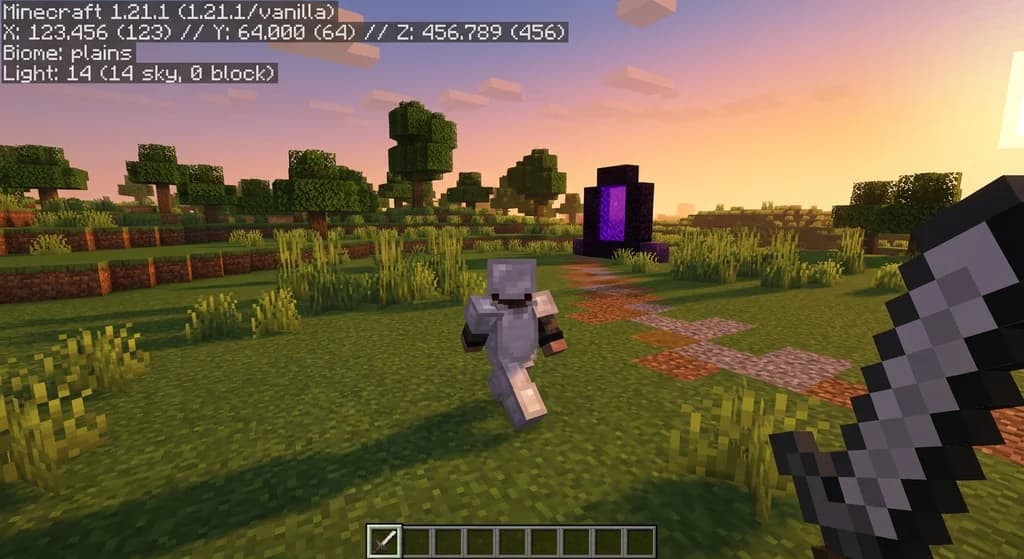
How to Use F3 Debug Screen for Faster Minecraft Speedruns (2026 Guide)
Master the F3 debug screen for Minecraft speedrunning in 2026. Learn key metrics, optimized settings, and navigation techniques to cut seconds off your...
How to Analyze Speedruns to Improve Your Minecraft Runs (2026)
Learn how to analyze Minecraft speedruns with split timing, VOD review, and route optimization. Improve your run time with these expert techniques for 2026.
How to Use Villager Trading to Speed Up Your Minecraft Speedruns (2026)
Master villager trading to speed up Minecraft speedruns in 2026. Learn the best trades, fast emerald farms, and pro strategies for All Advancements and...
Have a question or another approach?
Compare notes with other readers. Include your edition and version when discussing mechanics.