How to Build Perfect Circles in Minecraft: 2026 Geometry Guide
Filed under Minecraft Tips & Tricks · How we create content
Minecraft version varies by section · Updated 2026-07-19
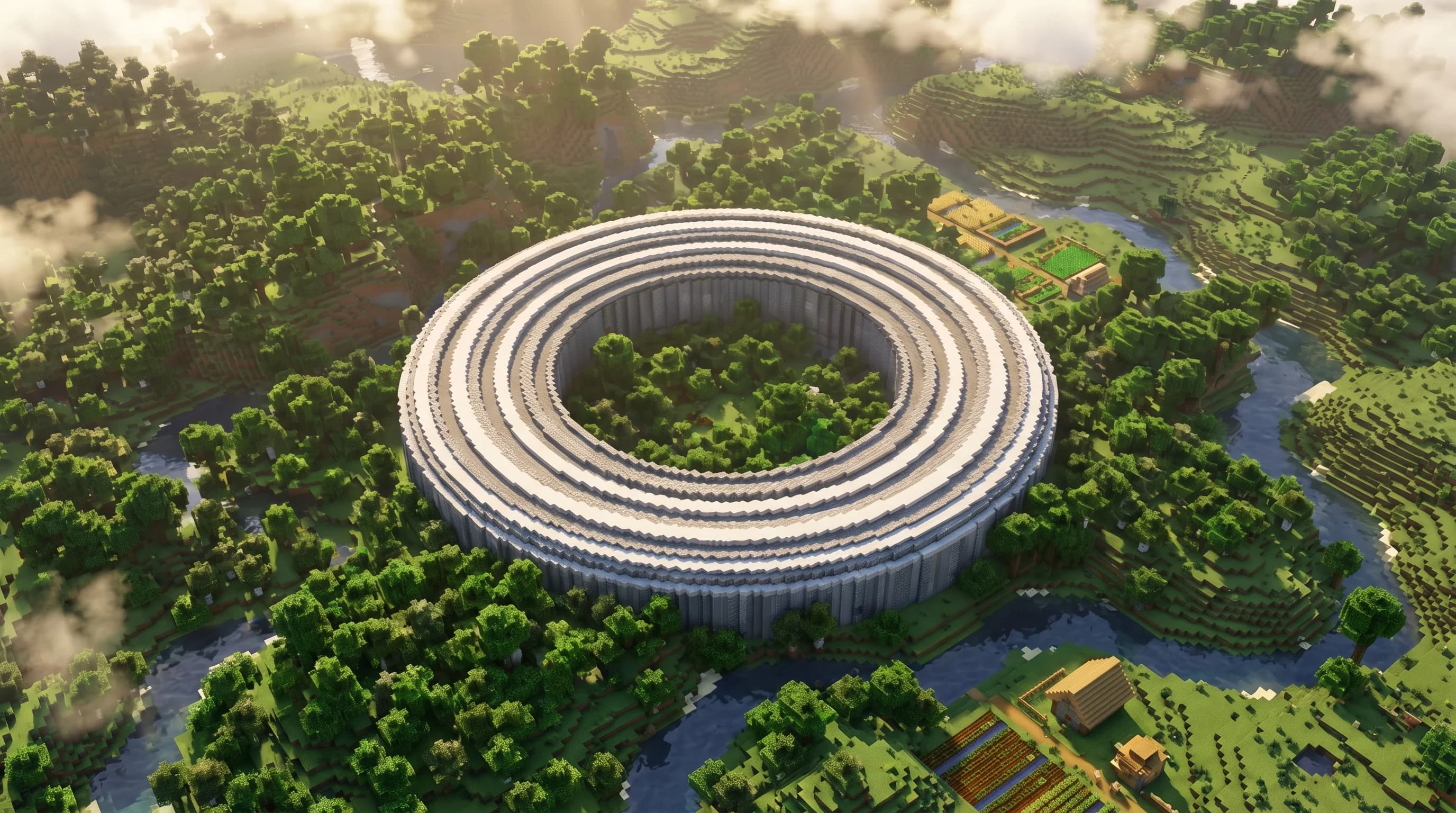
Key Takeaways
- Minecraft circles are pixel-art approximations of true circles, built by plotting block coordinates on a grid using the midpoint circle algorithm.
- Always choose an even diameter for symmetrical circles — odd diameters create an off-center middle block that breaks rotational symmetry.
- A free online Minecraft circle generator (such as the one on minecraft.wiki's geometry tools) saves hours of manual plotting for large builds.
- Domes are stacked circles: each layer up shrinks the diameter according to the sphere's cross-section at that height.
- Use a contrasting temporary block as a center marker before you start placing the ring — it keeps every quadrant perfectly mirrored.
- On a multiplayer server, building in Creative or with a flat test world first lets you validate your circle template before committing expensive survival materials.
Most builders hit the same wall: they know exactly what they want to build, but the moment curves enter the picture, their confidence evaporates. Squares are easy. Circles feel like a math exam. This circle Minecraft guide exists to fix that — permanently. By the end, you'll understand exactly why circles look the way they do in Minecraft, how to plot any size ring without guessing, and how to stack those rings into smooth domes that make other players stop and stare.
What Is a Minecraft Circle, Really?
A Minecraft circle is a pixel-art approximation of a true geometric circle, plotted on a block grid where every cell is a 1×1 unit square. Because you can't place half a block, the game forces you to round each point on the circle's edge to the nearest whole-number coordinate. The result is a staircase-like outline that, when viewed from a normal distance, reads convincingly as a curve.
The math underneath is the midpoint circle algorithm (also called Bresenham's circle algorithm), the same technique used in computer graphics since the 1970s to draw circles on pixel displays. Minecraft builders apply it manually — or let a tool do it — to decide exactly which blocks to place.
Why Even vs. Odd Diameter Matters
This trips up a lot of builders. An even diameter (16, 20, 32…) produces a circle with four-fold symmetry and no single center block — the "center" falls on the corner where four blocks meet. An odd diameter (15, 21, 33…) has a true center block, which can look slightly off in large builds because the symmetry axis runs through a block rather than between blocks.
For most architectural builds — towers, arenas, fountains — even diameters are the safer default.
How to Plot a Circle Without a Generator
You don't need a tool, but it helps. Here's the manual method that works for any diameter:
- Place your center marker. Drop a single block of a bright, contrasting material (magenta concrete works great) at your chosen center point.
- Calculate your radius. Diameter ÷ 2 = radius. For a 20-block circle, your radius is 10.
- Work one quadrant at a time. Start at the top of the circle (0, r) and move clockwise. For each x-step, calculate the y-coordinate that keeps you closest to the true circle edge: y = √(r² − x²), rounded to the nearest integer.
- Mirror all four quadrants. Once one quadrant is plotted, reflect it horizontally and vertically to complete the ring.
- Remove the center marker and step back to check the shape from a distance.
Pro Tip: Build your circle template at ground level first, then use it as a blueprint to build upward. Changing your mind at layer 15 of a dome is painful.
The Quadrant Mirror Method in Practice
The mirror method means you only need to do the math for 45° of the circle — one eighth of the full shape. The midpoint algorithm automatically produces a symmetric result when you reflect correctly. For a radius-10 circle, you're solving for roughly 8 unique x-values before the curve becomes symmetric. That's fast enough to do in your head or on a piece of paper.
How to Use a Minecraft Circle Generator
A Minecraft circle generator is a web tool that outputs a pixel-grid diagram showing exactly which blocks to place for a circle of any diameter. You enter your desired diameter, and the tool renders a top-down grid with filled cells representing block positions.
The most reliable free option is linked directly from the Minecraft Wiki's geometry resources. These tools handle the midpoint algorithm for you and often include options for:
- Filled vs. hollow circles
- Oval/ellipse mode (different x and y radii)
- Sphere layer previews for dome building
Many generators now include 3D dome previews, so you can rotate the shape and verify layer alignment before you ever place a block.
Note: Always double-check generator output for very small circles (diameter under 8). At small scales, the approximation can produce shapes that look more like octagons than circles. Manual adjustment of 1-2 blocks often fixes this.
Comparing Circle Sizes at a Glance
| Diameter (blocks) | Approximate block count (hollow ring) | Best use case |
|---|---|---|
| 8 | ~24 blocks | Small tower, pillar cap |
| 16 | ~48 blocks | Medium tower, well |
| 20 | ~56 blocks | Arena floor, fountain |
| 32 | ~96 blocks | Large base, colosseum |
| 64 | ~192 blocks | Mega-build centerpiece |
These counts are approximate — the exact number varies by a few blocks depending on how the algorithm rounds at each quadrant.
How to Build a Minecraft Dome Using Stacked Circles
A dome is just a sphere cut in half. Each horizontal layer of a dome is a circle, and as you go higher, the circles get smaller — following the cross-section of the sphere at that height.
Calculating Each Layer's Diameter
For a dome with a base radius of R, the circle at height h above the base has a radius of:
r(h) = √(R² − h²)
Round to the nearest whole number. Here's what that looks like for a base radius of 10 (20-block diameter dome):
- Layer 0 (base): radius 10 → diameter 20
- Layer 2: radius ≈ 9.8 → diameter 20 (rounds the same)
- Layer 4: radius ≈ 9.2 → diameter 18
- Layer 6: radius ≈ 8.0 → diameter 16
- Layer 8: radius ≈ 6.0 → diameter 12
- Layer 10 (top): radius 0 → single cap block
Plot each layer using the same circle method above, centered on the same vertical axis. Stack them and you have a dome.
Pro Tip: Use scaffolding or temporary blocks to build outward from the center on each layer. It's much easier to remove scaffolding than to re-place blocks you misaligned.
Dome Material Tips
The material you choose dramatically changes how smooth a dome looks:
- Polished stone / quartz slabs — clean, architectural
- Grass + dirt — organic, hill-like
- Glass panes — be careful; panes connect to neighbors and can break the silhouette
- Concrete — vibrant colors, sharp edges
Newer block types like tuff bricks, copper grates, and mud bricks also bring fresh textures to circular builds, especially for industrial or rustic themes.
For large domes, consider mixing two complementary materials in alternating rings to add visual texture without breaking the shape.
Tips for Building Circles in Survival Mode
Building circles in survival adds real constraints. You're working with limited materials, no creative flight, and the constant threat of a creeper ruining your quadrant two.
- Pre-farm your materials before you start. A 32-diameter hollow ring needs roughly 96 blocks of your chosen material. A full dome at that scale needs several hundred. Know your count before you begin.
- Use a flat scaffold platform. Build a temporary flat surface at your target height so you can walk the ring while placing blocks.
- Mark your four cardinal points first. Place a block at the top, bottom, left, and right of where the circle will sit. These anchors keep your quadrants aligned.
- Work in Creative on a test world first. Validate your template, then replicate it in survival. This is especially useful for domes, where a single misaligned layer ruins the whole shape. If commands are enabled, use
/cloneto duplicate your circle template for each dome layer — this cuts multi-layer builds down to a single placement per ring.
How to Put This Into Practice on Gaia Legends
Gaia Legends' survival realms are exactly the kind of environment where circular builds make you stand out. Most players default to square or rectangular bases — functional, but forgettable. A circular tower, a domed greenhouse, or a colosseum-style arena immediately signals that you know what you're doing.
Here's how to apply this guide on the server:
- Claim a large flat plot in the open world so you have room to lay out your base circle without terrain interference.
- Use the server's Creative test dimension (available to all members) to prototype your dome layers before committing your survival materials.
- Share your build in the community showcase channel — circular mega-builds consistently get the most reactions from the Gaia Legends community, and standout builds earn server-wide recognition.
Gaia Legends is free to join, non-pay-to-win, and supports Java + Bedrock crossplay — so whether you're building on a keyboard or a controller, the geometry works the same way. Join at gaialegends.pro and start your legend today.
Bring Your Circular Builds to Life
Circles in Minecraft are less about talent and more about method. Once you understand the three core principles, the rest is just execution:
- Pixel-art approximation: Every Minecraft circle is a rounded grid plot, not a true curve — and that's perfectly fine at normal viewing distances.
- Even diameters for symmetry: Choose even numbers to avoid the off-center block problem and keep your four quadrants perfectly mirrored.
- Dome layers follow sphere math: Each horizontal ring shrinks according to r(h) = √(R² − h²), giving you a smooth, convincing hemisphere.
Pick a diameter, plot your first ring, and place the first block. The hardest part is starting. Everything after that is just mirroring what you've already done.
Ready to play? Join Gaia Legends today — no pay-to-win, Java + Bedrock crossplay.
- Java:
join.gaialegends.pro - Bedrock:
join.gaialegends.pro— Port19132
Further reading
These references were recorded with the article; specific claims have not been matched to source excerpts.
Frequently Asked Questions
What is the best circle Minecraft guide method for beginners?
The best circle Minecraft guide method for beginners is the quadrant mirror technique: plot one-quarter of the circle using the formula y = √(r² − x²) rounded to the nearest integer, then mirror it across both axes to complete the ring. Pair this with a free online Minecraft circle generator for any diameter over 16 blocks to save time and avoid errors.
How does a Minecraft circle generator work?
A Minecraft circle generator takes your desired diameter as input and outputs a pixel-grid diagram showing exactly which block positions to fill. It runs the midpoint circle algorithm automatically, handling all the rounding math for you. Most generators also support ovals, filled circles, and sphere layer previews for dome planning. Always verify output for diameters under 8 blocks, where the approximation can look octagonal.
Why do Minecraft circles look like octagons at small sizes?
At small diameters (under 8 blocks), the midpoint circle algorithm has so few pixels to work with that the rounding produces only a handful of distinct angles — typically eight flat faces. This is an unavoidable consequence of the block grid. You can soften the effect by manually adjusting 1–2 corner blocks to add a diagonal step where the algorithm produces a flat run.
How do I build a dome in Minecraft step by step?
To build a Minecraft dome, first decide your base radius R. For each height layer h (starting at 0), calculate the layer radius using r(h) = √(R² − h²) and round to the nearest integer. Plot that circle at height h using your preferred method, centered on the same vertical axis. Repeat for every layer until the radius reaches 0 at the top. Use scaffolding to reach each layer safely in survival mode.
Should I use even or odd diameter for building circles in Minecraft?
Use even diameters for most builds. An even diameter places the center point at the corner where four blocks meet, giving you perfect four-fold symmetry. Odd diameters have a true center block, which can look slightly off-axis in large structures. The exception is when you specifically need a center block — for example, a fountain with a single pillar at its exact middle.
What materials work best for Minecraft dome building?
Polished stone, quartz blocks, and concrete are the most popular dome materials because their clean, uniform textures emphasize the circular shape rather than fighting it. Avoid glass panes for the dome shell — they connect to adjacent panes and can distort the silhouette. If you want transparency, use full glass blocks instead. For organic domes (hills, burrows), grass over dirt with a mossy stone interior reads very naturally.
Related guides
Minecraft Animal Mobs Reference Guide
A quick reference guide to animal mobs in Minecraft. Learn the list of animals, their properties, breeding mechanics, and how they differ from monsters.
Minecraft Structures: A Reference Guide to Generated Formations
Learn everything about Minecraft generated structures. This quick reference covers structure types, generation mechanics, structure-like features, and how to use /locate in Java and Bedrock Editions.
Minecraft Spyglass Scouting: Mechanics and Usage
A complete quick reference guide to the Minecraft spyglass. Covers crafting, exact FOV mechanics (7° Java / 6° Bedrock), the square overlay, and scouting limitations.
Minecraft Food Mechanics: Eating, Hunger, and Saturation
Learn how eating, hunger, and saturation work in Minecraft. This quick reference covers consumption time, health regeneration, sprinting limits, and starvation damage.
Have a question or another approach?
Compare notes with other readers. Include your edition and version when discussing mechanics.