How to Build a Minecraft Community House: 2026 Social Hub Guide
Filed under Minecraft Community & Social Play · How we create content
Key Takeaways
| Point | Details |
|---|---|
| Location first | Place your community house within 500 blocks of spawn so all players can reach it easily without long travel times. |
| Assign roles early | Splitting tasks into architect, resource runner, and decorator prevents confusion and speeds up large collaborative builds. |
| Neutral block palettes win | Stone brick, oak planks, and cobblestone blend with every biome and are easy for all players to source. |
| Plan every room type | Include a crafting hall, communal storage, social lounge, and noticeboard to serve all playstyles on the server. |
| Use a noticeboard system | Chests with named item frames or sign walls keep dozens of players coordinated without external tools. |
| Protect your work | Set land claims or WorldGuard regions before opening the build to the full server population to prevent griefing. |
Table of Contents
- What Is a Minecraft Community House?
- How to Choose the Best Location
- Best Block Palettes for Collaborative Builds
- How to Plan Every Room Your Server Needs
- Tips for Coordinating Large-Scale Builds
- How to Protect Your Community Build from Griefing
- How to Put This Into Practice on Gaia Legends
- Conclusion
- Frequently Asked Questions
- Recommended
Most server bases fall apart within two weeks — not because of bad builds, but because nobody agreed on where to put things. A well-planned Minecraft community house solves that problem before it starts. This guide walks you through every decision, from picking your spawn-adjacent plot to protecting your finished build from griefers. Whether you're running a tight five-person friend group or a bustling public SMP, these principles scale.
What Is a Minecraft Community House?
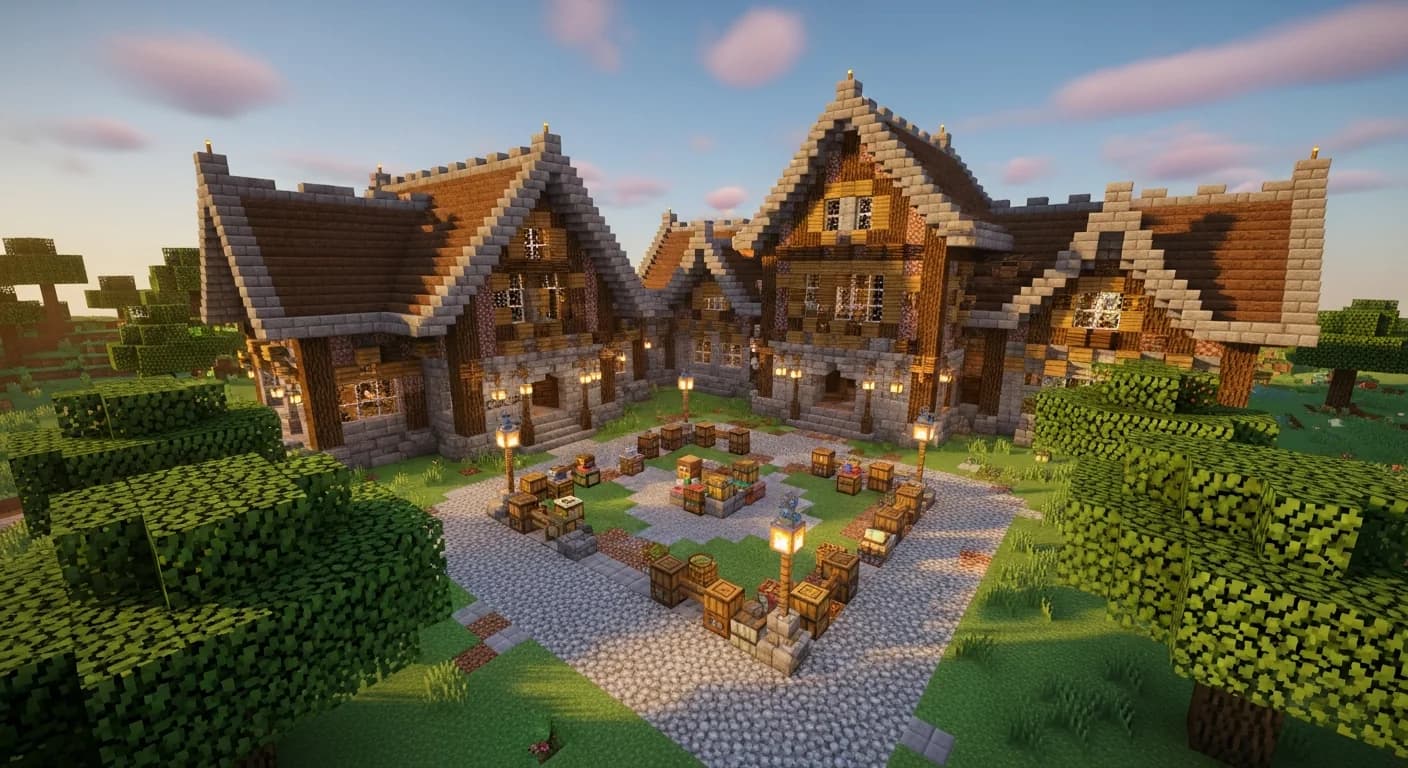
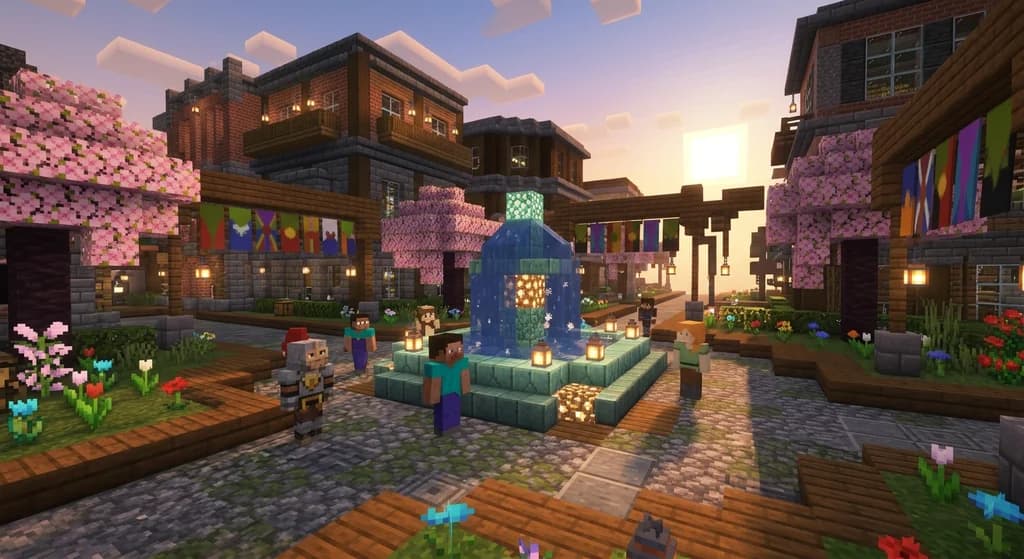
A Minecraft community house is a shared, centrally located structure on a multiplayer server where players gather to craft, store resources, trade, and socialize. Unlike personal bases, a community house belongs to everyone — it's the beating heart of your server's social life.
Think of it as a real-world community center translated into blocks. The best ones have distinct zones for different activities, clear signage, and enough storage that no one is ever hunting for iron ingots alone in the wilderness. When built right, a community house dramatically increases how long players stay engaged on a server, because it gives them a reason to log in even on days they don't feel like going on a solo adventure.
The three qualities every successful community house shares:
- Accessibility — easy to find, easy to reach
- Clarity — labeled rooms, obvious storage systems
- Expandability — room to grow as the player count rises
How to Choose the Best Location
Location is the single most important decision you'll make. Get it wrong and half your server will build their own bases elsewhere and never visit.
Distance from Spawn
Place your community house within 300–500 blocks of the world spawn point. According to the Minecraft Wiki, the default spawn radius in vanilla Minecraft is 10 blocks, meaning players can appear anywhere in that small zone — your community house should be a short run from any spawn outcome, not a five-minute hike.
Pro Tip: Use
/setworldspawn(if you have operator permissions) to lock the spawn point directly in front of your community house entrance. New players will literally walk through the door on their first login.
Terrain Considerations
Flat ground saves hours of terraforming. Plains and meadow biomes are ideal — they offer natural light, easy expansion, and a clean canvas. Avoid building in dense forests or on cliffsides unless you're prepared to do significant terrain work first.
Warning: Never build your community house over a cave system without first filling or lighting it. Mob spawns underneath the foundation will haunt your server for months.
Best Block Palettes for Collaborative Builds
Nothing kills a community build faster than a visual argument. One player wants dark oak, another wants spruce, and suddenly the build looks like a patchwork nightmare. Agree on a palette before placing a single block.
Why Neutral Palettes Work Best
Neutral palettes — built from stone brick, cobblestone, oak planks, and stripped oak logs — are universally available, easy to source in any biome, and don't clash with surrounding terrain. They're also the most commonly available materials for newer players joining mid-project, which means everyone can contribute.
| Palette Style | Primary Blocks | Best For | Sourcing Difficulty |
|---|---|---|---|
| Classic Neutral | Stone brick, oak planks, cobblestone | All biomes, beginner-friendly | Easy |
| Rustic Woodland | Dark oak, mossy cobblestone, stripped spruce | Forest biomes | Easy–Medium |
| Medieval Stone | Deepslate brick, polished andesite, dark oak | Mountain biomes | Medium |
| Modern Clean | Smooth stone, white concrete, glass pane | Flat plains, futuristic themes | Medium |
Note: Concrete requires sand and gravel in large quantities. For a first community house, stick to stone-based blocks that players can mine immediately rather than crafting in bulk.
Accent Blocks That Elevate Any Build
A few accent blocks go a long way. Sea lanterns provide warm lighting and a premium feel. Chiseled stone bricks break up monotonous walls. Flower pots and banners add personality without requiring rare materials. Use accents sparingly — one accent block per five primary blocks is a good rule of thumb.
How to Plan Every Room Your Server Needs
A community house without defined rooms is just a big box. Plan your layout on paper (or in a creative world) before breaking ground in survival.
The Essential Room List
Every community house should have these five zones at minimum:
- Crafting Hall — rows of crafting tables, furnaces, and smokers with labeled chests for common materials nearby
- Communal Storage Wing — a barrel or chest wall organized by category (ores, food, building blocks, tools)
- Social Lounge — a comfortable space with seating, carpet, and a fireplace using a campfire block; this is where players hang out and chat
- Noticeboard Room — a wall of signs or item frames where server announcements, trade offers, and project updates are posted
- Welcome Entrance — a grand foyer that orients new players with a map item frame showing the surrounding area
Scaling Up: Optional Rooms Worth Adding
Once your core five are built, consider adding:
- Enchanting Library — bookshelves surrounding an enchanting table, with a lapis chest nearby
- Farm Access Hub — a room with trapdoor entrances leading down to underground crop and mob farms
- Player Mailbox Row — individual named chests for each player, useful for leaving items or messages
Tips for Coordinating Large-Scale Builds
Getting ten players to build one coherent structure is harder than it sounds. These coordination strategies make the difference between a masterpiece and a mess.
Assign Roles Before You Start
Split your team into three roles:
- Architect — draws the floorplan, approves block choices, makes final design calls
- Resource Runners — mine, farm, and deliver materials to a staging chest near the build site
- Decorators — handle interior details, lighting, and signage once the shell is complete
The Minecraft Wiki notes that signs support up to four lines of text with 15 characters per line — use them liberally to label every chest, room, and corridor so new contributors always know where to put things.
Use a Staging Chest System
Place a row of labeled barrels at the build site entrance — one per material type. Resource runners deposit here; builders pull from here. This prevents the classic problem of half the team mining while the other half waits with empty inventories.
Pro Tip: Color-code your barrel labels using dyed item frames (available in Java Edition 1.17+) so runners can spot the right barrel from across the room at a glance.
Hold a Weekly Build Session
Schedule a fixed time each week — even just 90 minutes — where everyone logs in together. Synchronous building accelerates progress dramatically and builds the social bonds that keep a server alive. According to a Minecraft.net community spotlight, servers that run regular scheduled events report significantly higher player retention than those that rely on asynchronous play alone.
How to Protect Your Community Build from Griefing
A community house is a target. The more effort you put in, the more it hurts when someone blows it up. Protection isn't optional.
Land Claims and WorldGuard
Most servers use a land claim plugin (like GriefPrevention) or WorldGuard to define protected regions. Set your claim before you open the build to the public. WorldGuard regions can be configured to allow all players to use buttons, levers, and chests while preventing block placement or destruction — the perfect setting for a community hub.
Warning: If you're building on a server you don't administrate, confirm with the server owner that land claims are active before investing dozens of hours into the build. An unprotected community house on a public server can be destroyed in minutes.
Backup and Documentation
Take screenshots of your finished build from multiple angles and store the seed/coordinates in a shared note. If your server runs regular world backups (a best practice for any server admin), confirm the backup schedule with your admin. Losing a community house to a rollback is rare but devastating — documentation means you can rebuild faster.
How to Put This Into Practice on Gaia Legends
Everything in this guide is exactly how community building works on Gaia Legends, our free-to-join Java + Bedrock crossplay SMP. The server includes built-in land claim tools so your community house is protected the moment you stake your plot — no waiting for an admin to set up WorldGuard manually. The in-game economy lets players trade materials at a central market, which means your resource runners can buy bulk stone brick instead of mining for hours before the first wall goes up.
Gaia Legends also features a server noticeboard at spawn where players post build project announcements, making it easy to recruit helpers for your community house without needing a Discord server. The active player community means you'll find collaborators online at almost any hour — a real advantage for large-scale builds that need many hands.
Gaia Legends is free to join, non-pay-to-win, and supports Java + Bedrock crossplay. Join at gaialegends.pro and start your legend today.
Conclusion
Building a great Minecraft community house comes down to three things:
- Plan before you place — agree on location, palette, and room layout before anyone breaks ground
- Coordinate your team — assign roles, use staging chests, and hold regular build sessions to keep momentum
- Protect your work — set land claims and document your build before opening it to the server
The effort you put into your community house pays back tenfold in server engagement. Players return to a well-designed hub every session. They bring friends. They contribute. They stay. Now go build something your whole server will remember.
Frequently Asked Questions
What is a Minecraft community house and why does every server need one?
A Minecraft community house is a shared, centrally located structure where players gather to craft, store items, trade, and socialize. Every server benefits from one because it creates a focal point for player interaction — without a shared hub, players scatter to solo bases and the server feels empty even when multiple people are online. A good community house dramatically improves server cohesion and retention.
How big should a Minecraft community house be?
Start with a footprint of roughly 20×20 blocks for a small server (under 10 players), and scale up to 40×60 or larger for servers with 20+ active members. The key is building modularly — a central hall with wings you can extend later. Don't try to build everything at once; a finished small house beats a half-built massive one every time.
What are the best blocks for a Minecraft server base community build?
Stone brick, oak planks, stripped oak logs, and cobblestone are the best foundation blocks for a collaborative Minecraft server base. They're universally available, easy to source, and visually neutral enough that they don't clash with any biome or personal style preference. Add sea lanterns for lighting and chiseled stone bricks as accent details to elevate the look.
How do you stop players from griefing a community house?
Use a land claim plugin like GriefPrevention or a WorldGuard region set to allow chest access and button use while blocking block placement and destruction. Set the protection before you open the build to the public. On servers without plugins, rely on a trusted whitelist and regular world backups as your primary defense.
How do you organize storage in a Minecraft community house?
Use a barrel or chest wall organized by category: raw ores, processed metals, food, building blocks, tools and weapons, and miscellaneous. Label every container with a sign or named item frame. Place the most-used categories (building blocks, food) closest to the entrance. A sorted storage system is the single feature players compliment most in community builds.
How many players does it take to build a Minecraft community house?
You can start a community house with as few as two players, but three to five is the sweet spot for fast progress. One player handles architecture, one or two gather resources, and one handles decoration and signage. Larger teams (10+) build faster but need stricter role assignment to avoid stepping on each other's work. The coordination tips in this guide scale to any group size.
Recommended
- How to Master the Minecraft Survival Progression Guide in 2026
- 7 Best Triadic Block Palettes: A Minecraft Build Tutorial (2026)
- 7 Best Minecraft RPG Maps for Epic Solo or Co-op Play (2026)
- Top 7 Best Minecraft Guide Books Every Player Needs in 2026
Ready to play? Join Gaia Legends today — no pay-to-win, Java + Bedrock crossplay.
- Java:
join.gaialegends.pro - Bedrock:
join.gaialegends.pro— Port19132
Further reading
These references were recorded with the article; specific claims have not been matched to source excerpts.
Frequently Asked Questions
What is a Minecraft community house and why does every server need one?
A Minecraft community house is a shared, centrally located structure where players gather to craft, store items, trade, and socialize. Every server benefits from one because it creates a focal point for player interaction — without a shared hub, players scatter to solo bases and the server feels empty even when multiple people are online. A good community house dramatically improves server cohesion and long-term player retention.
How big should a Minecraft community house be?
Start with a footprint of roughly 20×20 blocks for a small server (under 10 players), and scale up to 40×60 or larger for servers with 20+ active members. The key is building modularly — a central hall with wings you can extend later. Don't try to build everything at once; a finished small house beats a half-built massive one every time.
What are the best blocks for a Minecraft server base community build?
Stone brick, oak planks, stripped oak logs, and cobblestone are the best foundation blocks for a collaborative Minecraft server base. They're universally available, easy to source, and visually neutral enough that they don't clash with any biome or personal style. Add sea lanterns for lighting and chiseled stone bricks as accents to elevate the overall look without requiring rare materials.
How do you stop players from griefing a community house?
Use a land claim plugin like GriefPrevention or a WorldGuard region set to allow chest access and button use while blocking block placement and destruction. Set the protection before you open the build to the public. On servers without plugins, rely on a trusted whitelist and regular world backups as your primary defense against griefing.
How do you organize storage in a Minecraft community house?
Use a barrel or chest wall organized by category: raw ores, processed metals, food, building blocks, tools and weapons, and miscellaneous. Label every container with a sign or named item frame. Place the most-used categories closest to the entrance. A clearly sorted storage system is consistently the feature players compliment most in community house builds.
How many players does it take to build a Minecraft community house?
You can start with as few as two players, but three to five is the sweet spot for fast progress. One player handles architecture, one or two gather resources, and one handles decoration and signage. Larger teams of 10+ build faster but need stricter role assignment to avoid conflicting work. The coordination strategies in this guide scale to any group size.
Related guides
10 Essential Minecraft Roleplay Etiquette Rules to Follow in 2026
Master minecraft roleplay etiquette with 10 essential rules for 2026. Learn RP consent, godmodding, lore respect, and how to be a great roleplay community...
How to Find the Best Minecraft Community for You in 2026
Learn how to find a Minecraft community that fits your playstyle in 2026. Compare server types, spot toxic signs, and discover active servers with our...
How to Build a Thriving Minecraft Guild From Scratch in 2026
Learn how to build a thriving Minecraft guild in 2026 — from recruitment and ranking systems to retention strategies that keep members active long-term.
How to Play Minecraft Multiplayer With Friends Safely in 2026
Learn how to play Minecraft multiplayer with friends safely in 2026. Covers Java vs Bedrock, server types, parental controls, and trusted mods.
Have a question or another approach?
Compare notes with other readers. Include your edition and version when discussing mechanics.