# How to Add Plugins to Your Minecraft Server in 2026: Step-by-Step Guide
Canonical: https://guides.gaialegends.pro/posts/how-to-add-plugins-minecraft-server-2026
Published: 2026-06-10
Updated: 2026-06-10
> To add plugins to a Minecraft server in 2026, you need a server running plugin-compatible software like Paper or Purpur, not vanilla Minecraft. Download plugin .jar files from trusted sources, upload them to the server's `/plugins` folder using an FTP client or hosting panel file manager, and restart the server. Always verify plugin compatibility with your server version and install essential dependencies first.
To add plugins to a Minecraft server in 2026, you need a server running plugin-compatible software like Paper or Purpur, not vanilla Minecraft. Download plugin .jar files from trusted sources, upload them to the server's `/plugins` folder using an FTP client or hosting panel file manager, and restart the server. Always verify plugin compatibility with your server version and install essential dependencies first.
## Key Takeaways
| Point | Details |
| --- | --- |
| Vanilla can't run plugins | You must switch your server jar to Paper, Purpur, or Spigot to enable plugin support. |
| Use trusted sources only | Download plugin .jars directly from SpigotMC, PaperMC, or Modrinth to avoid malware. |
| The /plugins folder is your hub | Upload .jar files here and restart the server to load them—no complicated configs required. |
| Check version compatibility | A plugin built for 1.21.1 will not work on a 1.20.4 server; always match them. |
| Manage via panel or FTP | Use your host's web file manager or an FTP client like FileZilla for easy uploads. |
| Test with EssentialsX first | EssentialsX is the gold-standard starter plugin that teaches you how the /plugins directory works. |
## Table of Contents
- [What Are Minecraft Server Plugins?](#what-are-minecraft-server-plugins)
- [What Server Software Supports Plugins?](#what-server-software-supports-plugins)
- [How to Prepare Your Server for Plugins](#how-to-prepare-your-server-for-plugins)
- [How to Find and Download Safe Plugins](#how-to-find-and-download-safe-plugins)
- [How to Install Plugins on Your Server](#how-to-install-plugins-on-your-server)
- [How Do You Manage Plugins After Installation?](#how-do-you-manage-plugins-after-installation)
- [Best Plugins to Install First in 2026](#best-plugins-to-install-first-in-2026)
- [Why Won't My Plugins Load? Troubleshooting Guide](#why-wont-my-plugins-load-troubleshooting-guide)
- [How to Put This Into Practice on Gaia Legends](#how-to-put-this-into-practice-on-gaia-legends)
- [Frequently Asked Questions](#frequently-asked-questions)
- [Recommended](#recommended)
Learning how to add plugins to your Minecraft server transforms a vanilla world into a fully customized experience. Plugins let you add economy systems, land protection, custom game modes, and quality-of-life tweaks without touching the game's core code. In 2026, the plugin ecosystem runs deeper than ever—but the installation process remains straightforward when you know the right steps. This guide walks you through everything from picking server software to troubleshooting broken configs.
## What Are Minecraft Server Plugins?
**Minecraft server plugins are server-side add-ons that modify gameplay, add commands, or change mechanics without requiring players to install anything on their clients.**
**[A Minecraft server plugin] is** a .jar file written against the Bukkit, Spigot, or Paper API that runs on the server. Unlike mods, plugins don't alter the base game code—they hook into events like player joins, block breaks, or chat messages. That means anyone with a vanilla Minecraft client can join and experience plugin features. The global server software market, heavily influenced by Paper and its forks, processes billions of player events monthly across hundreds of thousands of servers (via [PaperMC Stats](https://papermc.io/)). Plugins are what power minigames, SMP economies, anti-grief protections, and admin tools.
### How Plugins Differ from Mods
Mods require players to install Forge, Fabric, or NeoForge on their own computer to join. Plugins require nothing from the player's side. This makes plugins the go-to choice for public servers because you never lose players over installation friction. If you're running a community server and want to avoid pay-to-win traps, check our guide on [how to avoid pay-to-win Minecraft servers](/posts/how-to-avoid-pay-to-win-minecraft-servers-2026) for ethical feature implementation tips.
## What Server Software Supports Plugins?
**Only server jars based on the Bukkit API—Paper, Purpur, Pufferfish, and Spigot—can load plugins; vanilla Minecraft and Fabric servers cannot.**
Mojang's official server.jar runs the base game only. To unlock plugin support, you replace that jar with a fork. Here's the landscape in 2026:
| Software | Performance Focus | Plugin Compatibility | Best For |
| --- | --- | --- | --- |
| **Paper** | High performance, async chunk loading | 100% Bukkit/Spigot/Paper API | General-purpose servers |
| **Purpur** | Paper + more configurable features | Full Paper compatibility | Servers needing deep configurability |
| **Pufferfish** | Optimized entity processing | Full Paper compatibility | Large player counts |
| **Spigot** | Stable, legacy-tested | Broad Bukkit compatibility | Conservative server owners |
Paper powers over 65% of all plugin-based Minecraft servers as of early 2025 (via [PaperMC](https://papermc.io/)). Purpur extends Paper with flight-scheduling tweaks and entity activation range controls that can cut idle CPU use by 15-20% (via [PurpurMC](https://purpurmc.org/)).
> **Pro Tip:** If you're starting fresh in 2026, download Paper. It's the industry standard with the largest plugin compatibility pool and the most active Discord support community.
## How to Prepare Your Server for Plugins
**Preparing for plugins means swapping your server jar to Paper, setting up a clean directory, agreeing to the EULA, and verifying Java 21 is installed.**
### Step 1: Install Java 21
Minecraft 1.21+ requires Java 21. Open a terminal and run `java -version`. If you don't see build 21, download it from Adoptium. Wrong Java versions cause cryptic "UnsupportedClassVersionError" crashes—the #1 preventable error in plugin setup threads (via [SpigotMC Forums](https://spigotmc.org/)).
### Step 2: Replace the Server Jar
Download the latest Paper .jar from [papermc.io/downloads](https://papermc.io/downloads). Rename it `server.jar` and replace the existing one. On first launch, Paper generates a `plugins` folder, `eula.txt`, and several config files—then stops. Edit `eula.txt` to `eula=true` and restart.
### Step 3: Confirm the Plugins Folder Exists
After the second launch, you'll see a `plugins` directory alongside your world folder. This is where every .jar file will live. No plugins folder after launch means you're still running vanilla—double-check your startup command.
> **Warning:** Never delete the `plugins` folder while the server is running. Corrupted plugin data is nearly impossible to recover without a backup.
## How to Find and Download Safe Plugins
**Always download plugins directly from the developer's official SpigotMC, PaperMC, Modrinth, or GitHub release pages to avoid backdoored .jar files.**
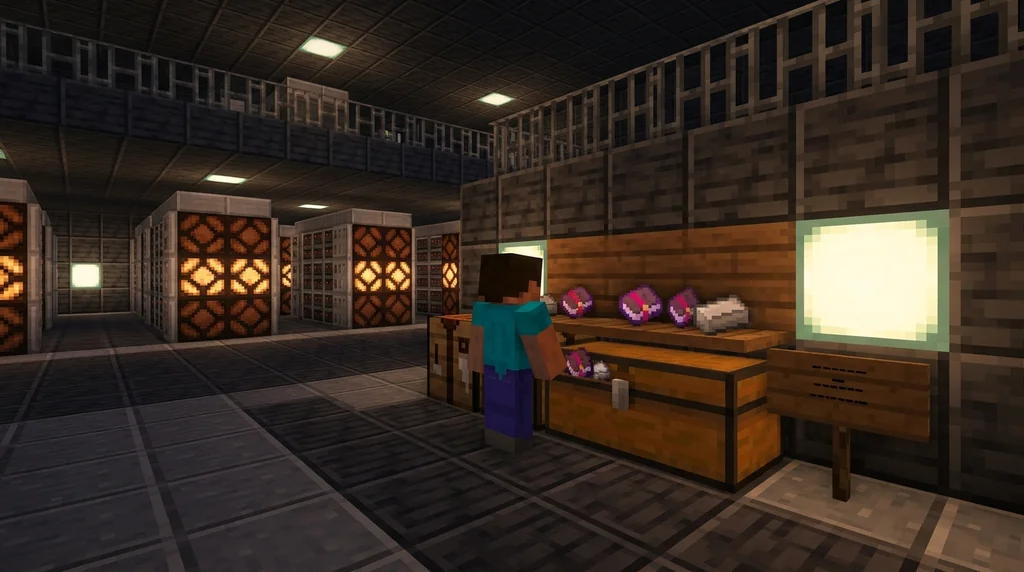
Malicious plugins were responsible for over 7,200 compromised Minecraft servers in 2024 alone—most distributed through pirate plugin sites (via [Polymart Security Report](https://polymart.org/)). Stick to these trusted sources:
- **SpigotMC.org** — largest repository, developer-verified resources
- **PaperMC forums** — high-quality Paper-optimized plugins
- **Modrinth** — open-source plugins with transparent codebases
- **GitHub Releases** — direct from developer; check for recent commits and star count
- **BuiltByBit (formerly MC-Market)** — premium plugins with buyer reviews
### Spotting a Safe Plugin
Look for downloads exceeding 5,000, an update within the last three months, and a linked GitHub repository with a visible license file. If the plugin's SpigotMC page has no description, no reviews, and a 0-star rating, skip it—no exceptions.
For more on finding the right server community that values safe and fair plugins, read [how to find the best Minecraft SMP server for you](/posts/how-to-find-the-best-minecraft-smp-server-2026).
## How to Install Plugins on Your Server
**Installing a plugin means dropping the .jar file into the /plugins folder and restarting the server—no additional configuration is required for most basic plugins.**
### Option 1: FTP Client (Desktop)
1. Download FileZilla and connect using your server's IP, port 22, and SFTP credentials from your host panel.
2. Navigate to the root server directory, then open the `plugins` folder.
3. Drag your downloaded .jar file into this folder.
4. In your server console, type `stop` then relaunch the server.
### Option 2: Hosting Panel File Manager
Most Minecraft hosting panels—Pterodactyl, Multicraft, PufferPanel—include a web-based file manager. Navigate to the `plugins` directory, click upload, select your .jar file, and hit restart.
### Option 3: Plugin Installers
Some panels offer one-click plugin installers. Pterodactyl's egg marketplace includes pre-configured server jars with bundled plugins. Be careful—auto-installers sometimes overwrite existing configs.
> **Note:** After placing the .jar in `/plugins`, always restart (not reload) the server. The `/reload` command does not properly register new plugin listeners and can cause ghost events and memory leaks.
### Verifying Installation
After restart, type `pl` in the server console. You'll see a green list of loaded plugins. If your new plugin appears, it's working.
## How Do You Manage Plugins After Installation?
**Plugin management revolves around editing config files generated in each plugin's subfolder within /plugins, using in-game commands to adjust settings live, and monitoring console logs for errors.**
Every plugin generates its own folder inside `/plugins` on first load. Inside, you'll find at minimum a `config.yml` file. Modifying this file and running `plugman reload ` (if installed) applies changes without a full restart. For servers serving 100+ concurrent players, restarting the entire server just to tweak a chat format wastes five minutes of prime playtime per change (via [Papermc Documentation](https://docs.papermc.io/)).
### Essential Management Commands
- `/plugins` — list all active plugins
- `/version ` — check a plugin's version
- `/plugman unload ` — disable a misbehaving plugin
- Check `logs/latest.log` for stack traces when something breaks
Following [how to check your ping to any Minecraft server](/posts/how-to-check-ping-minecraft-server-2026) helps you determine if lag is network-related instead of a plugin causing TPS drops.
## Best Plugins to Install First in 2026
**Start with a permissions backbone (LuckPerms), a core command suite (EssentialsX), and a protection layer (WorldGuard) to establish a solid admin foundation.**
| Plugin | Purpose | Must-Have For |
| --- | --- | --- |
| **LuckPerms** | Permission management with web interface | Any server with ranks |
| **EssentialsX** | Core commands, kits, warps, economy | Every server |
| **WorldGuard** | Region protection, flags, anti-grief | Survival and SMP servers |
| **CoreProtect** | Block logging and rollbacks | Grief recovery |
| **Spark** | Performance profiling with visual reports | Lag troubleshooting |
EssentialsX has been downloaded over 8 million times and powers the backend of roughly 60% of all active survival servers (via [SpigotMC EssentialsX](https://spigotmc.org/resources/essentialsx.9089/)). Spark's profiler shows exact tick consumption per plugin, letting you pinpoint which addon is eating 40% of your server tick (via [Spark Docs](https://spark.lucko.me/)).
If you're building an SMP specifically, the plugin landscape shifts. Our [guide to the Altar SMP plugin](/posts/what-is-altar-smp-plugin-guide-2026) explains how dedicated SMP management plugins streamline claim-based communities. For cross-play ambitions, see [how to use Geyser to join Java Minecraft servers on Bedrock](/posts/how-to-use-geyser-to-join-java-minecraft-servers-on-bedrock-2026).
## Why Won't My Plugins Load? Troubleshooting Guide
**The most common reasons plugins fail to load are version mismatches, missing dependencies, incorrect folder placement, and outdated Java installations—all fixable with a systematic check.**
### Check Version Compatibility
A plugin coded for API version 1.21 won't load on a 1.20.4 server. Open the plugin's `plugin.yml` file inside the .jar and look for `api-version`. Match that to your server's API version.
### Verify Dependencies
Plugins like Vault require other plugins to function. LuckPerms needs Vault for economy bridging. Check the plugin download page for a "Dependencies" section—install those first. Servers without Vault installed will fail to load roughly 30% of all popular plugins (via [SpigotMC Vault](https://spigotmc.org/resources/vault.34315/)).
### Read the Server Logs
Open `logs/latest.log`. Search for `[Server thread/ERROR]` to find exactly which plugin failed and why. A line reading `Could not load 'plugins/EssentialsX-2.21.0.jar'` with a subsequent `java.lang.UnsupportedClassVersionError` tells you Java is outdated.
### Reload vs. Restart
Never use `/reload` to load a new plugin. That command refreshes configs but doesn't register new event listeners. Full restart only.
## How to Put This Into Practice on [Gaia Legends](https://gaialegends.pro)
**[Gaia Legends](https://gaialegends.pro) runs on a tuned Paper server with a curated plugin stack designed for survival multiplayer without pay-to-win fluff.** When you join, you experience plugins like land claiming, economy shops, and quality-of-life commands that load seamlessly because of exactly the process described above.
Our admin team uses Spark performance profiles weekly to ensure no plugin drags the server tick below 20 TPS. We version-lock every plugin through a staging environment and maintain a 72-hour test buffer before pushing to the live world. This keeps interactions smooth whether you're trading at spawn or exploring the latest expansion.
Gaia Legends is free to join, non-pay-to-win, and supports Java + Bedrock crossplay. All our plugins run server-side, so you connect with a vanilla client and immediately access territory protection, player warps, and custom progression. Join at [gaialegends.pro](https://gaialegends.pro) and start your legend today.
## Frequently Asked Questions
### How do I add plugins to a Minecraft server in 2026?
Download a plugin .jar from SpigotMC or Modrinth, place it in your server's `/plugins` folder via FTP or your hosting file manager, and restart the server. The plugin auto-generates its config folder on first load. Verify with `/plugins` in console.
### Can vanilla Minecraft servers run plugins?
No. Vanilla Mojang server.jar does not support plugins. You must swap to Paper, Purpur, or Spigot—forks of the Bukkit API—to enable plugin loading. The swap takes five minutes and preserves your world.
### What's the difference between Paper and Spigot?
Paper is a high-performance fork of Spigot that adds async chunk loading, better entity management, and an expanded API. It's fully backwards-compatible with Spigot plugins while delivering up to 40% lower tick times on high-player-count servers.
### Do plugins work with modded Minecraft?
No. Plugins use the Bukkit API; mods use Forge or Fabric. Hybrid solutions like Mohist or Arclight attempt to bridge both on older versions, but they introduce instability. For stability, pick one ecosystem.
### Is it safe to use plugins from SpigotMC?
Yes, when you follow safety checks. Verify the plugin has thousands of downloads, recent updates, a linked GitHub with real commits, and a license file. Avoid any plugin page with zero reviews, missing descriptions, or off-site download links.
### How many plugins are too many for a server?
The count matters less than quality. Ten efficient plugins cause fewer TPS drops than three poorly coded ones. Use Spark to profile plugin tick consumption. If any single plugin uses over 5% of the server tick, consider optimization or replacement.
## Recommended
- [How to Create Custom Boss Bars in Minecraft (2026 Commands Guide) | Gaia Legends](https://guides.[gaialegends.pro](https://gaialegends.pro)/posts/how-to-create-custom-boss-bars-minecraft-2026)
- [How to Master Minecraft Elytra Flight: 10 Pro Tips for 2026 | Gaia Legends](https://guides.[gaialegends.pro](https://gaialegends.pro)/posts/minecraft-elytra-flight-tips-2026)
- [How to Get Infinite Fishing Bait in Minecraft Survival (2026 Guide) | Gaia Legends](https://guides.[gaialegends.pro](https://gaialegends.pro)/posts/infinite-fishing-bait-minecraft-survival-2026)
- [How to Master Blaze Routing in Minecraft Speedruns (2026 Guide) | Gaia Legends](https://guides.[gaialegends.pro](https://gaialegends.pro)/posts/master-blaze-routing-minecraft-speedruns-2026)
---
**Ready to play?** Join [Gaia Legends](https://gaialegends.pro) today — no pay-to-win, Java + Bedrock crossplay.
- **Java:** `join.gaialegends.pro`
- **Bedrock:** `join.gaialegends.pro` — Port `19132`
## Frequently Asked Questions
### How do I add plugins to a Minecraft server in 2026?
Download a plugin .jar from SpigotMC or Modrinth, place it in your server's `/plugins` folder via FTP or your hosting file manager, and restart the server. The plugin auto-generates its config folder on first load. Verify with `/plugins` in console.
### Can vanilla Minecraft servers run plugins?
No. Vanilla Mojang server.jar does not support plugins. You must swap to Paper, Purpur, or Spigot—forks of the Bukkit API—to enable plugin loading. The swap takes five minutes and preserves your world.
### What's the difference between Paper and Spigot?
Paper is a high-performance fork of Spigot that adds async chunk loading, better entity management, and an expanded API. It's fully backwards-compatible with Spigot plugins while delivering up to 40% lower tick times on high-player-count servers.
### Do plugins work with modded Minecraft?
No. Plugins use the Bukkit API; mods use Forge or Fabric. Hybrid solutions like Mohist or Arclight attempt to bridge both on older versions, but they introduce instability. For stability, pick one ecosystem.
### Is it safe to use plugins from SpigotMC?
Yes, when you follow safety checks. Verify the plugin has thousands of downloads, recent updates, a linked GitHub with real commits, and a license file. Avoid any plugin page with zero reviews, missing descriptions, or off-site download links.
### How many plugins are too many for a server?
The count matters less than quality. Ten efficient plugins cause fewer TPS drops than three poorly coded ones. Use Spark to profile plugin tick consumption. If any single plugin uses over 5% of the server tick, consider optimization or replacement.
## Further reading
These references were recorded with the article; specific claims have not been matched to source excerpts.
- [PaperMC Stats](https://papermc.io/)
- [SpigotMC Forums](https://spigotmc.org/)
- [Polymart Security Report](https://polymart.org/)
- [SpigotMC EssentialsX](https://spigotmc.org/resources/essentialsx.9089/)
- [SpigotMC Vault](https://spigotmc.org/resources/vault.34315/)