7 Best Minecraft Server Hosting for Mods: 2026 Performance Guide
Filed under Minecraft Server Guides & Reviews · How we create content
Key Takeaways
| Point | Details |
|---|---|
| RAM is non-negotiable | Most popular modpacks like All the Mods 9 need at least 6–8 GB of dedicated RAM to run smoothly. |
| NVMe SSD storage matters | Modded worlds generate chunks faster and load mods quicker on NVMe drives versus standard HDDs. |
| Java 21 compatibility | Your host must support Java 21 to run modern Forge, NeoForge, and Fabric modpacks without crashes. |
| One-click installers save hours | Hosts with built-in CurseForge and Modrinth mod managers cut setup time from hours to minutes. |
| TPS is your health metric | A well-configured modded server should hold 18–20 TPS under normal load — watch this number closely. |
| Cheap hosting has hidden costs | Ultra-budget plans often throttle CPU under load, which kills TPS faster than any single mod. |
Table of Contents
- What Is Modded Minecraft Server Hosting?
- What to Look for in the Best Minecraft Server Hosting for Mods
- Top 7 Best Minecraft Server Hosting for Mods in 2026
- How to Set Up a Modded Minecraft Server in 2026
- Tips for Keeping Your Modded Server Running Smoothly
- How to Put This Into Practice on Gaia Legends
- Conclusion
- Frequently Asked Questions
- Recommended
Most people shopping for Minecraft server hosting make the same mistake: they pick the cheapest plan, load up a 300-mod pack, and wonder why the server crashes within an hour. Modded Minecraft is a fundamentally different beast from vanilla. It demands more RAM, faster storage, and a host that actually understands what NeoForge is. This guide cuts through the noise. You'll get a clear breakdown of the 7 best Minecraft server hosting options for mods in 2026, exactly what specs to look for, and how to set everything up without the headaches.
What Is Modded Minecraft Server Hosting?
Modded Minecraft server hosting is a type of game server service specifically configured to run Minecraft instances loaded with mod frameworks like Forge, NeoForge, Fabric, or Quilt — along with the mods themselves. Unlike vanilla hosting, modded hosting requires higher RAM ceilings, NVMe SSD storage for fast chunk generation, and support for Java 21, which became the standard runtime for modern modpacks.
The key difference from standard hosting is resource intensity. A vanilla server with 10 players runs fine on 2 GB of RAM. That same server running All the Mods 9 needs at least 6–8 GB just to stay stable. If your host can't deliver dedicated, unthrottled CPU and RAM, your TPS will tank — and a laggy modded server is nearly unplayable.
Note: "Modded server hosting" and "Minecraft Bedrock edition server hosting" are different products. Most major mod loaders (Forge, Fabric, NeoForge) are Java Edition only. If you need Bedrock crossplay with mods, look for hosts offering Geyser plugin support on Java servers.
What to Look for in the Best Minecraft Server Hosting for Mods
Before you compare providers, know what specs actually matter for modded Minecraft server setup in 2026.
RAM Allocation
This is the single most important factor. Light modpacks (under 50 mods) can run on 4 GB. Mid-tier packs like RLCraft or Vault Hunters need 6–8 GB. Heavy kitchen-sink packs like All the Mods 9 or FTB Skies perform best with 10–12 GB. Always pick a plan with room to scale.
Storage Type and Speed
NVMe SSD storage dramatically reduces world load times and mod initialization. Avoid any host still offering HDD-based plans for modded servers — chunk generation lag alone will frustrate your players.
Mod Loader and Panel Support
The best hosts offer one-click installers for CurseForge and Modrinth modpacks directly from the control panel. This saves hours of manual file management. Confirm the host supports your target loader: Forge, NeoForge, Fabric, or Quilt.
Java Version Flexibility
Modern modpacks require Java 21. Some older packs still use Java 17 or Java 8. Your host must let you switch Java versions per-server without opening a support ticket.
Uptime and Support Quality
Look for hosts guaranteeing 99.9% uptime with 24/7 live chat. Modded servers crash — it's a fact of life. Fast support response is worth paying a few extra dollars per month.
Pro Tip: Before committing to any host, ask their support team one question: "Does your panel support one-click NeoForge 1.21 modpack installs?" The answer tells you everything about their modded-server expertise.
Top 7 Best Minecraft Server Hosting for Mods in 2026
Here's a side-by-side comparison of the top providers for modded Minecraft server setup in 2026:
| Provider | Starting RAM | Mod Installer | Java 21 Support | Starting Price/mo |
|---|---|---|---|---|
| Apex Hosting | 4 GB | CurseForge + Modrinth | ✅ | ~$7.99 |
| BisectHosting | 4 GB | CurseForge + Modrinth | ✅ | ~$7.99 |
| Shockbyte | 2 GB | CurseForge | ✅ | ~$2.50 |
| MCProHosting | 4 GB | CurseForge | ✅ | ~$9.99 |
| GGServers | 3 GB | CurseForge | ✅ | ~$4.99 |
| PebbleHost | 2 GB | Modrinth + Forge | ✅ | ~$1.50 |
| Sparked Host | 4 GB | CurseForge + Modrinth | ✅ | ~$5.00 |
Warning: Prices and plan details change frequently. Always verify current pricing on the provider's official website before purchasing. Cheap entry plans (under $3/mo) often share CPU resources — fine for small vanilla servers, but dangerous for heavy modpacks.
Why Apex Hosting and BisectHosting Lead the Pack
Both providers have built their reputations on modded Minecraft specifically. Their control panels (both use a modified Multicraft or Pterodactyl setup) include direct CurseForge and Modrinth integration, letting you deploy a full modpack in under five minutes. Their support teams are trained on mod loader issues — not just generic server troubleshooting.
Shockbyte is the best value for cheap Minecraft server hosting if you're running a lighter modpack or testing a new pack before scaling up. Their entry plan is among the lowest-priced in the industry, and they support Java 21 across all tiers.
PebbleHost deserves a mention for budget-conscious players. Their free tier and low-cost plans are genuinely usable for small modded servers, and their Modrinth integration is solid. Just don't expect to run a 300-mod pack on their base plan.
For a deeper technical comparison of modded hosting options, check out our full breakdown: 7 Best Modded Minecraft Server Hosting Services to Use in 2026.
How to Set Up a Modded Minecraft Server in 2026
Once you've picked your host, follow these steps for a clean modded Minecraft server setup in 2026:
- Choose your mod loader. NeoForge is now the primary fork of Forge and is the recommended loader for most 1.21+ modpacks. Fabric remains the best choice for performance-focused packs.
- Select your modpack. Browse CurseForge or Modrinth. Filter by "Server Compatible" to avoid client-only packs.
- Allocate RAM correctly. Set your JVM startup flag
-Xmxto match your plan. For an 8 GB plan, use-Xmx7G— leave 1 GB for the OS. - Install via your panel's one-click tool. Most top hosts let you paste a CurseForge or Modrinth pack URL and auto-install everything.
- Configure
server.properties. Setview-distance=6to start — you can raise it once you confirm stable TPS. - Test with 2–3 players before opening to the public. Watch TPS using the
/tpscommand (available with most server management plugins).
Warning: Never skip the RAM headroom step. Setting
-Xmxequal to your full plan RAM (e.g.,-Xmx8Gon an 8 GB plan) leaves no memory for the OS and causes unpredictable crashes within hours.
If your server still feels sluggish after setup, our guide on how to reduce Minecraft server lag in 2026 covers JVM flag tuning, chunk pre-generation, and TPS optimization in detail.
Tips for Keeping Your Modded Server Running Smoothly
Getting the server online is step one. Keeping it healthy is the ongoing job.
Monitor TPS Religiously
TPS (ticks per second) is your server's health metric. Minecraft targets 20 TPS. Modded servers commonly run at 18–20 TPS under light load. If you're consistently seeing 15 TPS or lower, something is wrong — usually a runaway mod, too many entities, or insufficient RAM.
Pre-Generate Your World
Chunk generation is the #1 CPU killer on modded servers. Use a plugin like Chunky to pre-generate a 5,000-block radius before players explore. This alone can cut lag complaints by half.
Prune Unused Mods
Every mod loaded at startup costs RAM and CPU, even if no player uses it. Audit your modlist every few weeks. Remove mods that add content nobody is using.
Keep Backups Automated
Set your host's auto-backup to run daily. Modded servers are more prone to world corruption than vanilla — a corrupted chunk from a buggy mod can wipe hours of progress without a backup.
For a broader look at choosing the right server environment — including what SMP features matter most — see what is a Minecraft SMP and how to choose the best server in 2026.
Also worth reading if you're evaluating servers as a player: how to find the best Minecraft survival servers in 2026 covers what red flags to watch for in any hosted environment.
How to Put This Into Practice on Gaia Legends
Everything above — RAM planning, mod loader selection, TPS monitoring — reflects exactly how Gaia Legends is built and maintained. Our server runs on a high-RAM, NVMe-backed Java host with Geyser enabled for Minecraft Bedrock edition server hosting crossplay, so Java and Bedrock players share the same world seamlessly.
Gaia Legends features a custom-built economy, unique quest lines, and community build events that would buckle on an underpowered host. We run regular TPS audits, pre-generate new world regions before each major content update, and keep automated daily backups so no player progress is ever lost.
The complex builds and community features you'll find in the Gaia universe — from multi-biome megabuilds to server-wide boss events — are only possible because the infrastructure underneath them is solid.
Gaia Legends is free to join, non-pay-to-win, and supports Java + Bedrock crossplay.
Join at gaialegends.pro and start your legend today.
Conclusion
Picking the right host is the single biggest decision you'll make for your modded server. Here are the three things to take away:
- RAM and CPU quality matter more than price. Budget hosts throttle resources under load — that's where your TPS dies.
- Use a host with one-click mod installers. CurseForge and Modrinth integration cuts setup time from hours to minutes and reduces configuration errors.
- Monitor TPS from day one. A healthy modded server runs 18–20 TPS. Catch problems early before they compound.
Pick your host, allocate your RAM correctly, pre-gen your world, and you'll have a modded server worth playing on. Now go build something.
Frequently Asked Questions
Recommended
- 7 Best Mangrove and Bamboo Build Ideas for Minecraft 2026
- How to Use the Mace in Minecraft: 2026 Boss Hunting Guide
- Best Minecraft MMORPG Character Builds for 2026 Server Play
- How to Get the Best Minecraft Fishing Loot in 2026: Expert Guide
Ready to play? Join Gaia Legends today — no pay-to-win, Java + Bedrock crossplay.
- Java:
join.gaialegends.pro - Bedrock:
join.gaialegends.pro— Port19132
Further reading
These references were recorded with the article; specific claims have not been matched to source excerpts.
Frequently Asked Questions
What is the best Minecraft server hosting for mods in 2026?
The best Minecraft server hosting for mods in 2026 includes Apex Hosting, BisectHosting, and Shockbyte. All three support Java 21, offer one-click CurseForge and Modrinth modpack installers, and provide NVMe SSD storage. For heavy modpacks, prioritize plans with at least 6–8 GB of dedicated RAM and unthrottled CPU access to maintain stable TPS.
How much RAM do I need for a modded Minecraft server?
RAM needs scale with modpack size. Light packs under 50 mods run on 4 GB. Mid-tier packs like RLCraft or Vault Hunters need 6–8 GB. Heavy kitchen-sink packs like All the Mods 9 perform best with 10–12 GB. Always leave about 1 GB free for the operating system — don't allocate your entire plan to the JVM.
Can I run mods on Minecraft Bedrock edition server hosting?
Most major mod loaders — Forge, NeoForge, and Fabric — are Java Edition only. However, you can run a Java server with the Geyser plugin installed, which allows Bedrock players to connect to a Java server. This is the most common way to achieve crossplay with mods. Pure Bedrock edition servers use Add-Ons, not traditional Java mods.
What Java version do I need for modded Minecraft in 2026?
Java 21 is the current standard for modern modpacks running on Minecraft 1.21 and later. Some older modpacks still require Java 17 or Java 8 — always check the modpack's requirements page on CurseForge or Modrinth before choosing a host. Your hosting provider must allow you to switch Java versions per server instance.
Is cheap Minecraft server hosting good enough for mods?
It depends on the modpack. Budget hosts work for small packs with under 50 mods and 3–5 players. For anything larger, cheap plans that share CPU resources will cause TPS drops and crashes under load. If you're running a popular modpack with 10+ players, spending $8–$12/month on a quality host is almost always worth it compared to the frustration of a laggy server.
How do I set up a modded Minecraft server for the first time?
Choose a host with one-click mod installer support, pick your mod loader (NeoForge for most 1.21+ packs, Fabric for performance-focused ones), select a server-compatible modpack from CurseForge or Modrinth, allocate RAM correctly using the -Xmx JVM flag, and pre-generate your world with Chunky before opening to players. Test with 2–3 players first and monitor TPS before going public.
Related guides
7 Best Modded Minecraft Server Hosting Services to Use in 2026
Find the best modded Minecraft server hosting for 2026. Compare top providers on RAM, mod support, price, and performance for Forge, Fabric, and modpacks.
How to Reduce Minecraft Server Lag: 2026 Multiplayer Guide
Learn how to reduce Minecraft server lag in 2026. Fix high ping, TPS drops, and rubber-banding with proven multiplayer optimization tips for Java and Bedrock.
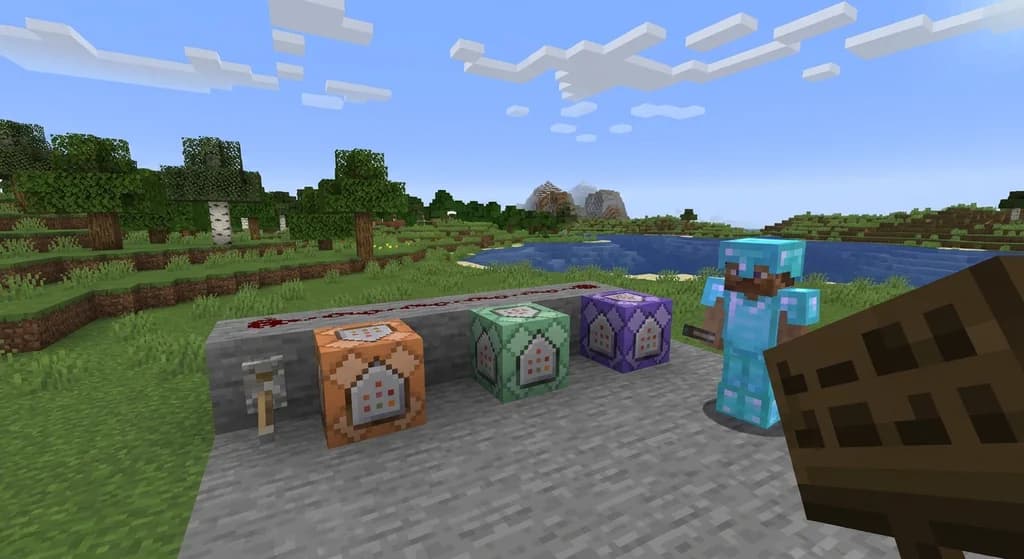
Minecraft Commands: Usage and Syntax Reference
Learn how to use Minecraft commands across Java and Bedrock editions. This quick reference covers syntax, execution methods, permission levels, and command blocks.
Minecraft Hardcore Mode: Features and Mechanics
Learn everything about Minecraft Hardcore Mode: how to enable it, the permadeath mechanics, spectator mode, multiplayer rules, and how it works on Java and Bedrock editions.
Have a question or another approach?
Compare notes with other readers. Include your edition and version when discussing mechanics.